On this page
Best MCP Servers: What Is Official, What Is Archived
Most lists of the best MCP servers open with GitHub, Slack, PostgreSQL, Google Drive and Puppeteer. Every one of those reference implementations has been archived. They were moved out of the official repository and are no longer maintained there, which is an awkward thing to find out after wiring one into a production setup.
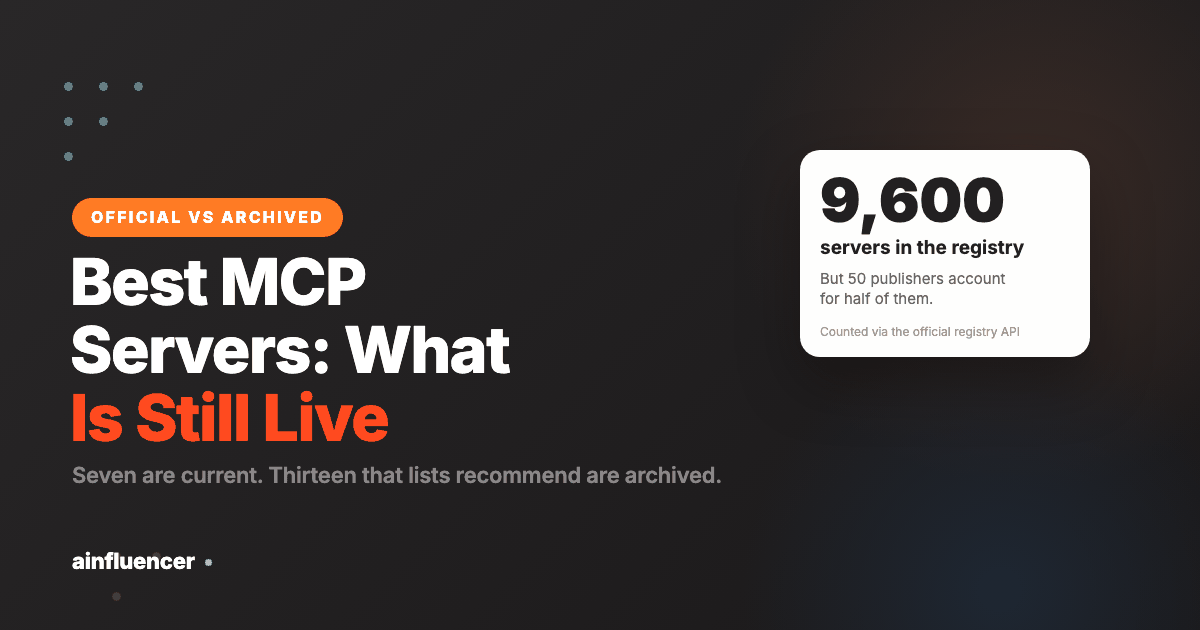
So this starts with what is actually current. The official repository keeps seven reference servers. The official registry is a different thing and a far larger one: paginating its API directly, I counted 9,600 servers from 2,474 publishers before the connection timed out, so even that is a floor. Neither number is the one to act on, for reasons that become obvious once you look at who published them.
The servers most lists still recommend are archived
Thirteen reference servers were retired from modelcontextprotocol/servers and moved to a separate archived repository:
AWS KB Retrieval, Brave Search, EverArt,
GitHub, GitLab, Google Drive,
Google Maps, PostgreSQL, Puppeteer,
Redis, Sentry, Slack, SQLite.
Archived does not always mean abandoned. In several cases the vendor took over and now ships its own, which is a better outcome: Brave Search, for instance, points at an official Brave-maintained server. The failure mode is copying an install command from an article written before the move and ending up on an unmaintained package.
The check takes a few seconds. Before installing any MCP server, open its repository and look at whether it is archived and when it last saw a commit. If a list recommends one without mentioning who maintains it now, that list has not been updated.
The seven current reference servers
These exist to demonstrate the protocol and the official SDKs, not to be a complete toolkit. They are small, readable, and the right place to start if you want to understand what a server actually does.
| Server | What it does | Worth it when |
|---|---|---|
filesystem | File operations with configurable access controls | You want Claude working on files outside the project directory, with the boundary set explicitly |
git | Reads, searches and manipulates Git repositories | You want history and blame as data rather than as shell output |
fetch | Fetches web content and converts it for model use | You need pages pulled and cleaned rather than screenshotted |
memory | Persistent memory built on a knowledge graph | You want facts to survive between sessions |
sequentialthinking | Structured, revisable reasoning in steps | Long problems where you want the reasoning visible |
time | Time and timezone conversion | Scheduling work, where models are reliably unreliable |
everything | Test server exercising prompts, resources and tools | You are building a client or a server and need something to point at |
Of these, filesystem and git are the two most people keep.
memory is the one most people try, enjoy, and then need to think about,
because a persistent store that the model writes to is a thing you now own and have to
curate.
The registry is huge, and the number is misleading
The count people quote for MCP servers ranges from a few hundred to several thousand, usually with no source. The official MCP registry has a public API, so I paginated the whole thing instead of guessing: 9,600 servers across 2,474 publishers, and the connection timed out before reaching the end.
Then I looked at who those publishers are, and the headline number stopped meaning much:
| Publishers | Servers | Share of registry |
|---|---|---|
| The single largest | 970 | 10.1% |
| Top 5 | 2,083 | 21.7% |
| Top 10 | 2,865 | 29.8% |
| Top 50 | 4,610 | 48.0% |
One publisher accounts for a tenth of the registry by itself. Fifty publishers account for roughly half of it. At the other end, 1,496 namespaces, which is 60% of all publishers, have exactly one server.
That shape is worth understanding before treating registry size as a measure of ecosystem health. A large share of the catalogue is bulk-published by a small number of operators generating many narrow servers. The useful part for most people is the long tail: the single server published by the company whose product you already pay for.
Which gives a simple rule. Do not shop the registry by browsing it. Search it for the specific system you need, then check the publisher is the vendor of that system.
Installing one in Claude Code
The CLI handles it. A local server that runs as a process:
claude mcp add filesystem -- npx -y @modelcontextprotocol/server-filesystem /path/to/filesA remote server over HTTP:
claude mcp add --transport http mcp-docs https://modelcontextprotocol.io/mcpPython servers run through uvx rather than npx:
claude mcp add git -- uvx mcp-server-git --repository /path/to/repoScope is the part people get wrong
Where a server is registered decides who gets it, and the default is narrower than most people assume.
| Scope | Who gets it | Use for |
|---|---|---|
local (default) | Just you, just this project | Experiments, and anything holding a credential you do not want shared |
project | Anyone who clones the repo, via a committed .mcp.json | Servers the whole team needs. The official servers repo does exactly this |
user | You, in every project on the machine | Personal utilities like filesystem or memory |
Add a scope with --scope project or --scope user. A committed
.mcp.json is the cleanest way to give a team the same setup, and it is worth
saying out loud that it is committed: do not put secrets in it.
Server, skill or plugin
These three get conflated constantly, and choosing the wrong one is how people end up building something that cannot work.
| Layer | What it is | Reaches outside systems |
|---|---|---|
| Skill | Markdown instructions in a SKILL.md | No |
| MCP server | A running process or endpoint exposing tools and data | Yes. This is the only one that does |
| Plugin | A package that can bundle skills, commands, agents, hooks and an MCP server | Yes, when it includes a server |
Put plainly: if the job needs your data, you need a server. If the job needs a method, you need a skill. If you want to hand someone both in one install, you want a plugin. Vendors increasingly ship a plugin that wraps their server, which is why checking for an official plugin first can save you the configuration entirely.
Why an archived server is a real problem
Archived does not mean deleted, which is why these keep turning up on lists of the best MCP servers: the code is still there, the install command still works, and nothing announces that you have picked up something nobody maintains.
What actually goes wrong, in the order it usually happens:
- The upstream API moves and the server does not. Every one of these wraps somebody else’s service, and those services change their endpoints, their auth and their rate limits. An unmaintained wrapper breaks on their schedule, not yours
- Nothing fixes a security issue. A dependency with a known problem stays that way, and these components frequently hold credentials for the service they wrap
- The failure is quiet. You do not get a deprecation warning or an error that names the real cause. You get a call that returns nothing, or returns stale data that looks plausible, and the debugging starts from the wrong end entirely
Two checks before installing anything from a list, including this one: look at the repository’s last commit date, and look at whether it is in the archived section rather than the current one. Both take ten seconds and neither is visible from the install command.
There is a second category worth separating from genuine abandonment, because the two look identical from outside. Some of these were archived precisely because the service they wrapped shipped its own official integration, which makes the reference version redundant rather than broken. That is a good outcome and you still should not install the old one. The practical consequence is the same either way: when a server is archived, check whether the service now offers its own before assuming the capability is gone, because frequently the capability moved rather than disappeared and the replacement is better maintained than the original ever was.
How many to install, and in what order
The instinct with a large registry is to connect everything that looks relevant. That produces an assistant with access to a dozen services and no clear idea of which it should use for a given request.
It also produces a subtler problem that is harder to notice. With many overlapping connections available, the choice of which to use for a given request becomes less predictable, and two sessions asking the same question can take different routes to the answer. That is fine when you are exploring and genuinely unhelpful when you are trying to reproduce something that worked yesterday.
- Start with one, for a task you do weekly. Not the most impressive one. The one that removes a chore you actually have
- Use it for a week before adding another. You will learn more about whether this approach suits your work from one real server than from five configured in an afternoon
- Add the second only when you hit the limit of the first. That is a reason. “It was on a list” is not
- Prune on a schedule. Anything unused in two months comes out, because every connected service is capability the assistant carries into unrelated work, and a connection you have forgotten about is one you are no longer making decisions about
For the mechanics of connecting and managing them, the official documentation is the reference rather than any directory listing, because the install surface changes faster than the lists describing it.
One last thing worth deciding before you connect anything at all, because it is easier to answer now than after something has gone wrong. Each of these holds credentials for a service you care about, and grants an assistant the ability to act in that service on your behalf.
For a read-only connection to documentation that is a small decision. For anything that can write, send, delete or spend, it is a real one, and the right habit is to connect those with the narrowest permissions the service offers rather than the convenient ones. Most of these services support scoped tokens. Almost nobody uses them, and the moment you wish you had is the moment it is too late to start.
Which to install first
Each server adds tools to the model’s working set, and a large working set makes tool choice worse, not better. Four at a time is a reasonable ceiling to start with.
- filesystem, scoped to a directory you name. It is the one that changes daily work most, and the access control is the point: you decide the boundary.
- The vendor server for the system you touch most. Your issue tracker, your database, your analytics. Published by the vendor, not a third party reimplementation.
- git, if you work in repositories and want history as structured data.
- Then stop and use it for a week before adding more. The usual regret is twelve servers installed in an afternoon and no idea which one is making tool selection worse.
What an MCP server will not do
It is not a permission boundary you get for free. A server runs with whatever access you gave it. A filesystem server pointed at your home directory can read your home directory. Scope it deliberately.
It does not make the model understand your system. It gives access. Knowing which of forty tables matters is still your job, and that part is better solved with a skill or a good CLAUDE.md.
More servers is not more capability. Past a handful, tool selection degrades and sessions get slower. The useful set is small and matched to systems you actually touch.
Frequently asked questions
What are the best MCP servers to start with?
Start with filesystem, scoped to a directory you name, because the access control is the point. Then add the vendor-published server for whichever system you touch most, your issue tracker, database or analytics. Add git if you work in repositories. Stop at about four and use them for a week: past a handful, tool selection gets worse rather than better.
How many MCP servers are there?
The official registry held 9,600 servers from 2,474 publishers when paginated directly, and that count stopped on a timeout rather than at the end. The number is less useful than it looks: one publisher accounts for 10% of the registry, the top 50 for roughly half, while 60% of publishers have exactly one server. The official reference repository, separately, maintains just seven.
Are the GitHub and Slack MCP servers still maintained?
Not as reference servers. Thirteen were archived out of the official repository, including GitHub, GitLab, Slack, Google Drive, Google Maps, PostgreSQL, Puppeteer, Redis, SQLite, Sentry, Brave Search, EverArt and AWS KB Retrieval. In several cases the vendor now publishes its own, which is the one to use. Check whether a repository is archived before installing from a list that recommends it.
How do I add an MCP server to Claude Code?
Use the CLI. For a local process, claude mcp add name — npx -y package-name, or with uvx instead of npx for Python servers. For a remote one, claude mcp add –transport http name https://example.com/mcp. Add –scope project to write a committed .mcp.json the whole team shares, or –scope user to make it available in all your projects.
What is the difference between an MCP server, a skill and a plugin?
A skill is Markdown instructions and reaches nothing outside the conversation. An MCP server is a running process or endpoint that exposes tools and data, and it is the only one of the three that connects to outside systems. A plugin is packaging that can bundle skills, slash commands, agents, hooks and an MCP server together. If the job needs your data you need a server; if it needs a method you need a skill.
Is it safe to install MCP servers from the registry?
A registry listing is a listing, not a review. Anyone can publish, and the concentration data shows a lot of bulk publishing. Prefer servers published by the vendor of the system they connect to, check when the repository last saw a commit, and remember that a server runs with whatever access you grant it, so scope filesystem access deliberately rather than pointing it at your home directory.
The honest summary: seven reference servers are current, thirteen that lists still recommend are archived, and the registry is enormous but concentrated. Install the filesystem server, add the one your main vendor publishes, and ignore the rest of the catalogue until something you own needs connecting. For the layers either side of this one, see Claude Code skills and Claude Code plugins.