On this page
Managing Multiple Creator Accounts Safely Across Global Social Networks
Managing several creator accounts becomes harder as soon as more people, platforms, and countries are involved. A creator may have separate profiles on Instagram, TikTok, and YouTube, while an agency may manage many accounts for clients in different markets.
For teams that need a consistent regional network context, mobile proxies can support authorized access by routing connections through mobile IP addresses linked to selected locations. They do not replace account security, but they can make network access easier to organize. Clear permissions and controlled regional connections matter when account numbers grow.
Why Multi-Account Management Gets Complicated
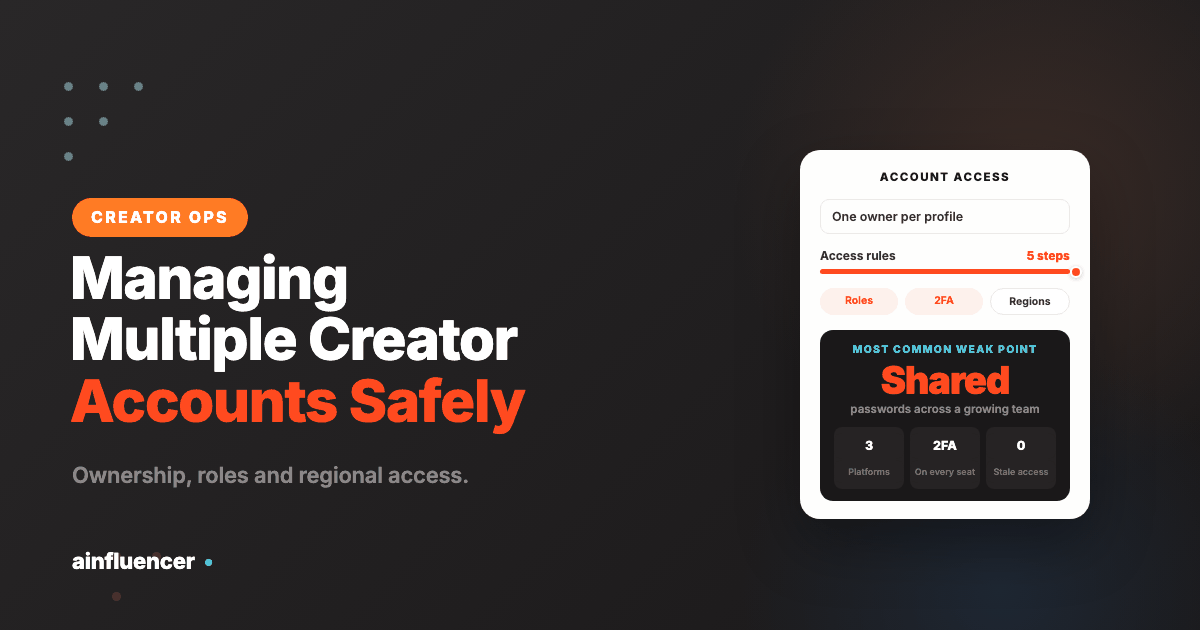
The main difficulty is not the number of profiles itself. Problems usually appear when several people share access without clear rules, log in from changing locations, or keep credentials after their role has changed. These issues usually appear gradually. Common weak points include:
- shared passwords used by several team members;
- logins from frequently changing network locations;
- unclear ownership of individual profiles;
- old access that remains active after responsibilities change.
These can lead to failed logins or confusion inside the team. They also make access history harder to understand. A safer setup starts with one rule: every account should have a known owner and a defined access method. From there, the team can add platform roles, two-factor authentication, and network controls that match the account’s market.
Keep Regional Access Consistent
Social platforms can see the IP address used for a connection. When a team works across countries, that network location may change every time another employee or contractor logs in. For global creator operations, this can make access less predictable. One profile may be managed from several countries during the same week.
Mobile proxies can help by providing IP addresses from mobile networks in selected regions. Instead of relying on whatever connection is available to each team member, the team can use a defined network location for approved work. This is useful when creators or agencies manage region-specific profiles. A campaign for one country can use a network context tied to that market, while another account can be handled through a different regional connection.
The goal is not to hide account activity or bypass platform rules. The benefit is consistency. When network access is part of a documented process, it becomes easier to manage alongside passwords, roles, and device policies.
Set Clear Rules for Every Creator Account
Each new profile should enter the same management process from the beginning. Waiting until there is a login problem creates more work because permissions and recovery details may already be spread across several people. A simple sequence can keep access organized:
- Define who owns the account and who needs working access.
- Use platform roles instead of sharing the main password where possible.
- Record the approved device and network access method for the account.
- Enable two-factor authentication and keep recovery details controlled.
- Remove access when a person or agency no longer manages the profile.
These steps reduce confusion when teams grow or responsibilities change. They are useful when an agency takes on a new creator because the account can be added to an existing process instead of being managed informally.
Regular reviews matter as well. A person who needed access six months ago may no longer need it today, and regional requirements can change as campaigns move between markets.
Where Mobile Proxies Fit Into Creator Operations
Mobile proxies are most useful when network location is part of the account-management requirement. They provide access through IP addresses associated with mobile carriers, which makes them relevant to platforms where much normal user activity comes from mobile networks.
For an agency, they can support structured access to creator accounts connected with different countries. For an in-house social team, they can help keep regional account management separate when several markets are handled from one office. They can also support approved automation where platforms permit it. A controlled proxy setup can provide a more consistent network layer than manually changing connections for every task.
The value becomes clearer as the number of accounts increases. Without a defined network setup, every additional profile adds another access variable. With mobile proxies, regional routing can be managed as part of the same process used for credentials and permissions.
Use the Platform’s Own Delegated Access, Not the Password
Almost every problem with managing multiple creator accounts has the same root cause: somebody is logging in as the account rather than as themselves. The platforms solved this years ago, and the feature is free on all of them. It is simply less convenient on day one than sending a password, which is why teams keep not using it.
YouTube is the clearest example. Its channel permissions let several people manage a channel “without needing access to your Google Account”, and Google states plainly that granting permissions “is safer than sharing your password or other sensitive sign in details”. The roles are granular enough to matter in practice: Owner, Manager, Editor, Editor (Limited), Subtitle Editor, Viewer and Viewer (Limited), where the two Limited variants are identical to their parent role except that they cannot see revenue data. For an agency that is the difference between a freelance editor who can upload and one who can also read your earnings.
Two details on YouTube that teams discover late. An invitation expires after 30 days, so a half-finished onboarding quietly fails rather than staying open. And only managers and the owner can see the names and emails of everyone with access, which means the person best placed to audit the list is often not the person who was given the task.
On Meta the equivalent lives in Meta Business Suite, where people are added to a business portfolio and then assigned individual assets such as a Page, an Instagram account or an ad account. Meta’s own instruction is the one worth copying into your policy: “Assign only the level of access that people need to complete their work.” By default people are given basic access when added, and raising that should be a decision somebody makes rather than a default somebody clicks past.
One structural point that catches agencies specifically. Meta notes that where a partner shares an asset with you, you are limited to the permissions that partner assigned, and that this can prevent you giving anyone full control of that asset. If you are the agency, that is a conversation to have with the client at the start, not the week a campaign goes live.
The habit to build is simple. Nobody is ever given a password to an account they do not own. They are invited, by name, to the role they need, on the asset they need it on.
The Offboarding Problem, and What Actually Breaks
Ask any agency managing multiple creator accounts which access incident cost them the most and the answer is rarely a hack. It is a person who left eighteen months ago whose access nobody removed, discovered at the worst possible moment.
Offboarding fails in four predictable ways, and each has a different fix:
- Access that was never recorded cannot be removed. If a freelancer was added during a busy week and nobody wrote it down, no checklist will catch it. This is the argument for the register described below, and it is the only fix
- The password was changed but the session was not ended. Changing a password does not always sign out existing sessions on every platform. Check for an explicit “log out of all devices” control and use it
- Recovery routes outlive the role. A departing person’s phone number or personal email sitting in an account’s recovery settings is still a live path in. Recovery details are access, and they get audited with everything else
- The account was tied to a personal profile. A channel, Page or ad account that only exists under one employee’s personal login is not an asset the business controls. This is the one to fix before anyone leaves, because afterwards it becomes a negotiation
The practical answer is to make removal part of the same moment as the change in responsibility, rather than a task scheduled for later. When someone’s role changes, their access changes in the same hour, and somebody confirms it in writing. Quarterly reviews are a safety net for what that process misses, not a substitute for it.
Worth saying plainly: this is almost never about distrust. Most stale access belongs to people who left on good terms and have forgotten they still have it. The risk is not that they will misuse it. It is that their own account is now outside your security perimeter, and it is still a door into yours.
Two-Factor Authentication That Survives Staff Turnover
Everyone agrees two-factor authentication should be on. The part that breaks in a multi-account team is not switching it on, it is where the second factor lives.
The common failure is binding an account the business depends on to one person’s personal phone. It works perfectly until that person is on a plane, leaves the company, or changes their number, at which point a routine login becomes an account recovery case with a platform that does not answer the phone.
It is worth knowing how much the choice is actually worth. In a year-long study with New York University and UC San Diego, Google measured how much each sign-in challenge blocked. An on-device prompt stopped 90% of targeted attacks, 99% of bulk phishing and 100% of automated bots. An SMS code to a recovery phone number stopped 76% of targeted attacks, 96% of bulk phishing and again 100% of bots. An account with no recovery phone on file falls back to knowledge-based questions, where protection against phishing “can drop to as low as 10%”.
The same study carries the two figures that explain why a shared second factor on one person’s handset fails: 38% of users did not have access to their phone when challenged, and 34% could not recall their secondary email address. Those are ordinary people on an ordinary day, not a crisis.
Four rules that avoid it:
- Prefer the platform’s own delegated roles over a shared login. If five people each sign in as themselves, each carries their own second factor and nobody is a single point of failure. This is the real reason the previous section matters
- Where a shared login genuinely cannot be avoided, put the second factor somewhere the organisation controls rather than on an individual’s device, and make sure at least two trusted people can reach it
- Store the recovery codes before you need them. They are generated once, at setup, and the moment you want them is the moment you cannot log in to generate them. Keep them where your offboarding process can find and rotate them
- Audit the recovery phone and email on every account, not just the password. These are the quietest form of standing access and the most commonly forgotten
Meta’s guidance alongside its permissions documentation makes the same point in one line: consider enabling two-factor authentication to help protect your business portfolio and its assets from unauthorised access. The portfolio-level control is the one worth setting, because it applies across every asset rather than account by account.
The Account Register, and What Belongs in It
Every team that is good at managing multiple creator accounts has the same unglamorous artefact: one document listing every account. Teams that handle it badly all believe they will remember.
It does not need a tool. A spreadsheet is enough, and a spreadsheet that exists beats a system that is being evaluated. What matters is that every account has a row and every row answers the same questions:
- Who owns it. One named person, not a team. Ownership that belongs to everybody belongs to nobody at the moment it matters
- Which legal entity it sits under. The client’s, yours, or the creator’s personally. This is the field that decides what happens when the relationship ends, and it is the field most registers leave blank
- Who currently has access, at what role. Including partners and freelancers, with the date each was granted
- Where the second factor and recovery codes live, described rather than reproduced
- What the recovery email and phone are, so an audit can spot a personal one that should have been changed
- When it was last reviewed, which is the only column that tells you whether the register is alive or decorative
Review it on a fixed date rather than when something goes wrong. A quarterly pass over a register of thirty accounts takes under an hour and almost always turns up two or three entries that should have been removed months ago. That hour is the cheapest security work available to a creator team.
For an agency, the register has a second use that is worth more than the first: it is what you hand over when a client leaves. An orderly handover of named accounts with documented access is a reference. A scramble to remember who has what is the thing clients tell other clients about.
When Managing Multiple Creator Accounts Goes Wrong
Everything above is prevention. This is what to do on the day it has already happened, written in the order that actually helps, because the instinct in the first ten minutes is usually to do the wrong thing first.
If an account is compromised, the order matters. Change the password, then end all other active sessions, then check and reset the recovery email and phone, then review the connected apps and third-party tools, and only then look at the content. Teams almost always start by deleting the attacker’s posts, which does nothing while the session is still open.
If you are locked out, resist the urge to hammer the login form, since repeated failures can trigger additional protections and make the recovery slower. Go to the platform’s account recovery flow, use the recovery codes you stored at setup, and if the account sits inside a business portfolio or channel permissions structure, check whether another administrator can simply restore your access without any recovery process at all. This is the moment the delegated-access setup pays for itself.
If ownership is disputed, after a creator and agency part company or a staff member leaves with the keys, the deciding factor is almost never who is in the right. It is who holds the owner role and the recovery routes, and what is documented about who holds them. Sort this out at the start of a relationship, in the contract and in the register, because there is no good version of this conversation afterwards.
The common thread in all three is that managing multiple creator accounts is an operations problem wearing a security costume. The teams that recover quickly are not the ones with the best tools. They are the ones who can answer, in under a minute, who owns the account, who has access, and where the recovery codes are.
Final Thoughts
Managing global creator accounts safely requires more than a shared content calendar. Teams need to control who can access each profile, how credentials are protected, and which network environment is used for regional work. As the number of accounts grows, a consistent access policy becomes essential for keeping daily operations manageable.
Mobile proxies are useful because they help keep regional IP access more consistent across multiple accounts and markets. Combined with platform roles, two-factor authentication, and regular permission reviews, they provide a practical network layer for agencies and creator teams that need to scale account management without adding unnecessary access problems.