AI Sales Tools: 12 Compared by Where in the Sales Cycle the AI Works
Most lists rank AI sales tools by feature count. This one sorts twelve by the job the AI does, from finding buyers to running the outreach for you, and prices each from the vendor’s own page.
Search for the best AI sales tools and you get lists of ten to thirteen products ranked by the vendor that wrote the list. They disagree on almost everything because the tools do different jobs: one finds buyers, one writes and sends email, one records calls, one is a CRM, one claims to replace a rep. This guide sorts twelve AI sales tools by the job the AI does, shows what each one costs on its own pricing page, and says what it is bad at. One disclosure: two of the twelve, contactID and Ainfluencer, are our own products. contactID covers a single channel, contact forms, and Ainfluencer is a route that goes through creators, so we list them first and say what each one cannot do. Prices were read on each vendor’s own site on 9 and 10 November 2026.
What AI Sales Tools Are
AI sales tools, also sold as AI sales software, are products that use machine learning or generative AI to do part of a seller’s work: finding and researching accounts, writing and sending messages, summarizing calls, updating the CRM or scoring deals. Two kinds of AI sit behind the label, and the difference tells you what you are buying.
| Kind of AI | What it does | Typical sales use | How to judge it |
|---|---|---|---|
| Predictive | Scores or ranks using patterns in past data | Lead scoring, deal risk, forecasting, intent signals | Does it use your data, and can you see why it scored a lead |
| Generative | Writes or summarizes text, speech or research | First-draft emails, call summaries, account research, replies | Does a person review the output before it goes out |
| Agentic | Takes a sequence of actions toward a goal | An AI SDR that finds leads, sends outreach and books meetings | What can it do without approval, and what happens when it is wrong |
Most products mix all three, so the useful question is not whether a tool uses AI. It is which job it does, and how much of that job you let it do alone.
Five Jobs AI Does in a Sales Cycle
| Job | What the AI does | Tools in this list | Best when |
|---|---|---|---|
| Find | Builds lists, enriches contacts and researches accounts | Apollo, Clay, Amplemarket | Your limit is knowing who to contact |
| Reach | Writes and sends messages and follow-ups, or recruits creators to sell for you | contactID, Ainfluencer, Instantly | You know who to contact and need volume, a second route, or sellers who work on commission |
| Talk | Records, transcribes and summarizes calls and meetings | Fireflies, Fathom, Gong | Reps lose context between calls or managers cannot review them |
| Manage | Scores leads, drafts follow-ups and keeps the CRM current | HubSpot Sales Hub, Salesforce Sales Cloud | Pipeline data is stale or reps skip admin |
| Run it for you | An agent does prospecting and outreach end to end | Artisan | You have budget and little rep capacity, and can supervise the agent |
Pick the job you are weakest at first. A team with a good list and no time does not need a bigger database. A team that talks to buyers all day but loses the notes does not need another sequencer. If your problem is the repetitive work around the CRM, see our comparison of sales automation tools.
The 12 AI Sales Tools
Each card names the job the AI does. Where a page did not print a price, the card says so.
contactID
contactID is a Chrome extension and web dashboard from the Ainfluencer team that sends your message through the contact form on each company’s own website. It finds the form, fills it, deals with cookie banners and CAPTCHAs, submits it and marks a site Sent only after a confirmation. It is ours, so weigh this card accordingly.
It does not replace a sequencer. It covers one channel, it does not read replies, which go to the email address you give your agent, and a send costs one credit only when the site confirms it.
- Find websites: Google Maps listings in 20 countries by category and city
- AI placeholders such as {Opener} write one line per website, optional and billed from a separate AI wallet
- A credit is used only for a send the site confirms
- A/B split testing and analytics showing the exact value typed into each field
- No deliverability problem, because the message arrives through the prospect’s own form
- Reaches companies invisible to email tools
- 10 free websites with no card, and failed sends are free
- Runs in your own Chrome, Edge or Brave and stops when the browser closes
- Contact forms only, so it complements email
- Written solicitation rules can apply to targeted messages in some professions and countries
Ainfluencer
Ainfluencer is the influencer marketplace we run, and it is a different sales route from the tools around it. Instead of selling to each buyer yourself, a brand invites creators and affiliates who sell its products for a commission. Its brand dashboard connects Shopify and Amazon storefronts so creator sales can be attributed, and its pricing page says affiliate commissions pay out automatically while influencer fees are held in escrow and released when delivery is confirmed. It is ours, so weigh this card accordingly.
Outreach happens inside the platform: a built-in inbox for invitations, bulk messages with templates and in-app negotiation. For Instagram and TikTok it also offers a free Chrome extension, the AI DM Inviter, which reads a creator’s profile and drafts the message while you send it yourself. We cover the extension in our AI DM Inviter guide, and compare the wider field in our influencer outreach tools guide. We make no claim here about sales results.
- A built-in inbox with bulk invitations, templates and in-app negotiation
- Shopify and Amazon connections for attributing creator sales
- Automatic affiliate payouts and escrow for influencer fees
- A free Chrome extension that drafts the DM from the creator’s profile
- A free plan to try it, with no card
- You pay creators on results when you use affiliate commissions
- Outreach, negotiation and payment sit in one place
- Invites are capped by plan: 2 a month on Free, 25 on Starter, 250 on Pro and unlimited only on Ultimate
- The platform takes a fee on creator payments, from 35% on Free down to 3% on Ultimate
- Manual by design: its FAQ says there is no automated outreach or follow-up, and no contact outside the platform
Apollo.io
Apollo pairs a B2B database, which it puts at more than 240 million contacts and 30 million accounts, with sequences, a dialer, an AI assistant and agents. Pricing is per seat with pooled credits that expire each cycle.
Rules check: Apollo says it provides tools to comply with GDPR, CAN-SPAM and do-not-call rules and lists SOC 2 Type II and ISO 27001, and its data page says customers are responsible for lawful use of the data.
- 240M+ contacts and 30M+ accounts with filters and enrichment
- Sequences, a dialer and call recording
- AI research, scoring and writing, with an MCP connection
- Salesforce and HubSpot integrations and a Chrome extension
- A free plan with no time limit
- Data, sending and calling under one login
- Per-seat pricing is easy to forecast
- Credits expire every cycle with no rollover
- Its 98% email accuracy claim has no stated method
- Organization is annual only with a three seat minimum
Clay
Clay pulls data from many vendors into tables, runs AI research agents it calls Claygent, and triggers actions from the results. It is a data and orchestration layer, so it feeds a sending tool rather than replacing one.
It charges on two meters, Actions and Data Credits, and Claygent is priced by token usage.
- Tables that combine data from many vendors
- Claygent research agents for custom questions about an account
- Workflows that push results to your CRM or sender
- A free plan with 500 actions and 100 data credits a month
- Very flexible research on a specific list
- A free plan to test the workflow
- A 14 day Pro trial is stated
- Two usage meters make the bill harder to forecast
- Its pricing page contradicts itself on rollover and on Launch data credits, 3K or 2.5K a month
- No compliance statement was readable, and its security page returned a 404
Amplemarket
Amplemarket combines a database it puts at 200M+ contacts, AI research and signals it calls Duo, multichannel sequences including WhatsApp and SMS, and deliverability tools.
Only the Startup plan is priced on the page. Growth and Elite are custom, and the free trial leads to a demo form.
- A 200M+ contact database with weekly updates
- Duo AI agents for research and signals
- Email, LinkedIn, WhatsApp and SMS sequences
- SOC 2 Type II and GDPR and CCPA alignment stated
- Database, signals and sequences in one product
- Compliance statements are on the page
- Covers more channels than most sequencers
- No monthly price, only an annual term on Startup
- Trial length is not stated and goes through a demo form
- A 2024 footer sits on 2026 content
Instantly
Instantly’s outreach plans list unlimited email accounts and unlimited warm-up, and it prices by contacts and emails, not by seat. It also sells a lead database of 450M+ records in credits, an AI co-pilot and a reply agent.
Its own 2026 cold email benchmark, from its platform’s 2025 data, reports an average reply rate of 3.43%, which is one vendor’s data, not a market figure. We read its credits and limits in our Instantly alternatives guide, and compare the wider field in our AI outreach tools guide.
- Unlimited email accounts and warm-up on outreach plans
- A 450M+ record lead database, sold in credits
- AI co-pilot, reply agent and campaign pausing
- A built-in CRM and unified inbox on higher plans
- Price follows contacts and emails, not headcount
- Hypergrowth lists 125,000 emails a month
- No add-on menu for mailboxes
- Email only, so calls and LinkedIn need other tools
- Growth lists only 1,000 contacts and 5,000 emails
- Lead credits are a separate plan
Fireflies
Fireflies joins Zoom, Google Meet and Teams calls, transcribes them in 100+ languages and writes AI summaries. Its pricing page lists an AskFred assistant, a Chrome extension, a desktop and mobile app, and voice agents on the paid plans.
The free plan gives unlimited transcription with limited AI summaries and 400 minutes of storage per team.
- Transcription for Zoom, Meet and Teams, in 100+ languages
- AI summaries, action items and meeting search
- AskFred, an AI assistant for questions about past calls
- Integrations and an API
- A free plan to start
- Per-seat pricing with a low entry price
- Works across the main meeting apps
- The free plan limits AI summaries and storage
- Credits meter some AI features
- It records calls, so recording laws apply
Fathom
Fathom records and summarizes video calls and offers a free plan its page calls free forever. Its team plans add trackers, search and an Ask Fathom assistant across team calls.
It sells per user, with monthly and annual prices on its pricing page.
- Call recording and AI summaries
- Trackers and search across team calls
- Ask Fathom, an assistant for questions about calls
- A free plan with no time limit
- A free plan that stays free according to its page
- Low team prices
- Simple per-user pricing
- Team features are paid
- It records calls, so recording laws apply
- We did not read its integration list
Gong
Gong calls itself Revenue AI, and its pricing page shows a quote form instead of prices. The page says licenses are priced per user, with a platform fee based on the number of users, and it prepares a custom proposal.
It shows ratings of 4.8 from Gartner, 4.8 from G2 and 9.2 from TrustRadius on its own page. Those are the vendor’s figures, and we did not check them.
- Revenue AI, as the vendor calls it
- Per-user licenses plus a platform fee
- Free integration with your existing stack, according to its page
- A custom proposal by team size
- Aimed at large teams with a review process
- Integrations are free according to its page
- Ratings shown for three review sources
- No printed price at all
- A platform fee on top of per-user licenses
- Likely more than a team of two or three reps needs, which is our view
HubSpot Sales Hub
HubSpot’s sales page lists a Breeze Assistant and a Breeze Prospecting Agent, which it marks Beta, plus sequences, sales automation and, in higher plans, conversation intelligence and predictive lead scoring.
It has a free plan and three paid tiers priced per seat.
- A free CRM with an AI assistant
- Breeze Prospecting Agent for outreach and prospecting campaigns, in beta
- Sequences and sales automation
- Conversation intelligence and predictive scoring on higher plans
- A free starting point
- CRM, sequences and AI in one product
- Plans scale from one seat to a large team
- Its prospecting agent is in beta
- The Starter price shows $10 and $20 on the same page, so confirm it
- Predictive features sit on the more expensive tiers
Salesforce Sales Cloud
Salesforce prices Sales Cloud in suites: Starter Suite for small teams, then Pro Suite, Core and Advanced. Its sales AI page lists agents for prospecting, engagement and pipeline management, conversation capture, a CRM autopilot and predictive scoring. The Core plan is described as the CRM with built-in AI, Slack, Tableau and Agentforce skills.
Only the Starter Suite is priced for monthly billing. The others are billed annually.
- Agents for prospecting, engagement and pipeline management
- Conversation capture and a CRM autopilot
- Predictive scoring and AI deal insights
- Forecasting and quoting on higher suites
- Deep customization for large teams
- A published price ladder
- Starter Suite is $25 and can be billed monthly
- The price climbs quickly: Advanced is $395 per user
- Pro Suite and above need annual billing
- Heavy for a team that only needs call notes or lists
Artisan
Artisan sells what it calls AI employees. Its main product, Ava, is an autonomous AI BDR with a database of 250M+ contacts from 22+ sources, email and social sequences and a native dialer for human reps. Approval mode, escalation rules and do-not-call lists are stated on its site.
A campaign costs about 20 credits per contacted person, and mailboxes and phone numbers are billed separately. Full self-driving Ava is marked Soon.
- Ava finds leads, writes and sends outreach and books meetings
- 250M+ contacts from 22+ sources
- Approval mode, escalation rules and DNC lists
- SOC 2 Type II and GDPR listed
- A free plan with 300 credits a month
- A 30 day, 10K credit trial with no card
- Controls for what the agent can do alone
- Mailboxes and phone numbers are billed separately
- Credits meter each contact, so cost follows volume
- Full self-driving mode is not live yet
What a Five-Person Sales Team Pays
This takes each tool’s per-seat price from its own page and multiplies it by five seats. The team size is our assumption. Prices are as printed, so the billing terms differ, and tools that charge a flat fee or a quote are listed apart.
| Tool and plan | Printed per-seat price | Five seats a month |
|---|---|---|
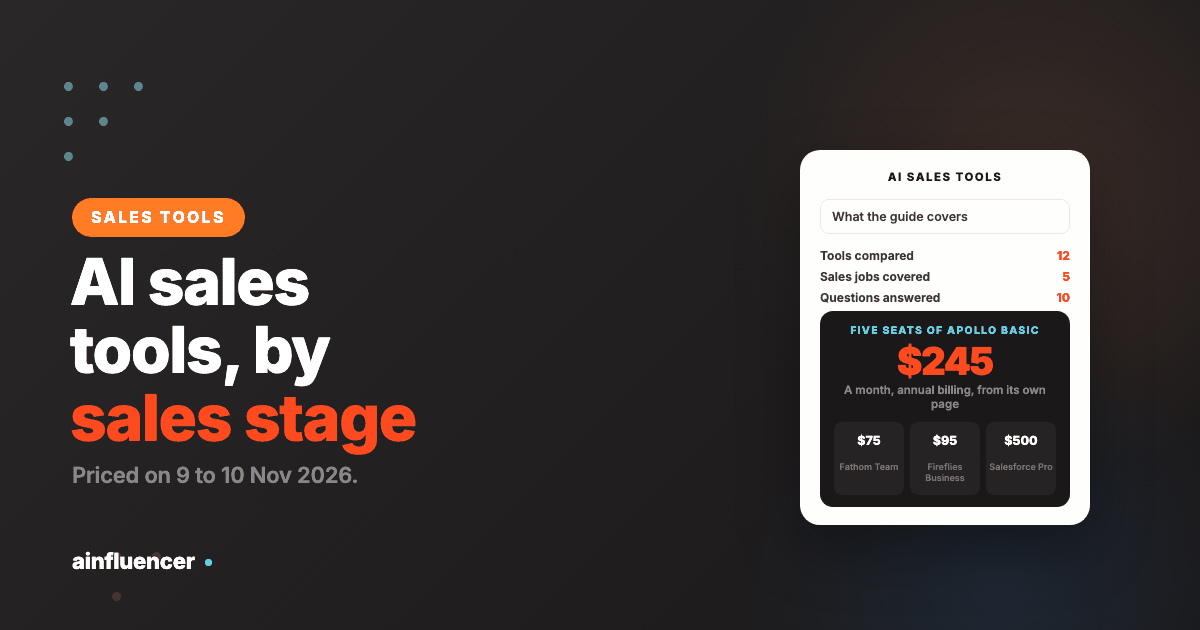
| Apollo Basic | $49 per seat, annual billing | $245 |
| Fathom Team | $15 per user, annual billing | $75 |
| Fireflies Business | $19 per seat, annual billing | $95 |
| Salesforce Starter Suite | $25 per user, monthly or annual | $125 |
| Salesforce Pro Suite | $100 per user, annual billing | $500 |
| Tool | Flat or quoted price | What it covers |
|---|---|---|
| Instantly Growth | $47 a month, $37.60 annual | The whole team, 1,000 contacts and 5,000 emails |
| Clay Launch | $167 a month annual, $185 monthly | Usage meters, not seats |
| contactID Growth | $99.99 a month | 833 confirmed websites, not seats |
| Ainfluencer Starter | $149 a month, monthly billing | 25 invites and collabs a month and a 25% fee on creator payments, not seats |
| Gong, Amplemarket Growth | Quote | Priced by team size or scope |
The pattern is that data and outreach tools price by volume, and call and CRM tools price by seat. A five-seat team can run the Find and Talk jobs for roughly $250 to $350 a month on the printed prices, while a full Salesforce Pro Suite for five seats is $500 on its own. Gong and the agent-style tools are the ones with no printed price, so budget a demo call before you compare.
How to Choose
Name the job you are weakest at
List your five jobs from the table and mark which one costs you the most time or deals. Buy for that one first, not for the most features.
Check data quality before AI quality
An AI that writes well to the wrong people wastes volume. Test a database or enrichment tool on a list of fifty you already know, and count how many contacts are correct.
Match the tool to your CRM
Check that the tool writes back to the CRM you use, and that reps will not have to copy data between them. Integration gaps kill adoption faster than missing features.
Price the meter, not the plan
Credits, actions, seats, contacts and sent emails all meter differently. Work out your real monthly volume and price that, because a cheap plan with a small meter can cost more than a dear one with a large allowance.
Decide how much the AI may do alone
For any agent, write down what it may send without approval and who reviews the first fifty messages. Then check the vendor offers approval modes and a do-not-contact list.
A Starter Stack by Team Size
These are our suggestions from the printed prices, not tested results. Each assumes you already have a CRM.
| Team | Find | Reach | Talk | Why |
|---|---|---|---|---|
| One founder selling | Apollo free plan | Instantly Growth or contactID free 10 | Fathom free | Under $50 a month in tools, and every one can be turned off |
| Five reps | Apollo Basic or Clay Launch | Instantly plus contactID | Fireflies Business or Fathom Team | Data, outreach and notes without a quote call |
| Twenty or more reps | Amplemarket or Apollo Organization | A sequencer plus contactID as a second route | Gong | Call review at scale, with a CRM that holds it all |
Where AI Sales Tools Fail
Scaling a bad message
AI lets you send a weak email to ten thousand people instead of one hundred. Fix the message at small volume first.
Trusting the database
Contact data decays, and every vendor’s accuracy claim is its own. Verify a sample before you buy at volume.
Letting an agent run unreviewed
An AI SDR that sends without approval can damage a domain or a name before anyone notices. Start in approval mode.
Paying for seats nobody uses
Per-seat tools bill every seat. Review active users every quarter.
Judging in a week
Outbound can show replies in days, but pipeline takes a sales cycle. Set the review date before you start.
Ignoring the rules
Email, calling and recording each have rules, and the cost of breaking them exceeds the cost of any tool above.
For the strategy that sits above the tools, including what selling and marketing costs at public software companies, see our guide to B2B SaaS lead generation.
Conclusion: Which AI Sales Tool Should You Choose?
If you cannot find buyers
Start with Apollo, add Clay if you have a research question the database cannot answer.
If you have buyers and no volume
Start with contactID for the companies email does not reach, add Instantly for volume, and look at Ainfluencer if you would rather have creators sell on commission.
If you lose notes between calls
Start with the Fathom or Fireflies free plan before you buy a revenue intelligence platform.
Frequently Asked Questions
What are AI sales tools?
They are products that use machine learning or generative AI to do part of a seller’s work, such as finding accounts, writing and sending messages, summarizing calls, updating the CRM or scoring deals.
What are the best AI sales tools?
It depends on the job. Apollo and Clay suit finding buyers, contactID and Instantly suit reaching them, Ainfluencer suits recruiting creators to sell on commission, Fireflies, Fathom and Gong suit calls, HubSpot Sales Hub and Salesforce Sales Cloud suit the CRM, and Artisan suits running outreach through an agent.
What is AI sales software?
The term is used interchangeably with AI sales tools. It usually means a product, often a CRM or sequencer, that has AI features for scoring, writing or summarizing built in.
Are there free AI sales tools?
Yes. Apollo has a free plan with no time limit, Fathom’s page calls its free plan free forever, Fireflies has a free plan with limited AI summaries, HubSpot has a free CRM, Artisan has a free plan with 300 credits a month, Ainfluencer has a Free plan limited to 2 invites a month, and contactID gives 10 free websites.
How much do AI sales tools cost?
From free to $395 per user a month for Salesforce Advanced. Data and outreach tools usually price by volume, call and CRM tools by seat, and Gong and some agents by quote.
What is the difference between generative and predictive AI in sales?
Predictive AI scores or ranks using patterns in past data, such as lead scoring. Generative AI writes or summarizes, such as a first-draft email or a call summary. Agentic tools combine both and take actions.
Can AI replace a salesperson?
No tool here claims it fully can. Artisan’s own site says its full self-driving mode is coming soon, and the agents here offer approval modes. Treat them as a way to cover prospecting while humans handle conversations and deals.
Is it legal to use AI for cold outreach?
The same rules apply as for any outreach. The FTC says CAN-SPAM makes no exception for business-to-business email, Canada’s anti-spam law carries penalties up to $10 million for businesses, and France’s CNIL says B2B prospecting can rest on legitimate interest with conditions. This is not legal advice.
Is it legal to record sales calls with AI?
Recording laws vary by country and by US state, and some require every party’s consent. We did not read them for this guide, so check the rules where your buyers are before you turn on a call recorder.
How do I start with AI in sales?
Pick the job you are weakest at, test one tool on it with a small list, and review the results after a full sales cycle. Do not add a second tool until the first has proved itself.
Key Takeaways
- AI sales tools do different jobs: find, reach, talk, manage and run it for you. Choose by job, not by feature count.
- Data and outreach tools price by volume, call and CRM tools by seat, and the AI agents by quote.
- Five seats of Apollo Basic cost $245 a month on annual billing, five of Fathom Team $75 and five of Salesforce Pro Suite $500.
- Start free where you can: Apollo, Fathom, Fireflies, HubSpot, Ainfluencer and contactID all have a free way in.
- Keep a person in the loop for any agent that sends messages, and read the rules for email, calling and recording.
- contactID and Ainfluencer are ours. contactID covers contact forms only, and Ainfluencer limits invites by plan, so check both before you rely on them.