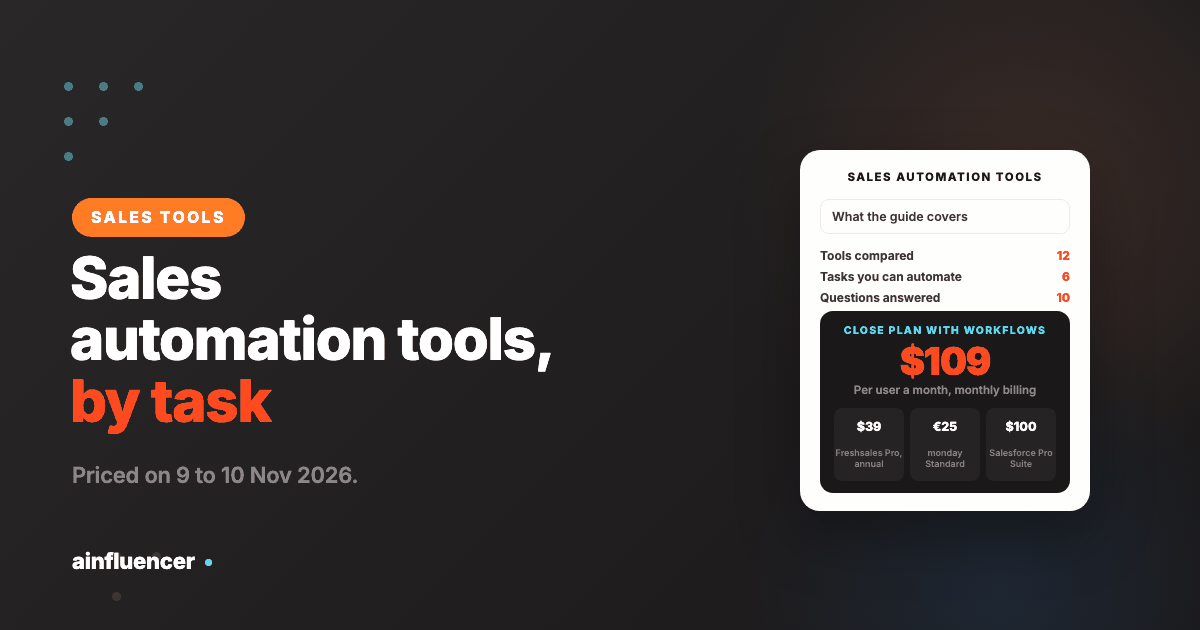
Sales Automation Tools: 12 Compared by the Task You Automate
Sales automation software is sold as one thing and does six different jobs. Here are twelve tools sorted by the task they take off your reps, with the plan where each one’s automation actually starts.
Ask for the best sales automation tools and you get a CRM, an email sequencer, a database and a workflow builder in one list, because each calls itself sales automation. They automate different tasks, and on several of them the automation only appears on a higher plan than the one you see advertised. This guide sorts twelve sales automation tools, also sold as sales automation software or a sales automation platform, by the task you want off your team’s plate, prices each from the vendor’s own page, and shows the plan where automation actually starts. One disclosure: contactID and Ainfluencer, the first two, are our own products. contactID covers one channel, contact forms, and Ainfluencer automates payouts and tracking on a different sales route, so we list them first and say what each cannot do.
What Sales Automation Tools Are, and What a CRM Is Not
A sales automation tool takes a repeatable task out of a salesperson’s day: logging data, sending a follow-up, routing a lead, moving a deal to the next stage, creating the next task. The idea is that reps spend their time talking to buyers, not feeding the system. A CRM is where the records live. Many CRMs now include automation, but not all of it, and not on every plan.
| CRM | Sales automation tool | What to check | |
|---|---|---|---|
| Job | Stores contacts, deals and history | Does a task for you, on a trigger or a schedule | Whether the automation is in your plan or an upgrade |
| Typical examples | HubSpot, Salesforce, Pipedrive, Close | A sequencer, a data tool, a workflow builder | Whether it writes back to your CRM |
| Without the other | A record with nobody updating it | Tasks done with nowhere to see the result | Which one is the source of truth |
Our wider guide to AI sales tools sorts the same field by stage of the sales cycle. This one sorts by the task you automate, which is the cleaner way to decide what to buy first. For the tools that run the outreach itself, see our guide to sales engagement platforms.
Six Tasks You Can Automate
| Task | What gets automated | Tools in this list | You need it when |
|---|---|---|---|
| Capture and route leads | Forms land in the CRM, get scored and go to the right rep | HubSpot, Pipedrive, Freshsales | Leads sit unassigned or reps copy data between tabs |
| Reach and follow up | First messages and reminders go out on a schedule | contactID, Instantly, Salesforge, Close | Follow-up depends on a rep remembering |
| Fill the record | Contacts are found, enriched and written to the CRM | Apollo | Reps spend time researching and typing |
| Move deals and trigger tasks | A stage change creates tasks, emails and alerts | Close, Freshsales, monday CRM, Salesforce | Deals stall because no one acts on the next step |
| Connect the tools | Data moves between apps with no manual copy | Zapier | You use several tools that do not talk to each other |
| Sell through creators | Payouts, attribution and negotiation run in one place | Ainfluencer | You sell products and want creators to sell on commission |
Most teams do not need all six. Pick the task that costs your reps the most time, automate it with one tool, and check the result after a full sales cycle before you add a second.
The 12 Sales Automation Tools
Each card names the task the tool automates. Where a page did not print a price, the card says so.
contactID
contactID is a Chrome extension and web dashboard from the Ainfluencer team that sends your message through the contact form on each company’s own website. It finds the form, fills it, deals with cookie banners and CAPTCHAs, submits it and marks a site Sent only after a confirmation. It is ours, so weigh this card accordingly.
It automates one task, the first message to companies whose email you do not have. It does not read replies, which go to the email address you give your agent, and it does not run follow-up sequences, so pair it with a tool that does.
- Find websites: Google Maps listings in 20 countries by category and city
- AI placeholders such as {Opener} write one line per website, optional and billed from a separate AI wallet
- A credit is used only for a send the site confirms
- A/B split testing and analytics showing the exact value typed into each field
- No deliverability problem, because the message arrives through the prospect’s own form
- Reaches companies invisible to email tools
- 10 free websites with no card, and failed sends are free
- Runs in your own Chrome, Edge or Brave and stops when the browser closes
- Contact forms only, and no follow-up sequences
- Written solicitation rules can apply to targeted messages in some professions and countries
Ainfluencer
Ainfluencer is the influencer marketplace we run. What it automates is the back end of selling through creators: its pricing page says affiliate commissions pay out automatically while influencer fees are held in escrow and released when delivery is confirmed, and its brand dashboard connects Shopify and Amazon storefronts so creator sales can be attributed. It is ours, so weigh this card accordingly.
The outreach itself stays manual by design, according to its FAQ. A built-in inbox handles invitations and negotiation, and a free Chrome extension, the AI DM Inviter, drafts a DM from a creator’s profile for you to send. We compare the wider field in our influencer outreach tools guide. We make no claim here about sales results.
- Automatic affiliate payouts and escrow for influencer fees
- Shopify and Amazon connections for attributing creator sales
- A built-in inbox with bulk invitations, templates and in-app negotiation
- A free Chrome extension that drafts the DM from the creator’s profile
- A free plan to try it, with no card
- Payments and attribution sit in the same place as the conversation
- You set the affiliate commission on paid plans
- Invites are capped by plan: 2 a month on Free, 25 on Starter, 250 on Pro and unlimited only on Ultimate
- The platform takes a fee on creator payments, from 35% on Free down to 3% on Ultimate
- Outreach and follow-up are manual by design, and it does not contact creators outside the platform
Instantly
Instantly’s outreach plans list unlimited email accounts and unlimited warm-up, and it prices by contacts and emails, not by seat. It also sells a lead database of 450M+ records in credits, an AI co-pilot and a reply agent.
We read its credits and limits in our Instantly alternatives guide.
- Unlimited email accounts and warm-up on outreach plans
- Sequences with follow-ups and campaign pausing
- A 450M+ record lead database, sold in credits
- A built-in CRM and unified inbox on higher plans
- Price follows contacts and emails, not headcount
- Hypergrowth lists 125,000 emails a month
- Follow-ups run without a rep
- Email only, so calls and LinkedIn need other tools
- Growth lists only 1,000 contacts and 5,000 emails
- Lead credits are a separate plan
Apollo.io
Apollo pairs a B2B database, which it puts at more than 240 million contacts and 30 million accounts, with sequences, a dialer, an AI assistant and agents. For automation, its value is that finding and enriching a contact happens inside the same tool that sends to them.
Rules check: Apollo says it provides tools to comply with GDPR, CAN-SPAM and do-not-call rules and lists SOC 2 Type II and ISO 27001, and its data page says customers are responsible for lawful use of the data.
- 240M+ contacts and 30M+ accounts with filters and enrichment
- Sequences, a dialer and call recording
- AI research, scoring and writing, with an MCP connection
- Salesforce and HubSpot integrations and a Chrome extension
- A free plan with no time limit
- Data and sending under one login
- Per-seat pricing is easy to forecast
- Credits expire every cycle with no rollover
- Its 98% email accuracy claim has no stated method
- Organization is annual only with a three seat minimum
HubSpot Sales Hub
HubSpot’s sales page lists sequences, sales automation and workflows that automate lead segmentation, task assignment and email sequences. It also lists a Breeze Assistant and a Breeze Prospecting Agent, which it marks Beta, and conversation intelligence and predictive lead scoring on higher plans.
It has a free plan and three paid tiers priced per seat.
- A free CRM with an AI assistant
- Sequences, tasks and workflows for lead segmentation and assignment
- Breeze Prospecting Agent for outreach campaigns, in beta
- Conversation intelligence and predictive scoring on higher plans
- A free starting point
- CRM, sequences and automation in one product
- Plans scale from one seat to a large team
- Its prospecting agent is in beta
- The Starter price shows $10 and $20 on the same page, so confirm it
- Predictive features sit on the more expensive tiers
Pipedrive
Pipedrive’s sales automation page lists capturing, routing and prioritizing leads, follow-ups across channels, pipeline workflows triggered without manual work, and AI that suggests what a rep should do next. It says it has more than 500 integrations and is used by over 100,000 companies, which are its own figures.
We could not read its pricing page, which returned an error, so we quote no price.
- Lead capture, routing and prioritizing
- Follow-up automation across channels
- Pipeline workflows triggered by stage changes
- AI suggestions for the next step, and 500+ integrations
- Built around a visual pipeline
- Automation is a headline feature, not an afterthought
- A large integration list
- We could not read its price
- We did not read which plan unlocks which automation
- Customer and integration counts are its own
Freshsales
Freshsales prices per user and its plan table shows where automation begins: the Growth plan lists basic workflows, and the Pro plan adds contact scoring, deal insights and sales sequences. A Freddy AI Agent add-on is priced separately.
Prices on its page are annual-billing figures, with a toggle that shows monthly.
- Basic workflows on Growth
- Contact scoring, deal insights and sales sequences on Pro
- Forecasting insights on Enterprise
- A Freddy AI Agent add-on priced per 100 sessions
- A low entry price per user
- The plan table shows plainly where each automation sits
- A free trial
- Sequences need the Pro plan, which is more than four times the Growth price
- The AI agent is an extra cost
- Branded documents are a separate $19 per user a month
Close
Close is a CRM built around calling, email and SMS in one inbox, with an AI sales agent it calls Chloe. Its pricing page is explicit about where automation starts: workflows are not included on Solo or Essentials and arrive on Growth. AI credits are per user and refresh monthly with no rollover.
Credits go from 500 per user a month on Solo to 2,000 on Scale.
- Calling, email and SMS in one inbox
- Automated workflows from the Growth plan
- Chloe, an AI sales agent, and AI credits per user
- Built-in forms to capture leads
- One tool for calls, email and text
- The plan table says plainly that workflows start on Growth
- A free trial on every plan
- Workflows are missing on the two cheapest plans
- AI credits do not roll over
- SMS and calling have their own legal rules
monday CRM
monday CRM is a flexible board-style CRM. Its pricing view for 10 seats lists custom automations only from the Standard plan, at 250 a month, along with AI agents for outreach calling and lead sourcing and an AI meeting notetaker. The Basic plan lists none.
Prices are in euros per seat and the page shows a yearly option labelled 33% off.
- 250 custom automations a month on Standard
- AI agents for outreach calls and lead sourcing, with AI credits included
- An AI meeting notetaker and a meeting prep agent
- Quotes and invoices, with monthly limits by plan
- Flexible boards that suit unusual sales processes
- Automation limits are stated per plan
- AI features are included in the plan
- Basic lists no custom automations
- Limits on columns, contacts and quotes are tight on Basic
- Prices are in euros and we did not confirm other currencies
Salesforce Sales Cloud
Salesforce prices Sales Cloud in suites: Starter Suite for small teams, then Pro Suite, Core and Advanced. Its Pro Suite page lists greater customization and automation, sales quoting and forecasting, and Core is described as the CRM with built-in AI, Slack, Tableau and Agentforce skills.
Only the Starter Suite is priced for monthly billing. The others are billed annually.
- Greater customization and automation, quoting and forecasting from Pro Suite
- Agents for prospecting, engagement and pipeline management
- Conversation capture and a CRM autopilot
- Predictive scoring and AI deal insights
- Deep customization for large teams
- A published price ladder
- Starter Suite is $25 and can be billed monthly
- The price climbs quickly: Advanced is $395 per user
- Pro Suite and above need annual billing
- Heavy for a team that needs one automated task
Zapier
Zapier is a workflow builder that connects apps, which its page puts at more than 9,000, so a new lead in one tool can create a record in another with no one copying it. It prices by tasks, where every step in a Zap and every external connector call uses tasks.
It also offers Zapier MCP for AI tools, where one tool call uses two tasks from your quota. New accounts get a free 14 day trial of the Professional plan.
- Zap workflows that connect 9,000+ apps
- Task-based pricing with a task tier you choose
- Zapier MCP for AI agents, at two tasks per call
- Tables and forms included on the free plan
- A free plan with 100 tasks a month
- Works with almost any CRM or sequencer
- A 14 day Professional trial with no card
- Every step uses tasks, so a busy workflow can burn through a tier
- It moves data but does not decide who to contact
- Prices climb with the task tier, so price your real volume
Salesforge
Salesforge runs email and LinkedIn from one sequence with a shared inbox called Primebox, on plans that include unlimited mailbox connections and warm-up. Pro is $48 a month ($40 on annual billing) for 1,000 active contacts and 5,000 emails, and Growth is $96 ($80 annual) for 10,000 and 50,000.
We cover its pricing and limits in our Salesforge alternatives guide.
- Email and LinkedIn in one sequence, with Primebox as the shared inbox
- Unlimited mailboxes and warm-up on Pro and Growth
- AI personalization credits and sentiment analysis
- Agent Frank, an optional AI SDR, sold as an add-on
- Follow-ups across two channels from one sequence
- Warm-up included on every plan
- SOC 2 listed on its site
- Pro is capped at one LinkedIn sender and one user
- Data and infrastructure are separate subscriptions
- Agent Frank needs a demo
The Plan Where the Automation Starts
Several of the tools above advertise a low entry price and put the automation higher up. This table lists the first plan that includes it, from each vendor’s own pricing page, so you can compare the price of automation, not the price of the CRM.
| Tool | Cheapest plan listed | First plan with automation | What that costs |
|---|---|---|---|
| Close | Solo, $19 monthly ($9 annual) | Growth: automated workflows | $109 per user monthly ($99 annual) |
| Freshsales | Growth, $9 annual | Growth: basic workflows. Pro: sales sequences | $9, then $39 per user annual |
| monday CRM | Basic, EUR 18 monthly | Standard: 250 custom automations a month | EUR 25 per seat monthly (EUR 17 yearly) |
| HubSpot Sales Hub | Free | Sequences and workflows listed on the sales page | Plan for each not stated on the page we read |
| Zapier | Free, 100 tasks a month | Free includes Zaps | Paid tiers from $19.99 a month |
| Salesforce | Starter Suite, $25 | Pro Suite: greater customization and automation, quoting and forecasting | From $100 per user annual |
The pattern is that the CRM price is not the automation price. On Close the jump from Essentials to Growth is $60 per user a month, and that is where workflows begin. On Freshsales, sequences are on a plan more than four times the entry price. Price the plan that includes the task you want to automate.
What to Automate First
Time one week of rep work
Ask each rep to log, for five days, how long they spend on data entry, follow-ups, research and routing. The biggest block is your first target.
Automate follow-up before anything clever
A reminder or sequence that stops a lead going cold is the cheapest win. Do this before AI scoring or agents.
Make the CRM the source of truth
Every automation should write back to one system. If two tools each hold a version of a contact, the automation will fill them with different answers.
Start with a small list
Run a new automation on fifty contacts, read what it sent, and fix mistakes before you widen it.
Review after a full sales cycle
Judge it on replies, meetings and deals, not on how many tasks it ran.
Where Sales Automation Goes Wrong
Automating a bad process
A broken process run faster is a bigger problem. Fix the steps first, then automate them.
Paying for a plan without the feature
Several tools hide workflows or sequences on a higher plan. Check the plan table before you start a trial.
Data in two places
If a tool does not write to the CRM, reps copy by hand again and the automation saves nothing.
Sending too much, too fast
Automation makes volume easy. Spam rates and unsubscribes follow volume, so ramp up slowly.
Judging in a week
Pipeline takes a sales cycle. Set the review date before you start.
Ignoring the rules
Email, calling and texting each have consent and opt-out rules, and the cost of getting them wrong exceeds the cost of the tool.
For the strategy around the tools, including what selling and marketing costs at public software companies, see our guide to B2B SaaS lead generation.
Conclusion: Which Sales Automation Tool Should You Choose?
If email is not reaching them
Add contactID as an automated second route, and keep Instantly or Salesforge for the email follow-up.
If your reps copy data between tools
Start with Zapier or a CRM that already includes the workflow, and check which plan holds the automation.
If you sell products through creators
Look at Ainfluencer for automated payouts and attribution, with the outreach kept manual.
Frequently Asked Questions
What are sales automation tools?
They are software that takes repeatable sales tasks off a rep’s day, such as logging data, sending follow-ups, routing leads and moving deals between stages. Many CRMs include some automation, and separate tools handle outreach, data and connecting apps.
What is the best sales automation software?
It depends on the task. HubSpot, Pipedrive, Freshsales and Close suit lead capture and follow-up inside a CRM, Apollo suits filling the record, Instantly and Salesforge suit email follow-up, Zapier suits connecting tools, and contactID and Ainfluencer cover the contact form and creator routes.
What is a sales automation platform?
The term is used interchangeably with sales automation software. It usually means a product that handles several automated tasks, often a CRM with sequences and workflows.
Are there free sales automation tools?
Yes. HubSpot has a free CRM, Apollo has a free plan with no time limit, Zapier’s free plan has 100 tasks a month, Ainfluencer has a Free plan limited to 2 invites a month, and contactID gives 10 free websites.
How much do sales automation tools cost?
From free to $395 per user a month for Salesforce Advanced. Automation often starts on a higher plan: Close workflows start at $109 per user a month on monthly billing, and Freshsales sequences at $39 per user a month on annual billing.
What is the difference between sales automation and a CRM?
A CRM stores contacts, deals and history. Sales automation does tasks for you on a trigger. Many CRMs include some automation, but it is often on a higher plan.
What should I automate first in sales?
Follow-up. A reminder or sequence that stops a lead going cold is the cheapest and clearest win, and it should come before AI scoring or agents.
Can sales automation hurt deliverability or my reputation?
Yes. Automation makes high volume easy, and Google asks bulk senders to keep the spam rate below 0.10% and never reach 0.30%. Ramp up slowly and honor opt-outs.
Is automated cold outreach legal?
The same rules apply as for any outreach. The FTC says CAN-SPAM makes no exception for business-to-business email, Canada’s anti-spam law carries penalties up to $10 million for businesses, and France’s CNIL says B2B prospecting can rest on legitimate interest with conditions. This is not legal advice.
Do I need Zapier if my CRM has automation?
Not always. If your CRM and tools already connect and the plan includes the workflow, you may not. Zapier helps when the tools do not talk to each other, and its tasks are metered, so price your real volume.
Key Takeaways
- Sales automation tools do six different jobs. Choose by the task you want off your reps.
- Automation often starts on a higher plan: Close workflows at $109 per user on monthly billing, Freshsales sequences at $39 on annual billing.
- Automate follow-up first, and make the CRM the source of truth.
- Start free where you can: HubSpot, Apollo, Zapier, Ainfluencer and contactID have a free way in.
- Ramp volume slowly and read the rules for email, calling and texting.
- contactID and Ainfluencer are ours. contactID covers contact forms only, and Ainfluencer limits invites by plan.