Sales Engagement Platform: 12 Compared by Where It Sits in Your Stack
A sales engagement platform runs the touches between a first contact and a booked meeting. Where it lives, inside a CRM, beside it, or in front of it, decides what it costs and who uses it. Twelve tools, priced from each vendor’s own page.
Lists of sales engagement platforms usually put enterprise suites, CRMs with a sequence feature, cold email senders and contact databases in one ranking, as if a rep could swap any of them for any other. They cannot. What differs is where the tool sits in your stack: some are the system you work in all day, some bolt onto your CRM, some start from the contact data, and some start from the sending. This guide defines a sales engagement platform, separates it from a CRM, lists the features that matter, and compares twelve tools, also sold as sales engagement software or sales engagement tools, sorted by where each one sits. It shows what a ten-person team pays on printed seat prices and says where a vendor printed no price. One disclosure: contactID and Ainfluencer, the first two cards, are our own products, and each says what it cannot do. Prices were read on each vendor’s own site on 9 and 10 November 2026.
What a Sales Engagement Platform Is
A sales engagement platform, often shortened to SEP, is software that helps a sales team contact prospects and customers consistently across channels and keeps a record of every touch. Salesforce describes it as a way to unify emails, phone calls, social touches and tasks into a single to-do list. Salesloft describes the core unit as a cadence: a structured sequence of emails, calls and social messages spread over time.
| Piece | What it does | What to check |
|---|---|---|
| Cadences or sequences | Spaces out emails, calls, social touches and tasks, and stops when the prospect replies | Whether a step can be a call or a task, not only an email |
| Dialer and call logging | Places calls and logs them against the contact | Included or sold per minute |
| Email sending and tracking | Sends from your inbox and tracks opens and replies | Deliverability tools and daily limits |
| CRM sync | Writes every touch to the contact record | Two-way, and how it handles duplicates |
| AI drafting and prioritizing | Drafts messages and ranks who to contact next | Whether it bills AI credits on top of the seat |
| Reporting | Shows rep activity and reply rates | Whether it ties to pipeline, not only activity |
Sales Engagement Platform vs CRM
A CRM is the record of accounts, contacts and deals. A sales engagement platform is the tool reps use to do the outreach, and it writes the result back to the CRM. Salesforce’s own page says that while many CRMs include engagement capabilities, sales engagement software focuses on the tools needed to engage prospects.
| CRM | Sales engagement platform | |
|---|---|---|
| Main job | Store accounts, contacts, deals and history | Run the touches that get a reply |
| Daily user | Reps, managers and operations | Reps, mostly outbound |
| Core unit | A deal or a record | A cadence or a task |
| Without the other | Records with no workflow to fill them | Activity with no clean record of it |
| Overlap | Many CRMs now include sequences | Many platforms include contact data and a light CRM |
If your CRM already has sequences that cover email and calls, you may not need a separate platform. That is the point of the sorting in this guide.
Sales Engagement Platform Features That Matter
Channels in one cadence
Email only, email plus calls, or email, calls, social and text. Check that each step can be a different channel.
Deliverability
Sending limits, warm-up and bounce handling decide whether messages reach an inbox, whatever the interface looks like.
Reporting tied to pipeline
Counting sends is easy. Showing which cadence produced meetings is the part to ask a vendor to demo.
CRM sync you can trust
A tool that logs to the wrong record or creates duplicates costs more time than it saves.
Pricing model
Per seat, per recipient, per contact or per AI credit. Each scales differently as the team grows.
Compliance controls
Unsubscribe handling, suppression lists and consent records stay your duty whichever tool you choose.
Five Places a Sales Engagement Platform Can Sit
| Where it sits | What that means | Tools in this list | Best when |
|---|---|---|---|
| Our own route | Reaches a business through its contact form, outside the inbox | contactID, Ainfluencer (creators) | You sell to businesses and email is not reaching them, or you are a brand prospecting creators |
| A standalone platform | A dedicated tool that sits beside the CRM | Outreach, Salesloft | A large outbound team that wants calls, coaching and forecasting in one product |
| Inside the CRM | Sequences live in the system of record | Salesforce Sales Cloud, HubSpot Sales Hub, Close | You already live in that CRM and want fewer tools |
| Data first | Starts from the contact database and adds sequences | Apollo, Amplemarket | You need the names and the outreach from one vendor |
| Sender first | Starts from sending email at volume | Mixmax, Lemlist, Instantly | Email is the main channel and price per send matters |
Our guide to outreach software sorts tools by the kind of outreach, and our sales automation tools guide sorts them by the task you automate. This one asks where the platform lives.
The 12 Best Sales Engagement Platforms
Each card says where the tool sits in your stack. Where a vendor printed no price on the pages we read, the card says so and does not guess.
contactID
contactID sends your message through the contact form on each company’s own website. It finds the form, fills it, handles cookie banners and CAPTCHAs, submits it and marks a site Sent only after a confirmation, so reaching a business does not depend on having an email address or on the message surviving an inbox filter. It also builds the list: its Find websites feature uses Google Maps listings in 20 countries by category and city. It is ours, so weigh this card accordingly.
It is the first touch, not a full cadence tool with calls and tasks. Replies go to the email address you give your agent, and it does not give named decision makers or job titles.
- Sends through each company’s own contact form
- Find websites builds business lists from map listings, with lead credits from $0.025 to $0.05 per business
- AI placeholders such as {Opener} write one line per website, optional and billed from a separate AI wallet
- A/B split testing and analytics showing the exact value typed into each field
- No email address needed to reach a business
- A credit is used only for a send the site confirms
- 10 free websites with no card, and failed sends are free
- Businesses and websites only, not named contacts by job title
- Not a multi-step cadence with calls and tasks
- Runs in your own Chrome, Edge or Brave and stops when the browser closes
Ainfluencer
Ainfluencer is the influencer marketplace we run. It is a sales engagement route in one sense only: a brand that needs to reach creators and manage the conversation. Its page says a brand can see full profiles with engagement stats, content samples and audience insights before reaching out, from a database it puts at more than 5 million creators, and conversations happen in a built-in inbox. It is ours, so weigh this card accordingly.
It is not a tool for selling to companies, and it has no dialer.
- Creator profiles with engagement stats and audience insights before you invite
- A built-in inbox with bulk invitations, templates and in-app negotiation
- Username reveals and analytics reports, with a monthly quota by plan
- Escrow and automatic affiliate payouts in the same place
- A free plan to try it, with no card
- Search, conversation and payment in one place
- You can pay on commission, so cost follows results
- Creators only, not company contacts
- Invites are capped by plan: 2 a month on Free, 25 on Starter, 250 on Pro and unlimited only on Ultimate
- A fee on creator payments, from 35% on Free down to 3% on Ultimate
Outreach
Outreach is the company whose name the category borrows. Its pricing page describes two models combined: seat-based access, where you pay for each user, and consumption-based AI credits, where you pay for what you use. Its packages are listed with an AI credit allowance, for example 50,000 AI credits on the one it labels most popular, and every package says to request pricing.
Its homepage describes AI agents across prospecting, deal execution, conversation intelligence, coaching and forecasting, and says the platform unifies sales engagement, conversation intelligence, deal management and forecasting.
- Sales engagement sequences
- AI agents for research, personalization, sequencing, conversation analysis and forecasting
- Conversation intelligence, deal management and forecasting
- Connections to CRM and other tools
- One platform for the whole revenue motion
- Built for large revenue teams
- Usage-based AI credits are explained on the pricing page
- No printed price, so you cannot compare it before a sales call
- Seat price plus AI credits is two meters to forecast
- Far larger than a team that only needs to send sequences
Salesloft
Salesloft describes its core product as cadences: multi-channel sequences that meet buyers where they are, with AI account agents that research accounts and draft emails, and a Buyer Identification Agent that finds leads. Its page also lists a dialer to call or text buyers from the platform, a meetings feature that lets buyers book from an email, templates and snippets, and a mobile app to run any cadence step.
We found no price in the page text of its pricing page. It shows two analyst badges, which are the vendor’s own claims.
- Multi-channel cadences with templates and snippets
- AI account agents and a Buyer Identification Agent
- A dialer to call or text, with calls logged automatically
- Meetings scheduling from outbound email, and a mobile app
- Cadence is the product, not a side feature
- Calling, texting and scheduling in the same tool
- Aimed at sales teams that run structured prospecting
- No price in the page text we read
- Analyst badges and customer results are the vendor’s own claims
- More than a small team needs
Salesforce Sales Cloud
Salesforce offers sales engagement inside Sales Cloud. Its engagement page lists sales cadences, a prospecting center, email productivity tools, a buyer assistant, and call insights with automated transcripts and coaching playlists. It says contact a sales representative for detailed pricing, and offers a 30 day free trial of Sales Cloud.
Sales Cloud itself is priced in suites: Starter Suite for small teams, then Pro Suite, Core and Advanced. We did not confirm which tier includes each engagement feature, so check that before you buy.
- Sales cadences and a prospecting center
- Email productivity tools and a CRM extension
- Call insights, automated transcripts and coaching playlists
- A 30 day free trial of Sales Cloud
- Engagement and the system of record in one product
- A published price ladder for the suites
- Deep customization for large teams
- Engagement pricing is by contact with sales
- The price climbs quickly: Advanced is $395 per user
- Heavy for a team that needs one cadence tool
HubSpot Sales Hub
HubSpot’s sales page lists sequences, sales automation and workflows that automate lead segmentation, task assignment and email sequences. It also lists a Breeze Assistant and a Breeze Prospecting Agent, which it marks Beta, and conversation intelligence and predictive lead scoring on higher plans.
It has a free plan and three paid tiers priced per seat.
- A free CRM with an AI assistant
- Sequences, tasks and workflows for lead segmentation and assignment
- Breeze Prospecting Agent for outreach campaigns, in beta
- Conversation intelligence and predictive scoring on higher plans
- A free starting point
- CRM, sequences and automation in one product
- Plans scale from one seat to a large team
- Its prospecting agent is in beta
- The Starter price shows $10 and $20 on the same page, so confirm it
- Predictive features sit on the more expensive tiers
Close
Close is a CRM built around calling, email and SMS in one inbox, with an AI sales agent it calls Chloe. Its pricing page is explicit about where automation starts: workflows are not included on Solo or Essentials and arrive on Growth. AI credits are per user and refresh monthly with no rollover.
Credits go from 500 per user a month on Solo to 2,000 on Scale.
- Calling, email and SMS in one inbox
- Automated workflows from the Growth plan
- Chloe, an AI sales agent, and AI credits per user
- Built-in forms to capture leads
- One tool for calls, email and text
- The plan table says plainly that workflows start on Growth
- A free trial on every plan
- Workflows are missing on the two cheapest plans
- AI credits do not roll over
- SMS and calling have their own legal rules
Apollo.io
Apollo combines a B2B database, which it puts at over 240 million contacts, with sequences, a dialer and an AI assistant, so finding a contact and sending to them happen in one tool. Pricing is per seat, with credits shared across the team that expire each cycle, and the page labels its prices introductory.
Rules check: Apollo says it provides tools for GDPR, CAN-SPAM and do-not-call compliance and lists SOC 2 Type II and ISO 27001. Its data page says customers are responsible for lawful use.
- 240M+ contacts and 30M+ accounts with filters and enrichment
- Sequences, a dialer and call recording
- AI research and scoring, with an MCP connection
- Salesforce and HubSpot integrations
- A free plan with no time limit
- Data and outreach in one login
- Easy per-seat forecasting
- Credits expire with no rollover
- Its 98% email accuracy claim has no stated method
- Organization is annual only with a three seat minimum
Amplemarket
Amplemarket combines a database it puts at 200M+ contacts with AI research and signals it calls Duo, multichannel sequences and deliverability tools. Only the Startup plan is priced on the page.
The free trial leads to a demo form, and its trial length is not stated.
- A 200M+ contact database updated weekly
- Duo AI agents for research and signals
- Email, LinkedIn, WhatsApp and SMS sequences
- SOC 2 Type II and GDPR and CCPA alignment stated
- Database, signals and sequences in one product
- Compliance statements are on the page
- Covers more channels than most sequencers
- No monthly price, only an annual term on Startup
- Trial length is not stated and goes through a demo form
- A 2024 footer sits on 2026 content
Mixmax
Mixmax prices by how many recipients you add to automated outreach each month, not by features. Its pricing page says a sequence can mix emails, calls, tasks and LinkedIn steps, and that every plan above the free one has all features included.
Prices are per user a month and billed yearly, and the page offers a 14 day trial.
- Sequences of emails, calls, tasks and LinkedIn steps
- All features included above the free plan
- A recipients slider up to 15,000 a month
- A 14 day free trial on the paid plans
- You pay for volume, not for a feature ladder
- A free plan with 50 recipients a month
- A 14 day trial
- The small plans cap recipients at 100 or 1,500 a month
- Billed yearly, so the monthly price assumes a year
- Calling is billed per minute on top
Lemlist
Lemlist adds a lead database and an email and phone finder to its outreach tool. Its page gives two figures for the database, 650M+ and 600M+, and sells data as credits: its own example is that 2,000 credits buys 400 emails or 100 phone numbers.
We price all three of its meters in our Lemlist alternatives guide.
- A lead database and an email and phone finder
- Enrichment credits, with rollover while you stay subscribed
- Buying intent signals as a separate pack
- Email, LinkedIn, calls, WhatsApp and SMS outreach
- Data and sending in one login
- Credits are charged only for successful results
- Credit rollover while subscribed
- Enrichment is an add-on on top of the plan
- Its page gives two database sizes
- A phone number costs four times an email in its own example
Instantly
Instantly sells unlimited email accounts and warm-up for sending cold email at scale, with follow-up sequences, a reply agent and a lead database of 450M+ records sold in credits that are separate from its sending plans.
We read its credits and limits in our Instantly alternatives guide.
- Unlimited email accounts and warm-up
- Follow-up sequences and a reply agent
- A 450M+ record lead database with filters
- Lead credits sold as a separate plan
- Sending price follows contacts and emails, not seats
- No add-on menu for mailboxes
- Database and sending in one login
- Email only on the pages we read, so no calling in the same tool
- Growth lists only 1,000 contacts and 5,000 emails
- Lead credits are a separate plan from sending
What a Ten-Rep Team Pays on Printed Seat Prices
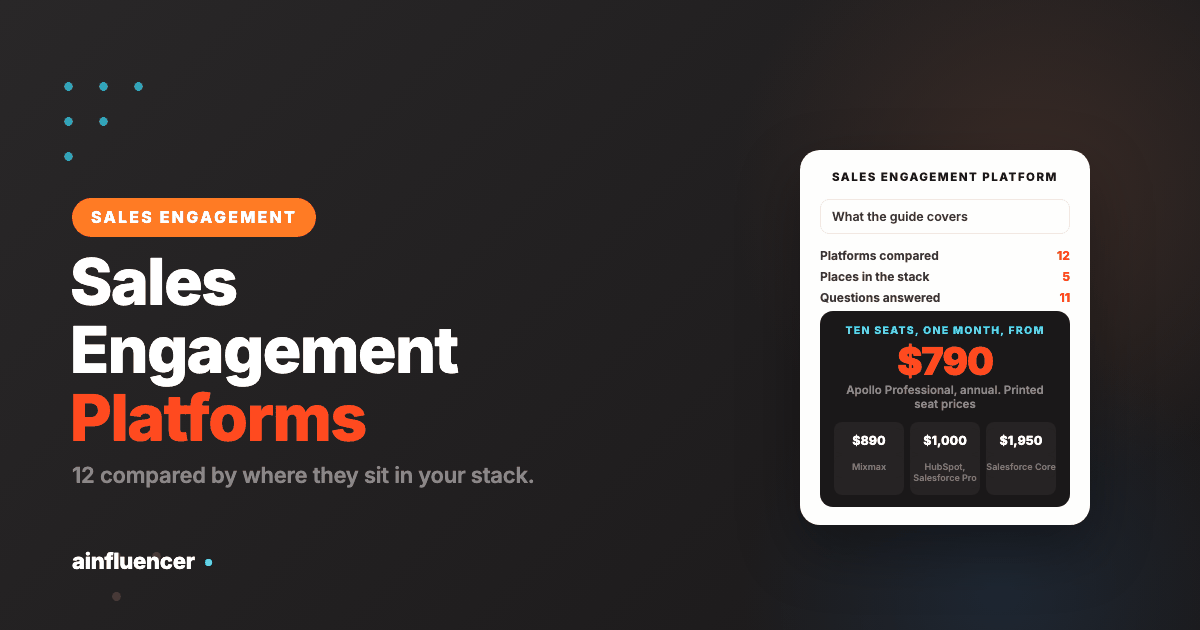
Seat prices make the comparison easy where a vendor prints them. This is our arithmetic: ten seats at the lowest printed price for the plan named, per month, before add-ons, AI credits or extra data. Outreach and Salesloft print no price, and Amplemarket and Instantly are priced by the account or by contacts, not by the seat.
| Tool and plan | Printed price per seat a month | Ten seats a month | Note |
|---|---|---|---|
| Mixmax, 1,500 recipients each | $89, billed yearly | $890 | Recipients are per user |
| Apollo Professional | $79, billed annually ($99 monthly) | $790 | $990 on monthly billing |
| Close Growth | $109 monthly ($99 annual) | $1,090 | $990 on annual billing. Workflows start here |
| HubSpot Sales Hub Professional | From $100 | $1,000 | Starting price. Billing terms not stated |
| Salesforce Pro Suite | $100, billed annually | $1,000 | Core is $195, which makes $1,950 |
| Outreach | Not printed | Quote | Seats plus AI credits |
| Salesloft | Not printed | Quote | Confirm on a sales call |
The spread from $790 to $1,000 for the middle tools is narrower than the gap between a printed price and a quote, which is the real cost difference: with a quote-only tool you cannot compare before a sales call. A fair check is to ask each vendor for the all-in monthly figure for ten users, including the dialer, AI credits and CRM connector.
How to Choose a Sales Engagement Platform
Decide where it should sit
Use the table of five places. If your CRM already has sequences, test those before you add a tool.
List the channels the team really uses
If reps do not call, a dialer is wasted money. If email is not reaching your buyers, another email sender will not help.
Price ten users, all in
Ask for the monthly total for the full team including the dialer, AI credits and the CRM connector.
Run a two week pilot on one segment
Compare reply and meeting rates against your current process before you commit to a year.
Check the compliance controls
Unsubscribe handling, suppression lists and call or text consent should be there before you scale volume.
Where Sales Engagement Goes Wrong
Buying a platform for a CRM feature
If the CRM you pay for already has sequences, a second tool adds a sync to maintain and little else.
Ignoring the second meter
Seat price plus AI credits, recipients or data credits is two bills. Price both before you compare.
Measuring sends, not meetings
A cadence that sends a lot and books nothing is a cost. Track replies and meetings per cadence.
One channel for everyone
A buyer who ignores email may answer a call or a form. Mix channels by segment.
Stale contact data
A cadence to wrong addresses burns your domain. Verify before you enrol.
Assuming the vendor covers the rules
Consent and opt-out duties stay with you, whatever the platform says on its compliance page.
For the step before a cadence, finding who to contact, see our guide to B2B sales tools.
What We Could Not Verify
- Outreach’s and Salesloft’s prices: neither printed a number in the page text we read.
- Which Salesforce Sales Cloud tier includes each engagement feature, and the price of its engagement features.
- Reply.io, G2 and Gartner pages, which returned a bot challenge to automated reads, so we quote no rating from them.
- Every vendor’s customer counts, analyst badges and accuracy figures: these are the vendors’ own claims.
Conclusion: Which Sales Engagement Platform Should You Start With?
If email is not reaching businesses
Reach them through the contact form with contactID, and test it on 10 companies for free.
If your CRM already has sequences
Test HubSpot, Close or Salesforce sequences first, then add a platform only for what they lack.
If you are a brand looking for creators
Search creator profiles in Ainfluencer before you invite them.
Frequently Asked Questions
What is a sales engagement platform?
It is software that helps a sales team contact prospects and customers across channels such as email, calls and social messages, and keeps a record of every touch. Its core unit is the cadence, a structured sequence of touches spread over time.
What is the difference between a sales engagement platform and a CRM?
A CRM stores accounts, contacts and deals. A sales engagement platform is the tool reps use to run outreach, and it writes the result back to the CRM. Many CRMs now include sequences, so check before you buy a separate tool.
What is sales engagement software?
The term is used interchangeably with sales engagement platform. It usually means a product that runs cadences, logs calls and email, and syncs with a CRM.
What are sales engagement tools?
They are the tools that carry out sales outreach: cadences, dialers, email tracking, templates and scheduling links. Some are standalone platforms, some are features inside a CRM, and some start from contact data or from sending.
What is the best sales engagement platform?
It depends on where it should sit in your stack. Outreach and Salesloft suit large outbound teams, Salesforce, HubSpot and Close suit teams that want sequences inside the CRM, Apollo and Amplemarket suit teams that want data and sequences together, and contactID suits teams that want to reach businesses through contact forms.
How much does a sales engagement platform cost?
On printed seat prices, from $79 per seat a month for Apollo Professional on annual billing to $195 for Salesforce Core, which is $790 to $1,950 a month for ten seats before add-ons. Outreach and Salesloft print no price.
Is there a free sales engagement platform?
Some have free plans: Apollo has a free plan, HubSpot Sales Hub has a free tier, Mixmax gives 50 recipients a month, and contactID gives 10 free websites with no card.
Do I need a sales engagement platform if I have a CRM?
Not always. If your CRM includes sequences that cover the channels you use, test those first. Add a platform when you need calls, coaching or deliverability tools the CRM lacks.
Which platforms include a dialer?
Salesloft lists a dialer to call or text buyers, Apollo lists a dialer and call recording, and Close is built around calling, email and SMS in one inbox. Mixmax lists calls as a sequence step and bills calling per minute on top.
Does contactID replace a sales engagement platform?
No. contactID is a route for the first touch, sent through a company’s own contact form. It is not a cadence tool with calls and tasks, so many teams use it beside a platform when email is not reaching a business.
Is cold outreach legal?
It depends on the country and the channel. The FTC says CAN-SPAM makes no exception for business-to-business email, and Canada’s anti-spam law carries penalties up to $10 million for businesses. This is not legal advice, and a platform’s compliance page does not move your duty.
Key Takeaways
- A sales engagement platform runs the touches between a first contact and a meeting. It differs from a CRM, which stores the record.
- The useful way to compare platforms is where they sit: our own route, standalone, inside the CRM, data first or sender first.
- On printed seat prices a ten-rep team pays $790 to $1,950 a month for Apollo, Close, HubSpot, Salesforce or Mixmax, before add-ons. Outreach and Salesloft print no price.
- If your CRM already has sequences that cover your channels, test those before adding a platform.
- Price the second meter: AI credits, recipients or data credits are billed on top of the seat.
- contactID and Ainfluencer are ours. contactID is a contact-form route for the first touch, not a cadence tool, and Ainfluencer covers creators only.