On this page
Planoly Review 2026: Pricing, Social Sets and Who It Is For
Planoly is the one tool in this category built for creators rather than for marketing teams. It invented Instagram grid planning, it sells digital products and merch through your link in bio, and it prices in a unit called a Social Set that nobody explains clearly before you buy.
Prices below are from Planoly’s own pricing page, read on 5 October 2026.
Planoly pricing
| Plan | Per month | Social Sets | Users | Add-ons |
|---|---|---|---|---|
| Starter | $14 | 1 | 1 | None. Upgrade to add more |
| Growth | $24 | 2 | 2 | $10 per extra set, $5 per extra user |
| Pro | $47 | 6 | 6 | $8 per extra set, $3 per extra user |
Annual billing saves up to 15%. Every plan includes unlimited uploads, the link in bio, selling digital products and merch, and Instagram DM automation.
The detail that catches people: Starter has no add-ons at all. If you need a second account set or a second person, you are not buying a $10 add-on, you are moving to Growth. It is a small jump, but it means the $14 plan is strictly a one-person, one-brand plan.
What a Social Set actually is
This is the pricing unit and the thing worth understanding before you compare Planoly with anything else. A Social Set is a group of connected accounts treated as one brand, rather than one account per platform.
That makes Planoly cheap if you run one brand across many networks, and expensive if you run many brands on one network each. A creator posting to Instagram, TikTok, Pinterest and YouTube is on the $14 plan. An agency with six single-platform clients is on the $47 plan. Most tools in this category price the opposite way round, per account, which is why headline comparisons mislead here.
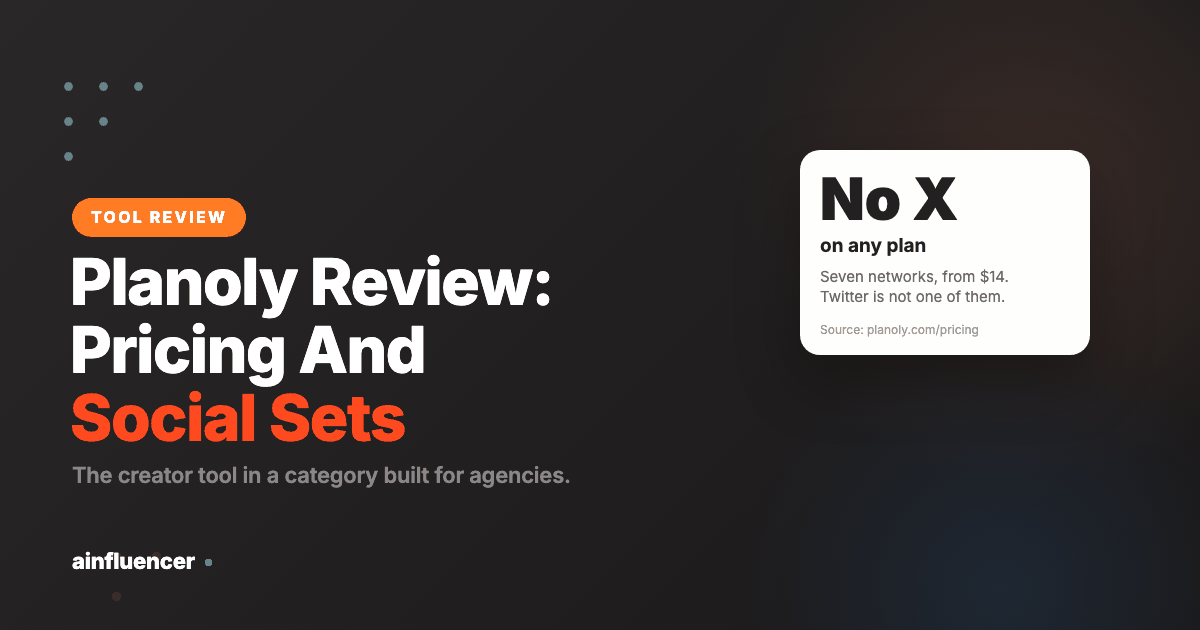
Planoly covers Instagram, TikTok, LinkedIn, Facebook, YouTube, Threads and Pinterest. Note what is missing: there is no Twitter/X in that list at all, on any plan. For most creator accounts that is irrelevant, and if X is part of your mix it rules Planoly out entirely rather than costing you an upgrade.
What it is actually good at
Grid planning. Planoly’s own claim is that it invented it, and visual feed preview is still what it does better than the general-purpose schedulers. If how your Instagram profile looks as a grid matters to your work, this is the reason to be here.
Creator monetisation. The link in bio is not just a link list: you can sell digital products and physical merch through it. That is a genuinely different product from what Loomly or Publer offer, and it is aimed squarely at creators earning from an audience rather than brands broadcasting to one.
Reminders where auto-posting is not allowed. Planoly auto-posts where platforms permit it and sends a push notification to post natively where they do not, so you keep access to in-app music and editing tools. That is the honest handling of a limitation most schedulers gloss over.
DM and comment automation. Auto-replies to comments and DMs, which for a creator fielding the same question fifty times is the feature that saves actual hours.
Also included: AI content idea generation, a trends and cultural moments calendar updated weekly, and a media library.
Planoly pros and cons
Pros
- The best visual Instagram grid planning in this set, and that is a real job
- $14 entry, the cheapest paid tier of any tool here
- The Social Set model fits a creator or a single brand cleanly
- G2 sits at 4.3 out of 5 across 67 reviews
- Drag and drop planning that shows the feed as followers will see it
Cons
- Trustpilot sits at 3.5 from 58 reviews, and 62% of those are one star, the worst profile in this comparison
- Auto-posting failures are the most reported fault, and auto-posting is the main reason to buy it
- Reports of posts disappearing, app freezes, and timing problems on video and carousels
- One reviewer reports over $500 charged across six years with receipts switched off and no renewal reminders
- Refund waits reported past fifteen business days
- No paid ads reporting, so measurement lives somewhere else
What real users say about Planoly
Planoly scores, as reported by each review platform
Bar length is the score as a share of 5. Read 5 October 2026. These two samples are almost the same size and nearly a full point apart, which is unusual and is the most informative thing in Planoly’s review profile.
Planoly has the most divided review profile of any tool covered here, and the division itself is the most useful thing in it.
Two sources, two very different answers
Reported scores put Planoly at 4.3 out of 5 on G2 from around 67 reviews and 3.5 on Trustpilot from 58 reviews, where roughly 62% are one star. That is not a small gap, and a distribution where most reviews are either five stars or one star tells you more than the average does.
Both numbers are real and they measure different populations. G2 skews to business users reviewing software they chose deliberately, often prompted by the vendor. Trustpilot is open to anyone and attracts people with a billing or support problem. Neither is the truth on its own. Read together they say: when Planoly works it is well liked, and when it goes wrong people are left without help.
The functional complaints
These recur across Trustpilot, G2 and Google Play, and for a scheduling tool they are the serious kind:
- Auto-posting failing and scheduled posts not appearing, with video stories named specifically.
- Posts disappearing from the planner.
- Inconsistent TikTok publishing, which matters given TikTok is one of the seven supported networks.
- A sensitive drag-and-drop in the grid planner, where one reviewer described accidentally moving posts while trying to scroll. Minor, but it is the core feature.
Support and billing
The support complaints are consistent: long waits, and messages that lead to repeated troubleshooting requests rather than resolution. One reviewer reported being charged quietly for six years without notification of the charges.
We cannot verify an individual billing dispute, and any subscription business with a long history will generate some. What is worth taking from it is practical rather than accusatory: if you subscribe, check the charge appears as you expect in month two, and keep the cancellation route in mind before you need it.
How to weigh this
The grid planning and the creator monetisation genuinely are good, and they are why the five-star reviews exist. But publishing reliability is the one thing a scheduler cannot be average at, and this is the only tool in this comparison where it is a consistent theme rather than an occasional report.
The reasonable conclusion is not to avoid Planoly, it is to test the specific thing people report failing. Schedule a week of real posts across your actual networks during the trial, including a video story, and confirm they all land. That costs you nothing and answers the only question the reviews leave open.
What to do about a missing network
A scheduling tool that does not support one of your channels is not automatically disqualified, but the workaround you choose has a cost and it is worth picking deliberately rather than drifting into one.
- Post that channel natively. Free, and it fragments your calendar. Workable when the missing channel is a small part of your output and painful when it is not
- Run a second tool for it. Two subscriptions, two interfaces, and reporting that no longer spans your whole presence. Sometimes still cheaper than moving everything
- Drop the channel. Worth considering honestly rather than dismissing. If it produces little and costs scheduling friction, the tool has made a decision you were avoiding
- Choose a different tool. The right answer when the missing network is genuinely important to you, and the one people delay longest because of switching effort
One thing worth knowing about every scheduler, because it explains a class of failure people blame on the tool. Meta’s platform has no native scheduling endpoint: the documentation expects the app to hold your post and publish it at the chosen moment, and it caps accounts at 100 API-published posts in a rolling 24 hours. So a scheduled post is a promise your tool keeps on your behalf rather than something the network is holding, which is why an outage at the tool’s end means the post simply does not go out.
The question that settles it: what share of your engagement came from that network last quarter? If the answer is under ten percent, the workaround is cheap. If it is a third of your audience, no amount of liking the rest of the product makes this the right tool.
What Planoly’s negative reviews actually say
Planoly has the worst review distribution of any tool covered here, and the complaints are about the feature it is bought for. That combination deserves more space than a line in a cons list, so here is the detail and what to test before you rely on it.
How Planoly’s Trustpilot reviews are distributed
One star 62% Two to five stars 38%
Trustpilot reports a 3.5 TrustScore across 58 reviews with 62% at one star, read 5 October 2026. A distribution this polarised is not an average experience, it is two different experiences. G2’s 4.3 across 67 reviews measures people who evaluated the tool as software buyers; Trustpilot tends to collect people who went looking for somewhere to complain. Neither is the truth on its own, and the gap between them is the thing to plan around.
| Complaint | What reviewers describe | What to do about it |
|---|---|---|
| Auto-posting failures | The most serious complaint, because of when it happens. Reviewers describe posts failing at publish time rather than at scheduling time, so the tool accepts the post, shows it as scheduled, and then does not publish it. Several reviewers say auto-posting is the main reason they bought Planoly. | Schedule a real week in the trial and check each post actually appeared on the network, not just that Planoly marked it done. This is the one test that decides whether Planoly works for you. |
| Posts disappearing and app freezes | Recurring reliability reports: glitches in auto-posting, image uploads, app freezes, setup, and post timing, with video and carousels named most often. | If carousels and Reels are most of your output, test those formats specifically rather than single images. |
| Billing with no visible trail | One reviewer reports being charged over $500 across six years with auto-send receipts disabled, no renewal reminders and no usage reports, and says only the most recent $84 was refunded. We cannot verify an individual billing dispute and are reporting the claim, not asserting it. We include it because the mechanism it describes, receipts off by default, is checkable in your own account. | Check that receipts are switched on the day you subscribe, and put the renewal date in your own calendar. |
| Refund timelines | A reviewer reports waiting beyond fifteen business days, with support describing a sequence of a fourteen day response window followed by three to five days of processing. | Treat a refund as slow rather than impossible, and raise it in writing the day you notice. |
| Scope | No paid ads reporting and limited analytics, so Planoly plans the feed but does not tell you much about how it performed. | Pair it with the native platform insights, or price Metricool if organic and paid reporting in one place matters. |
Planoly is the one article in this set where we would put the warning above the recommendation. The product does something genuinely well, and the thing reviewers report failing is the thing you are paying for. That combination is worth a real test rather than a cautious one: use the cheapest month, schedule a full week of your actual content, and verify on the network rather than inside Planoly. If it publishes everything, the visual planner is the best here. If it does not, you found out for $14.
Who Planoly suits
A good fit if you are a creator or a one-brand business, Instagram is your main channel, and you want planning plus monetisation in one tool. At $14 it is the cheapest entry in this comparison, and the merch and digital product selling is not available in any of the alternatives below.
A poor fit if you need X, you manage many separate brands, or you want paid ads reporting and deep analytics. It is a creator tool that agencies can use, not an agency tool.
Planoly alternatives
| Tool | Entry | Choose it when |
|---|---|---|
| Publer | $4/account | You want the lowest cost and X support |
| Metricool | $20/mo | You need ads reporting alongside organic |
| Later | Varies | You want the closest comparison on visual planning |
| SocialBee | $24/mo | Evergreen content recycling matters more than visuals |
For creators specifically
Planoly helps you publish to the audience you have. If the goal is earning from that audience, it covers one route through merch and digital products, and brand collaborations are the other.
Ainfluencer is the marketplace side of that: brands post campaigns, creators apply, and the negotiation and payment are handled in one place. The two sit together well. Plan and publish in one tool, find the collaborations in the other.
Frequently asked questions
How much does Planoly cost?
Three plans: Starter at $14 a month for 1 Social Set and 1 user, Growth at $24 for 2 sets and 2 users, and Pro at $47 for 6 sets and 6 users. Annual billing saves up to 15%. Growth and Pro allow add-ons, at $10 and $8 per extra Social Set respectively, but Starter has none, so a second account set or a second person means moving to Growth.
What is a Social Set in Planoly?
A group of connected accounts treated as one brand, rather than one account per platform. It makes Planoly cheap if you run one brand across many networks and expensive if you run many brands on one network each. Most competitors price per account, which is the opposite way round, so compare on your actual structure rather than on headline price.
Does Planoly support Twitter/X?
No. Planoly covers Instagram, TikTok, LinkedIn, Facebook, YouTube, Threads and Pinterest. X is absent on every plan, so unlike tools that paywall it, no upgrade fixes this. If X is part of your mix, Planoly is ruled out.
Is Planoly good for agencies?
It can be used by one, but it is built for creators. The Pro plan at $47 covers 6 Social Sets and 6 users with cheap add-ons, which works for a small agency whose clients each run several networks. What you will not find is paid ads reporting, deep analytics or approval workflows, which is what agency-focused tools sell.
Can you sell products through Planoly?
Yes, and this is the clearest difference from the general schedulers. The link in bio sells digital products and physical merch, on every plan including the $14 Starter. For a creator earning from an audience that turns the tool into a storefront rather than just a scheduler.
Does Planoly auto-post, or does it send reminders?
Both, depending on the platform. It auto-posts where platforms allow it and sends a push notification to post natively where they do not, so you keep in-app music and editing tools. Every scheduler faces this constraint; Planoly is clearer than most about which is which.
The summary: Planoly is the creator tool in this category, and at $14 with merch and digital product selling included it is good value for one person running one brand. Check two things before buying: whether you need X, because no plan has it, and how your accounts group into Social Sets, because that is what sets your price.