Shopify Affiliate Program for Influencers: How to Launch, Pay and Scale One in 2026
How to run a Shopify affiliate program with influencers: tracking, commission math, payouts, returns, FTC and tax rules, checked against official pages.
A Shopify affiliate program for influencers means creators promote your products with a tracked link or code and you pay them a commission on each sale they bring in. You only pay when an order lands, which is its main appeal, and the work is deciding how to track it, how to pay it, what to do with returns and what to put in the creator’s terms. This guide takes those decisions in the order you meet them, with the arithmetic and the rules that apply.
Every Shopify, FTC and IRS fact below was read on the organisation’s own page on 8 November 2026. We do not print commission benchmarks, because the guides that do disagree with one another and show no data. Where a platform page is silent or contradicts itself, we say so and state nothing from it.
Which Shopify Affiliate Program Do You Mean?
Searching for a Shopify affiliate program turns up two different things. This guide is about the second.
Two meanings of the phrase, from Shopify’s own pages (read 2026-11-08)
| Program | Who it is for | What it pays | What it is not |
|---|---|---|---|
| Shopify Affiliates | Creators, course makers, publishers and app partners who send new merchants to Shopify | Up to $150 per qualified referral when the merchant signs up to a Basic, Grow or Advanced plan at full price, varying by location; tracking runs 30 days from click, and up to 400 days for free trial referrals; $10 minimum balance; paid monthly | A tool for a merchant to pay creators who sell the merchant’s own products |
| Your own affiliate program | A merchant who wants creators to sell the merchant’s products on commission | Whatever commission you set, funded by your margin | Run by Shopify: Shopify gives you tracking pieces and Collabs, and you design the rest |
| Shopify Partner Program | App builders, store builders and service firms | Several earning sources; referrals are one of them | An affiliate program for merchants or creators |
If you want to earn by referring merchants to Shopify, apply through Shopify’s own affiliates page, not this guide. If you want creators to sell what you make, keep reading.
What an Affiliate Program With Influencers Is, and When Another Model Fits Better
Affiliate, gifting, flat-fee posts and ambassador programs all involve creators, but they pay on different triggers. Pick the trigger that matches what you want.
Four ways to work with creators on Shopify (our summary)
| Model | You pay | Best when | Weak when |
|---|---|---|---|
| Affiliate commission | A percentage of each sale tracked to the creator | You have margin, a product people buy from a recommendation and many small creators | Creators need money up front, or your margin is thin |
| Gifting or product seeding | The product, and sometimes shipping | You want content and reviews first and sales second; see product seeding platforms compared | You cannot afford to give product away or cannot track results |
| Flat fee per post | A fixed price per deliverable | You need a specific post on a specific date | You cannot judge if the creator’s audience buys |
| Hybrid | Product, a smaller flat fee and a commission | A creator is worth more than commission alone but you still want performance | You cannot explain the terms in two sentences |
A commission-only offer works best with creators who already believe in the product. For bigger creators, the broader picture, including what to pay when commission alone will not close them, is in our Shopify influencer marketing guide for merchants.
Check Your Margin Before You Offer a Commission
A commission comes out of what is left after the cost of making and shipping the order. Work this out first, on one real order. The numbers below are illustrative, not benchmarks. Replace each with your own.
One order, worked through (illustrative figures)
| Line | Amount | Note |
|---|---|---|
| Product price | $80.00 | The list price |
| Creator code, 10% off | minus $8.00 | Customer pays $72.00 |
| Product cost | minus $28.00 | What it costs you to make or buy the item |
| Shipping you pay | minus $7.00 | Label and packaging |
| Payment processing | minus $2.16 | Assumed at 3%; use your own rate |
| Left before commission | $34.84 | About 48% of the $72.00 paid |
| Commission of 15% on $72.00 | minus $10.80 | On the $80.00 price it would be $12.00 |
| Left after commission | $24.04 | About 33% of the $72.00 paid |
That is the first check. The most commission you can afford is the margin left before commission, minus the profit you need per order. Two choices change the result more than the rate does: whether commission is paid on the price before or after the discount, and whether shipping and tax are inside the base. Write both into the terms.
Guides that print a normal commission rate disagree. One says 5% to 15% for physical goods and another says 10% to 20%, and none shows the data behind it. Your own margin is a better guide than any range.
Decision 1: How You Track a Creator’s Sales
You have four tracking tools on Shopify, and most programs use two together. Everything below is from Shopify’s help pages.
Shareable links with UTM parameters
Shopify can attribute traffic to a campaign through shareable links, and its help page says each campaign can have several links with separate UTM values, such as one per influencer. The recognised parameters are utm_campaign, utm_source, utm_medium, utm_term and utm_content. The Campaigns report shows sales, orders, average order value, sessions, new against returning customer orders and items sold. It does not factor in returns, so a creator’s reported sales will be higher than what you keep.
Discount codes
A code is the simplest way to credit a creator who is never clicked on, such as one who says it in a video. You create codes in Discounts in Shopify admin and can set valid dates, a cap on total uses, a minimum order and eligible products. Shopify also allows a limit of one use per customer. The Sales by discount report shows how often each code is used, so you can read results per code. Shopify’s combining rules matter here: a customer can use up to five product or order codes plus one shipping code on an order, but only if each discount’s settings allow it. Codes do not combine on external checkouts such as Facebook, Instagram or Google.
A tracking pixel
A pixel records the visitor’s actions on the storefront and checkout. Shopify recommends app pixels where one is available and describes custom pixels as added by a developer. Shopify says that in regions that require consent, web pixels run only after visitors grant the permissions the pixel needs, so a pixel will not see every visitor there.
Attribution models
Shopify’s marketing reports offer several attribution models: last non-direct click, last click, first click, any click and linear. The help page contradicts itself on which is the default and does not state a click-to-purchase window for them, so we name none. Choose a model on purpose and write it in your reporting notes.
Codes against links: who gets paid?
Codes and links will often disagree for the same creator, because a code can be typed with no click and a click can lead to a purchase with no code. Our suggestion, not a Shopify rule: pay on either signal, once per order, and say so in the terms. It rewards the creator for the sale and avoids paying twice.
Decision 2: How You Pay Creators
Shopify tracks sales but does not pay creators outside one tool. We found no official page for sending commission payouts outside Shopify Collabs, including through Flow or Shopify Payments. That leaves three routes.
Three ways to pay commission (read 2026-11-08)
| Route | How sales are tracked | How and when the creator is paid | Fees and limits printed |
|---|---|---|---|
| Shopify Collabs | Personalised links and discount codes inside Collabs | Commission goes on your Shopify bill after a holding period, 30 days by default and adjustable from 1 to 90 days; the creator must turn on automatic payouts, which run twice a month, with at least $25 in the next payout balance | A 2.9% processing fee on every automatic commission payment; Collabs is available on all plans except Starter and Retail and needs Shopify Network Intelligence turned on |
| Ainfluencer | A link per product plus the Ainfluencer web pixel installed in your store | Your card is charged after the sale is at least 35 days old, and the creator receives the commission minus the Ainfluencer fee through Stripe | The fee depends on your plan; a card is required; limits depend on your plan (see the section on our platform) |
| Codes and manual payment | Discount codes and the Sales by discount report | You pay by whatever method you and the creator agree, outside Shopify | No platform fees, but you track, calculate and pay every commission yourself |
Check the current status of Collabs before you plan around it. Shopify’s Collabs help page says Collabs is not accepting new creator signups at this time, while creators who already have partnerships keep using it and merchants can still invite creators and accept applications. We could not confirm whether new merchants can install it, and we found no shutdown notice. If you are choosing between tools, our guide to Shopify Collabs alternatives compared covers the options, and affiliate software for Shopify stores compared covers the apps.
Decision 3: How You Structure the Commission
The choices inside a commission (our checklist)
| Choice | Options | What to decide |
|---|---|---|
| Rate | A percentage, or a fixed amount per order or per unit | The most your margin allows after any discount, from the order above |
| Base | Price before or after the creator’s discount; with or without shipping and tax | One rule, in writing, so creators can predict the payout |
| Customers | All orders, new customers only, or a lower rate for repeat customers | Whether you are paying for a new buyer or any sale |
| Products | One rate for the store, or a rate per product | Higher margin products can carry a higher rate |
| Tiers | A higher rate after a sales milestone | Only add tiers once you have data on who sells; start with one rate |
| Extras | Free product, a flat fee for the first post, a bonus after a period | A hybrid offer for creators you want more than commission |
Start with the simplest version that works. Single rate, single base, new and repeat customers treated the same. You can add tiers and bonuses after you see who actually sells.
Decision 4: Returns and the Holding Period
A commission paid on an order that is later returned is money lost. The fix is a holding period: pay commission only after the return window closes, and base it on what the customer kept. Collabs holds commission for 30 days by default and lets you change it from 1 to 90 days. Ainfluencer bills a sale only once it is at least 35 days old. A manual program should do the same.
A partial return, worked through (illustrative figures)
| Step | Amount | Note |
|---|---|---|
| Order paid | $100.00 | Two items, $60.00 and $40.00 |
| Commission rate | 15% | From your terms |
| Commission if you paid at once | $15.00 | On the full $100.00 |
| The $40.00 item is returned on day 20 | minus $40.00 | Inside the holding period |
| Commission after the hold | $9.00 | 15% of the $60.00 the customer kept |
Put the rule in the creator’s terms before the first sale: commission is paid on the value the customer keeps, after the holding period, and a commission paid on an order that is later refunded is recovered from the next payout. Ask any tool you use how it treats refunds, because the Campaigns report in Shopify does not factor returns in.
Decision 5: Where Creators Come From and Who You Approve
- Your customers. People who already bought and posted are the easiest creators to start with, because they know the product.
- An application page. Collabs and Ainfluencer both let you publish a page where creators apply. You approve each, or switch on automatic approval.
- Direct invitations. You choose the creators and send an offer with a rate. Collabs says merchants can still invite creators directly.
- Creator marketplaces and searches. Useful for volume, so vet before you invite.
Whichever route you take, check the account before you approve it. Look for real engagement against follower count, an audience that matches your buyer, and past posts for brands in your category. Our guides on how to audit an influencer profile and vetting influencers before you pay them cover the checks. Automatic approval saves time but lets in accounts you have not seen, so many merchants review the first batch by hand.
Decision 6: The Terms Every Creator Agrees To
A short written agreement prevents most disputes. This is a checklist, not legal advice. Have a lawyer review the final version.
Clauses to include and why
| Clause | What it says | Why |
|---|---|---|
| Commission | Rate, base, holding period and payment dates | Avoids arguments about the amount |
| Tracking | Which signals count (link, code or either) and that one order pays once | Settles the code against link question |
| Returns | Commission is on the value kept, and refunded orders are deducted | Protects you from paying on returned orders |
| Disclosure | The creator must disclose the commission clearly near each recommendation | The FTC holds you responsible too |
| Allowed and not allowed | No self-purchases, no posting codes on coupon sites, no misleading claims | Keeps the program clean |
| Content rights | Whether you may reuse the creator’s posts and for how long | Reuse as an ad needs permission |
| Exclusivity and conflicts | Whether the creator can promote competitors | Optional, and it usually means paying more |
| Ending | Either side can end it on notice; links stop earning after | A clean exit |
Decision 7: Disclosure and Tax
FTC disclosure
The FTC’s Endorsement Guides questions and answers say affiliate marketers should clearly and conspicuously disclose the commission relationship near the recommendation. The suggested wording on that page is that the poster gets commissions for purchases made through links in the post. A bare label such as affiliate link is not enough on its own. A paid link label placed next to the link is acceptable, and a link that earns the poster nothing needs no disclosure. For video, the FTC says to disclose in the video and near links in the description.
The same pages say advertisers are responsible for what influencers say for them, and that using an agency does not remove that. They recommend training and monitoring creators and telling them how and where to disclose. Put the wording in your terms and check a sample of posts. The FTC’s consumer reviews rule, in force since 21 October 2024, also bars paying for reviews tied to a positive or negative sentiment, so never make a payment depend on what the creator says about the product.
Tax on what you pay creators
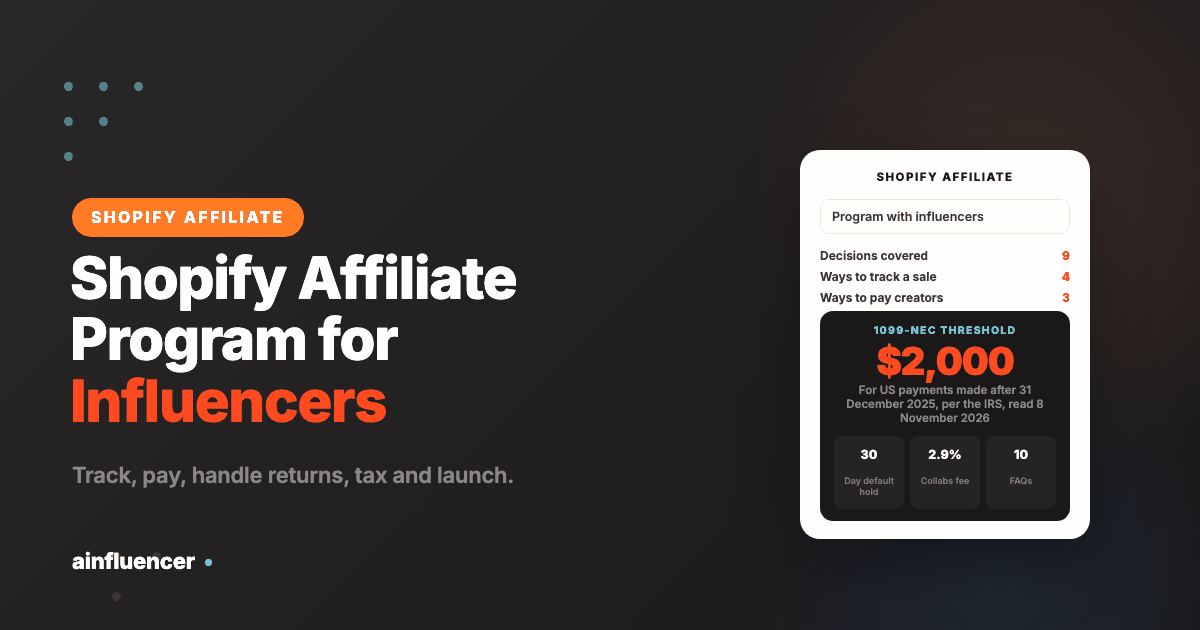
In the United States, a business that pays a non-employee for services at or above the reporting threshold during the year generally files Form 1099-NEC. The IRS says the threshold is $600 for payments made in 2025 and $2,000 for payments made after 31 December 2025, which means calendar 2026 payments, and the form is due on 31 January. Form W-9 is how a payee gives you the taxpayer identification number. If a payee does not give it when required, the IRS says backup withholding is a flat 24%.
We could not confirm on IRS pages that creator commissions specifically count as non-employee compensation. The pages speak generally of services performed by someone who is not an employee, so treat this as the general rule and ask a tax professional. Collabs shows how a platform handles it: if W-9 collection is on and a US creator does not submit one, that creator’s payouts are limited to $599.99 a year. We did not research tax for creators outside the United States, so check before you pay across borders.
Decision 8: Fraud and Code Leakage
- Self-purchase. A creator buys through their own link for the commission. Ban it in the terms and look for repeated orders from one address.
- Code leakage. A creator code posted on a coupon site brings sales that were not earned. Set a cap on total uses and a one use per customer limit, both of which Shopify’s discount settings allow, and watch the Sales by discount report for a sudden spike.
- Orders that never ship or are refunded. Your holding period and the returns rule handle these. Pay after the window, not before.
- Misleading claims. You are responsible for what creators say about your product. Review the first posts of every new creator and spot check after that.
- Double counting. Pay once per order even when both a link and a code were used.
Decision 9: A Launch Plan and What to Measure
Start small. Ten creators you have actually looked at will teach you more than a hundred you have not. Our suggestion for the first 90 days:
A suggested 90 day plan (our suggestion, not a benchmark)
| When | Do | Check |
|---|---|---|
| Before launch | Work out your margin, write the terms, choose the tracking signals and the payment route, place a test order through a creator link and a creator code | The test order appears once, with the right creator and the right amount |
| Weeks 1 to 4 | Invite 10 or so creators, send product, approve applications by hand | Which creators post, and whether the disclosure is right |
| Weeks 5 to 8 | Read the Campaigns and Sales by discount reports, compare link and code results, fix terms that caused questions | Orders per creator, average order value, commission as a share of sales |
| Weeks 9 to 13 | Pay the first commissions after the holding period, drop creators who did not post, add the next batch | Commission paid against profit left after discounts and returns |
Measure what you pay against what you keep, not clicks. For each creator, work out orders, net revenue after returns, discounts given and commission paid. A creator who sends many clicks and few orders costs you product and time, and one who sends a few well-matched orders may be worth more than the rate suggests. Only add tiers, bonuses and larger creators after you have those numbers.
Running a Shopify Affiliate Program on Ainfluencer
Ainfluencer is our own platform, so treat this section as ours. It describes how the Shopify side works today. We make no promise about sales or earnings. Commission on Shopify purchases has been calculated at the time of purchase only since early October 2026, so the mechanism is new. For the Shopify store page itself, see Ainfluencer for Shopify merchants.
- Connect the store. You enter your permanent myshopify.com address and approve the Ainfluencer app on Shopify. The platform saves the store, installs its web pixel to record sales and imports your products. The Ainfluencer app on the Shopify App Store is free to install.
- Set commission per product. New products start at a default commission of 15% as a percentage. You can change it per product, and a change also applies to existing partnerships that do not have a custom rate. Some plans set a minimum commission, so check yours before you plan your margin. Only active Shopify products can be promoted.
- Recruit. Every connected store gets a public recruitment page where creators can apply for a partnership, which depends on your plan. You can also invite creators. A switch controls automatic approval of applications. Creators need an approved social account or website on the platform before they can apply or accept an invitation.
- Approval creates a contract. It records each product’s commission at that moment, creates the creator’s links and shares contact details both ways. Revoking a contract stops the creator’s links earning.
- Sales are recorded. The pixel records a completed purchase made through a creator’s link, and the commission is worked out at that moment from the creator’s contract for the linked product. Purchases recorded before October 2026 carry no commission.
- You are charged, the creator is paid. A card is required before you can invite or accept creators. Once a sale is at least 35 days old, your card is charged the commission in a nightly run, and the creator receives it minus the Ainfluencer fee through their Stripe account. The fee is a percentage of the commission and depends on your plan. A creator must connect Stripe to be paid. There is no wallet and no minimum payout.
Plan limits, including how many stores you can run and how many active partnerships you can hold, depend on your plan, and the current figures are on our brand pricing plans page. Two practical notes. If your card is declined, commission stays unpaid until you retry. And because the 35 day hold covers returns, a creator waits roughly five to seven weeks from a sale to a payout, which belongs in your offer.
Where to Go Next: Tools and Outside Help
This guide is about designing the program. If you want help choosing or running one, there are three other routes. For tools, compare apps in our affiliate software for Shopify stores compared guide. For outside help, Shopify affiliate marketing agencies compared lists 15 firms and what their own sites show. And if you would rather start with creators who already sell, look at gifting first.
Frequently Asked Questions About Shopify Affiliate Programs With Influencers
What is a Shopify affiliate program for influencers?
It is a program where creators promote your products with a tracked link or discount code and you pay a commission on each tracked sale. Shopify provides tracking pieces and Collabs, and you design the terms.
Does Shopify have a built-in affiliate program for merchants?
Shopify has Collabs and native discount codes and campaign links, but it has no general commission payout tool outside Collabs. Shopify’s own Shopify Affiliates program is a different thing: it pays people for referring new merchants to Shopify.
Is Shopify Collabs open?
Shopify’s Help Center says Collabs is not accepting new creator signups at this time. Existing creator partnerships still work and merchants can invite creators and accept applications. We could not confirm whether new merchants can install it.
Do I need Shopify Plus to run an affiliate program?
No page we read says so. Collabs is available on all plans except Starter and Retail, and discount codes and campaign links are part of Shopify admin.
What commission rate should I offer?
Work it out from your margin. After product cost, shipping, payment fees and any discount, the commission cannot exceed what is left minus the profit you need. Rate ranges printed by other guides disagree and show no data.
How do I track a creator’s sales on Shopify?
Use a campaign link with its own UTM values, a discount code per creator, or both. Shopify’s Campaigns report and Sales by discount report show results, and neither factors in returns.
Why do my link clicks and my code sales not match?
A code can be used with no click, and a click can lead to a purchase without the code. Decide in your terms which signals count and pay once per order.
How do I handle returns in an affiliate program?
Hold commission until the return window closes and pay on the value the customer kept. Collabs holds for 30 days by default and lets you set 1 to 90 days.
Do creators have to disclose affiliate links?
Yes. The FTC says affiliate marketers should clearly disclose the commission near the recommendation, and that advertisers are responsible for what influencers say for them.
Do I need to send creators a 1099?
In the United States a business that pays a non-employee for services at or above the threshold generally files Form 1099-NEC. The IRS says the threshold is $2,000 for payments made after 31 December 2025. Ask a tax professional whether your creator commissions count.