6 Lemlist Alternatives for 2026, Matched to the Channels You Actually Run
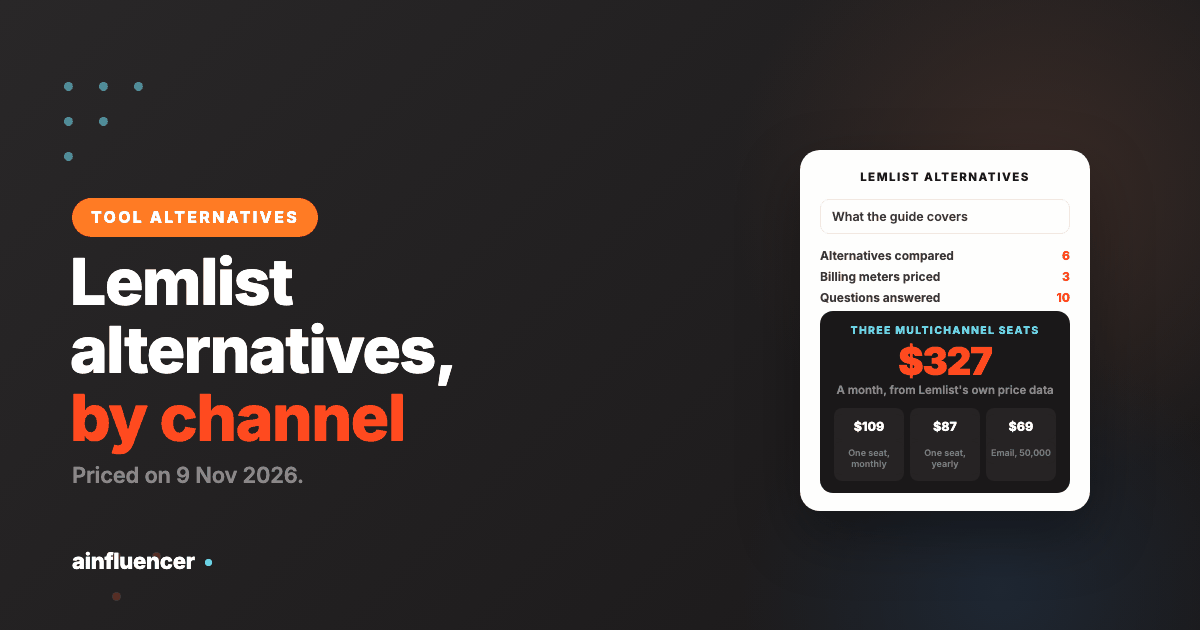
Lemlist bills you on three meters at once: email volume, seats and data credits. Here is the monthly price of each, and the alternative for every channel mix.
Lemlist sells breadth: email, LinkedIn, calls, WhatsApp and SMS in one workflow, with warm-up included. The price is harder to pin down than the pitch. The headline numbers on its pricing page are yearly-billing figures, email is priced by monthly volume, the multichannel plan is priced per user, and lead data is a separate pack of credits. This guide reads the price data Lemlist embeds in its own page, prices three realistic months, and then sorts the alternatives by the question that decides the switch: which channels do you actually run? One disclosure: the first option, contactID, is our own product, and it adds a channel instead of replacing Lemlist. Prices were read on each vendor’s own site on 9 November 2026.
Lemlist Pricing in 2026: Three Meters, Not One Price
Lemlist has three plans: Email, Multichannel and a custom Enterprise. The pricing page opens on the yearly toggle, so the first numbers you see ($55 and $87) are the cheapest billing period. The monthly figures are in the same page, and they are $69 and $109. Quarterly billing sits in between, and the page labels it a 10% saving against 20% for yearly.
The Email plan is priced by how much you send
| Volume | Monthly | Quarterly (per month) | Yearly (per month) | Monthly price per 1,000 emails |
|---|---|---|---|---|
| 50,000 emails a month | $69 | $62 | $55 | $1.38 |
| 100,000 emails a month | $89 | $80 | $71 | $0.89 |
| 200,000 emails a month | $159 | $143 | $127 | $0.80 |
| 500,000 emails a month | $359 | $323 | $287 | $0.72 |
| 1,000,000 emails a month | $659 | $593 | $527 | $0.66 |
The Email plan lists unlimited users, unlimited email senders, the email and phone finder, the lead database, lemAgent and the other AI agents, warm-up and the deliverability hub, CRM integrations and the API. It does not list LinkedIn, SMS or calls, which the page puts under Multichannel. The price per email falls as volume rises, from $1.38 per 1,000 at 50,000 to $0.66 per 1,000 at one million.
The Multichannel plan is priced by the seat
| Seats | Monthly | Quarterly (per month) | Yearly (per month) |
|---|---|---|---|
| 1 | $109 | $99 | $87 |
| 3 | $327 | $297 | $261 |
| 5 | $545 | $495 | $435 |
| 10 | $1,090 | $990 | $870 |
Multichannel is $109 per user a month ($87 yearly). It lists unlimited emails and messages, 5 senders per user, LinkedIn automation, SMS automation, a WhatsApp add-on, a built-in call dialer and the Gmail and LinkedIn extensions. The page does not print a price for WhatsApp or SMS, so confirm both before you plan around them. Enterprise has no printed price.
Lead data is a third bill
| Credits a month | Monthly | Yearly (per month) | Verified emails at 5 credits each | Monthly price per verified email |
|---|---|---|---|---|
| 2,000 | $20 | $16 | 400 | $0.050 |
| 5,000 | $49 | $39 | 1,000 | $0.049 |
| 10,000 | $94 | $75 | 2,000 | $0.047 |
| 25,000 | $225 | $180 | 5,000 | $0.045 |
| 50,000 | $441 | $353 | 10,000 | $0.044 |
| 100,000 | $833 | $666 | 20,000 | $0.042 |
| 200,000 | $1,568 | $1,254 | 40,000 | $0.039 |
The page’s own example is that 2,000 credits buys 400 emails or 100 phone numbers, so an email costs 5 credits and a phone number 20 at that tier. It does not say the ratio holds for larger packs, so the last two columns assume it does. Credits are charged only for successful results, and unused credits roll over for as long as your subscription stays active. A separate buying intent signals pack runs from $29 a month for 100 signals to $1,068 for 5,000.
What three real months cost
These are built only from the printed figures above. The team sizes and volumes are our assumptions, not Lemlist recommendations.
| Scenario | What you buy | Monthly billing | Yearly billing (per month) |
|---|---|---|---|
| One person, email only | Email plan, 50,000 emails | $69 | $55 |
| Same person, with data | Email plan plus 5,000 credits, about 1,000 verified emails | $118 | $94 |
| Three sellers on email and LinkedIn | Multichannel, 3 seats | $327 | $261 |
| The same three, with data | Multichannel, 3 seats, plus 10,000 credits, about 2,000 verified emails | $421 | $336 |
The pattern is that the sticker price is the smallest part of the bill once a team grows or needs contacts. Multichannel scales with headcount, and data scales with how many new people you contact.
Why People Leave Lemlist
Lemlist’s own homepage states 4.6 out of 5 across more than 2,240 reviews and credits G2. We could not read the review sites in full. The complaints below come from search summaries of rival blogs and review aggregators, which sell or list competing tools, so treat them as one side of the story, next to what Lemlist’s own pages show.
| Reason | What the sources say | Source type |
|---|---|---|
| Cost climbs with seats | Multichannel is billed per user, so a team of five pays five times the seat price | Lemlist’s own pricing page |
| Data is extra | Enrichment credits and buying intent signals are paid packs on top of the plan | Lemlist’s own pricing page |
| Unclear terms | The page says a 14 day trial in its FAQ and 30 days in a banner, and gives a database of 650M+ in one place and 600M+ in another | Lemlist’s own pages |
| Per-seat sender caps | Described as one of the most repeated complaints in G2 reviews | Rival review blogs |
| Shared throttling | One review says sending slows across all seats when one domain’s deliverability dips | Rival review blogs |
| Support quality | Experiences are mixed, with some reviewers praising speed and others describing long refund and billing threads | Review aggregators and rival blogs |
| Tracking and tooling | Open and click tracking called unreliable, plus CRM integration bugs and Chrome extension problems | Rival review blogs |
None of this matters if you run email and LinkedIn in one flow and like the copy tools. It matters if you pay for channels you never switch on.
Which Channels Do You Actually Run?
Lemlist is built for teams that use several channels in one sequence. Most teams use one or two. The channel you really work decides whether you need a replacement, a cheaper specialist, or just one extra route.
| If you really run | What you need | Alternatives in this list | What you can drop |
|---|---|---|---|
| Email only | Sending volume, mailboxes and warm-up at a low price | Instantly, plus Smartlead in our guide | Seats, LinkedIn and call features you never open |
| Email and LinkedIn in one sequence | Both channels from one workflow and one inbox | Salesforge, La Growth Machine | WhatsApp, SMS and the dialer |
| LinkedIn first | Safe pacing, several senders and a shared inbox | Waalaxy, HeyReach | Email sending and its infrastructure |
| Contact forms as a second route | A way to reach companies that never answer cold email | contactID, beside whatever you use | Nothing, it adds a channel |
The 6 Lemlist Alternatives
Each card names the channel mix it suits, and what you give up by choosing it.
contactID
contactID is a Chrome extension and web dashboard from the Ainfluencer team that sends your message through the contact form on each company’s own website. It finds the form, fills it, deals with cookie banners and CAPTCHAs, submits it and marks a site Sent only after a confirmation. It is ours, so weigh this card accordingly.
It does not replace Lemlist. It covers one channel and does not read replies, which go to the email address you give your agent. Because the message arrives through the prospect’s own form, there is no mailbox to warm up and no seat to buy, and a send costs one credit only when the site confirms it.
- Find websites: Google Maps listings in 20 countries by category and city
- AI placeholders such as {Opener} write one line per website, optional and billed from a separate AI wallet
- A credit is used only for a send the site confirms
- A/B split testing and analytics showing the exact value typed into each field
- 10 free websites with no card
- Failed sends, sites with no form and unconfirmed sends are free
- Priced per website, not per seat
- Runs in your own Chrome, Edge or Brave and stops when the browser closes
- Contact forms only, so it does not replace email or LinkedIn
- Written solicitation rules can apply to targeted messages in some professions and countries
Instantly
Instantly’s outreach plans list unlimited email accounts and unlimited warm-up, and it prices by contacts and emails, not by seat. That is the cleanest answer to Lemlist’s per-user meter for a team that only sends email.
It has no LinkedIn or calling on the pages we read. We cover its credits and limits in full in our Instantly alternatives guide.
- Unlimited email accounts and warm-up on outreach plans
- A lead database of 450M+ records with filters, sold in credits
- AI co-pilot, reply agent and automatic campaign pausing
- A built-in CRM and unified inbox on higher plans
- Price follows contacts and emails, not headcount
- Hypergrowth lists 125,000 emails a month, more than twice the volume of Lemlist’s 50,000 tier
- Database and sending under one login
- Email only, so LinkedIn and calls need another tool
- Growth lists only 1,000 contacts and 5,000 emails
- Lead credits are a separate plan
Salesforge
Salesforge runs email and LinkedIn from one sequence with a shared inbox called Primebox, on plans that include unlimited mailbox connections and warm-up. It is the closest like-for-like swap for a team that uses exactly those two channels in Lemlist.
Pro is $48 a month ($40 on annual billing) for 1,000 active contacts and 5,000 emails, and Growth is $96 ($80 annual) for 10,000 and 50,000. We cover its pricing in our Salesforge alternatives guide.
- Email and LinkedIn in one sequence, with Primebox as the shared inbox
- Unlimited mailboxes and warm-up on Pro and Growth
- AI personalization credits, sentiment analysis and a knowledge base
- Agent Frank, an optional AI SDR, sold as an add-on
- Growth lists 50,000 emails a month, level with Lemlist’s 50,000 tier
- Warm-up included on every plan
- SOC 2 listed on its site
- Pro is capped at one LinkedIn sender and one user
- No calls, SMS or WhatsApp on the pages we read
- Infrastructure and data are separate subscriptions, and Agent Frank needs a demo
La Growth Machine
La Growth Machine runs LinkedIn, email from your own mailbox, voice messages, call tasks and X follows from one sequence, priced per identity in euros. It is the nearest rival to Lemlist’s multichannel plan, and it sells in the same per-person way.
Its Reply Agent is in beta and answers LinkedIn replies only, and the site says it is not an AI SDR. Its own LinkedIn safety page states that LinkedIn forbids tools that perform automated actions without human intervention, while its homepage claims its tool is invisible to LinkedIn detection. Read both before you decide.
- LinkedIn invites, messages, profile visits and post likes
- Email from Google, Outlook or SMTP, voice messages and call tasks
- AI messages and an open source MCP server on Pro and Ultimate
- CRM sync with HubSpot and Pipedrive on Ultimate
- A 14 day trial with no card
- Volume discounts per identity, up to 30% off on yearly billing at six or more
- Calls included from Pro
- Per identity pricing, so cost grows with headcount just as it does on Lemlist
- Calls and the multichannel inbox are not on Basic, and CRM sync is an add-on on Pro
- No database size stated, and invoices are in euros even when prices display in dollars
Waalaxy
Waalaxy is a LinkedIn prospecting tool that builds lists from LinkedIn Search or Sales Navigator, sends connection requests and messages and automates follow-ups. Cold email sequences and LinkedIn plus email campaigns are on the Business plan only.
Its pricing page opens on the yearly toggle, which is 50% off, so the monthly price is exactly double the headline. Pages disagree on its AI assistant too: the homepage marks it soon, while a separate page sells Waalaxy AI at $100 a month.
- Lists from LinkedIn Search, Sales Navigator or CSV
- Connection requests, messages and automated follow-ups
- Email Finder, with 25 credits a month on Pro and 500 on Business
- A paid LinkedIn inbox add-on at EUR 20 a month
- The lowest entry price here, EUR 19 on yearly billing
- Unlimited campaigns on every plan
- A 14 day trial on each plan
- Invitations capped at 300 a month on Pro and 800 on Advanced and Business
- Email only on the Business plan, at EUR 139 monthly
- It never mentions account restriction risk on the pages we read
HeyReach
HeyReach is a LinkedIn automation tool sold per sender, with unlimited campaigns, a unified inbox, multi-account rotation and an MCP and CLI for AI agents. It does not send email itself, and finds emails through its integrations with Instantly, Smartlead and EmailBison.
Rules check: HeyReach’s site says it is not endorsed by LinkedIn and does not describe the restriction risk. Its Anti-Spam Policy covers people who promote HeyReach, not how customers use LinkedIn.
- Multi-account rotation and a unified inbox
- Connection requests, messages, voice notes, profile views and post likes
- Integrations with Sales Navigator, Clay, HubSpot and the major sequencers
- Teammates, clients and users are free
- Teammates are free, so cost follows senders, not seats
- Flat price at the top tier
- Pairs with an email sequencer such as Instantly
- LinkedIn only, so email needs a second tool
- The headline unlimited price applies only to the $2,999 tier
- No stated position on LinkedIn’s terms
What the Same Job Costs on Each Tool
This puts the plans side by side by job, at the monthly billing price. Currencies are shown as printed, with no conversion. These are listed limits, not tested results.
| Job | Tool and plan | Printed monthly price | Yearly (per month) |
|---|---|---|---|
| Send 50,000 emails a month | Lemlist Email, 50,000 tier | $69 | $55 |
| Smartlead Pro, 90,000 emails | $94 | $78 | |
| Salesforge Growth, 50,000 emails | $96 | $80 | |
| Instantly Hypergrowth, 125,000 emails | $107 | $85.58 | |
| Email and LinkedIn for one seller | Lemlist Multichannel, one seat | $109 | $87 |
| Salesforge Pro, one LinkedIn sender | $48 | $40 | |
| La Growth Machine Pro, one identity | EUR 120 | EUR 100 | |
| LinkedIn only, one sender | HeyReach Growth | $79 | $64 |
| Waalaxy Advanced | EUR 99 | EUR 49 | |
| La Growth Machine Basic | EUR 60 | EUR 50 |
The honest result is that for plain email at 50,000 a month, Lemlist is the cheapest of these on monthly billing, so leaving it for a cheaper email tool rarely saves money. The gap opens on the other two jobs, where you pay for seats and channels you may not use. Our wider AI outreach tools comparison shows what each price leaves out.
Moving Off Lemlist Without Wasting What You Paid For
Spend your credits before you cancel
Lemlist says unused credits roll over only for as long as your subscription stays active, so use the pack on the leads you need before you end the plan.
Export leads and every opt-out
Take enriched contacts, replies and your suppression list with you, so no one who opted out is contacted again by the new tool.
Rebuild sequences by hand
Lemlist’s plan table lists Liquid syntax and custom text and images. We found no statement that these export, so plan to rebuild the variables and images in the new tool.
Keep warmed mailboxes sending
You connect your own mailbox, so its reputation stays with the mailbox. Keep it at a steady rate while the new tool takes over, and ask support about any mailbox or domain bought inside Lemlist.
Never run two tools on one LinkedIn account
Pause automation in Lemlist before the new tool starts, because two tools acting on one account is an avoidable risk. That is our advice, not a vendor rule.
Watch the spam rate
Google asks bulk senders to keep the rate reported in Postmaster Tools below 0.10% and never reach 0.30%, and Yahoo asks for 0.3%. A new tool does not change those rules.
When Staying on Lemlist Is the Right Call
You send email at volume
At 50,000 emails Lemlist is the lowest monthly price in the table above, and it falls to $0.66 per 1,000 at a million.
You use three or more channels
Few tools put email, LinkedIn, calls, SMS and WhatsApp in one sequence, so switching means splitting the work across tools.
You want warm-up and monitoring included
Warm-up, the deliverability hub and SOC 2 come with the plan, where some rivals sell them separately.
Conclusion: Which Lemlist Alternative Should You Choose?
If you only send email
Move to Instantly and stop paying for seats and channels you never open, after checking that the saving is real at your volume.
If you use email and LinkedIn
Salesforge is the closest swap, and La Growth Machine adds calls and voice messages for a per-person price.
If you want a channel Lemlist lacks
Add contactID beside Lemlist and test contact forms on 10 companies for free.
Frequently Asked Questions
What is the best alternative to Lemlist?
It depends on the channels you run. Instantly suits email-only teams, Salesforge and La Growth Machine suit email plus LinkedIn, Waalaxy and HeyReach suit LinkedIn-first teams, and contactID adds contact form outreach beside any of them.
How much does Lemlist cost?
The Email plan is $69 a month for 50,000 emails ($55 on yearly billing), rising to $659 for one million. Multichannel is $109 per user a month ($87 yearly). Lead data credits and buying intent signals are priced separately.
Why does Lemlist show $55 instead of $69?
Its pricing page opens on the yearly toggle, so the first figure is the yearly price per month. The monthly price, $69, is struck through beside it, and quarterly billing is $62.
Does Lemlist have a free plan or free trial?
It has no free plan on the pages we read. Its FAQ describes a 14 day free trial with Multichannel features and 200 free credits, while a banner shown to some visitors says 30 days, so confirm the length at sign-up.
Is Lemlist better than Instantly?
On price per email at 50,000 a month, Lemlist is lower, at $69 against $107 for Instantly Hypergrowth, which lists 125,000. Lemlist adds LinkedIn and calls on its higher plan and prices that by seat, while Instantly is email only. We have not tested either for deliverability.
Is Lemlist better than Smartlead?
Smartlead Pro is $94 for 90,000 emails with unlimited mailboxes, against $69 for Lemlist at 50,000. Smartlead sells deliverability add-ons, which we price in our Smartlead alternatives guide, while Lemlist includes warm-up and sells multichannel by the seat.
Does Lemlist include lead data?
It includes a lead database and finder in the plan, but enrichment runs on credits. A pack of 2,000 credits costs $20 a month and buys about 400 verified emails by the page’s own example.
Is there a cheaper alternative to Lemlist?
For plain email, we found none cheaper at 50,000 a month on monthly billing. For LinkedIn only, Waalaxy and La Growth Machine Basic print lower entry prices, though those caps and features are narrower.
Is Lemlist LinkedIn automation safe?
LinkedIn says members who use automation tools risk restriction, and its User Agreement bans bots and unauthorized automated methods. That applies to every tool in this guide, so weigh the risk separately from price.
Is cold outreach legal?
It depends on the country and channel. The FTC says CAN-SPAM makes no exception for business-to-business email, Canada’s anti-spam law carries penalties up to $10 million for businesses, and France’s CNIL says B2B prospecting can rest on legitimate interest with conditions. This is not legal advice.
Key Takeaways
- Lemlist bills three ways: email volume ($69 to $659 a month), seats ($109 each on Multichannel) and data credits.
- The $55 and $87 headline prices are yearly figures. Monthly billing is $69 and $109.
- Three sellers on Multichannel cost $327 a month before any lead data.
- For plain email at 50,000 a month, Lemlist is the cheapest of the four tools compared, so a switch rarely saves money.
- Sort the alternatives by the channels you run: email, email plus LinkedIn, LinkedIn first, or contact forms.
- contactID is ours and covers contact forms only, so use it as a second channel.
Published on the Ainfluencer Blog. Prices were read on each vendor’s own site on 9 November 2026 and can change. Ainfluencer is an AI-powered influencer marketing marketplace that also makes contactID.