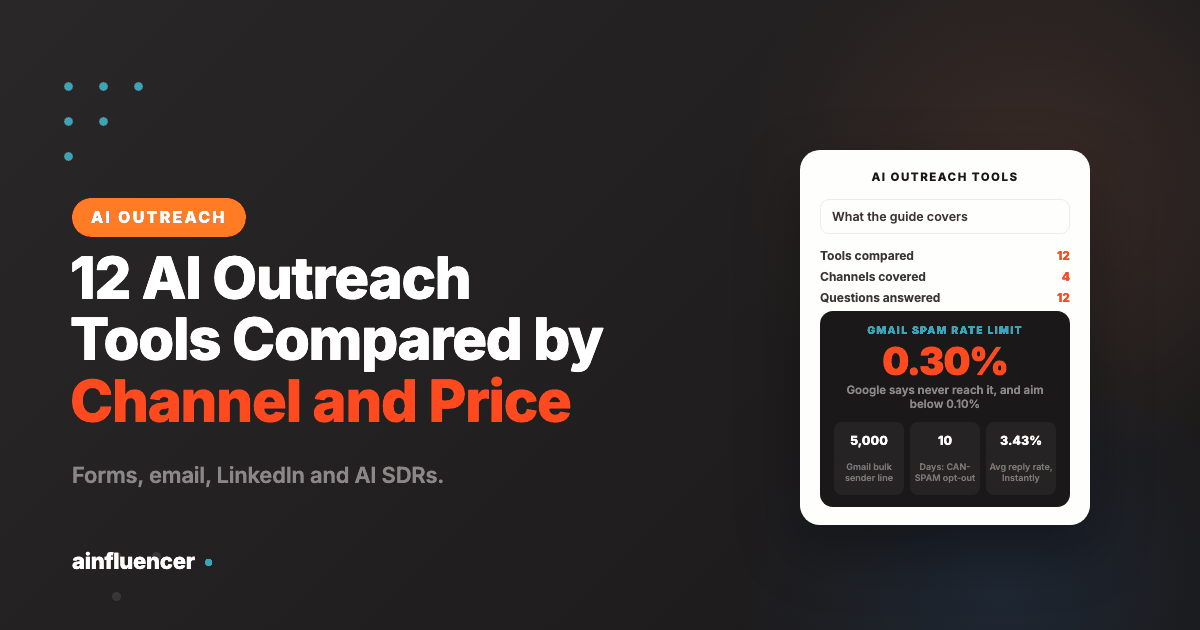
12 Best AI Outreach Tools in 2026, Compared by Channel and Price
Contact form, email, LinkedIn and AI SDR tools side by side, with prices read on each vendor’s own site, what the price leaves out and the rules for each channel.
Every outreach tool now calls itself AI, which makes the label almost meaningless. Some tools only write the message, some find and rank prospects, and some act on their own: they research, send, handle replies and book meetings. This guide compares twelve AI outreach tools across the four channels that matter, contact forms, email, LinkedIn and AI SDR agents, using prices and features read on each vendor’s own site on 9 November 2026, and it sets out the rules that apply to each channel, which almost no other list does. One disclosure first: the first tool, contactID, is ours. The other eleven are not, and we say what each one gets wrong.
What Is an AI Outreach Tool?
An AI outreach tool is software that uses AI to help you start conversations with people who do not know you yet, usually for sales, partnerships or hiring. Most do three jobs: find the right people, write or personalise the message, and send it and track replies. Where tools differ is how much of that the AI does and how much stays with you.
AI that finds
Data and prospecting tools such as Apollo and Clay build and enrich lists, and some score or rank who to contact first. They rarely send anything themselves.
AI that writes and sends
Sequencers such as Instantly, Smartlead, Salesforge and Lemlist, and LinkedIn tools such as HeyReach, run the campaign. The AI drafts and personalises, you set the rules and review.
AI that acts
AI SDR products such as Artisan and 11x research, send, answer replies and book meetings with limited supervision. They cost the most and need the most oversight.
A plain test for any tool: ask what it does without your approval. Several vendors in this list offer an approval mode where a person reviews drafts, and that setting is worth more than any feature on the page.
What to Look For in an AI Outreach Tool
Channel fit
Email, LinkedIn, contact forms, calls and SMS reach different people and carry different rules. Pick the channel your buyer actually answers before you pick a tool.
Rules and deliverability
Email needs authentication, warm-up and low spam rates. LinkedIn restricts automation. Check what the tool does about both and what it leaves to you.
The real cost
Plan prices rarely cover data, mailboxes, credits and add-ons. The section below shows what each price leaves out.
Human control
Look for approval modes, send limits, exclusion lists and opt-out handling. AI should draft faster, not decide who you annoy.
The 12 Best AI Outreach Tools
Tool 1 sends through contact forms. Tools 2 to 5 are email and multichannel sequencers, 6 and 7 are data and prospecting tools, 8 to 10 are LinkedIn tools and 11 and 12 are AI SDR agents. Prices are each vendor’s own printed figures, and where a pricing page contradicted itself we say so.
contactID
contactID is a Chrome extension and web dashboard from the Ainfluencer team that sends your message through the contact form on each company’s own website. You paste a list, upload a file or build one with Find websites, set up an agent with your details and message, and press Start. It finds the form, fills it, deals with cookie banners and CAPTCHAs, submits it and marks the site Sent only after a confirmation.
Because the message arrives through the prospect’s own form, there is no sending domain to warm up and no inbox reputation to protect. That is the whole case for it: a channel beside email, not a replacement. contactID is ours, so weigh this card accordingly. Every figure comes from its own page, read on 9 November 2026.
- Find websites: Google Maps listings in 20 countries by category and city, with counting free and 1 lead credit per business unlocked
- AI placeholders such as {Opener} write one line per website, optional and paid per message from a separate AI wallet
- A credit is used only for a send the site confirms: failed sends, sites with no form and unconfirmed sends are free
- A/B split testing, analytics with the exact value typed into each field, and AI Assist so Claude or ChatGPT can run it over MCP
- 10 free websites with no card and no daily limit unless you set one
- Pay only for confirmed sends, with a status and reason for every site
- Reaches companies with no findable email address
- Runs in your own Chrome, Edge or Brave, and stops when the browser closes
- It covers contact forms only, not email, LinkedIn or calls, and it does not read replies
- Written solicitation rules can apply to targeted messages in some professions and countries
Salesforge
Salesforge describes itself as a cold outreach platform for email and LinkedIn with unlimited mailboxes and an optional AI SDR add-on called Agent Frank, which it says finds prospects, writes tailored outreach, follows up and books meetings. Warm-up is included, and the platform lists SOC2 compliance. It is the tool whose own blog ranks itself first among AI outreach tools, which is worth remembering when you read that list. If you are weighing a move away from it, see our Salesforge alternatives guide.
Rules check: The site states it is neither affiliated with nor endorsed by LinkedIn and says Agent Frank operates on first-party data you provide. It does not describe LinkedIn’s rules for automation.
- Email and LinkedIn in one sequence, with a shared inbox called Primebox
- Unlimited mailboxes and unlimited warm-up on Pro and Growth
- AI personalization credits, sentiment analysis and a knowledge base on both plans
- Agent Frank in Auto-Pilot or Co-Pilot mode, sold as an add-on
- Clear plan limits and a 14-day trial
- Warm-up and deliverability tools are part of the platform
- Integrates with Clay, HubSpot and Salesforce
- Data, domains and mailboxes are separate subscriptions, so the full cost is higher than the plan
- Agent Frank needs a demo, has no trial, and its own pages show $499 and $599 as the starting price
- Pro is capped at one LinkedIn sender and one user
Instantly
Instantly is cold email software with unlimited email accounts and warm-up, a B2B lead database it puts at more than 450 million records, and AI agents. Its AI features include a co-pilot that finds leads, writes copy and generates campaigns, a reply agent and automatic pausing of campaigns. The platform is email-first and, on the pages we read, does not offer LinkedIn or calls. We read its pricing and credit rules in full in our Instantly alternatives guide.
Rules check: Instantly publishes a 2026 cold email benchmark from its own data and says the average reply rate was 3.43% from 1 January to 18 December 2025. It is a vendor’s dataset, so read it as a reference, not a promise.
- Unlimited email accounts and warm-up on outreach plans
- A lead database of 450M+ records with filters and waterfall enrichment, sold in credits
- AI co-pilot, reply agent and workflows that route and tag replies
- A built-in CRM and unified inbox on higher plans
- Strong deliverability tooling for the price
- Database and sending in one account
- Bring your own AI model key on credit plans
- Outreach, lead credits and CRM are separate product lines, so a full stack means combining plans
- Its pricing page shows conflicting figures for the same plan, and trial terms are not stated
- No stated position on GDPR or CAN-SPAM on the pages we read
Smartlead
Smartlead is cold email software with unlimited mailboxes and warm-up, a master inbox, a built-in dialer and AI agents it calls SmartAgents that research leads, write personalised emails and classify replies. Its infrastructure side includes dedicated servers and IPs, placement testing and done-for-you mailboxes, which we price in our Smartlead alternatives guide.
Rules check: We found no GDPR, CAN-SPAM or SOC 2 statement on its homepage or pricing page.
- Unlimited mailboxes and warm-up, with a master inbox and Kanban CRM
- SmartDialer for calls and emails from one dashboard
- SmartAgents for research, writing and reply handling, plus an MCP server
- Dedicated infrastructure, placement testing and per-campaign IP rotation
- Plans from a low entry price with a free trial and no card
- Good client workspace features for agencies
- Integrates with HubSpot, Salesforce, Clay, Zapier and Make
- Plans called Unlimited still carry send caps of 150,000 and 500,000 a month
- Mailboxes bought through SmartSenders cost $3.99 to $9 each per month on top of the plan
- Many separate add-ons for servers, delivery testing, the dialer and verification
Lemlist
Lemlist is a sales engagement platform covering email, LinkedIn, in-app calls, WhatsApp and SMS, with warm-up included through lemwarm and an AI agent called lemAgent. It says its database holds more than 600 million leads, and the site states it is SOC 2 certified.
Rules check: Lemlist links a sending policy and anti-abuse protection from its pricing page. We did not read their contents.
- Email, LinkedIn, calls, WhatsApp and SMS in one place
- lemwarm warm-up included with every seat, plus a deliverability hub
- lemAgent, intent signal agents and data enrichment agents
- SOC 2 certification stated on its FAQ
- Broadest channel mix in this list
- Warm-up and monitoring included
- MCP and CLI for AI agents
- Enrichment and buying intent signals are paid add-ons
- Multichannel is priced per user and WhatsApp and SMS have no printed price
- Its pricing page contradicts itself on trial length, 14 days or 30, and the database size is given as 650M+ and 600M+
Apollo.io
Apollo combines a B2B database, which it puts at more than 240 million contacts and 30 million accounts, with sequences, a dialer and AI agents that it says research, build lists, write outreach and book meetings. It has a free plan with no time limit, and its pricing is per seat with credits pooled across the team.
Rules check: Apollo says it provides tools to comply with GDPR, CAN-SPAM and do-not-call rules and lists SOC 2 Type II and ISO 27001, and its data page says customers are responsible for making sure their use of the data complies with privacy laws.
- 240M+ contacts and 30M+ accounts with waterfall enrichment
- Sequences, parallel dialer and call recording
- AI research, lead scoring and writing, with an MCP connection
- A Chrome extension and integrations with Salesforce, HubSpot and Outreach
- A free plan that stays free
- Data and sending in one place
- Paid plans billed per seat
- Credits expire every cycle with no rollover
- Free and Basic show 250 daily email sends, with higher plans subject to a fair use policy
- Accuracy claims such as 98% email accuracy have no stated method, and Organization is annual only with a three seat minimum
Clay
Clay is a data and workflow layer more than a sending tool. You pull data from many vendors into a table, run AI research agents it calls Claygent, score accounts and trigger plays. It does not own a database: the page says one contract buys data from more than 200 vendors, while its schema description says 150 plus, and the two are not reconciled.
Rules check: We found no compliance or privacy statement on its homepage or agent page, and its security page returned an error.
- Waterfall enrichment across many data vendors
- Claygent agents that research and reason over your data, with a full reasoning trace
- Signals tracking, audiences and account scoring
- Pushes results to your CRM, ad audiences and Slack
- Very flexible for custom prospecting
- A free plan with unlimited seats and tables
- Works with sequencers such as Salesforge and Smartlead
- Two credit meters, actions and data credits, plus token-based AI runs make cost hard to predict
- Its pricing page contradicts itself on rollover and on Launch data credits
- Account Agents are still in beta
HeyReach
HeyReach is a LinkedIn automation tool sold per sender, with unlimited campaigns, a unified inbox and an MCP and CLI for AI agents. It sends connection requests, messages, voice notes, profile views and post likes, and finds emails through integrations with Instantly, Smartlead and EmailBison. Its safety features include daily limits, account rotation and channel cooldowns, with no numbers published.
Rules check: LinkedIn’s Prohibited software and extensions help page says members who use such tools risk having their accounts restricted or shut down, and its User Agreement bans bots and unauthorized automated methods. HeyReach’s site says it is not endorsed by LinkedIn and does not describe the risk, so read LinkedIn’s rules yourself before you rely on any tool in this category.
- Multi-account rotation and a unified inbox
- MCP so AI agents can create campaigns and tag replies by sentiment
- Integrations with Sales Navigator, Clay, HubSpot and the major sequencers
- Teammates, clients and users are free
- Built for agencies with many LinkedIn accounts
- Flat price at the top tier
- Free trial on the lowest plan
- It states no position on LinkedIn’s terms or on the risk of restriction
- The headline unlimited price applies only to the $2,999 tier
- Its quarterly and yearly totals do not match its stated discounts
La Growth Machine
La Growth Machine runs sequences across LinkedIn, email from your own mailbox, voice messages, calls and X from your own accounts in the cloud. Its AI writes a first draft that you edit before anything goes out, and a Reply Agent in beta answers LinkedIn replies and asks before it sends. The site says plainly that it is not an AI SDR and does not run conversations end to end.
Rules check: Its marketing says it is invisible to LinkedIn’s detection systems, yet its own FAQ states that LinkedIn explicitly forbids tools that perform automated actions without human intervention and that it only reduces the risk. Take the FAQ, not the headline.
- LinkedIn, email, voice messages, calls and X in one sequence
- AI Messages with an editing step and an open source MCP server
- Credits per identity for enrichment: 1 per LinkedIn profile, 5 per email, 20 per phone number
- CRM sync with HubSpot and Pipedrive on higher plans
- Honest about what its AI does not do
- Cloud-based with a 14-day trial and no card
- Cheaper per identity on annual billing
- The site both claims invisibility and admits LinkedIn forbids unattended automation
- Calls, Social Warming and the multichannel inbox are not on the Basic plan
- No database size, and the enrichment providers are unnamed
Waalaxy
Waalaxy builds lead lists from LinkedIn Search or Sales Navigator, sends connection requests and messages and automates follow-ups, with email sequences on its top plan and a separate AI agent product called Waalaxy AI. It is the cheapest tool here on yearly billing, though the pricing page shows the cheapest period by default.
Rules check: Its pages say its timing stays within LinkedIn’s limits and call automation safe when used correctly, but do not describe LinkedIn’s User Agreement or mention account restrictions. See the LinkedIn rules above.
- Lead lists from LinkedIn Search or Sales Navigator, or imported by CSV
- Connection requests, messages and automated follow-ups
- Email sequences and an Email Finder on the Business plan
- A 14-day free trial on each classic plan
- Lowest entry price in the list on yearly billing
- No external database needed
- Simple for a single user
- Its homepage says the AI assistant is coming soon while another page sells Waalaxy AI at $100 a month
- Invitation limits are low: 300 a month on Pro and 800 on the higher plans
- No GDPR or security statement on the pages we read
Artisan
Artisan sells AI employees, and its main product Ava is an AI BDR that finds and enriches leads, writes and sends outreach, handles replies and books meetings. Controls include an approval mode where Ava drafts every reply and waits for a click, tone and call-to-action locks, banned phrases, exclusion and do-not-contact lists and budget caps per campaign. ‘Full self-driving Ava’ is marked Soon.
Rules check: Artisan lists SOC 2 Type II and GDPR on its pricing page and enforces exclusion and do-not-contact lists automatically.
- 250M+ verified B2B contacts enriched from 22+ sources
- Email and social outreach, with call steps queued for a human dialer
- Approval mode, tone locks, banned phrases and escalation rules
- Website visitor identification and intent-triggered campaigns
- A free plan with 300 credits a month
- A 30-day trial with 10K credits for new accounts
- The controls make human oversight practical
- Real cost depends on credits: about 20 credits per person contacted
- Enterprise tiers are not priced and mailboxes and phone numbers are billed separately
- Full self-driving mode is not yet live
11x
11x sells AI digital workers: Alice for outbound email and social prospecting, and Julian for inbound voice. Alice researches accounts, drafts a message, handles replies and escalates sensitive conversations to your team. Its security page lists SOC 2 Type II, GDPR and CCPA alignment, and its Alice page lists automatic opt-out compliance.
Rules check: Opt-outs are honoured automatically according to its Alice page, and it describes ‘Consented Outbound Calling’ without explaining it. Ask what that means before you use the calling features.
- Outbound email and social agents with deep research and smart replies
- Inbound and expansion voice agents
- Signal-driven lists using funding, hiring and job changes
- CRM integrations with HubSpot, Salesforce and Pipedrive
- Documented security and compliance page
- Multilingual outreach and playbooks
- Combines outbound and inbound in one vendor
- No price printed, no trial and no stated minimum, so cost needs a sales call
- Database size is not stated on the homepage, while another page says 400M contacts
- Headline results have no baseline or period
Some names in other lists are not carded because we could not read enough to compare them fairly. Reply.io’s site blocked automated reading, Outreach and Salesloft are enterprise tools that publish no prices, Woodpecker’s plan prices did not load, and Amplemarket lists a $600 a month startup plan on an annual term. We will add them when we can verify them.
AI Outreach Tools Compared
| Tool | Main channel | AI role | Entry price (9 Nov 2026) | Best for |
|---|---|---|---|---|
| contactID | Contact forms | Message lines, MCP assistant | 10 free websites, then $0.15 per website | Second channel beside email |
| Salesforge | Email and LinkedIn | Drafting, optional AI SDR | $48 a month ($40 annual) | Small sequencing teams |
| Instantly | Co-pilot, reply agent | $47 a month | High-volume cold email | |
| Smartlead | Email and calls | SmartAgents, reply manager | $39 a month | Agencies, many mailboxes |
| Lemlist | Multichannel | lemAgent, intent signals | $55 a month (yearly view) | Email plus LinkedIn plus calls |
| Apollo.io | Data and email | Research, scoring, writing | Free, then $49 per seat | One database and sequencer |
| Clay | Data layer | Claygent research | Free, then $167 a month | Custom prospecting |
| HeyReach | MCP, sentiment tagging | $79 per sender a month | LinkedIn for agencies | |
| La Growth Machine | LinkedIn and email | Drafting, reply agent (beta) | EUR 60 per identity a month | Multichannel with review |
| Waalaxy | Waalaxy AI (separate) | EUR 19 a month (yearly view) | Solo LinkedIn outreach | |
| Artisan | AI SDR | Autonomous BDR | Free, then $250 a month | AI BDR with approvals |
| 11x | AI SDR | Alice and Julian agents | Not printed | Large teams |
What the Price Leaves Out
Plan prices are the smallest part of an outreach bill. Here is what each vendor says is billed separately, from its own pages.
| Tool | Not in the plan price |
|---|---|
| Salesforge | Leads (Leadsforge), domains and mailboxes are separate subscriptions, and Agent Frank is a separate add-on |
| Instantly | Lead credits and CRM are separate product lines |
| Smartlead | Mailboxes at $3.99 to $9 each, servers, delivery testing, the dialer, verification and client workspaces at $29 each |
| Lemlist | Enrichment and buying intent signals, WhatsApp, SMS and domains |
| Apollo.io | Credits expire every cycle, so heavy use can mean an upgrade mid-year |
| Clay | Two meters, actions and data credits, plus AI runs charged on token use |
| HeyReach | Each LinkedIn sender is a seat, and Growth scales per sender |
| Artisan | About 20 credits per person contacted, plus mailboxes and phone numbers |
| contactID | AI personalization from a separate AI wallet and lead credits for Find websites, both optional |
The honest way to compare is to cost the same job on each tool: for example, 1,000 contacts a month with warm-up, a lead source and one LinkedIn account. Then add what the table lists.
The Rules Every AI Outreach Tool Leaves to You
No outreach tool takes legal responsibility for what you send. These are the primary-source rules that apply to the channels above, read on 9 November 2026. Nothing here is legal advice.
| Channel | What the source says | What to do |
|---|---|---|
| Email to Gmail | Google says senders of more than 5,000 messages a day to Gmail must meet bulk sender rules: SPF, DKIM and DMARC, one-click unsubscribe for marketing messages, and a spam rate below 0.10% that never reaches 0.30% | Authenticate your domain and check Postmaster Tools |
| Email to Yahoo | Yahoo asks for a spam rate below 0.3%, a valid DMARC policy of at least p=none, one-click unsubscribe support and unsubscribes honoured within 2 days | Honour opt-outs fast |
| Email in the US | The FTC says CAN-SPAM makes no exception for business-to-business email, requires a valid physical postal address and honouring opt-outs within 10 business days, and sets penalties of up to $53,088 per email on a page edited in January 2024 | Include your address and an opt-out |
| Email in Canada | The Government of Canada says penalties for the most serious violations of its anti-spam law can reach $1 million for individuals and $10 million for businesses | Check consent rules for Canadian prospects |
| Email in France | The CNIL says prospecting professionals can be based on legitimate interest when the offer relates to their profession, with a right to object | Keep offers relevant and honour objections |
| LinkedIn’s help page says members who use prohibited software risk having accounts restricted or shut down, and its User Agreement bans bots and unauthorized automated methods | Treat LinkedIn automation as an account risk, not a feature | |
| Contact forms | No guidance we read names website contact forms, but the email rules are the sensible standard | Say who you are and make it easy to say no |
Our contact form marketing guide covers the form channel and its legal question in depth.
AI Outreach for Brands and Creators
Everything above is built for B2B sales and partnership outreach. If you are a brand that wants to reach creators, or a creator looking for brands, the job is different: creators expect a personal, relevant offer, and the tools are different too. Our guide to AI influencer outreach explains what to generate and what to keep human, and AI tools for influencer marketing covers the wider stack.
Ainfluencer is a marketplace where brands invite creators on Instagram, TikTok and YouTube and pay through the platform, with influencer fees held in escrow until delivery is confirmed. It has a Free plan to start with.
Which AI Outreach Tool Fits Your Stage?
This table is our reading of the facts above, not a measured result.
| Your situation | Start with | Why |
|---|---|---|
| Solo founder, no list, small budget | Apollo free plan plus contactID free credits | Both have free starting points and need no infrastructure |
| Small team that needs volume | Instantly or Smartlead | Email at scale with warm-up built in |
| Team selling to people who live on LinkedIn | Lemlist or La Growth Machine | Email and LinkedIn in one sequence, with the rules above in mind |
| Agency running outreach for clients | Smartlead or HeyReach, plus contactID | Client workspaces, many senders and a second channel |
| Operator building custom lists | Clay with a sequencer | Flexible data, sending elsewhere |
| Larger team that can supervise an AI agent | Artisan or 11x | Autonomous agents, with approval and escalation controls |
How to Run AI Outreach Without Burning Your Domain or Your Name
Define one offer and one kind of buyer
AI makes it easy to send a thousand messages and just as easy to send a thousand that say nothing. Start with one offer and a tight list.
Build a clean list
Use a verified source and remove addresses that bounce. Instantly advises keeping bounce rates below 2%.
Set up the basics before you send
For email, authenticate the domain, warm up the mailboxes and add an unsubscribe. For LinkedIn, accept that automation is an account risk.
Keep a person in the loop
Use approval modes until you trust the output. Read the first 50 messages the AI writes.
Test with 100 contacts
Send one message to 100 well chosen people, count replies and meetings, and compare channels before you scale.
Honour every no
Add opt-outs and objections to an exclusion list and keep it across tools.
How to Measure AI Outreach
Instantly’s 2026 benchmark, a vendor’s own data for 1 January to 18 December 2025, reports an average cold email reply rate of 3.43%, a top tier above 10.7% and 58% of replies coming from the first email. We found no independent test of any tool in this list, and no published reply rate for contact forms or LinkedIn outreach, so compare channels on your own numbers.
| Metric | How to calculate it | Why it matters |
|---|---|---|
| Reply rate | Replies divided by messages sent | The first signal that the list and message fit |
| Positive reply rate | Interested replies divided by messages sent | Separates interest from polite refusals |
| Meetings per 100 contacts | Meetings booked divided by contacts, times 100 | The number that pays for the program |
| Cost per meeting | Total spend divided by meetings | Includes the tool, data and mailboxes |
| Bounce and complaint rate | Bounces and spam reports divided by sends | Protects your domain |
Conclusion: Which AI Outreach Tool Should You Choose?
Start cheap and add a channel
Begin with the free plans of Apollo or Clay for data, add contactID to reach companies email misses, and keep email volume modest until you can show replies.
Scale email carefully
Choose Instantly, Smartlead or Salesforge, authenticate your domain first and read the spam-rate limits in the table above.
Add agents with a human in the loop
Try Artisan or 11x only when you can review what they send. Use approval mode and measure meetings per 100 contacts.
“The best AI outreach tool is the one that reaches the right person in the channel they answer, at a cost you can count, within rules you have read.”
Frequently Asked Questions
What is an AI outreach tool?
It is software that uses AI to find prospects, write or personalise messages and send and track them, usually across email, LinkedIn or contact forms. Some tools only help you write, and some act on their own as AI SDRs.
What is the best AI outreach tool?
It depends on the channel. Instantly, Smartlead and Salesforge suit cold email, Lemlist and La Growth Machine suit multichannel, HeyReach and Waalaxy suit LinkedIn, Apollo and Clay suit data, Artisan and 11x are AI SDRs, and contactID suits contact form outreach.
What is the difference between an AI SDR and an outreach tool?
An outreach tool runs the campaign you design. An AI SDR such as Artisan or 11x researches, writes, sends, handles replies and books meetings with limited supervision. Both vendors offer controls, such as approval modes and escalation, because unsupervised sending is the main risk.
Is it safe to let AI send outreach without approval?
It is risky. The AI can say something wrong or reach people who should be excluded. Use approval modes, exclusion lists and send limits until the output is reliable, and read the first batch yourself.
Is LinkedIn automation allowed?
LinkedIn’s help page says members who use prohibited software risk having their accounts restricted or shut down, and its User Agreement bans bots and unauthorized automated methods. Tools in this category carry that risk, and La Growth Machine’s own FAQ says LinkedIn forbids automated actions without human intervention.
Is cold outreach legal?
It depends on the country and the channel. The FTC says CAN-SPAM makes no exception for business-to-business email, Canada’s anti-spam law can carry penalties up to $10 million for businesses, and France’s CNIL says B2B prospecting can rest on legitimate interest with conditions. This is not legal advice.
How much do AI outreach tools cost?
Entry prices range from free plans at Apollo, Clay and Artisan to $39 to $55 a month for email tools, EUR 19 to EUR 60 for LinkedIn tools, and not printed for 11x. The real cost is higher once data, mailboxes, credits and add-ons are included.
What is a good cold email reply rate?
Instantly’s 2026 benchmark, a vendor dataset for 2025, reports an average of 3.43% and a top tier above 10.7%. Treat it as a reference and measure your own.
Do I need to warm up email accounts?
Most email tools here include warm-up, and Google and Yahoo’s sender rules require authentication and low spam rates for bulk senders. Warm-up helps new mailboxes build a reputation, but it does not fix a poor list or message.
Can AI personalise outreach without sounding robotic?
Only with a good first line and a real reason for writing. Tools that write one line per prospect from the prospect’s own website or posts do better than merge fields, and approval modes let you catch the ones that read as generic.
What is the difference between contact form outreach and cold email?
Contact form outreach sends your message through the form on a company’s own website, so there is no sending domain to warm up and no unsubscribe link to manage, while cold email lands in the inbox and must meet sender rules. Neither is risk free, so test both.
Is there a free AI outreach tool?
Yes. Apollo has a free plan with no time limit, Clay has a free plan, Artisan has a free plan with 300 credits a month, and contactID gives 10 free websites. Free plans are capped, so expect to pay once you scale.
Key Takeaways
- An AI outreach tool can find, write or act, and the more it acts on its own, the more oversight it needs.
- Pick the channel first: email, LinkedIn or contact forms, and add a second one for the people the first misses.
- Plan prices leave out data, mailboxes, credits and add-ons, so cost the whole job.
- Email has sender rules, LinkedIn automation is an account risk, and the US, Canada and France have their own rules.
- Keep a person approving the first batches, and measure meetings per 100 contacts.
- contactID is ours and covers contact forms only, so use it as a second channel.
Published on the Ainfluencer Blog. Prices were read on each vendor’s own site on 9 November 2026 and can change. Ainfluencer is an AI-powered influencer marketing marketplace that also makes contactID.