Cold Email Software: 12 Compared by How Each One Meters Your Volume
Cold email tools charge by emails a month, by active contacts, by Gmail account or by a flat plan, and the meter decides your bill. Twelve tools priced from each vendor’s own page, with what 30,000 emails a month costs on each.
Every list of cold email software ranks the same dozen tools by features, and then the bill arrives and it is a different number from the one the ranking implied. The reason is the meter. One tool charges for the emails you send each month, another for the contacts sitting in live sequences, another for each Gmail account you connect, and one sells a flat plan with a fair-use limit. This guide defines cold email software, lists what it should do, and compares twelve tools, also sold as cold email tools, email outreach software or cold outreach tools, sorted by how each one meters your volume. It prices 30,000 emails a month on every tool that prints a plan for it, and works out the cost per 1,000 emails. One disclosure: contactID and Ainfluencer, the first two cards, are our own products, and each says what it cannot do. Prices were read on each vendor’s own site on 9 and 10 November 2026.
What Cold Email Software Is
Cold email software sends one-to-one outreach emails to people who have not asked to hear from you, from your own mailboxes, in a sequence of follow-ups that stops when someone replies. It is not email marketing software: a newsletter tool sends one message to a subscribed list from its own servers, while cold email software sends from your domain and lives or dies on whether those messages reach an inbox. It is also narrower than a sales engagement platform, which adds calls, tasks and a CRM record.
| What it should do | Why it matters | What to check |
|---|---|---|
| Connect many mailboxes | Spreads volume so no single address sends too much | Is the number unlimited, or priced per mailbox |
| Warm up new mailboxes | Builds a sending reputation before real campaigns | Included, or an add-on with its own limit |
| Rotate senders | Sends one campaign across several mailboxes | Whether replies from all mailboxes land in one inbox |
| Run sequences | Sends follow-ups on a schedule and stops on a reply | Steps, delays and conditions |
| Verify addresses | Removes bad addresses before they bounce | Free, or paid per check |
| Report on deliverability | Shows where messages land, not only that they were sent | Placement tests and spam-rate monitoring |
The Sending Rules That Shape the Software
Cold email software cannot make a message reach an inbox. The mailbox providers decide, and their published rules set the limits you work inside.
- Google: a sender of more than 5,000 messages a day to Gmail accounts must meet its bulk sender requirements. Google says to keep the spam rate reported in Postmaster Tools below 0.10% and never reach 0.30%. All senders need SPF or DKIM, and bulk senders need SPF, DKIM and DMARC.
- Yahoo: its sender practices say to keep the spam rate below 0.3% and to honor unsubscribes within 2 days.
- Unsubscribes: Google requires one-click unsubscribe for marketing and promotional messages and recommends fulfilling requests within 48 hours.
These limits are why the useful question about any tool is not how many emails it allows but how it helps you stay under a 0.10% spam rate. A plan that lets you send 125,000 emails a month is only an advantage if your domains stay healthy.
Four Ways Cold Email Software Meters Your Volume
| Meter | What you pay for | Tools in this list | Watch for |
|---|---|---|---|
| Emails a month | A monthly cap on every email sent, follow-ups included | Instantly, Smartlead, Salesforge, Lemlist, Saleshandy | Follow-ups count, so a 3-step sequence uses three times the contacts |
| Active contacts | Contacts moving through a live sequence at one time | Salesforge, Saleshandy, Smartlead | A second cap sits beside the email cap |
| A connected account | A fee per Gmail or mailbox account, with sending limited by the provider | GMass, Mailshake | Unlimited sends are still capped by what Google allows per account |
| A flat plan or tier by emails | A tier chosen by your monthly volume | Woodpecker | Check the price at your tier, which its page text did not show |
The meters matter because they scale differently. If you run three-step sequences to 5,000 new contacts a month you send 15,000 emails, which a 5,000-email plan cannot cover even though you only add 5,000 contacts.
The 12 Best Cold Email Software Tools
Each card names how the tool meters volume. Where a vendor printed no price in the page text we read, the card says so and does not guess.
contactID
contactID is not cold email software, and that is the reason it is here. It sends your message through the contact form on each company’s own website, so it works when a business has no email address you can find or when email is being filtered. It finds the form, fills it, handles cookie banners and CAPTCHAs, submits it and marks a site Sent only after a confirmation. It also builds the list: Find websites uses Google Maps listings in 20 countries by category and city. It is ours, so weigh this card accordingly.
It does not protect or measure an email sending reputation, because it sends no email from your domain. Replies go to the address you give your agent, and it does not give named decision makers or job titles.
- Sends through each company’s own contact form, so no mailboxes or warm-up are involved
- Find websites builds business lists, with lead credits from $0.025 to $0.05 per business
- AI placeholders such as {Opener} write one line per website, optional and billed from a separate AI wallet
- A/B split testing and analytics showing the exact value typed into each field
- No email address, domain or warm-up needed
- A credit is used only for a send the site confirms
- 10 free websites with no card, and failed sends are free
- Businesses and websites only, not named contacts by job title
- It is a second route, not a replacement for email sequences
- Runs in your own Chrome, Edge or Brave and stops when the browser closes
Ainfluencer
Ainfluencer is the influencer marketplace we run, and it belongs in a cold email list in one case only: the people you are contacting are creators. A brand can see full profiles with engagement stats, content samples and audience insights before reaching out, from a database its page puts at more than 5 million creators, and the conversation happens in a built-in inbox, not by email from your domain. It is ours, so weigh this card accordingly.
It is not a tool for emailing companies, and it has no mailbox warm-up.
- Creator profiles with engagement stats and audience insights before you invite
- A built-in inbox with bulk invitations, templates and in-app negotiation
- Username reveals and analytics reports, with a monthly quota by plan
- Escrow and automatic affiliate payouts in the same place
- A free plan to try it, with no card
- No sending domain to protect
- You can pay on commission, so cost follows results
- Creators only, not company contacts
- Invites are capped by plan: 2 a month on Free, 25 on Starter, 250 on Pro and unlimited only on Ultimate
- A fee on creator payments, from 35% on Free down to 3% on Ultimate
Instantly
Instantly connects unlimited mailboxes with unlimited warm-up and prices by contacts and emails, not seats. A 450M+ record lead database is sold in credits that are separate from its sending plans.
We read its credits and limits in our Instantly alternatives guide.
- Unlimited email accounts and warm-up
- Follow-up sequences and campaign pausing
- A lead database sold in credits
- A reply agent and AI co-pilot
- Price follows contacts and emails, not headcount
- Hypergrowth lists 125,000 emails a month
- No add-on menu for mailboxes
- Email only on the pages we read
- Growth lists only 1,000 contacts and 5,000 emails
- Lead credits are a separate plan
Smartlead
Smartlead is the closest like for like to Instantly: cold email software with unlimited mailboxes and warm-up, a master inbox and AI agents it calls SmartAgents. Its Base plan lists 2,000 contacts and 6,000 emails a month at $39, and Pro lists 30,000 contacts and 90,000 emails at $94.
Rules check: We found no GDPR, CAN-SPAM or SOC 2 statement on its homepage or pricing page.
- Unlimited mailboxes and warm-up, a master inbox and a CRM board
- SmartAgents for research, writing and reply handling, plus an MCP server
- Dedicated infrastructure, placement testing and per-campaign IP rotation
- SmartDialer for calls from the same dashboard
- Pro covers 90,000 emails for $94 a month
- Plans scale to 500,000 emails a month
- Integrates with HubSpot, Salesforce, Clay, Zapier and Make
- Plans called Unlimited still carry send caps of 150,000 and 500,000 emails a month
- Client workspaces cost $29 a month each and mailboxes bought through SmartSenders cost $3.99 to $9 each per month
- Verified leads from its SmartProspect tool are included but tied to sending, so heavy data users still need a source
Salesforge
Salesforge adds LinkedIn to email sequences and counts active contacts in a sequence, 1,000 on Pro and 10,000 on Growth, instead of contacts uploaded. Pro lists 5,000 emails a month at $48 ($40 on annual billing), and Growth lists 50,000 emails a month.
It is the one to read carefully on price, because leads, domains and mailboxes are separate subscriptions. We cover that in our Salesforge alternatives guide.
- Email and LinkedIn in one sequence, with a shared inbox called Primebox
- Unlimited mailboxes and warm-up on Pro and Growth
- AI personalization credits, sentiment analysis and a knowledge base
- Agent Frank, an optional AI SDR, sold as an add-on
- Adds LinkedIn, which Instantly does not have
- Warm-up and deliverability tools are part of the platform
- 14-day trial
- Data, domains and mailboxes are separate subscriptions
- Pro is capped at one LinkedIn sender and one user
- Agent Frank needs a demo and its own pages show $499 and $599
Lemlist
Lemlist sells an Email plan with unlimited users and unlimited email senders priced by monthly email volume: $69 a month for 50,000 emails, or $55 on annual billing. Its lemwarm warm-up and deliverability protections are included on all plans.
Its Multichannel plan is priced per user, and enrichment credits are a third meter, which we price in our Lemlist alternatives guide.
- Email plan with unlimited users and senders
- lemwarm warm-up and deliverability protections on every plan
- A lead database and an email and phone finder
- Email, LinkedIn, calls, WhatsApp and SMS on the Multichannel plan
- Unlimited users and senders on the Email plan
- Warm-up is included, not an add-on
- Credits are charged only for successful results
- Enrichment is an add-on on top of the plan
- Three meters on one bill: email volume, users and data credits
- Multichannel is $109 per user
Saleshandy
Saleshandy sells multichannel outreach with unlimited prospect storage and unlimited connected email accounts at no per-inbox fee. Its plans limit active prospects in live sequences and the emails you can send each month across all mailboxes.
A 7 day free trial is listed on every plan.
- Multichannel outreach with unlimited prospect storage
- Unlimited email accounts with no per-inbox fees
- Active prospect limits of 2,000, 30,000 or unlimited
- Monthly send limits of 6,000, 100,000 or 200,000
- Email accounts are unlimited on the plans
- Large send limits at the Pro and Scale tiers
- A 7 day trial on every plan
- Starter caps sending at 6,000 emails a month
- The cheapest price needs annual billing
- The page names a fair usage policy on unlimited prospects
Mailshake
Mailshake prices by the number of email addresses you can connect, not by volume. Starter allows 1 address and 1,500 sends a month, Email Outreach allows 2 addresses with unlimited sends, and Sales Engagement allows 10 addresses with 5 phone numbers and a power dialer. Every plan lists unlimited contacts, campaigns, warm-up and email verification.
Unlimited sends from 2 addresses are still limited by what your mailbox provider allows each address to send, which is the point of the rules section above.
- Automated email sequences with A/B testing
- AI email writing and unlimited warm-up and verification
- Email rotation and a unified inbox from Email Outreach
- Phone numbers and a power dialer on Sales Engagement
- Unlimited contacts, campaigns and verification on every plan
- Cheap entry price
- A dialer is available on the top plan
- Starter caps sending at 1,500 emails a month
- Two connected addresses on the middle plan limit real volume
- Prices shown are per month with a lower yearly price
GMass
GMass runs inside Gmail and charges by account type, not by emails. Its pricing page says all plans include unlimited emails, with an asterisk, and lists unlimited contacts and campaigns, mail merge, free address verification and a Spam Solver on the Standard plan.
The asterisk matters: you still send from a Gmail or Workspace account, so Google’s own sending limits apply. Higher plans add inbox rotation across mailboxes, which Standard does not have.
- Works inside Gmail with mail merge personalization
- Sequences and follow-ups, with free address verification
- A Spam Solver on the Standard plan
- MultiSend inbox rotation and A/B testing on higher plans
- Low entry price
- No separate sending platform to learn
- Team pricing from 5 to 100 users
- Standard has no A/B testing, API access or inbox rotation
- Unlimited emails depend on Google’s per-account limits
- Gmail only
Woodpecker
Woodpecker sells email and LinkedIn outreach, with a plan chosen from a slider of monthly emails sent from 5,000 up to 1,000,000. Its pricing page offers a 14 day free trial with all features included and no credit card, and lists unlimited contact storage and free email verification with Bouncer.
Its lead finder uses credits: finding an email costs 1.5 credits and validating one costs 0.25. The slider prices did not appear in the page text we read, so we quote none.
- Email and LinkedIn outreach campaigns
- A tier slider from 5,000 to 1,000,000 emails a month
- Unlimited contact storage and free verification with Bouncer
- Free warm-up, with more warm-ups sold as an add-on
- A 14 day trial with every feature and no card
- Credit costs for the lead finder are printed
- Free verification
- We could not read its prices in the page text
- Warm-up beyond the free allowance is an add-on
- Lead finder credits are a second meter
Apollo.io
Apollo combines a B2B database, which it puts at over 240 million contacts, with email sequences, a dialer and an AI assistant, so finding a contact and emailing them happen in one tool. Pricing is per seat, with credits shared across the team that expire each cycle, and the page labels its prices introductory.
Rules check: Apollo says it provides tools for GDPR, CAN-SPAM and do-not-call compliance and lists SOC 2 Type II and ISO 27001. Its data page says customers are responsible for lawful use.
- 240M+ contacts and 30M+ accounts with filters and enrichment
- Sequences, a dialer and call recording
- AI research and scoring, with an MCP connection
- Salesforce and HubSpot integrations
- A free plan with no time limit
- Data and email in one login
- Easy per-seat forecasting
- Credits expire with no rollover
- Its 98% email accuracy claim has no stated method
- Organization is annual only with a three seat minimum
Snov.io
Snov.io combines an email finder and verifier with database search and outreach campaigns. Credits can be split between finding and verifying emails, and unlimited prospect storage is listed on every plan.
LinkedIn account slots are not included in the price. They are bought separately at $69 a month per slot, according to its page.
- An email finder and verifier with shared credits
- Database search by company and role
- Unlimited prospect storage
- Annual billing with a 25% discount
- Finding and sending in one tool
- A free trial
- A published five-tier price ladder
- LinkedIn slots cost extra, $69 a month each
- Credits are shared between finder and verifier, so you must plan the split
- The Ultra tier is $738 a month
What 30,000 Emails a Month Costs
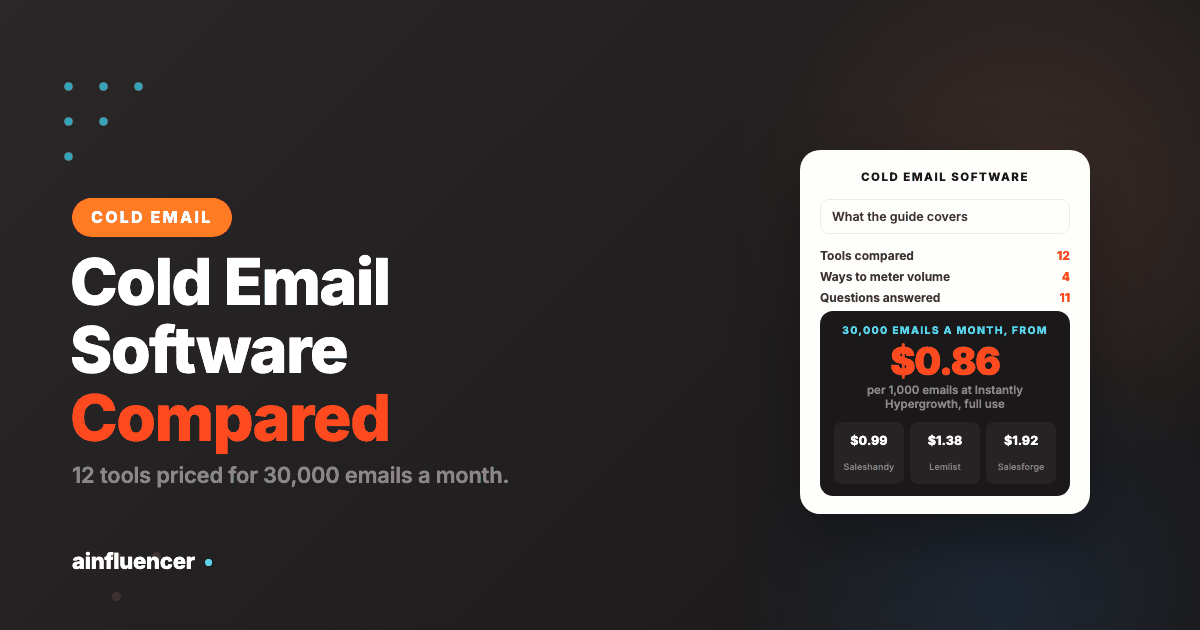
Assume you send 30,000 emails a month, for example 10,000 new contacts through a three-step sequence. This table shows, for each tool that prints a plan covering that volume, the plan, its monthly price on monthly billing and the cost per 1,000 emails if you used the plan’s whole allowance. It is our arithmetic from the printed figures, and it leaves out data, extra mailboxes and add-ons.
| Tool and plan | Monthly billing | Yearly billing per month | Emails a month allowed | Per 1,000 emails at full use |
|---|---|---|---|---|
| Instantly Hypergrowth | $107 | $85.58 | 125,000 | $0.86 |
| Saleshandy Pro | $99 | $76 | 100,000 | $0.99 |
| Smartlead Pro | $94 | $78 | 90,000 | $1.04 |
| Lemlist Email | $69 | $55 | 50,000 | $1.38 |
| Salesforge Growth | $96 | $80 | 50,000 | $1.92 |
| Mailshake Email Outreach | $49 | $45 | Unlimited, 2 email addresses | Not applicable |
| GMass Standard | $29.95 | $20 | Unlimited, from one Gmail account | Not applicable |
The cheapest sticker prices belong to the two tools that meter a connected account, Mailshake and GMass, and they are cheap because the real limit sits elsewhere: the number of addresses you connect and what your mailbox provider lets each one send. To actually deliver 30,000 emails a month from two addresses you would send 15,000 from each, which is far above what most providers tolerate for cold email. The emails-a-month tools cost more but let you spread volume across unlimited mailboxes. That is the trade the meter hides.
How to Choose Cold Email Software
Count follow-ups, not contacts
Multiply new contacts per month by the steps in your sequence. That is your real email volume.
Choose the meter that matches how you grow
If volume grows with mailboxes, pick a tool with unlimited accounts. If you stay small and live in Gmail, a per-account tool is fine.
Check the second meter
Data credits, verified emails, LinkedIn seats and client workspaces are billed on top of the plan.
Test deliverability before you scale
Warm up new mailboxes, send a small batch and watch bounces and the spam rate before you raise volume.
Keep a route that does not depend on the inbox
When a segment will not answer email, try the contact form or another channel.
Where Cold Email Goes Wrong
Buying on the headline cap
A plan that allows 125,000 emails helps only if your domains can safely send that many. Watch the spam rate first.
Forgetting follow-ups
A three-step sequence triples the emails a contact uses, so a small plan runs out in the first week.
Skipping verification
Sending to unverified addresses raises bounces and harms your domain. Verify first.
One domain for everything
Sending cold email from your main domain risks your regular mail. Use separate sending domains.
No unsubscribe path
Honor opt-outs fast. Google recommends within 48 hours and Yahoo within 2 days.
Assuming the tool covers the rules
Consent and opt-out duties stay with you, whatever the vendor’s compliance page says.
For the wider field of outreach software, including LinkedIn and link building, see our guide to outreach software.
What We Could Not Verify
- Woodpecker’s prices: its tier slider did not appear in the page text we read.
- Reply.io, Klenty, G2 and similar pages, which we did not read or which returned a bot challenge, so they are not in this list and we quote no ratings.
- Real inbox placement for any tool. We did not send test campaigns, so deliverability claims on vendor pages are theirs.
- Every vendor’s customer counts, accuracy figures and database sizes: these are the vendors’ own claims.
Conclusion: Which Cold Email Software Should You Start With?
If email is not reaching businesses
Add the contact form route with contactID, and test it on 10 companies for free.
If you need volume across many mailboxes
Compare Instantly, Smartlead and Saleshandy on the 30,000-email table, and test a small batch first.
If you contact creators
Search creator profiles in Ainfluencer before you invite them.
Frequently Asked Questions
What is cold email software?
It is software that sends one-to-one outreach emails to people who have not asked to hear from you, from your own mailboxes, in a sequence of follow-ups that stops when someone replies. It usually adds mailbox warm-up, sender rotation and address verification.
What is the best cold email software?
It depends on how you meter volume. Instantly, Smartlead and Saleshandy suit high volume across many mailboxes, Lemlist suits unlimited senders with built-in warm-up, Mailshake and GMass suit small teams, and contactID suits reaching businesses through contact forms instead of email.
What is the difference between cold email software and email marketing software?
Email marketing software sends one message to a subscribed list from its own servers. Cold email software sends one-to-one messages from your own domain and mailboxes, so deliverability and sender reputation decide whether it works.
How much does cold email software cost?
From $29.95 a month for GMass Standard to $107 a month for Instantly Hypergrowth on monthly billing for a plan covering 30,000 emails a month, before data and extra mailboxes. Lemlist’s Email plan is $69 for 50,000 emails.
How many cold emails can I send a day?
Google treats a sender of more than 5,000 messages a day to Gmail accounts as a bulk sender with extra requirements, and says to keep the spam rate below 0.10%. Safe volume per mailbox is much lower and depends on your domain’s reputation.
Do I need to warm up a mailbox?
Warm-up builds a sending reputation on a new mailbox before real campaigns. Most tools here include it: Instantly, Smartlead, Mailshake, Salesforge and Lemlist list it, and Woodpecker includes free warm-ups with more as an add-on.
What is the cheapest cold email tool?
On printed sticker prices GMass Standard at $29.95 a month and Mailshake Starter at $29 are the cheapest, but they meter a connected account, so real volume is limited by your mailbox provider. Compare cost per 1,000 emails on the tools that meter emails.
Are there free cold email tools?
Woodpecker offers a 14 day free trial with all features and no card, Saleshandy a 7 day trial, Apollo has a free plan, and contactID gives 10 free websites with no card.
Is cold email legal?
It depends on the country. The FTC says CAN-SPAM makes no exception for business-to-business email, and Canada’s anti-spam law carries penalties up to $10 million for businesses. This is not legal advice, and a tool’s compliance page does not move your duty.
What are cold email outreach tools?
The term covers the same tools: software that sends and follows up on cold emails. Some add LinkedIn steps, calls or a lead database, which changes what you pay and for what.
Can I do cold outreach without email?
Yes. contactID sends through a company’s own contact form, which needs no email address, and Ainfluencer reaches creators through its own inbox. Neither replaces email sequences, and each has limits described on its card.
Key Takeaways
- Cold email software charges by a meter: emails a month, active contacts, a connected account or a tier. The meter decides your bill.
- Count follow-ups: a three-step sequence to 10,000 contacts is 30,000 emails.
- For 30,000 emails a month the printed plans run from $69 for Lemlist to $107 for Instantly on monthly billing, about $0.86 to $1.92 per 1,000 emails at full use.
- Mailshake and GMass look cheapest because they meter an account, and real volume is limited by what your mailbox provider allows each address.
- Google says keep the spam rate below 0.10% and never reach 0.30%, and Yahoo says below 0.3%. Deliverability matters more than the headline cap.
- contactID and Ainfluencer are ours. contactID reaches businesses through contact forms and sends no email, and Ainfluencer covers creators only.