Amazon Listing Optimization
Amazon listing optimization means tuning the seven parts of a product page that Amazon reads and shoppers judge: the title, the five bullets, the description, backend search terms, images, A+ content, and the conversion signals that follow. Doing one well and ignoring the rest is why most listings stall.
Several of these steps have a downloadable Agent Skill behind them now. Amazon seller skills for Claude Code covers the listing, pricing and competitor ones, with the file for each.
The sections below walk through each in order. If you are looking for listing optimisation with the British spelling, this is the same guide.
Most Amazon shoppers never scroll past the first page, so if your product isn’t there, it might as well not exist. That’s why learning how to optimize Amazon listing is one of the most important skills for sellers who want consistent visibility and sales in a crowded marketplace.
Amazon listing optimization goes far beyond adding keywords. In this guide, you’ll learn the 6 core steps to optimize an Amazon listing, from keyword research to conversion-focused enhancements, so your products rank higher and convert better, whether you’re just starting or refining existing listings.
1. Start With Keyword Research To Optimize Your Amazon Listing
Keyword research forms the foundation of successful Amazon listings. Your products need the right keywords to become discoverable to potential customers actively searching for items like yours.
Learning how to optimize an Amazon listing starts with understanding what your customers are actually typing into the search bar.
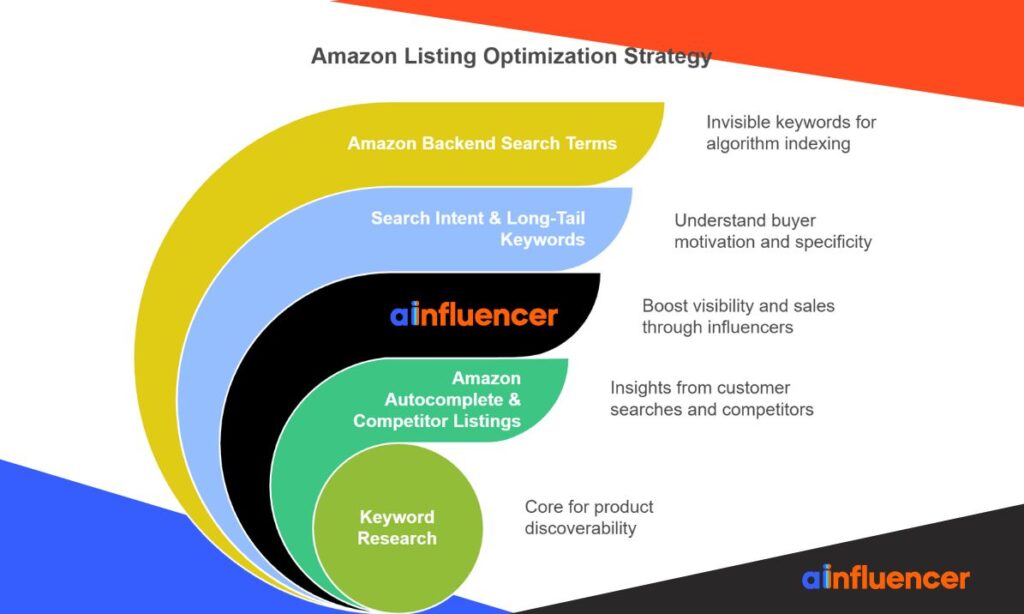
#1 Use Amazon Autocomplete & Competitor Listings
Amazon’s autocomplete feature reveals what real shoppers search for most frequently. Start typing relevant product terms in Amazon’s search bar and note the suggestions that appear.
These autocomplete suggestions aren’t random; they reflect actual customer search patterns and give you valuable insights into popular search terms. Additionally, analyzing competitor listings provides a goldmine of keyword ideas.
Examine titles, bullet points, and descriptions of top-performing competitors to identify recurring keywords that drive their success. Even customer reviews and Q&A sections often contain natural language terms buyers use when describing products like yours.
#2 Leverage Ainfluencer to Boost Your Amazon Sales
For Amazon sellers looking to maximize visibility and sales, Ainfluencer Amazon affiliate offers a powerful solution. The platform connects you with influencers who can promote your products directly, helping you reach a wider audience, drive traffic, and increase conversions.
With Ainfluencer, you can automate affiliate outreach, track influencer performance, and manage campaigns efficiently, making it easier than ever to scale your Amazon business, even if you’re just starting.
#3 Understand Search Intent & Long-Tail Keywords
Search intent represents why someone types specific phrases into Amazon’s search bar. You can discover intent by examining what products appear for specific searches. If the results don’t match your product, that keyword likely lacks relevance.
Furthermore, long-tail keywords (phrases containing three or more words) often convert better despite lower search volume.
For example, “yoga mat” faces brutal competition, but “extra thick non-slip yoga mat for hot yoga” attracts buyers who know exactly what they want. These specific phrases typically signal stronger purchase intent compared to broader terms.
#4 Optimize Amazon Backend Search Terms
Amazon backend keywords remain invisible to shoppers, but help Amazon’s algorithm index your product correctly.
- You’re limited to 250 bytes for search terms plus another 250 bytes for subject matter fields. Use this space wisely for relevant terms that couldn’t fit in your visible listing.
- First, avoid repeating words already in your title or bullets; it’s wasteful. Second, include synonyms, alternative spellings, and related terms that customers might search.
- Finally, remember that Amazon no longer recommends including common misspellings or competitor brand names in backend keywords.
By implementing thorough keyword research, your Amazon listing will align perfectly with what potential customers are searching for, the first crucial step toward optimizing your Amazon listing for higher visibility and sales.
2. Optimize Your Amazon Product Title For Relevance & Clicks
Your product title serves as the first impression for shoppers and plays a crucial role in how to optimize Amazon listing for better visibility. Amazon’s algorithm weighs title content heavily when determining search rankings. Mastering title optimization is essential for driving clicks and sales.
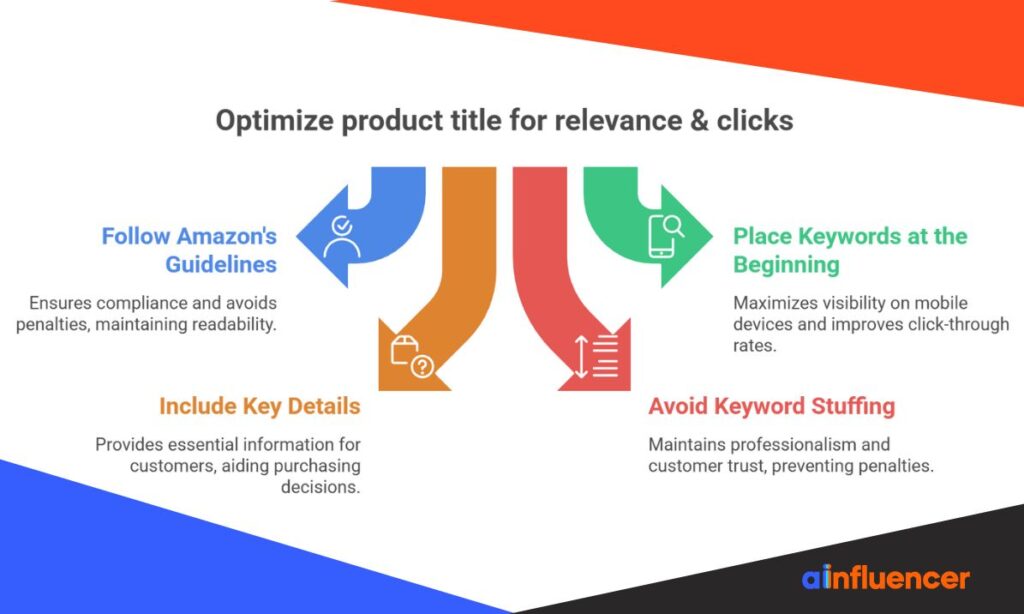
#1 Follow Amazon’s Title Guidelines
Amazon enforces specific title requirements that became stricter in January 2025. Titles must now stay under 200 characters, including spaces, although most experts recommend keeping them between 150 and 180 characters for better readability.
Special characters like exclamation points and dollar signs are prohibited unless they’re part of your brand name. Additionally, the same word cannot appear more than twice in a title (with exceptions for prepositions, articles, and conjunctions).
Amazon also requires proper capitalization, with the first letter of each major word capitalized.
#2 Place Primary Keywords At The Beginning
The first 50-60 characters of your title carry the most weight for Amazon’s search algorithm. Furthermore, mobile devices only display approximately 67-107 characters before cutting off with an ellipsis, making your title’s beginning critical for conversions.
Since nearly 65% of Amazon shoppers browse on mobile devices, front-loading your most important keywords significantly impacts both visibility and click-through rates.
For instance, instead of “Blue Pillow Cases,” a title like “Good Sleep Collection, Pillow Cases (Blue, Set of 2)” performs better because it leads with the brand and includes key details.
#3 Include Key Product Details (Size, Quantity, Brand)
Effective titles follow a logical formula: Brand + Product Type + Key Features + Size/Color/Quantity. These elements provide customers with the essential information they need to make purchasing decisions.
For multipacks or bundled items, clearly state the quantity (e.g., “Set of 2” or “100-Pack”) near the beginning of the title. Moreover, include specific dimensions, materials, or model numbers relevant to your product category.
A well-structured title might read: “TechGear Wireless Headphones – Bluetooth 5.0 Noise Canceling Earbuds with Microphone – 30 Hour Battery – Black.”
#4 Avoid Keyword Stuffing & Special Characters
While keywords are vital, overstuffing makes titles appear unprofessional and harms conversion rates. Amazon explicitly penalizes listings with unnaturally crowded titles. Focus on maintaining a balance between keyword optimization and human readability.
As an illustration, a title like “KCHEX 100” lacks clarity compared to “KCHEX 30″ x 36″ Disposable Pet Housebreaking Pads (100-Pack).” The latter provides complete information without sacrificing readability.
Remember that Amazon values customer experience above all else. Titles should make sense to shoppers, not just algorithms.
3. Improve Bullet Points To Highlight Key Features
Bullet points are critical to how to optimize Amazon listing as they’re often the first place customers look after seeing your title and images.
According to Amazon’s guidelines, these key product features should immediately communicate your product’s unique benefits and value proposition.
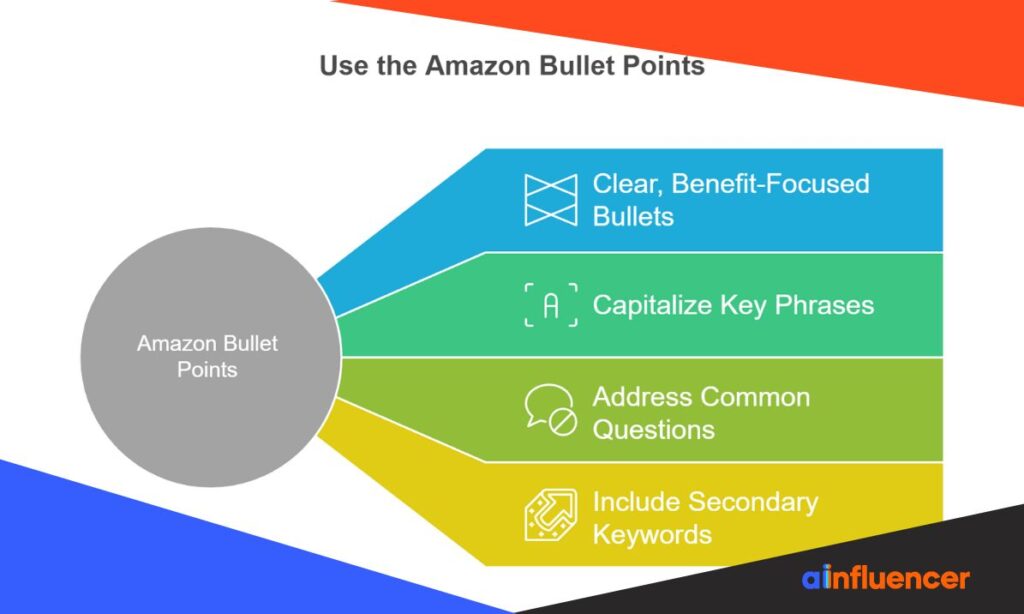
#1 Use Clear, Benefit-Focused Bullets
Amazon allows sellers up to 5 bullet points with a maximum of 500 characters per bullet, whereas vendors get 10 bullets with 255 characters each.
Focus on the benefit-feature connection in each bullet point. Start with what customers gain, then support with product specifications. Studies show that benefit-focused bullets convert better than feature-only descriptions.
Even with generous character limits, only the first 1000 bytes across all five bullets get indexed for search ranking. Consequently, prioritize your most important information in the first 200 characters of each bullet.
#2 Capitalize Key Phrases For Scannability
Most Amazon shoppers scan listings rather than reading them entirely. Making your bullets easy to skim dramatically improves conversion rates. Begin each bullet with an ALL CAPS benefit phrase (e.g., “PREMIUM STAINLESS STEEL”) followed by the supporting details.
This technique creates visual anchors for scanning customers, particularly on mobile devices. Indeed, leading with capitalized benefit statements draws attention to key selling points and makes your listing immediately more digestible for hurried shoppers.
#3 Address Common Customer Questions
Effective bullet points anticipate and resolve potential objections before they become barriers to purchase. Examine your product Q&A section and reviews to identify recurring questions. Addressing these concerns proactively in your bullets can significantly reduce customer hesitation.
Common topics to cover include dimensions, materials, quantity, compatibility, ease of use, and country of origin. For instance, if customers frequently ask about durability, make it a prominent bullet point with specific proof of quality rather than waiting for them to ask.
#4 Include Secondary Keywords Naturally
Your bullets provide additional opportunities for Amazon listing optimization beyond what fits in your title. Incorporate secondary and long-tail keywords throughout your bullets without compromising readability.
Nevertheless, avoid keyword stuffing, as Amazon prohibits unnatural language and may penalize your listing.
As of August 2024, Amazon also restricts special characters, emojis, and certain promotional phrases in bullet points. Furthermore, Amazon uses AI to help optimize listing quality and may recommend improvements to non-compliant bullet points.
4. Write A Compelling Product Description That Converts
Beyond bullet points and titles, product descriptions serve as your conversion engine on Amazon.
Before setting up affiliate promotions or linking products, make sure you understand the Amazon affiliate requirements to avoid compliance issues while maximizing your earnings.
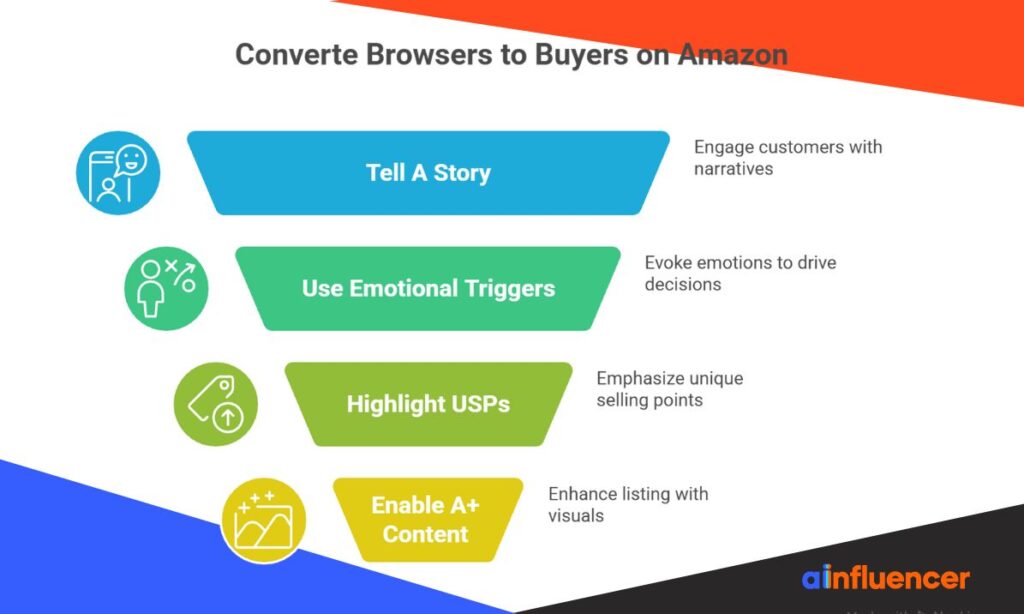
#1 Tell A Story That Solves Customer Problems
People don’t just buy products; they purchase emotions, values, and narratives that reflect themselves. At the heart of every great Amazon listing is a story that resonates with target buyers.
Successful brand storytelling captures customer attention by addressing real problems your product solves. Your description should transport customers mentally, showing them exactly how your product enhances their lives.
This mental transportation reduces skepticism and increases persuasion, turning browsers into buyers. Primarily focus on creating an “identification effect” through emotionally engaging storytelling that connects with your specific audience.
#2 Use Emotional Triggers & Clear Formatting
Your description should trigger specific emotions that drive purchasing decisions. Based on research, 79% of marketers agree that creating an emotional response is the most important storytelling ingredient.
Firstly, identify what emotions your product naturally evokesm trust, relief, empowerment, or belonging.
Subsequently, craft descriptions that explicitly address these feelings. For formatting, remember that most Amazon customers skim rather than read entire descriptions. Specifically:
- Use short paragraphs with single clear ideas
- Create visual breaks with spacing
- Replace vague adjectives with concrete details
#3 Highlight Unique Selling Points
A Unique Selling Point (USP) is what makes your product different from competitors. Your description must emphasize these distinctive aspects that help your product stand out. Essentially, effective USPs are specific, simple, and value-adding.
Instead of writing “high-quality materials,” specify “Our eco-friendly water bottle keeps drinks cold for 24 hours and is made from recycled materials”. Additionally, integrate your USP throughout your listing naturally without keyword stuffing.
#4 Enable A+ Content If Brand Registered
For brand-registered sellers, A+ Content transforms standard descriptions into visual conversion powerhouses. Basic A+ Content can increase sales by up to 8%, whereas Premium A+ Content can boost sales by up to 20%.
Overall, this enhanced content allows you to incorporate videos, comparison charts, enhanced images, and customized text placements.
Notably, A+ Content creates a mini-landing page within your listing, enabling you to showcase lifestyle photography and tell your brand story more effectively.
Brand stories help establish an emotional connection with customers, particularly when highlighting your mission and values.
5. Use High-Quality Images & A+ Content
Visual elements form the cornerstone of how to optimize Amazon listing success rates. High-quality images and enhanced content directly influence customer decisions when words alone aren’t enough.
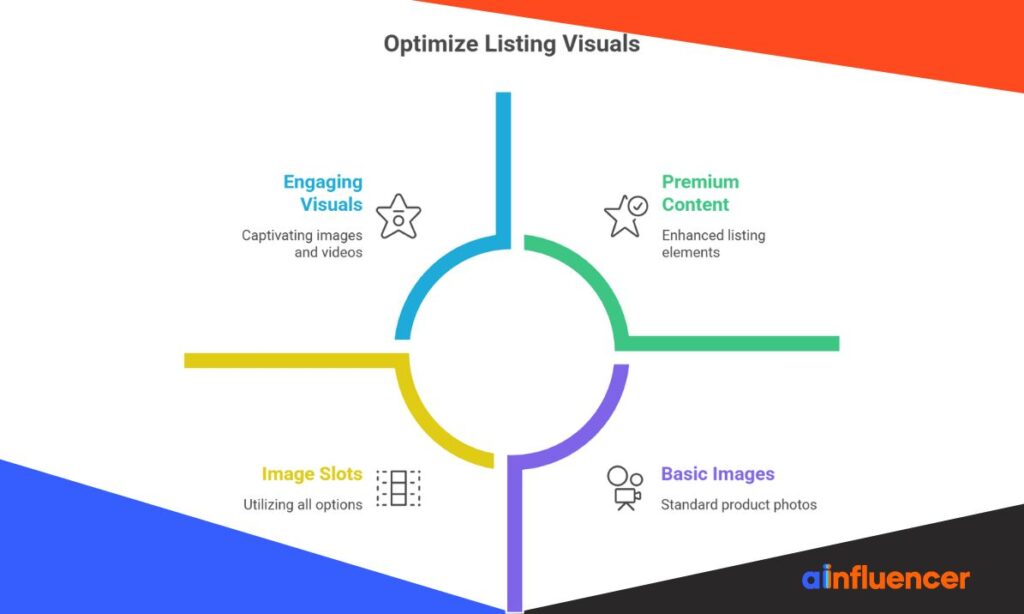
#1 Follow Amazon’s Image Requirements
Amazon enforces strict image guidelines to maintain quality across its marketplace. Your main product image must have a pure white background (RGB 255,255,255) with the product filling at least 85% of the frame.
For optimal zoom functionality, images should be at least 1600px on the longest side, with a minimum of 1000px. Acceptable formats include JPEG (preferred), PNG, TIFF, and GIF (non-animated). Ultimately, non-compliance can lead to suppressed listings, costing you visibility and sales.
#2 Include Lifestyle & Infographic Images
Lifestyle images place your product in real-world settings, helping shoppers visualize themselves using it. In fact, 90% of shoppers make purchase decisions based solely on images without reading bullets or descriptions.
These photos create emotional connections that drive purchasing decisions. Likewise, infographics communicate complex features visually through charts, graphs, and icons. A well-designed infographic can boost visibility by up to 94%.
Another effective approach is to find UGC creators who can produce authentic images and videos, showing real customers using your product and boosting trust with potential buyers.
#3 Add Product Videos If Eligible
Product videos bring your items to life, giving customers a virtual experience that static images can’t match. Adding videos can increase sales by up to 9.7%, as shoppers who view videos are 3.6x more likely to convert than non-viewers.
According to one survey, 96% of consumers find product videos helpful when making purchase decisions. For best quality, aim for 1080p resolution with a 16:9 aspect ratio.
Many sellers increase conversions by collaborating with creators through YouTube influencer marketing, producing authentic videos that demonstrate the product in real-life use.
#4 Use All Available Image Slots
Amazon allows up to 9 image slots per listing, but experts recommend using at least 7 slots to maximize your product’s visual appeal. Only the first 7 images display by default on desktop (or 6 if you include a video), making these prime slots critical.
Through A+ Content (available to brand-registered sellers), you can further enhance your listing with larger images, videos, interactive hotspots, and comparison charts.
6. Optimize For Conversion Rate & Amazon Ranking Signals
Perfecting your listing’s performance metrics ultimately determines your Amazon success.
Once your listings are optimized, integrating tools for Amazon affiliate automation can help you automatically drive more traffic and sales through affiliate partners without extra manual effort.
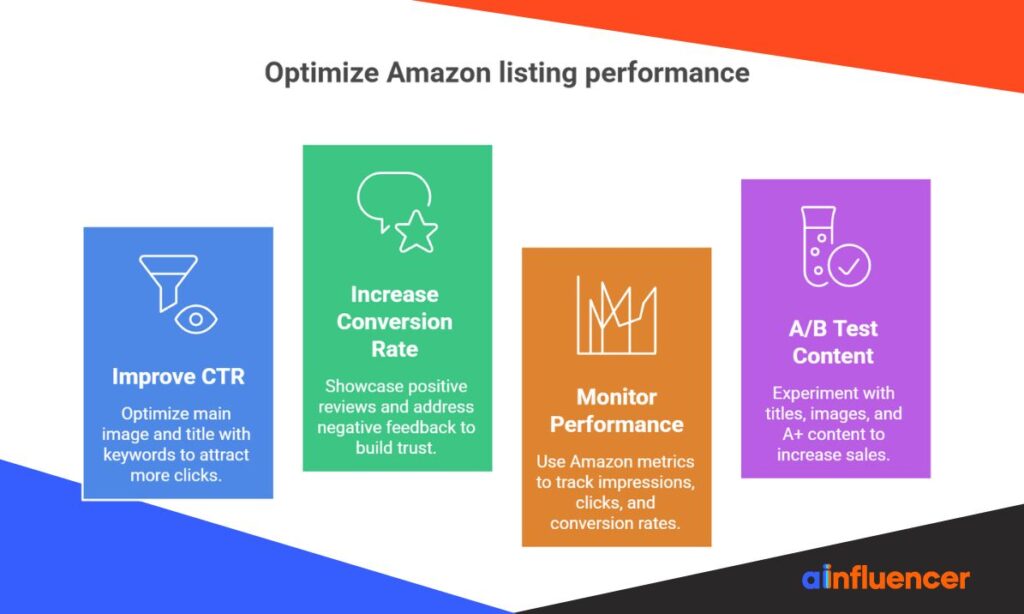
#1 Improve Click-Through Rate With Main Image & Title
Your main image directly impacts whether shoppers click your listing. Optimize it by making your product fill 85-90% of the frame and ensuring it stands out from competitors.
Initially, test different angles or lifestyle elements to see what captures attention. CTR signals to Amazon that your listing is relevant, potentially improving your ranking over time.
Front-load your title with primary keywords, as mobile devices only display 67-107 characters before truncating.
You can easily analyze creator content to see what resonates with viewers using the YouTube video checker tool, helping you select videos that will drive clicks and sales.
#2 Increase Conversion Rate With Social Proof & Reviews
Social proof dramatically influences purchasing decisions, with most consumers saying reviews impact their choices. Correspondingly, negative reviews can be equally powerfulm four out of five consumers have changed their minds after reading them.
To build trust, showcase positive reviews, testimonials, and user-generated content. Straightaway address negative feedback publicly to demonstrate excellent customer service.
#3 Monitor Listing Performance Using Amazon Metrics
Unit session percentage (conversion rate) reveals how many product views become sales. Undeniably, Amazon’s algorithm favors listings with high conversion ratesm typically 7-15% indicates good performance.
Use Amazon’s Search Query Performance tool to track impressions, clicks, and conversion rates for specific keywords.
Focusing on improving CTR, conversion rates, and leveraging social proof are key steps if you want to learn and become a top seller on Amazon and consistently outrank competitors.
#4 A/B Test Titles, Images, & A+ Content
Amazon’s Manage Your Experiments tool lets you scientifically test listing elements. Optimized content through testing can increase sales by up to 20%.
Create significantly different versions to ensure meaningful results and allow experiments to run their full duration (8-10 weeks recommended). Testing one variable at a time provides clearer insights into what drives performance improvements.
The seven parts of a listing, and where each is covered
Listing optimization is not one task. It is seven, and they are read by two different audiences: Amazon’s algorithm indexes some fields, shoppers read others, and a couple do both. Treating them as one job is the most common reason a rewrite produces no change.
| Listing element | What it drives | Limit or rule | Full guide |
|---|---|---|---|
| Product title | Ranking and click-through | Around 200 characters, and the limit varies by category | Amazon product title optimization |
| Bullet points | Conversion, and indexed for search | Five bullets, roughly 500 characters each | Amazon bullet points |
| Product description | Conversion for shoppers who scroll | About 2,000 characters when A+ is not in use | Amazon product description guide |
| Backend search terms | Ranking only, invisible to shoppers | 249 bytes, no repeats of the title | Amazon backend keywords |
| Images | Click-through and conversion | Main image on white, 1,000px or more to enable zoom | Covered in the images section above |
| A+ content | Conversion, and reduces returns | Brand Registry required | Amazon A+ content guide |
| Keyword research | Feeds every field above | Do this before writing anything | Amazon SEO keyword research |
Work through them in the order of the table. Keyword research sits last in the list because it is the input to everything above it, so it is the one to do first. If you would rather hand the whole job over, we compared the options in Amazon listing optimization services.
Once the listing converts, the constraint moves to traffic. Off-Amazon traffic from creators is tracked separately, and the mechanics are in our guide to Amazon Attribution.
Final Thoughts on How to Optimize Amazon Listing
Understanding how to optimize Amazon listing means balancing visibility and conversion. Strong keyword research helps your product rank, while optimized titles, bullet points, and descriptions clearly communicate value to shoppers and build trust.
Ongoing optimization is what drives long-term results. High-quality images, A+ Content, reviews, and performance metrics signal relevance to Amazon’s algorithm. By testing, refining, and adapting to buyer behavior, you can maintain rankings and grow sales over time.
FAQs
What’s the difference between Amazon SEO ranking and conversion optimization?
SEO helps your product get found (keywords, titles, backend terms), while conversion optimization helps customers buy (images, A+ content, reviews). Both are needed to boost sales.
How long does it take for listing changes to impact Amazon rankings and sales?
Initial effects usually appear in 1–3 weeks, but full impact can take 4–8 weeks as Amazon reindexes your changes. Monitor CTR, impressions, and conversion rates to track progress.
Can I optimize my listing without paid tools?
Yes. Use Amazon Autocomplete, study competitor listings, and check customer reviews and Q&A. Fill backend keywords wisely to boost visibility for free.