On this page
LeadDyno Review 2026: The Price Ladder and Where the Features Sit
LeadDyno is one of the oldest affiliate tools still trading, and its reviews read like it. The tracking works, the interface shows its age, and the thing most likely to catch you out is not a feature at all: it is which tier each feature lives on.
This review is organised around that price ladder, because on LeadDyno more than on any competitor, the plan you pick decides what the product is.
Rating and entry price read from the Shopify App Store listing on 6 October 2026. The tiers above entry are as reported by third parties.
The price ladder, and the climb between rungs
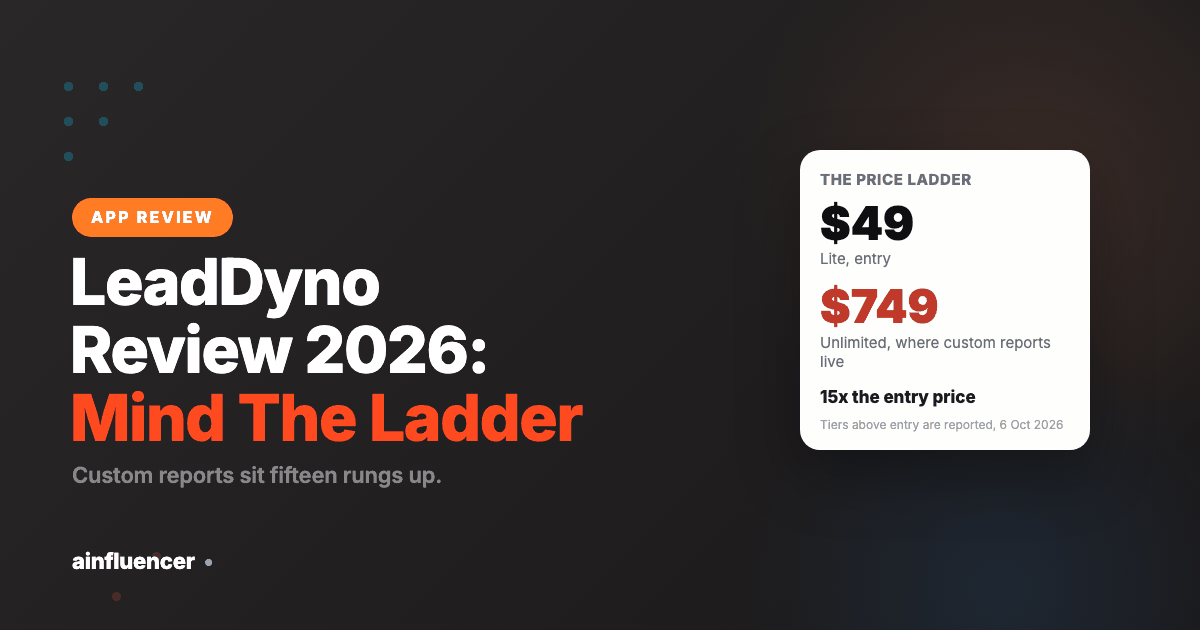
Four tiers are reported, and the gaps between them are unusually wide.
| Plan | Monthly | Step up from the tier below |
|---|---|---|
| Lite | $49 | Entry, confirmed on the Shopify listing |
| Essential | Reported $129 | 2.6x |
| Advanced | Reported $349 | 2.7x |
| Unlimited | Reported $749 | 2.1x |
The LeadDyno ladder, annual cost at each reported tier
Twelve months at each reported monthly price. Only the $49 entry is confirmed on the Shopify App Store listing; the three tiers above it are reported by third parties and are not published on the listing itself. Read 6 October 2026.
There is no gentle upgrade on this ladder. Every step roughly doubles or triples the bill, so outgrowing your plan is not a small adjustment, it is a budget conversation. That matters because of what sits at the top.
Reviewers report that custom reports are only available on the $749 tier. If your finance team wants a report in a shape LeadDyno does not ship by default, the answer is a fifteenfold increase on the entry price. Check that before you commit, because it is the most expensive surprise in this product.
Does the tracking hold up?
This is the question that matters most for an affiliate tool, and LeadDyno’s answer is mixed in a specific, checkable way.
The core attribution is well regarded and the app has been doing it for a long time. What recurs in the reviews is narrower: Shopify tracking and import failures, and commission calculations showing inflated amounts owing to affiliates. The second is the more serious of the two, because an inflated balance is a number your affiliate has already seen and will expect to be paid.
Neither complaint describes the tracking simply not working. They describe an integration layer that needs watching, which is a different and more manageable problem.
What the ratings say, and who is rating
LeadDyno, as each platform reports it
Read 6 October 2026. 4.4 is a solid score and the lowest of the four main Shopify affiliate apps, which sit at 4.9, 4.9, 4.8 and 4.4. The gap is small in absolute terms and the sample is large enough to take seriously.
The praise is for reliability and for the breadth of what a single subscription covers: affiliate, referral and influencer programmes in one tool, with a long list of integrations behind it. Several reviewers have been customers for years, which is itself information in a category where most apps are young.
The criticism clusters tightly around two things, support and the interface, and both are worth reading in detail.
What moving affiliate software actually costs
Changing tools in this category is cheap in licence terms and expensive in ways that do not appear on an invoice, which is why plenty of programmes stay on software they have outgrown.
- Every affiliate link in existence breaks. Your partners have your links in blog posts, videos, emails and bios going back years. A migration either keeps the same link structure or asks hundreds of publishers to update theirs, and a meaningful share will never do it
- Historic performance data usually does not transfer. You can export it, but it rarely imports into the new tool in a readable shape, so your year-on-year comparison restarts
- Pending commissions need a plan. Sales tracked before the switch and paid after it sit awkwardly between two systems, and somebody has to reconcile them by hand
- Your partners have to re-register. This is where programmes lose people quietly. A partner producing a small but steady income will often not bother, and you will not notice for a quarter
Two rules that remove most of the pain. Ask about link preservation before you sign anything, because whether existing URLs can be redirected to the new tracker decides how painful the whole exercise is. And run both systems in parallel for a month, with the new one live and the old one still tracking, so you can compare what each recorded before you turn anything off.
The wider point for anyone choosing a first tool: the switching cost is the reason to think harder now than the monthly price justifies. You are not picking software for this year, you are picking the thing your publishers will have bookmarked for the next three.
Working out which rung you belong on
A price ladder is designed to make the next tier look reasonable, and the way to resist that is to decide what you need before you look at what each tier contains. Four numbers settle it, and all four come from your own data rather than the pricing page.
- Active affiliates you actually have. Not how many signed up. How many produced a click in the last ninety days. The gap between those two is usually large, and tiers are frequently priced on the first
- Monthly tracked conversions. Take your busiest month in the last year, not your average, because the allowance has to survive your peak
- Integrations you genuinely need. List your cart, your email tool and your payment processor, then check each against the tier. One missing native connector can cost more in engineering time than several years of the price difference between tiers
- Who needs a login. Seat counts are an easy thing to overlook until the finance person cannot see the reports
With those four in hand the ladder usually resolves quickly, and often to a lower rung than the one you would have picked by reading feature lists. The common error runs the other way: buying a tier for a feature nobody has yet asked for, and paying for it monthly for two years.
What you give up at the entry tier
Entry tiers in this category are genuinely usable, which is worth saying because the marketing around them implies otherwise. They are also constrained in consistent ways, and knowing which constraints bite is the difference between a good cheap purchase and a frustrating one.
Constraints that rarely matter at small scale: advanced reporting, custom report building, multi-currency, and most automation. If you have eleven affiliates you can read the raw numbers and do the thinking yourself, and automating a process you perform twice a month saves nothing.
Constraints that bite immediately:
- A missing integration. This is the one that actually hurts. No native connector means manual reconciliation every month or developer time to build one, and both are worse than the tier upgrade you were avoiding
- Conversion allowances below your peak month. Overage charges in your best month are a bad way to find out where the ceiling was
- Commission structures you cannot express. If you need tiered rates, different rates by product, or recurring commissions, check that the entry tier supports the structure you actually run rather than a simplified version of it
The sensible approach is to start low and upgrade on evidence. Upgrading is instant and reversible in a way that undoing a year of overpayment is not.
What affects tracking accuracy, whatever the tool
Tracking reliability is the question that matters most in this category and the hardest to answer from a review, because much of what determines it sits outside the software entirely.
Four things cause attribution gaps in every tool of this kind:
- Cookie lifetime and browser policy. Browsers have shortened the life of third-party and script-set cookies considerably, which truncates longer purchase journeys regardless of the window your tool advertises
- Cross-device journeys. A click on a phone and a purchase on a laptop breaks the chain for almost every affiliate tool on the market
- Consent. In the UK and EU, setting tracking storage generally requires consent, and the regulator’s guidance places that duty on the site operator, not on the vendor supplying the script. Visitors who decline are invisible to attribution by design
- Your own checkout. Single-page checkouts, redirects through payment providers and subscription renewals are where conversions most often go missing, and fixing them is work on your site rather than on the tool
So when you test, test your own checkout rather than the demo: click an affiliate link, complete a real purchase on a device you have not used before, and confirm it appears correctly attributed. Ten minutes of that tells you more about whether a tool will work for you than every review of it, including this one.
What the negative reviews actually say
| Complaint | What reviewers describe | What to do about it |
|---|---|---|
| Support response times | The loudest complaint. Reviewers describe being unable to get help and fixing problems themselves. One reports being charged $50 after 14 days against a promised 30 day free trial, then contacting support more than five times without a reply. | Raise anything commercial in writing and keep the thread. If a trial length was promised in marketing copy, screenshot it before you subscribe, because that reviewer’s problem was a billing dispute with no record. |
| Inflated commission calculations | Reports of the platform showing affiliates larger balances than they are owed. This is the most damaging complaint on the list, because the affiliate sees the number before you do. | Reconcile LeadDyno’s commission totals against your own order data for the first two months. Catching a discrepancy before a payout run is easy; clawing a payment back afterwards is not. |
| Shopify tracking and import failures | A recurring theme specifically around the Shopify integration rather than tracking in general. | Place three test orders through an affiliate link in week one and confirm all three appear. Repeat after any Shopify theme change. |
| Custom reports locked to the top tier | Reviewers report that custom reporting requires the $749 Unlimited plan, fifteen times the entry price. | Write down the exact reports you need before choosing a tier, and ask whether the default set covers them. This is the single most expensive thing to discover late. |
| Dated interface | Described as difficult to navigate and visibly older than newer competitors. A consistent theme rather than an occasional one. | Spend the trial doing your real weekly routine, not a feature tour. If the workflow annoys you in week one it will annoy you in year two. |
| Limited payout providers | Fewer payout options than newer apps, which matters most if your affiliates are international. | Check your affiliates can actually be paid in their country before you recruit them. |
Read together, the pattern is a mature product with a thin service layer. Nothing here says the core job fails. What it says is that when something does go wrong, you are likelier to be solving it yourself than on most competing apps, and that the escape hatch of upgrading is expensive.
LeadDyno pros and cons
Pros
- Affiliate, referral and influencer programmes in one subscription rather than three tools
- 4.4 out of 5 on the Shopify App Store from 221 reviews
- Long operating history, with reviewers who have been customers for years
- Entry at $49 a month with a free trial, and no percentage of affiliate revenue
- Broad integration list beyond Shopify, including non-ecommerce platforms
- Automated affiliate onboarding and commission payouts
- Core attribution is well regarded and has been in production a long time
Cons
- Support is the dominant complaint, with reports of repeated contact and no reply
- Reports of commission calculations showing affiliates inflated balances
- Recurring Shopify tracking and import failures specifically
- Custom reports reported to require the $749 tier, fifteen times the entry price
- Each step on the price ladder roughly doubles or triples the bill
- Interface is visibly dated next to newer competitors
- Fewer payout providers than newer apps
- Lowest rating of the four main Shopify affiliate apps, though only by a small margin
Who LeadDyno suits
A good fit if you want affiliate, referral and influencer tracking from one subscription, you are comfortable at the $49 tier and expect to stay there, and you would rather have a tool that has been running for a decade than the newest interface.
A poor fit if you expect to need custom reporting, where the cost jumps to a reported $749; if you need responsive support because nobody internally can debug a tracking problem; or if you are choosing on interface quality, where every newer competitor wins.
LeadDyno alternatives
| Tool | Entry | Rating | Choose it when |
|---|---|---|---|
| BixGrow | $19.99 | 4.9 from 1,326 | You want the cheapest flat fee and no revenue share |
| UpPromote | $29.99 | 4.9 from 3,818 | You want the largest review base and the most evidence |
| Refersion | $39 plus 3% | 4.8 from 494 | Attribution depth matters more than the percentage |
| Ainfluencer | Free | Creator marketplace | You want paid creator campaigns rather than affiliate links |
The verdict
LeadDyno is a competent, long-running tool with a service problem and a steep ladder. At $49 a month covering three kinds of programme it is reasonable value, and plenty of merchants have run it for years without drama.
Do two things before you commit. Confirm that the default reports cover what you need, so you never meet the $749 tier. And reconcile the commission figures against your own order data for the first two months, because the one complaint you cannot afford to discover late is an affiliate who has already seen a balance that was never real.
How much does LeadDyno cost?
The Shopify App Store lists it from $49 a month with a free trial. Three further tiers are reported by third parties at $129, $349 and $749 a month. LeadDyno does not take a percentage of affiliate revenue, so the subscription is the whole cost.
Is LeadDyno’s tracking reliable?
The core attribution is well regarded and long established. The recurring complaints are narrower: Shopify import and tracking failures, and commission calculations that show affiliates inflated balances. Reconcile against your own order data for the first two months rather than assuming.
Why do I need the $749 plan for custom reports?
Reviewers report that custom reporting sits on the top Unlimited tier. If your finance team needs a report shape LeadDyno does not ship by default, that is a fifteenfold jump from the $49 entry. Check the default report set before choosing a plan.
Is LeadDyno better than BixGrow or UpPromote?
On price and rating, no: BixGrow is $19.99 at 4.9 from 1,326 reviews and UpPromote is 4.9 from 3,818. LeadDyno’s case is breadth, since one subscription covers affiliate, referral and influencer programmes and it integrates beyond Shopify. If you only need Shopify affiliate tracking, the cheaper apps are rated higher.