Instagram Comment to DM Automation in 2026: The Complete Playbook
Comment to DM automation is the single highest-converting motion on Instagram in 2026. It is the mechanic behind almost every viral Reel that ended with “comment LINK for the guide”, the workhorse pattern that turns a scroll-past view into a warm DM lead in under five seconds, and the feature almost every serious creator, DTC brand, and agency now runs by default. This guide breaks down exactly what comment to DM automation is, how it works technically, the highest-ROI use cases, the setup steps, the templates that actually convert, and the reason DMpro has quietly become the reference tool for operators who want rules plus AI in a single dashboard.
If you have already read our related guides on Instagram auto DM strategies and Instagram story mention automation, comment to DM automation is the third and most important pillar to add to your engagement stack. It is the one that scales the most predictably and converts the highest.
What Is Comment to DM Automation?
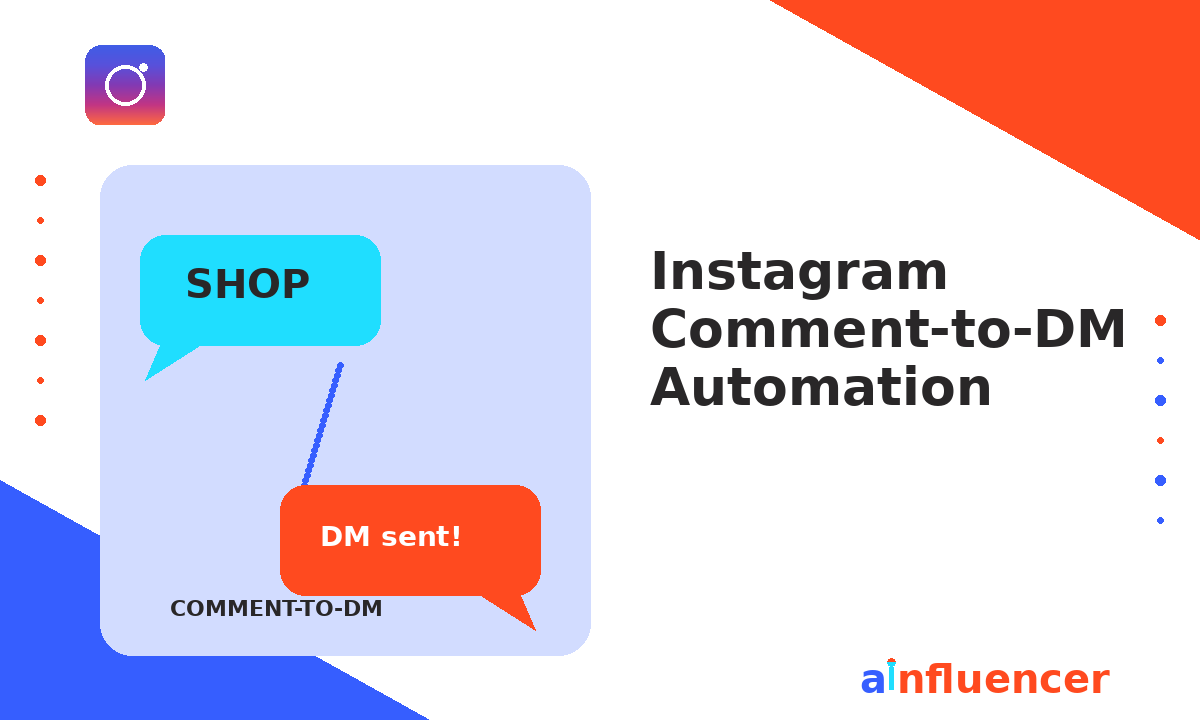
Comment to DM automation is a system that watches your Instagram posts and Reels for a specific keyword in the comments, then automatically sends a private DM to the person who commented that keyword. The classic pattern: your Reel ends with a hook like “comment SHOP for the link”, followed by hundreds of viewers commenting SHOP, followed by every single one of them receiving an instant DM with the promised link.
The reason it works so well is structural. When someone comments a keyword on your Reel, they are self-identifying as interested at the peak of their attention. Comment to DM automation catches them at exactly that moment, delivers the value they asked for, and starts a conversation inside Meta’s 24-hour messaging window (see our full breakdown of Instagram DM limits for how that window works). Every other Instagram acquisition channel is a fraction as efficient.
How Comment to DM Automation Works Under the Hood
The mechanics are elegant once you see them end-to-end. Your Instagram Business or Creator account is linked to a Facebook Page. That Page is authorized to receive comment and messaging webhooks through Meta’s Messaging API. Your automation tool (like DMpro) subscribes to those webhooks. When a user comments a keyword you configured, Meta pings your tool in real time with the comment text, the commenter’s user ID, and the post ID. The tool matches the trigger, picks the appropriate response (rotating between variants so no two recipients get the identical message), fires the private DM through the same API, and optionally sends a public reply to the comment thread as well.
Why Comment to DM Automation Outconverts Every Other Channel
The numbers on comment to DM automation dwarf every other Instagram acquisition motion, and the gap is not close. The table below reflects the operator benchmarks we track across DTC, creator, and coach accounts running mature comment to DM funnels.
| Stage | Typical Rate | Well-Optimized |
|---|---|---|
| Reel view to comment (trigger rate) | 2 to 4% | 6 to 10% |
| Comment to DM delivery | 95 to 99% | 99%+ |
| DM open rate | 75 to 90% | 90%+ |
| DM to link click | 40 to 60% | 70%+ |
| Link click to sale (e-commerce) | 3 to 8% | 10 to 15% |
| Full funnel (Reel view to sale) | 0.3 to 1% | 2 to 4% |
Compare that 2 to 4 percent full-funnel conversion against a good Meta ad campaign (roughly 0.5 to 1.5 percent from impression to purchase) and comment to DM automation delivers paid-media conversion economics from organic reach. That is why the pattern has become the default motion for anyone running an Instagram DM marketing strategy at scale.
The Six Highest-ROI Comment to DM Use Cases
1. Lead magnet delivery. The entry-level play and still the highest-converting. Your Reel teaches something, ends with “comment GUIDE for the full playbook”, and comment to DM automation delivers the PDF, guide, or resource instantly. Creators use this to build email lists at ten times the speed of a landing page.
2. Product drop link delivery. DTC gold standard. A launch Reel showcases a new drop, the CTA is “comment SHOP”, and every commenter gets an instant DM with the shopping link plus a launch discount code. Consistently the highest-revenue comment to DM pattern in e-commerce.
3. Free consultation booking. Service businesses and coaches ask viewers to “comment CALL for a free 20-minute strategy session”. The DM sequence qualifies the lead with two or three questions, then drops a calendar link. Fills calendars from a single Reel per week.
4. Recipe, tutorial, or resource unlock. Food, fitness, and educational creators post a Reel showing a result (“this pasta recipe took 12 minutes”), CTA is “comment RECIPE for the full method”. The DM delivers the complete written recipe plus a related lead magnet. Perfect fit for compounding audience growth.
5. Waitlist and pre-launch signup. New product or course not launching for two months? Reel teasing the launch ends with “comment WAITLIST”, DM delivers a signup link that captures email and offers first access at launch. Builds a warm launch audience for free.
6. Giveaway and contest entries. Reel announces a giveaway, CTA is “comment ENTER”. The DM confirms entry, thanks them, and drops a discount code as a consolation for participating. Double-purpose: builds giveaway virality and captures every entrant as a warm lead. Pair with campaigns from our product seeding for brands guide for compounded reach.
The Best Tool for Comment to DM Automation: DMpro
DMpro was built specifically for comment to DM automation as its flagship use case, and it shows in every part of the product. Where most Instagram DM automation tools treat comment triggers as one feature among many, DMpro treats them as the core surface and layers everything else (story mention automation, welcome flows, AI-powered replies) on top of that foundation.
Why DMpro is the reference tool for this feature:
Message variant rotation is on by default. Every comment to DM template supports up to five variants, rotated automatically so no two commenters get the identical string. This is the single most important safety feature and DMpro makes it non-optional.
Randomized send delays. DMpro injects a natural 3 to 15 second jitter between the comment event and the DM send, so your account’s behavioural pattern looks human, not mechanical. Ties directly into staying inside Instagram DM limits.
Rule + AI hybrid architecture. Rules handle the entry point (someone comments SHOP, they get the link), AI handles what happens next (the user replies with a question the rule did not anticipate). Most competitors force you to pick one philosophy. Fuller breakdown in our Instagram chatbot guide.
Parallel public reply + private DM. When someone comments your trigger keyword, DMpro can simultaneously reply to their comment publicly (“Sent you a DM!”) while firing the private message. Doubles the social proof for other viewers watching your Reel.
Generate-time duplicate confirmation. If a user tries to trigger the same automation twice, DMpro asks the user whether they want a duplicate DM before firing. Prevents the awkward spam of the same link three times.
Per-tier trial system + Gift Links. Built for creators and DTC brands: run different comment to DM flows on different tiers of your audience, and use Gift Links to deliver time-limited offers that expire after the recipient opens them.
For a broader comparison of all the players in this space, see our full breakdown of the top 10 Instagram DM automation tools. But for comment to DM specifically, DMpro is the operator’s choice.
Launch your first comment to DM automation in under 15 minutes
DMpro has native comment triggers, message variant rotation, randomized send delays, and rule + AI hybrid replies. Free plan available.
Try DMpro FreeHow to Set Up Comment to DM Automation (Step by Step)
Full setup from zero to a live comment trigger takes about fifteen minutes. Here is the universal flow:
Step 1: Switch to a Business or Creator Instagram account. Personal accounts cannot access the Messaging API. Switching is instant, does not affect your followers, and is done inside Instagram Settings.
Step 2: Link Instagram to a Facebook Page. Meta requires this to expose the comment and messaging webhooks. Instagram Settings → Meta Accounts Center → link your Page.
Step 3: Enable Messages access for connected tools. Instagram → Settings → Privacy → Messages → toggle on “Allow access to messages”. Without this, no third-party tool can send DMs on your behalf.
Step 4: Connect DMpro via OAuth. Sign up at DMpro, click Connect Instagram, approve the Facebook and Instagram permissions in the popup. The handshake takes about ninety seconds. If you need the granular walkthrough, see our full guide on how to auto reply on Instagram.
Step 5: Build your first comment trigger. Pick a post or Reel, add a trigger keyword (usually one word, all caps, like SHOP or GUIDE), write three to five variant DM messages, optionally add a public comment reply, save, activate, and test with a second account. Once you see it fire, you are live.
Comment to DM Templates That Convert
These are the highest-converting opening messages we track across creator and DTC accounts. Personalize each with your own brand voice and produce three to five variants of every template. For the full DM template library, read our 40+ Instagram DM templates guide.
Template 1: Lead magnet delivery
Hey! Saw your comment on the Reel. Here is the [guide/checklist] I promised: [link]. Chapter 3 is the one most people miss, do not skip it. Any questions after reading, just reply here.
Template 2: Product drop link
You are early. Here is the link to shop the drop: [link]. Use code [CODE] for 15 percent off your first order. The [product] is going fast, so grab it before it hits waitlist.
Template 3: Consultation booking
Thanks for reaching out. Before I send the calendar link, quick question: what is the number one thing you would want to work on if we chatted for 20 minutes? Just reply with a sentence, no pressure.
Template 4: Recipe / tutorial unlock
You asked, here it is. The full recipe with timing, temperatures, and the two swaps I mentioned: [link]. If you make it, tag me in your Story so I can share it.
Common Comment to DM Automation Mistakes
Choosing a trigger keyword that is too common. Avoid keywords like “yes”, “info”, or “more”. They will fire on comments that were never intended as triggers, spamming random users. Use one clear, all-caps, unique word: SHOP, GUIDE, CALL, RECIPE, VIP.
Sending identical strings to every commenter. Meta’s spam classifiers flag identical outbound text across many recipients. Rotate three to five variants, always. DMpro does this by default; some other tools require you to enable it manually.
Running the same trigger keyword on five different Reels simultaneously. A user who comments SHOP on three of your Reels within an hour will receive three DMs, look like spam to Meta, and probably block you. Segment trigger keywords by campaign.
Making the first DM too long or too promotional. Keep the opening under five short lines. Deliver the promised value first. Save the harder ask (upsell, booking, email capture) for message two or three inside the 24-hour window.
Forgetting the public comment reply. A parallel public reply (“Sent!”) on the comment thread doubles the social proof for other viewers watching your Reel. It is a two-second setting inside DMpro that measurably lifts trigger rate on subsequent Reels.
Pair Comment to DM Automation with an Influencer Layer
Every comment to DM automation depends on one upstream input: Reels people actually watch. Your own content covers part of that, but the fastest way to feed the top of the funnel at scale is influencer-driven reach. Creators posting sponsored Reels with a comment trigger you own is the compounding motion that separates accounts pulling ten leads a week from accounts pulling ten thousand.
Platforms like Ainfluencer’s 5-million-influencer marketplace match brands with creators who can produce the top-of-funnel Reels that feed your comment to DM engine. Study the upstream tactics in our guides on how to create an influencer marketing campaign, how to DM influencers, and influencer outreach templates to build out the creator side of the stack.
Feed your comment triggers with real creator content
Ainfluencer connects brands with creators who post Reels tuned to your comment to DM keyword. Free-forever plan plus fully managed campaigns starting at a $2,900 pilot.
Explore AinfluencerFAQs About Comment to DM Automation
Is comment to DM automation allowed by Instagram?
Yes. When it runs through Meta’s official Instagram Messaging API (which DMpro and every other tool on our Instagram DM automation tools list does), comment to DM automation is a fully sanctioned feature.
Do users have to follow me for the automation to work?
No. Any user who comments on your public post or Reel can trigger the automation, follower or not. The act of commenting itself opens the 24-hour messaging window with them.
Can I have multiple comment triggers running on the same post?
Yes, with the right tool. DMpro lets you set multiple trigger keywords per Reel, each routing to a different DM template. Useful when a Reel offers two related resources (“comment GUIDE for the checklist or PRICING for the plan comparison”).
What happens if the same person comments the trigger twice?
Depends on the tool. DMpro’s generate-time duplicate confirmation prevents accidentally spamming the same user. Other tools may fire the DM twice, which looks robotic. Verify this setting before launching a big campaign.
Will comment to DM automation affect my Instagram reach?
Positively. A Reel that generates lots of comments (because the comment is the CTA) sends strong engagement signals to the algorithm, which then shows the Reel to more users, which generates more comments, which compounds the reach. Comment to DM automation is one of the few motions on Instagram that improves organic reach as a side effect.
Related Reading
- Instagram Auto DM: The Complete Playbook
- How to Set Up Auto-Replies on Instagram
- Instagram DM Marketing Strategy Playbook
- 40+ Instagram DM Templates That Convert
- Instagram Chatbots: The Complete Guide
- Instagram DM Limits Explained
- Top 10 Instagram DM Automation Tools
- Instagram Story Mention Automation
- How to Grow Your Instagram Account
- How to DM Influencers
- Influencer Outreach Templates
- How to Create an Influencer Marketing Campaign
- Product Seeding for Brands
- Instagram Influencer Marketing Guide
Final Take
Comment to DM automation has quietly become the highest-conversion, lowest-friction acquisition motion available on any social platform in 2026. Set up the basic lead magnet flow first, layer in product drops, consultations, and giveaway triggers as you get comfortable, and pair the whole system with a real creator pipeline that keeps feeding fresh Reels into the funnel. Comment to DM automation done well is the closest thing organic Instagram offers to a printing press for warm leads, and DMpro is the tool that ships it with all the safety defaults already turned on.