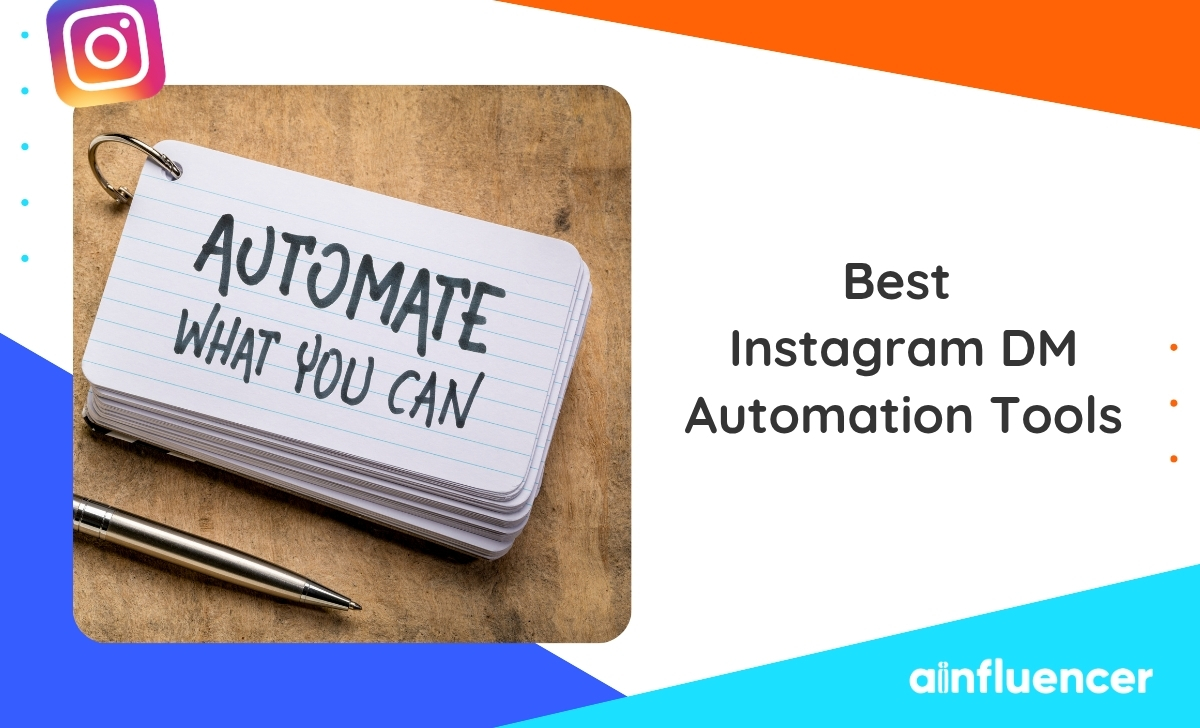
10 Best Instagram DM Automation Tools in 2026 (Ranked for Brands & Creators)
Instagram DMs are the highest-intent inbox on the internet. The right DM automation tool turns viral Reels into booked calls, cold followers into customers, and support chaos into a calm shared inbox. This guide ranks the ten best Instagram DM automation platforms of 2026, priced and scored for how creators and lean marketing teams actually use them.
Instagram DM automation is no longer optional for brands that treat social as a real acquisition channel. Meta shifted the platform toward direct messages over the last two years, and creators with the right tools now convert three to eight percent of Reel viewers into DM conversations, then close them into paid customers before the algorithm buries the post.
The problem is the market is loud, and half of the tools out there either violate Instagram’s rules or price like enterprise SaaS. This ranking cuts through it. For context on how DMs fit inside a wider outreach plan, our guide on how to DM influencers the right way covers the messaging side, and this article covers the automation side that scales it.
Best Instagram DM Automation Tools at a Glance
Top picks with pricing, primary feature, and best-fit user before we cover each in detail.
How to Pick the Right DM Automation Tool
The tool market for Instagram DM automation is loud and repetitive. This three-step framework filters it fast.
Step 1: Confirm official Meta API
Any tool worth using connects through the official Instagram Messaging API. Bots that scrape the app or automate taps risk account bans, shadowbans, and permanent removal. Non-negotiable.
Step 2: Match the price to the stage
A solo creator pulling 50k views a week needs a $15 to $30 tool, not a $249 enterprise seat. A five-agent support team needs the opposite. Pay for the stage you are in.
Step 3: Check the destination
A DM tool that fires perfect replies but sends people to a broken landing page is a leak. The best DM automation stacks pair a fast tool with a link-in-bio or booking page built to close.
Bonus: track conversion, not messages. A tool that sends ten thousand replies with a 0.3% conversion is worse than one firing a thousand at 8%. For measurement principles you can borrow, see the wider guide on how to track influencer marketing.
The 10 Best Instagram DM Automation Tools in 2026
Ranked by all-in value across creator, brand, and support use cases, not by marketing spend or affiliate payouts.
DMpro
Best all-in-one DM automation for creators and lean brands
DMpro stands apart from single-purpose bots. It runs Instagram DM automation, comment-to-DM triggers, AI-powered replies, broadcast campaigns, and lead capture from one dashboard, then routes qualified conversations to a link-in-bio storefront that closes the sale. Instead of stitching three tools together, one workspace covers the entire funnel from Reel comment to paid transaction.
Creators use it to turn viral Reels into booked calls without a full-time community manager. Brands use it to run comment-to-DM launch flows, product recommendations, and support inside a single Meta-compliant workspace. Agencies use the multi-account layer to manage every client from one seat. Pricing sits at a fraction of ManyChat’s Pro tier and includes AI replies, unlimited comment triggers, and analytics tied to link clicks and revenue.
Pricing: Free plan for solo creators. Paid tiers start well below enterprise chat suites.
Best For: Creators, coaches, e-commerce brands, and agencies wanting DM automation plus a monetizable link-in-bio in one workspace.
Standout: Native integration with a shoppable bio page so every DM lands on a destination that converts.
Want a Meta-compliant DM automation stack that handles triggers, AI replies, and monetization from one dashboard?
Established Chat Marketing Platforms
The mature category with polished flow builders and deep template libraries. Priced for marketers who already have a chat playbook.
ManyChat
ManyChat is the household name most creators mention when they hear “Instagram DM automation.” Keyword triggers, comment auto-replies, and a visual flow builder polished for years. Friendly interface, deep template library, mature tutorial ecosystem.
Pricing: Free tier limited to 1,000 contacts. Pro plan from $15/mo, scaling with contact volume. Watch out: pricing gets steep fast for viral creators.
Chatfuel
Chatfuel repositioned around AI sales agents in 2024 and now targets Instagram-first e-commerce brands. It qualifies buyers, answers product questions, and moves DMs toward checkout with the tightest Meta Shops integration on the list (after DMpro). Strong pick for brands with a real product catalog.
Pricing: Business plan from $23/mo. Enterprise on request.
AI-First DM Tools
Lighter, faster to set up, and designed around AI conversation instead of drag-and-drop flow trees.
Inro
Inro is a newer entrant focused on AI-first Instagram DM automation for solo creators. Auto-replies, comment triggers, and lead capture with less friction than ManyChat. The catch is a thinner integration ecosystem and Instagram-only support, but if that is all you need, the workflow is clean.
Pricing: Creator plan from $29/mo.
Customers.ai (formerly MobileMonkey)
Customers.ai grew out of MobileMonkey with a sharper focus on lead identification and outbound. Instagram DM automation is one piece of a broader growth stack that adds email discovery, visitor identification, and ad audience building. Great for teams pairing DMs with paid social and remarketing.
Pricing: Starter tier at $199/mo, out of range for most solo creators.
Enterprise & Support Suites
Built for real support teams and mid-market brands running DMs across five or more agents.
Respond.io
Respond.io merges Instagram DMs with WhatsApp, Messenger, Telegram, SMS, and web chat into a single agent view. Its workflow engine is strong enough to run enterprise playbooks: routing, escalation, CRM sync, agent handoff.
Pricing: Team plan from $79/mo, priced by seat and contact volume.
Brevo Conversations
Brevo (formerly Sendinblue) built a chat product that connects Instagram DMs, WhatsApp, and website chat into one inbox with strong CRM ties. If you already run Brevo for email, adding DM automation to the same account is the cleanest workflow on the list. GDPR-friendly EU hosting is a plus.
Pricing: Conversations from $15/user/mo. Free tier for one agent.
Sprout Social
Sprout Social is a broad social media management suite with DM automation baked in. You publish, schedule, listen, and reply from one dashboard, which suits agencies managing dozens of client accounts. DM tooling is competent rather than best-in-class, but the overall workspace is polished.
Pricing: Standard from $249/seat/mo.
Free & Starter Tools
For accounts still testing the waters or brands under $500/mo in marketing spend.
BotPenguin
BotPenguin covers Instagram plus WhatsApp with a generous free tier and ChatGPT integration for AI replies. DM automation is more basic than DMpro or ManyChat, but the price is hard to argue with for very small businesses just starting.
Pricing: Free plan for basic use. Paid tiers from $7/mo.
Meta Business Suite Automated Responses
Meta’s own tool inside Business Suite handles saved replies, greeting messages, and away messages for free. It is nowhere near a full automation platform, but it is a fine starting point for accounts sending fewer than twenty DMs a day.
Pricing: Free.
Key insight: reply speed beats reply quality
A reply within thirty seconds converts roughly twice as often as one sent five minutes later. Pick the tool that answers fastest with a decent message, not the one that writes the most polished reply after two minutes of thinking. Automation wins the speed race that manual replies cannot even enter.
How to Set Up Instagram DM Automation
The steps below assume DMpro, but the flow applies to any Meta-API tool with minor label changes. Budget twenty minutes.
- 1 Switch to Business or Creator. Personal accounts cannot connect to the Instagram Messaging API. Open Settings, tap Account type, switch.
- 2 Link Instagram to a Facebook Page. Meta requires this to expose the DM API. Go to Instagram profile settings, choose Linked accounts, connect the Page that represents your business.
- 3 Enable Messages access. Settings → Privacy → Messages → turn on “Connected tools access messages.” This is the single toggle that lets your tool read and reply.
- 4 Connect inside DMpro. Log in, tap Connect Instagram, approve the Facebook permissions. Ninety seconds.
- 5 Build your first comment-to-DM flow. Pick a Reel, choose a keyword like SEND or LINK, write the DM reply, add the destination link. Keep the first reply under two sentences.
- 6 Add a 24-hour follow-up. Schedule a second message the next day that references the first. Most creators leave money on the table here.
- 7 Test, publish, promote. Send yourself a test comment. If the reply lands in under thirty seconds and the link works, go live. Then promote the trigger inside the Reel caption.
DM Automation Inside a Real Growth Funnel
A DM automation tool by itself is just a message sender. Inside a real growth funnel, it becomes the connective tissue between three moving parts.
Inputs at the top. Reels, Stories, Lives, and creator collabs bring viewers into your comment section. Brands that pair DM automation with an active influencer program pull ten times the volume of ones relying on their own posts alone. If you are building that program, our overview of Instagram influencer marketing in 2026 covers the input side.
Automation in the middle. Comment triggers, keyword replies, and AI conversation carry viewers from the public feed into the private inbox. The DMpro category we covered above lives here.
Conversion at the bottom. A shoppable link-in-bio, a booking calendar, a checkout link, or a signup form. Match this to your goal. For inbound-heavy brands, our playbook on inbound influencer and affiliate marketing shows how DMs, affiliate links, and inbound funnels stack.
Ready to Automate Your Instagram DMs?
DMpro handles comment triggers, AI replies, and lead routing in one dashboard. Priced for creators and lean brands. Setup takes fifteen minutes.
Start Free With DMproWhich Instagram DM Automation Tool Should You Choose?
The right pick depends on your team size, the volume of DMs coming through, and how much of your funnel already sits on Instagram.
Solo creator or coach
Start with DMpro’s free tier. It covers the whole funnel: comment triggers, AI replies, and a link-in-bio storefront to close the sale.
E-commerce brand
DMpro or Chatfuel for AI product recommendations and cart recovery through DMs, paired with Instagram Shops.
Support team of 5+
Respond.io for the omnichannel inbox, or Sprout Social if publishing and listening live in the same workspace.
Very small budget
Meta Business Suite for saved replies, or BotPenguin’s free tier for basic keyword triggers. Graduate later.
The best Instagram DM automation tool is not the one with the fanciest flow builder. It is the one that answers within thirty seconds, respects Meta’s rules, and lands every conversation on a page built to close.
Instagram DM Automation Rules for 2026
Meta’s rules changed sharply in 2024 and again in early 2026. Two rules matter most.
The 24-hour messaging window: a business can send free-form DMs to any user who messaged first within the last 24 hours. Outside that window, only pre-approved message tags (order updates, appointment confirmations, account updates) are allowed.
The opt-in requirement: users must trigger the automation themselves by messaging your account, commenting on a post with a trigger keyword, or tapping a click-to-message ad. Unsolicited pitches to strangers are banned outright.
Every tool on this list stays inside those rules. Sketchier services promising “unlimited cold DMs” get accounts banned, and the recovery process is either months long or impossible. If you are unsure why a specific creator is not replying, our post on why influencers ghost brands covers the common patterns before you assume it is a Meta policy issue.
Frequently Asked Questions
Is Instagram DM automation allowed by Meta?
Yes, when it runs through Meta’s official Instagram Messaging API and only replies to users who initiated contact through a message, comment trigger, or click-to-message ad. Every tool ranked in this guide operates inside those rules. Third-party bots that send cold DMs or scrape follower lists are prohibited.
What is comment-to-DM and why does it matter?
Comment-to-DM is a flow where a specific keyword typed as a comment on your Reel or post triggers an automated DM to that user. It turns public engagement into a private one-to-one conversation and moves people from the algorithm-controlled feed into the direct inbox where you actually own the relationship.
How much does Instagram DM automation cost?
Pricing spans from free (Meta Business Suite, DMpro Free, BotPenguin Free) up to $249 per seat per month for Sprout Social. Most creators land between $15 and $50 per month for a full-featured platform with AI replies and comment triggers.
Can I use Instagram DM automation without a Business account?
No. The Instagram Messaging API only exposes DMs from Business or Creator accounts. Switching an existing personal account takes about a minute and does not affect your followers, feed, or content.
Will Instagram ban me for using DM automation?
Not if the tool is API-based and you only reply to opted-in users. Bans happen when businesses use scraping bots that mimic taps on the Instagram app or send unsolicited DMs to strangers. Every platform in this ranking runs on the official API.
What is the best Instagram DM automation tool for creators?
DMpro is the strongest all-round pick for creators in 2026. It combines Instagram DM automation, comment-to-DM triggers, AI replies, and a link-in-bio storefront in one workspace, priced for solo operators rather than enterprise teams.
Key Takeaways
- ✓ DMpro leads for creators and lean brands, combining DM automation, AI replies, and a link-in-bio storefront in one workspace.
- ✓ Reply speed beats reply quality. Under thirty seconds doubles conversion versus a five-minute reply.
- ✓ Stay on the Meta API. Any tool worth using connects through the official Instagram Messaging API. Non-negotiable.
- ✓ Comment-to-DM is the highest-ROI flow. One Reel can pull thousands of qualified DM conversations if paired with the right trigger.
- ✓ The destination decides the funnel. A shoppable link-in-bio, a booking page, or a checkout link belongs at the end of every sequence.
You Might Also Like
- How to DM influencers the right way
- The complete Instagram influencer marketing guide for 2026
- How to discover influencers on Instagram
- 12 influencer outreach templates that lift response rates
- How to find nano influencers in 2026
- How to find brand ambassadors for your business
- Product seeding for brands: the 2026 playbook
- Building an influencer marketing strategy from scratch
- The best influencer discovery tools for 2026
- Vetting influencers: a checklist for brands