Komi Review 2026: Pricing, Features and Who It Is For
Komi calls itself “the world’s most powerful creator ecosystem.” In plainer terms, it is a link-in-bio mini-site with a brand-deal engine bolted on, aimed at creators who want sponsorships rather than a merch store. This Komi review covers what Komi actually does, what it costs in 2026, where it is strong, where it falls short, and three alternatives worth comparing before you commit. For the wider field, see our guide to the best link in bio tools for influencers.
Everything in this Komi review was checked against Komi’s own site in 2026. Prices change often, so confirm on komi.io before you sign up.
What you’ll learn
What Komi is
A link-in-bio mini-site with a brand-deal engine attached.
Komi is a two-sided platform. On the creator side, you build a mini-site, collect fan contacts, add affiliate links, sell digital products and get matched with brand deals. On the brand side, companies use it to discover creators, run outreach and manage campaigns. That brand-facing half is what sets Komi apart from a plain link-in-bio tool: the product exists to put creators in front of paying brands, not just to organise their links.
The company says it serves more than 100,000 creators and brands with a collective reach above seven billion fans, and its roster leans on recognisable names across music, sport and entertainment. It is a relatively young platform, launched in 2021, which shows in both directions: the brand-matching focus is sharp, but the wider feature set is still filling in.
Komi features
Where Komi spends its effort, and where it does not.
Mini-site builder
Pre-built blocks for links, media and social embeds. Fast to set up, but design control is limited compared with a true page builder.
Brand deal matching
The headline feature. Komi connects creators with brands running campaigns, and access is on the free plan, not locked behind Pro.
Affiliate links
Unlimited affiliate links on every plan, with commissions reported up to 30% on in-platform programs. A real income stream between sponsorships.
Digital products
Sell courses, content and downloads at a 0% platform fee, but only on Pro. The free plan cannot sell at all.
Fan data and email
You own your fan contacts, unlimited on both plans. Email sends, though, are a Pro-only feature.
Analytics and Amplify
Audience analytics on every plan, plus a reach-boosting tool called Amplify. Reviewers single out the analytics as a strong point.
What is missing is as telling as what is there. Komi has no native paid bookings, memberships or subscriptions, integrations beyond Zapier are limited, and deep theming or custom CSS is not its strength. If your plan is to pitch brands and run affiliate links from a clean free page, that is fine. If you want to run a full business off the page, you will feel the gaps.
Komi pricing
One free plan, one paid plan. The paid plan is where selling happens.
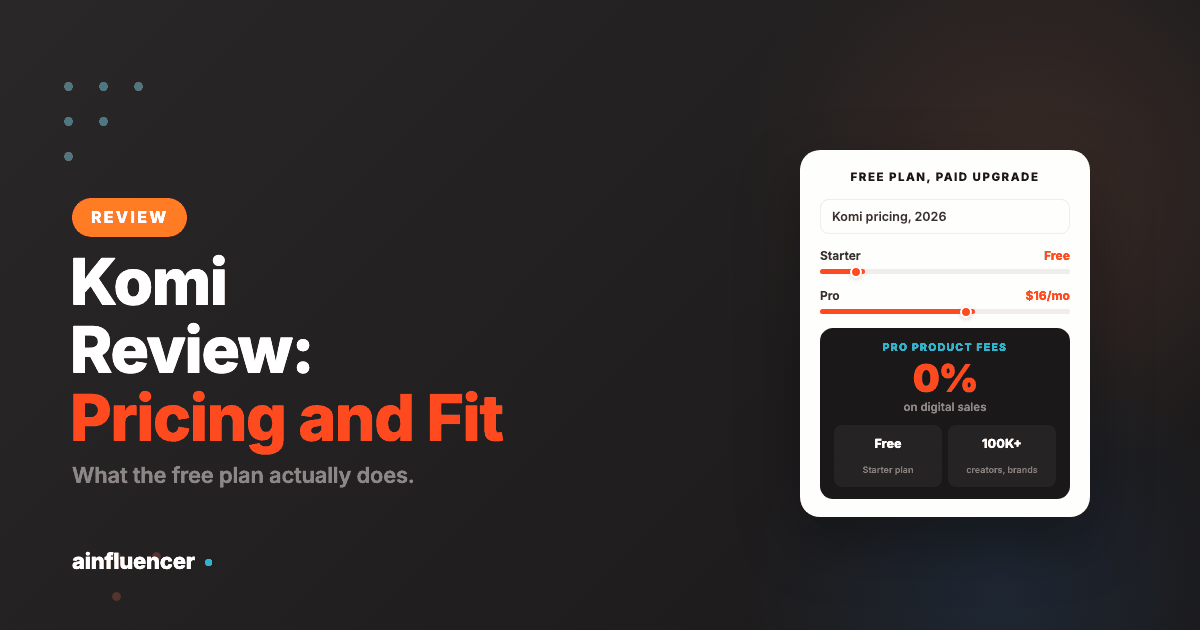
Komi keeps pricing simple: a free Starter plan and a single Pro plan at $16 a month, down from a listed $20, with roughly 20% off if you pay annually. Pro comes with a free trial. The gap between the two is mostly about selling and ownership rather than the mini-site itself.
| Feature | Starter (Free) | Pro ($16/mo) |
|---|---|---|
| Mini-site and content | Unlimited | Unlimited |
| Affiliate links | Unlimited | Unlimited |
| Brand deal access | Yes | Yes |
| Fan contacts | Unlimited | Unlimited |
| Sell digital products | No | Yes, 0% fee |
| Custom domain | No | Yes |
| Remove Komi branding | No | Yes |
| Email sends and Meta Pixel | No | Yes |
Komi review: pros and cons
Pros
- Free plan is genuinely useful for brand deals
- Brand-matching is the core focus, not an add-on
- 0% product fees on Pro
- Unlimited affiliate links and fan contacts on every plan
- Reviewers praise easy setup, a polished look and strong analytics
Cons
- Lighter on features than an all-in-one, and newer than most rivals
- Limited design control and few integrations beyond Zapier
- No native media kit, bookings or memberships
- Free plan cannot sell digital products
- Public review base is thin and dated
What real users say
A small, dated review base, so weigh it lightly.
Komi does not have the public review footprint of older tools. Its Trustpilot page sits around 3.5 out of 5 across only a dozen or so reviews, many of them from a couple of years ago, and there is no meaningful G2 presence. A few comparison sites quote higher numbers, but the methods are unclear, so treat any single rating with caution.
Where reviewers agree is on the shape of the product rather than the score. The praise is consistent: quick to set up, a clean and polished mini-site, useful audience analytics and responsive support. The criticism is just as consistent: the platform is still young and light on features next to established rivals, and the free plan feels tight once you want to do more than share links and chase deals.
Who Komi suits
Komi is a strong fit for a specific creator: one whose whole goal is brand deals, who wants a clean free mini-site to pitch from, and who earns on the side through affiliate links rather than a product catalogue. For that creator, the free plan does real work and the brand-matching is the best reason to be there.
It is a weaker fit if you are building a business on the page. If you need a hosted media kit and rate card, paid bookings, memberships, a full storefront or deep design control, Komi either charges for it, does not offer it, or does it more simply than a dedicated all-in-one. In that case, the alternatives below are worth a close look. For broader context on what brands expect before they pay, see our guides on influencer rates by platform and how many followers you need to get sponsored.
Where the free plan stops being enough
A genuinely useful free tier is the strongest thing in this Komi review, and it is worth being precise about where it runs out, because that boundary is the whole decision.
The free Starter plan is built for one job: giving a brand somewhere to look. For that job it is complete, and paying for a tool to do it would be a waste. The upgrade earns its money at a specific point, not a vague one.
- You start selling digital products. This is the clear line. Pro at $16 a month takes 0% on those sales, so the upgrade pays for itself the moment you sell more than a nominal amount. Below that it does not
- Design control starts costing you deals. If your page reads as generic to the brands you want, that is a real cost, but be honest about whether the page is the reason rather than the pitch
- You need more than the free tier surfaces. Audience data and deeper analytics matter once you are negotiating rates, and not before
What is not a reason to upgrade: a feature list you will not use, or the feeling that a free plan looks unprofessional. Brands do not see which plan you are on.
Reading a thin public review base
The small number of public reviews is flagged above as a limitation, and it is worth saying what to do about it rather than simply noting it.
A thin review base is not evidence of a bad product. It is evidence of a young one, or of a company that has never run a review collection process, which is a fact about marketing rather than delivery. What it does mean is that you cannot outsource the judgement, so make it yourself:
- Find creators actually using it. Search the platform’s own domain and look at live pages. Real pages in your niche tell you more than any star rating
- Check whether those pages are maintained. A page last updated two years ago means somebody set it up and moved on
- Use the free plan properly for a fortnight. With no card required there is no reason to decide from the outside
- Ask about export before you build. The question to answer early is what you take with you if you leave
The asymmetry is what makes this easy: a free tier with no card means the cost of finding out is your time, and a fortnight of it will tell you more than every review you could read.
Why a brand-deal tool is a different purchase
Most link-in-bio tools are built to sell to your audience. This one is built to present you to a brand, and that difference decides whether it belongs in your stack at all.
The two jobs pull in opposite directions. A page optimised for fans wants products, offers and urgency. A page optimised for a brand wants your audience data, your rates, your past collaborations and a way to contact you, with nothing in the way. A tool that tries to do both usually does the second one badly, because the fan-facing elements take the space.
- If brand deals are most of your income, a tool built for that job is worth more than a more capable general platform, because the thing you are optimising is a brand’s thirty seconds on your page
- If selling to your audience is most of your income, this is the wrong shape, and a storefront-first tool will serve you better
- If it is genuinely both, you either accept a compromise or run two pages, and running two pages is worse than it sounds because only one can be in your bio
The practical test is one question: when you look at your last twelve months, did more money come from people buying from you, or from brands paying you? Answer that honestly and the choice in this Komi review makes itself, without any feature comparison at all.
Three Komi alternatives worth comparing
This Komi review lines up three alternatives: one all-in-one, one media-kit specialist, one for established creators.
1. brandID: the all-in-one that does more for less
brandID is the closest thing to a direct upgrade from Komi. It does the same core job, a mini-site that wins brand deals, then goes further: a native media kit, a rate card and a brand contact form as first-class blocks, plus a full storefront, an affiliate marketplace of more than five million products with commissions reaching 65%, email marketing with a CRM, tips, a rentable digital billboard and paid booking. The Creator plan is $9 a month with 0% fees on your own Stripe or PayPal, cheaper than Komi Pro while covering far more ground.
Pick it over Komi if you want one page that both lands deals and runs the rest of your business, at a lower monthly cost.
2. Beacons: the media-kit specialist
Beacons leads with a media kit builder that pulls your stats in automatically, a link page, email capture and a tip jar, which is more than Komi’s free plan gives you for pitching. It starts at $0, but that tier takes a 9% cut of every sale, as does the $10 Creator Pro tier, so the fee only clears at $30 a month Store Pro. Treat it as low-cost rather than free. This Beacons AI review covers where it holds up and where creators hit its limits.
Pick it over Komi if you want a built-in media kit, which Komi does not offer natively, and you can accept a 9% sales cut on its lower tiers.
3. Pillar: for established creators with a product line
Pillar is aimed at creators already earning, bundling a media kit, digital products, a creator store and customer analytics. It is pricier, with Creator at $29 a month billed annually and a 5% seller fee, Entrepreneur at $99 where 0% fees begin, and Professional at $399. The depth is real, but so is the cost. See our full Pillar review for the breakdown.
Pick it over Komi if you have an established product line and want a fuller store, and the higher price is justified by your revenue.
Win more brand deals, wherever your page lives
Whichever tool hosts your page, brands still have to find you. Ainfluencer is a marketplace where creators list a profile free, browse live campaigns from brands with approved budgets, and negotiate in-app with payment held in escrow until the work is approved.
Frequently Asked Questions
How much does Komi cost?
Komi has a free Starter plan and a single Pro plan at $16 a month, down from a listed $20, with roughly 20% off on annual billing. Pro includes a free trial and adds digital product sales at a 0% platform fee, a custom domain, branding removal, email sends and Meta Pixel.
Is Komi free?
Yes. The free Starter plan includes an unlimited mini-site, unlimited affiliate links, unlimited fan contacts, brand deal access and analytics. It cannot sell digital products, use a custom domain or remove Komi branding, which all require Pro.
Is Komi good for brand deals?
Yes, that is its main strength. Komi is built around connecting creators with brands, and brand deal access is included on the free plan rather than locked behind the paid tier, which is unusual.
Does Komi take a cut of sales?
On the Pro plan, Komi takes 0% on digital product sales, so you pay only payment processing. The free plan cannot sell digital products at all, so selling means upgrading to Pro.
What is the best Komi alternative?
brandID is the strongest all-in-one alternative, with a native media kit, rate card and storefront at $9 a month with 0% fees. Beacons stands out for its automatic media kit builder, though its lower tiers take a 9% sales cut, and Pillar suits established creators who want a fuller store and will pay more for it. This Komi review ranks brandID first for most creators.
Is Komi worth it in 2026?
The bottom line of this Komi review: if brand deals are your focus and you want a clean free page to pitch from, Komi is worth trying, since the free plan does real work. If you want a hosted media kit, a full storefront and lower costs in one place, a more complete tool like brandID is likely the better value.