

Amazon is crowded now. There are millions of sellers competing for attention, and over 300 million active customers shopping on the platform.
That’s why having clear Amazon sales increase strategies matters more than ever. Small improvements can decide whether your product gets seen or buried.
If you want to become a top seller on Amazon, you can’t rely on luck. You need a few smart moves that improve visibility and make people click “Buy” when they land on your listing.
The strategies below focus on exactly what helps real sellers stand out and keep sales growing. Read on!
15 Best Amazon Sales Increase Strategies
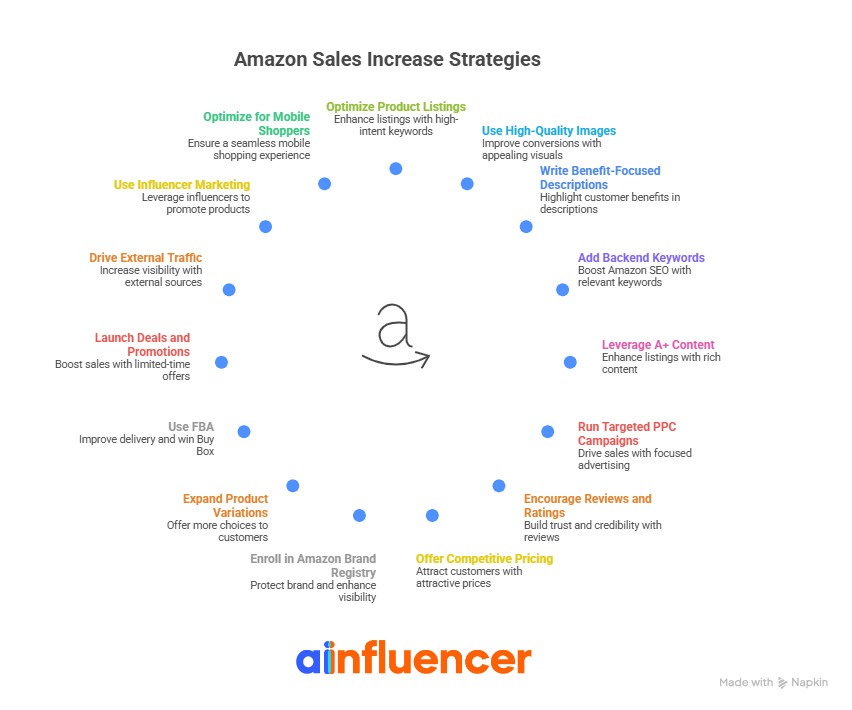
Selling on Amazon requires strategies that consistently improve visibility, conversions, and long-term growth. Here’s how to increase sales on Amazon with 15 strategies you can start using today.
1. Optimize Product Listings with High-Intent Keywords
The first proven strategy for improving sales on Amazon is to use the high-intent keywords (search phrases that signal people are ready to buy). These keywords match what shoppers are actually typing. That makes you see a product appear at the top of Amazon search results.
Not only Google and LLMs, but also Amazon’s algorithm likes intent‑driven and long‑tail keyword phrases. In fact, it favors listings that match specific shopper intent rather than generic matches.
According to studies, optimized Amazon listings can achieve up to 23% higher click‑through rates and 18% better search rankings.
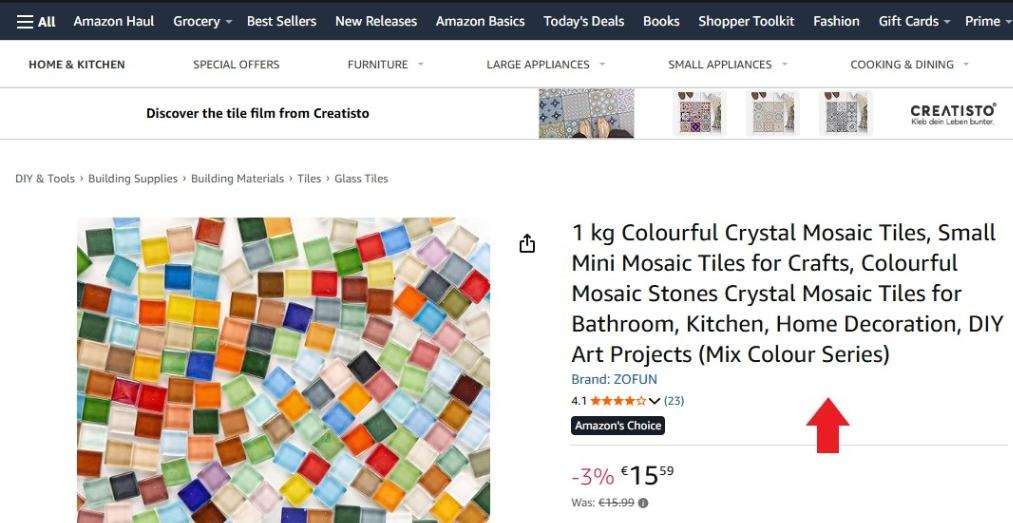
For example, instead of “wireless earbuds,” someone searching for “noise‑cancelling wireless earbuds with mic for calls” is much closer to purchasing than someone searching for the broad term alone.
How to Optimize Product Listings on Amazon?
Now, let’s learn how you can create a well-optimized product listing on Amazon:
#1 Find the Right High-Intent Keywords
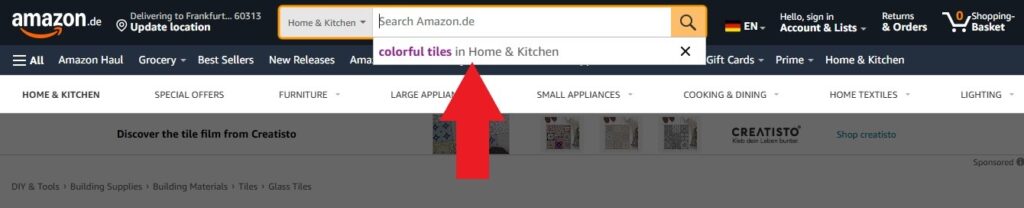
Everything begins with researching and uncovering the phrases people actually type when they want to buy your product. You can use Amazon’s search bar auto‑suggestions. Type your product idea and see what popular suggestions appear. These are real user searches.
You can also analyze competitors’ top listings to see which specific search phrases they’re ranking for.
Additionally, some keyword tools (like Brand Analytics) help you find lfind long‑tail phrases that combine product type + intent.
#2 Use Keywords in the Right Places
Finding the right words is not enough; you also need to place them strategically. This means to put them where Amazon’s algorithm and real shoppers care most:
- Title: It’s best to put your primary high‑intent keyword early. This has the biggest impact on search visibility.
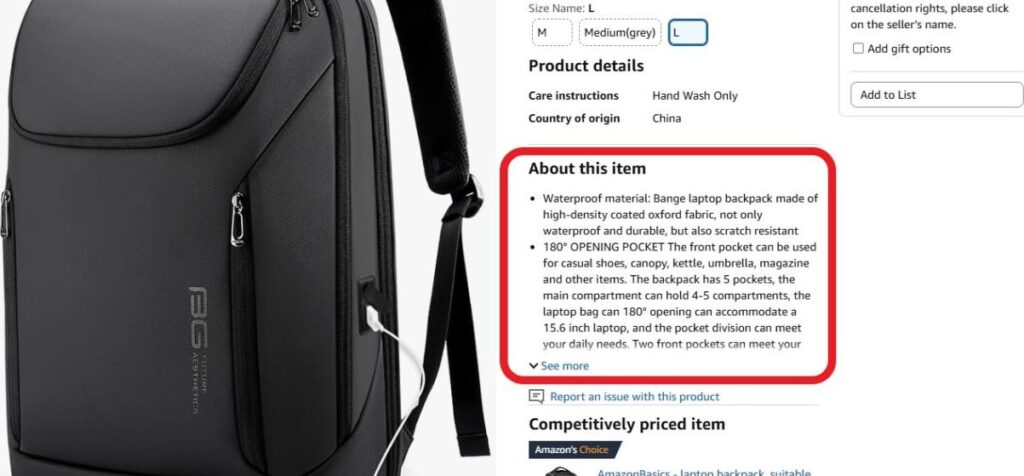
- Bullet points: You can also use these words naturally while listing key benefits and features.
- Product Description: Add long‑tail and secondary keywords in sentences that read smoothly.
- Backend Search Terms: We recommend you include additional relevant phrases, synonyms, and alternate terms that Amazon doesn’t show publicly. This expands reach without cluttering visible text.
#3 Focus on Buyer Intent, not Buzzwords
Don’t try to guess “nice-sounding” phrases. They won’t work. Instead, think like a buyer and ask these questions:
- What are they solving with this product?
- What specific feature matters most?
- What words would a ready‑to‑buy shopper type?
It’s also important to avoid subjective or promotional language, like best, top-quality, etc. Customers don’t search for them. They search for specifics about use or need.
2. Use High-Quality Images to Improve Conversions
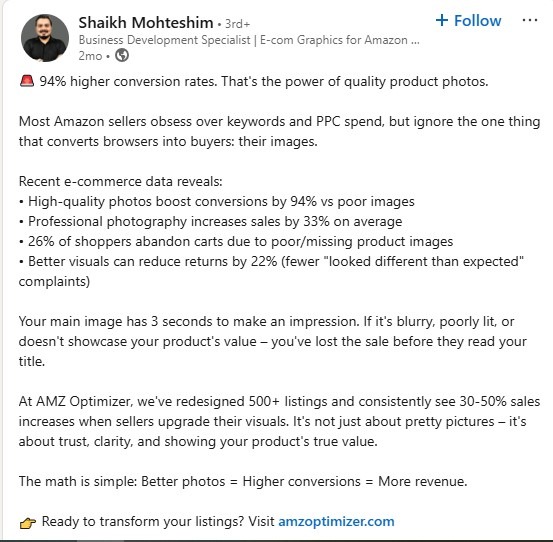
When people shop online, especially on Amazon, they can’t physically touch, hold, or test a product before buying. What they do see first are the product images. Let’s say they act like your store window.
So, if the pictures are clear, detailed, and appealing, shoppers are far more likely to click on your listing and buy.
Check this out: Listings with professional, high‑resolution photos can see conversion rate increases of up to 33 %‑60 % or more compared to listings with low‑quality visuals.
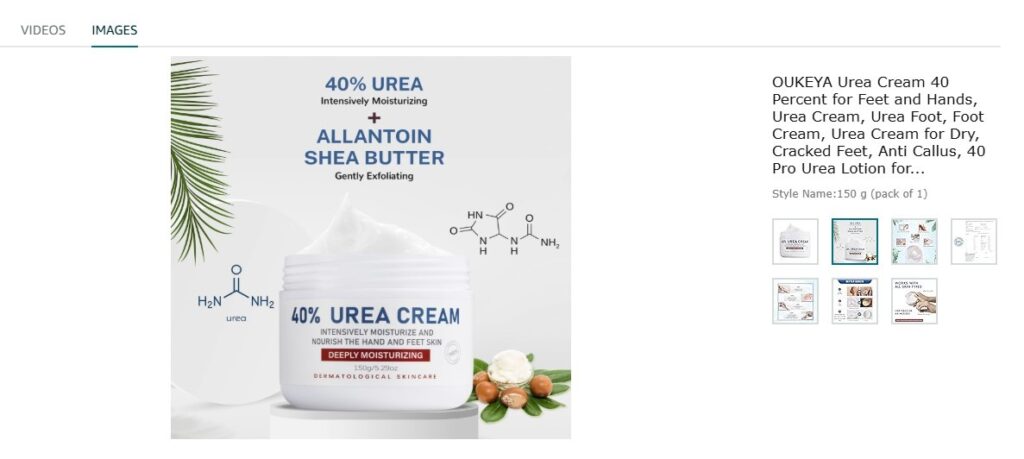
- Optimize your main image, which is the gateway. This means using a clean white background with no props or text for the main shot. It follows Amazon’s requirements and keeps the focus on the product.
- Make sure the product fills most of the frame (Amazon recommends 80 % or more).
- Don’t forget to use high resolution (ideally 2000 × 2000 px or larger) so Amazon’s zoom feature works smoothly.
- Another way to optimize your image is to show multiple angles and views. It’s smart not to rely on just one photo.
3. Write Benefit-Focused Product Descriptions
A benefit-focused product description explains why the product matters to the buyer, not just what it is. In fact, it doesn’t list features and spaces; it connects those features to real outcomes the customer cares about.
For instance, “Stainless steel water bottle, 750 ml” is simply a feature-based description. To make it benefit-focused, you can write it in this way:
“Keeps your drinks cold for up to 24 hours, so you stay refreshed all day without refills”.
When your description clearly explains benefits, it does three important things at once:
- Improves conversions by making the value obvious.
- Reduces returns because buyers know what to expect.
- Supports Amazon SEO by naturally including relevant keywords in meaningful context.
Here’s how to write a powerful benefit-focused description for your Amazon products:
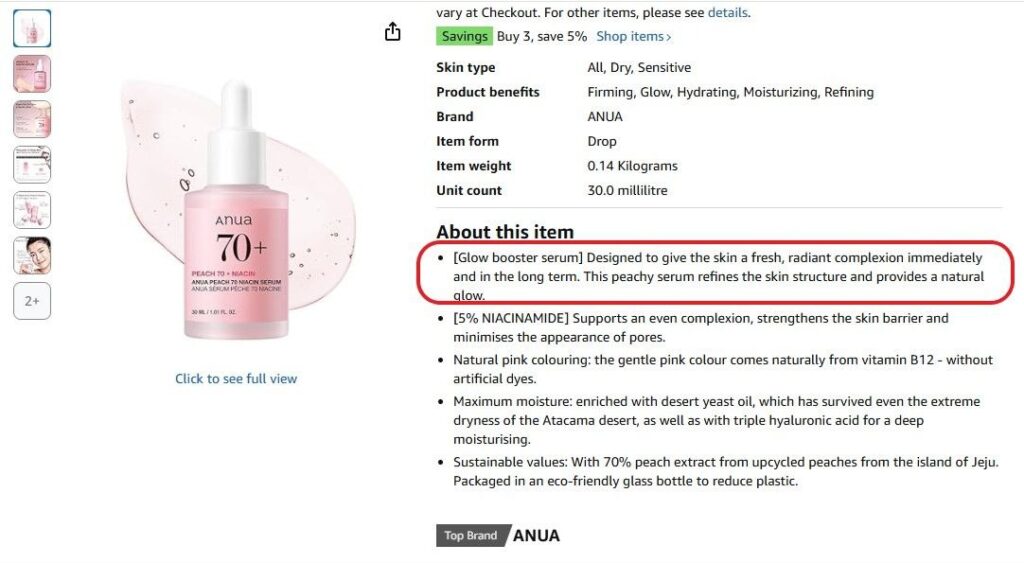
- Start with the customer’s problem. Why is someone buying it? What frustration are they trying to fix? Take this, for example. Anua exactly addresses the result buyers are hoping for: fresh skin, radiant complexion.
- Most products already have features. So, your job is to translate them into benefits. Use this simple formula:
Feature → What it does → Why it matters
- More importantly, you need to use clear, natural language. Avoid technical jargon unless your audience expects it.
- Even great writing fails if it’s hard to read. To keep shoppers engaged, short paragraphs can help you. It’s also best to highlight one clear benefit per line.
- Last but not least, include important keywords inside real sentences, but naturally.
4. Add Backend Keywords for Amazon SEO
Backend keywords are hidden search terms you add in Seller Central that shoppers never see, but Amazon’s search engine does.
They actually help your product show up for relevant searches that don’t naturally fit into your title, bullets, or description.
Imagine you sell a vitamin C face serum. Your visible listing already includes: vitamin C face serum, brightening serum, or anti-aging face serum.
However, you can’t force all of these phrases into your title or bullets. Here’s where back-end keywords come to help. With these keywords, Amazon can still match your product to those searches.
To optimize your back-end keywords, you need to go to the Amazon Seller Central, find your Product Listing, click Inventory, go to the keywords section, and add your back-end keywords.
5. Leverage A+ Content to Boost Sales
When someone lands on an Amazon product page, they expect more than just a title and a few bullet points. They want confidence, and this is where A+ Content comes in.
A+ Content (sometimes still called Enhanced Brand Content) adds rich visuals, detailed text modules, comparison charts, videos, and brand storytelling sections.
These can help potential buyers truly understand the product and its benefits. The result? Brand-registered sellers will go beyond the basic description.
Let’s say, it’s like turning a basic product page into a mini landing page that feels informative, trustworthy, and visually engaging.
For example, instead of a simple paragraph saying “this blender has a powerful motor,” A+ Content can show a high-quality image of the blender in action, highlight key performance specs next to benefit-driven text, and even compare multiple models side by side — all on the same listing page.
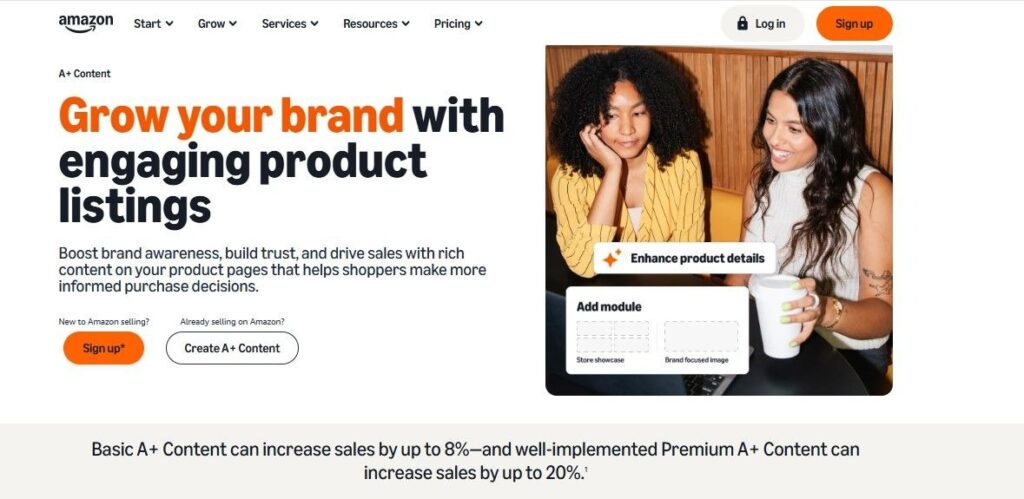
And basic A+ content can increase sales by up to 8%.
How to Increase Amazon Sales Using A+ Content?
Let’s see how you can boost your sales with A+ content:
#1 First, understand your audience
This means: write it for real buyers, not search engines. Think about:
- What questions are buyers most likely to have?
- What features are unique or most valuable?
- What objections or doubts might they have before buying?
Collect real-life feedback, reviews, and customer inquiries to guide what your A+ Content needs to communicate.
#2 Use high-quality images
A+ Content allows multiple images, infographics, and even videos (with Premium modules). Use:
- Professional lifestyle photos showing the product in use
- Close-ups that highlight key features
- Graphic badges or icons that emphasize benefits or certifications
#3 Tell a story, don’t just list features
Be creative! Don’t just repeat bullets from the main description.
- Show how your product solves a real need
- Highlight unique selling points that make it better than competitors’
- Invite visitors to explore other products in your lineup with comparison charts
6. Run Targeted PPC Campaigns
PPC (Pay-Per-Click) campaigns are one of the best Amazon sales increase strategies. They are ads that appear at the top of search results, within product pages, and in other high-visibility placements.
These ads aren’t random banners; they’re highly targeted ads that put your products in front of shoppers with high purchase intent.
For instance, if someone searches for “wireless earbuds with noise cancellation,” a well-run PPC campaign can serve your product ad for that search and only charge you if the shopper clicks it.
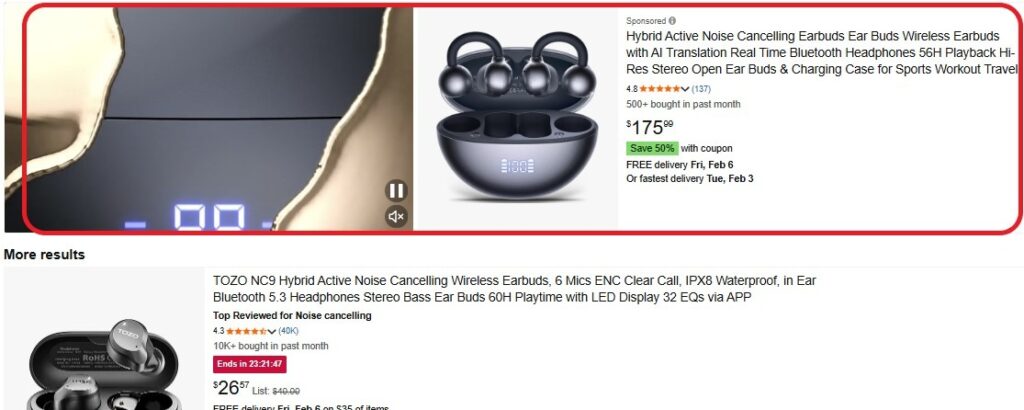
Want to make the most of your Amazon ppc campaigns? Consider these:
- Use precise keyword targeting: Target keywords that match real shopper intent rather than generic terms
- Monitor key PPC metrics, like ACoS, CTR, CPC, and conversions
- Optimize and adjust constantly: monitor campaigns daily or weekly
7. Encourage Reviews and Ratings
When people shop online, they often can’t physically inspect the product before buying. That means they rely heavily on what other customers have said.
A product with 4.5 stars and 150 reviews looks far more trustworthy to a buyer than one with no reviews or just a couple of stars, even if both products are essentially the same.
Note: Products with positive reviews are about 270% more likely to be purchased than products with none at all.
That said, it’s important to do it right. Amazon has strict rules about reviews.
- Use Amazon’s built-in “request a review” feature on the Amazon Seller Central. This automatically sends a standardized email asking the customer for feedback. Do this between 4 and 30 days after delivery
- Create a great post-purchase experience. This means accurate product descriptions, fast shipping, helpful packing, and more
- Participate in Amazon Vine (if eligible). This lets you get early, authentic reviews from trusted reviewers (experienced and Amazon-approved)
- Don’t underestimate customer support. Proactive and helpful customer service can do magic!
8. Offer Competitive Pricing
When people browse Amazon, price is often one of the first things they notice. In fact, it’s one of the biggest factors that determines whether they click Buy Now or keep scrolling.
Competitive pricing simply means setting your product’s price in a way that keeps it attractive compared with similar listings, but without destroying your profit.
- Know your market and competitors. Look at the prices of sellers appearing in the top search results, offers in the Buy Box, and the variations in price by seller ratings or fulfillment methods (FBA vs FBM)
- Competitive pricing doesn’t mean racing to be the cheapest. It means finding the sweet spot between prices that attract buyers and prices that protect your profit margins
- You can also use a dynamic or automated Amazon pricing strategy. Amazon and many third-party tools allow you to automatically adjust your prices in real time based on market conditions, competitor pricing, and rules you define
- Last but not least, competitive pricing is only sustainable if it doesn’t destroy your profit. Remember to include: Amazon fees (referral, FBA, etc.), Shipping costs (if you’re covering them), and your product cost
9. Enroll in Amazon Brand Registry
To increase organic sales on Amazon, you can enroll in the Amazon Brand Registry. It’s Amazon’s official program for trademarked brands.
This feature gives you legal verification that you own the brand, and then unlocks powerful tools to protect, control, and grow your presence on the marketplace.
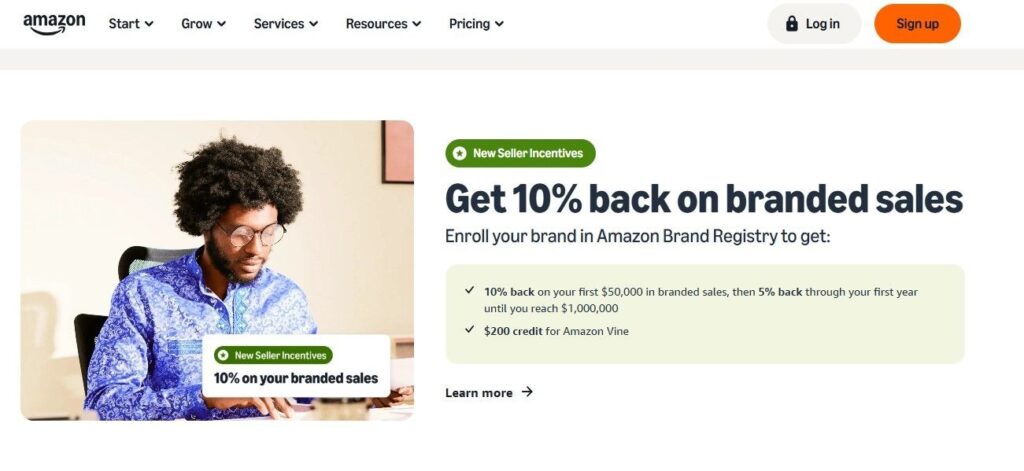
In other words, without Brand Registry, your product listings can be changed by any seller who lists the same item titles, images, features, bullets, and more.
Remember, if you enroll, Amazon proactively protects your brand. In fact, brands in the program see fewer infringement reports over time.
You can also have control over your listings. You decide what shows on your detail pages. No more random edits from unauthorized sellers or mismatched descriptions that hurt your conversions.
In early 2025, a brand called TerraBloom was struggling because unauthorized sellers were flooding the marketplace with fake or repackaged versions of their products.
These fakes generated tons of search results but zero real revenue. But enrolling in Brand Registry in 2026 changed everything.
- Enabled Transparency codes that helped Amazon verify genuine units quickly.
- Removed over 100 fake listings within 48 hours
- Launched enhanced A+ Content that explained their product ingredients clearly
- Used new analytics reports to target high-intent search phrases with Sponsored Brands, achieving 4.2× ROAS in their first month
10. Expand Product Variations
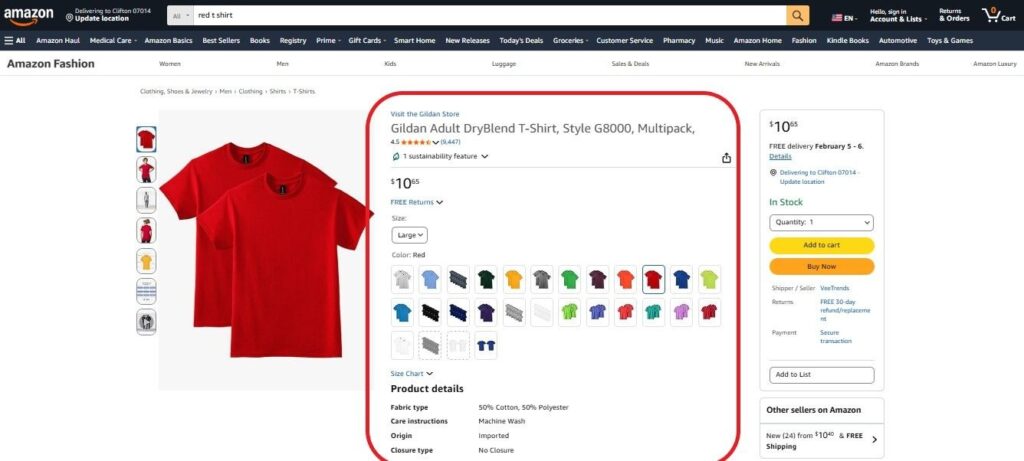
“Expanding product variations” on Amazon means grouping different versions of the same product — like sizes, colors, styles, materials, or package options — into a single listing instead of creating separate listings for each one.
You don’t need to have ten separate pages for a T-shirt in 10 colors. Just one main page (the parent) with all the options listed underneath (children) lets shoppers choose right from that one page.
For instance, if you sell a backpack that comes in black, navy, and olive, each color becomes a variation. Instead of three separate listings competing against each other, they all live under one listing, so customers can pick their preferred color without searching again.
Why product variations matter?
It generates better conversion, more social proof, faster growth for new versions, and improved search visibility.
How to Expand Amazon Product Variations?
Here’s how you can expand product variations on Amazon:
Identify logical variation categories
Not every product needs a variation. They should only be used for closely related versions of the same product:
- Color (black, white, red)
- Size (small, medium, large)
- Style or material (plastic vs metal)
- Package type (single item, 3-pack, 5-pack)
Set up the variation correctly
On Amazon, variations are built using a parent-child relationship:
- Parent ASIN = the main listing that shows in search
- Child ASINs = the individual options the customer chooses from
When you create this relationship:
- Use a consistent variation theme that makes sense (Color, Size, Style, etc.)
- Make sure each child has their own price, image, and SKU
- Upload it correctly in Seller Central or via flat file templates according to Amazon’s category rules
Keep the number of variations manageable
Recent Amazon updates mean overly long variation lists can be harder for shoppers to scroll and may reduce conversion. So it’s often best to keep variations under around 10 per parent.
Use Great Images and Clear Labels for Each Variation
Each child option deserves its own high-quality image and clear name, so people can instantly recognize the difference.
For example, “Blue – Small” or “Red – XL.” This makes switching between options easier and helps shoppers feel confident about what they’re picking.
11. Use FBA for Faster Delivery and Buy Box Wins
Wondering how to increase organic sales on Amazon? Then, how quickly and reliably your product gets to the buyer matters almost as much as the product itself.
This is when you can get help from FBA (Fulfillment by Amazon). FBA means you send your products to Amazon’s warehouses, and Amazon handles storage, packing, shipping, customer service, and returns for you.
In exchange for fees, your products become eligible for fast, reliable delivery, often with the coveted Prime badge that millions of shoppers filter for.
Keep in mind that the fastest delivery means more sales. Besides, FBA can boost Buy Box win chances. Here’s how to use this feature:
Enroll and ship your inventory to FBA
Start by creating an FBA shipment in Seller Central and sending inventory to Amazon’s fulfillment centers.
Amazon has warehouses near major buyer hubs, so your product can be delivered quickly across regions without extra effort from you.
Make sure you meet Buy Box performance metrics
Even with FBA, Amazon expects high seller performance. Key metrics include:
- Order Defect Rate below 1%
- Late Shipment Rate below 4% (handled by Amazon with FBA)
- Pre-fulfillment cancellation rate low
- Valid tracking on nearly every order
Price competitively (but not always the lowest)
FBA helps a lot, but pricing still matters (and we already talked about it)! If your price (including shipping) is reasonable compared to competitors, your Buy Box chances increase.
However, you don’t have to be the absolute lowest. Sellers with slightly higher prices but better fulfillment often still win.
Keep enough inventory in FBA
Amazon likes sellers who are consistently in stock. Frequent stockouts can cause your Buy Box share to drop quickly, and it can take time to recover even after restocking.
Setting up reminders or automated reorder points can help ensure constant availability.
12. Launch Deals and Promotions
Things like coupons, Lightning Deals, Best Deals, Buy One Get One (BOGO) offers, or other promotional pricing tactics can make your offer more enticing than the competition.
For example, offering a “Save 20 % today only” coupon on a slow-moving kitchen gadget can grab attention and increase clicks:
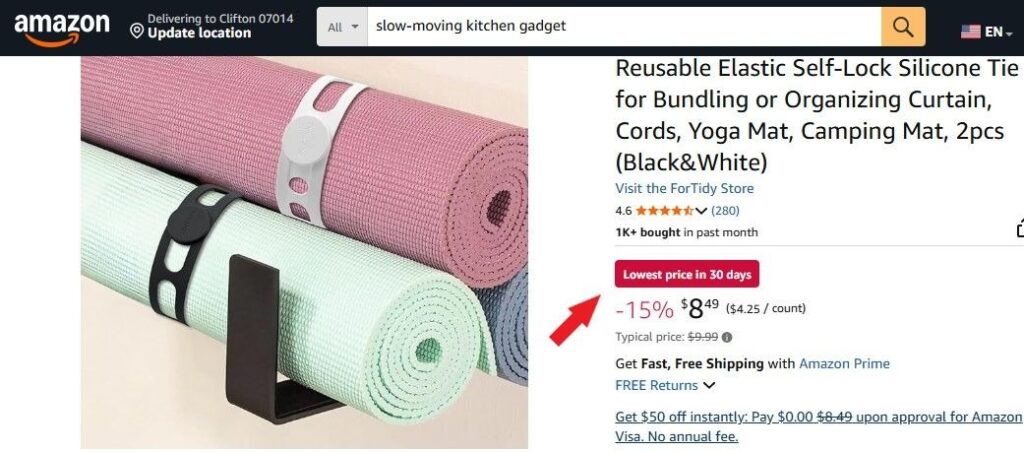
You can run different types of deals, such as coupons, lightning deals, best deals, “Buy one, get one”, and more. Note that deals work best when they match shopping rhythms and seasonal demand. So, time them strategically.
Moreover, it’s best to set clear objectives and limits, something like increasing sales velocity, attracting new customers, or boosting average order value.
Another pro tip? Promote your deals off-platform, too. Use other channels like email newsletters, social media, and influencer partnerships to share your promo codes or limited offers.
13. Drive External Traffic to Amazon Listings
External traffic on Amazon means visitors who come to your Amazon product page from outside Amazon’s own search and advertising ecosystem.
It could be from social media posts, Google search results, blogs, influencers, email newsletters, or paid ads on platforms like Facebook or TikTok.
Insight: Sellers using outside channels like TikTok, Google Ads, or targeted influencer campaigns have reported conversion rates as high as 58.6 % on some campaigns, far above average internal Amazon traffic conversions.
Pro tips:
- Use tracked links (Amazon Attribution) if you’re Brand Registered
- Build content that solves problems or answers questions your buyers are searching for
- Work with influencers or affiliates who already have a loyal audience
- Run paid ads on platforms outside Amazon to reach buyers before they even start searching Amazon
14. Use Influencer Marketing
This strategy is similar to the last one (driving traffic to your Amazon product from external sources). You partner with different types of creators, from nano-influencers to celebrities, on social media platforms like TikTok, Instagram, YouTube, or blogs.
Instead of a traditional ad, it’s a trusted recommendation from someone shoppers already follow and listen to.
Find the right influencers. Not all of them are equally valuable. Their audience should align with your product. More importantly, let creators show your product in real use (unboxing, daily routine, demo videos). Authentic storytelling beats scripted captions every time.
As we mentioned earlier, using trackable links and promo codes can help you track clicks and purchases. And once you have great content from creators, use it again in your own social media ads or product pages.
15. Optimize Amazon Listings for Mobile Shoppers
Did you know 70 % or more of Amazon shoppers use mobile devices to browse and buy? When your product looks great and loads smoothly on a smartphone screen, shoppers are far more likely to click, engage, and complete a purchase.
Optimizing your product listing for mobile means making your listing easy to scan, fast to load, and clear on small screens so you don’t lose sales before shoppers even read your content.
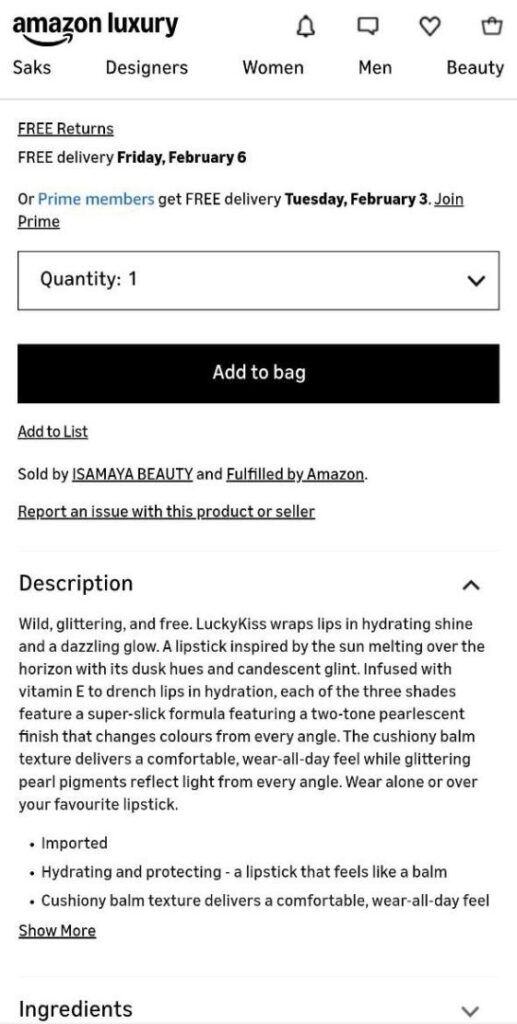
Here’s a practical breakdown of exactly what to do:
- Write clear, scanable titles: Mobile screens show fewer characters than desktop, so you need your listing title to communicate the most important details right away
- Use short and impactful bullet points: Prioritize the top 3 bullets with your most compelling benefits or features. These are the only ones visible without tapping “more”
- Make descriptions short & punchy (1-2 sentences)
- Use mobile-friendly images & videos: clean, high resolution, and optimized for smaller screens
How to Increase Organic Sales on Amazon with Ainfluencer?
One of the easiest ways to grow organic sales is by using affiliate marketers to promote your products for you. With Ainfluencer, you can connect with real creators on YouTube, Instagram, blogs, and more.
You list your products, set a commission, and they handle the promotion, and you only pay when you make a sale. It’s a simple, hands-off way to expand your reach.
Unlike Amazon Associates, Ainfluencer’s affiliate marketing program lets you pick who to work with, chat directly, and even share custom discounts or promo content.
Sellers using it have seen big results, sometimes increasing their Amazon sales by over 30% just by giving affiliates the right support.
It’s a practical Amazon affiliate strategy that turns creators into a free sales team. You don’t pay for clicks, just real results.
FAQs
Here are a few common questions about the top Amazon sales increase strategies:
1. Why Are My Amazon Sales Dropping Even Though My Product Is Good?
This usually happens when your listing loses visibility or stops converting, as well as competitors. Common reasons are: competitors improving their images and pricing, your keywords becoming outdated, fewer recent reviews, or your main image no longer standing out in search results.
2. What’s the Fastest Way to Increase Sales on Amazon?
The fastest strategies to increase Amazon sales include: fixing your listing basics: high-intent keywords in titles/bullets, better main images, and competitive pricing.
3. How Can I Increase Amazon Sales Organically?
Improve your listing with high-intent keywords, better images, and competitive pricing. Build steady reviews and send quality external traffic from content or creators. Organic growth takes time, but it compounds.

