LinkedIn Automation Tools: 12 Compared by Where the Automation Runs
Every LinkedIn automation tool works against LinkedIn’s own rules. They differ in where the automation runs, how it paces itself and what it costs. Here are twelve, priced from each vendor’s own page.
Lists of the best LinkedIn automation tools rank products by feature count and bury the one fact that decides the choice: LinkedIn does not allow this kind of software. Its help page on prohibited software says members who use such tools risk restriction, and its User Agreement bans bots and unauthorized automated methods. What you can compare is how each tool runs, how it paces your activity and what it states about safety, and none of them can promise your account stays safe. This guide opens with the rules, sorts twelve LinkedIn automation and outreach tools by where the automation runs, and prices each from the vendor’s own page. One disclosure: contactID and Ainfluencer, the first two, are our own products. Neither is a LinkedIn tool. We list them first because they are routes to the same buyers that put no LinkedIn account at risk, and we say what each cannot do.
What LinkedIn Itself Says About Automation
Read this before you compare prices, because it applies to every tool below.
| Source | What it says | What it means for you |
|---|---|---|
| LinkedIn help page, Prohibited software and extensions | Members who use prohibited automation tools risk restriction, and the tools may stop working without notice | No vendor can remove this risk, only reduce how visible the activity is |
| LinkedIn User Agreement, Dos and Don’ts (section 8.2) | Bans software, scripts, robots, crawlers and plugins, and bots or unauthorized automated methods | Automation breaches the agreement however carefully it is paced |
| LinkedIn User Agreement (section 3.4) | LinkedIn reserves the right to restrict, suspend or terminate an account that breaches it | Your account, your connections and your history are what is at stake |
The vendors know this. La Growth Machine’s own safety page states that LinkedIn forbids tools that perform automated actions without human intervention, while its homepage says its tool is invisible to LinkedIn’s detection. Most others say their tool stays within LinkedIn’s limits and say nothing about the terms. Treat any safety claim as the vendor’s own, and decide whether your account is worth the risk.
Where the Automation Runs
| Where it runs | How it works | Tools in this list | Trade-off |
|---|---|---|---|
| Nowhere on LinkedIn | The message goes by another route, so no LinkedIn account is involved | contactID, Ainfluencer | It reaches the company, not the LinkedIn profile |
| In the vendor’s cloud | Campaigns run on the vendor’s servers, usually through a dedicated proxy, so your browser can be closed | HeyReach, La Growth Machine, Expandi, Dripify, Meet Alfred, Skylead | Your account is accessed from a server, which is a visible difference |
| On your own machine | A desktop app or extension runs in your browser while it is open | Dux-Soup desktop, Linked Helper | Looks like your normal device, but stops when the machine does |
| Not stated | The page does not say where the automation runs | Waalaxy, Salesforge | Ask before you connect an account |
None of these is safe by design. The cloud route is more convenient and easier to scale across a team. Running on your own machine looks more like you but needs the machine on. Choose by your tolerance for risk and your volume, not by a vendor’s safety badge.
The 12 LinkedIn Automation Tools
Each card names where the tool runs and what it states about safety. Prices are what each vendor printed on 9 and 10 November 2026.
contactID
contactID is not a LinkedIn tool. It is a Chrome extension and web dashboard from the Ainfluencer team that sends your message through the contact form on each company’s own website. It finds the form, fills it, deals with cookie banners and CAPTCHAs, submits it and marks a site Sent only after a confirmation. It is ours, so weigh this card accordingly.
We list it first because it reaches the same companies without touching LinkedIn’s rules. It does not read replies, which go to the email address you give your agent, and it does not replace connecting with a buyer on LinkedIn.
- Find websites: Google Maps listings in 20 countries by category and city
- AI placeholders such as {Opener} write one line per website, optional and billed from a separate AI wallet
- A credit is used only for a send the site confirms
- A/B split testing and analytics showing the exact value typed into each field
- No LinkedIn account at risk
- Reaches companies where no profile is findable
- 10 free websites with no card, and failed sends are free
- Runs in your own Chrome, Edge or Brave and stops when the browser closes
- Contact forms only, so it is a second route and not a LinkedIn replacement
- Written solicitation rules can apply to targeted messages in some professions and countries
Ainfluencer
Ainfluencer is the influencer marketplace we run, and it is not a LinkedIn tool either. Brands contact creators and affiliates through its built-in inbox, with bulk invitations, templates and in-app negotiation, and for Instagram and TikTok it offers a free Chrome extension, the AI DM Inviter that drafts a DM from a creator’s profile for you to send yourself. It is ours, so weigh this card accordingly. It suits a different sales route: recruiting creators who sell for a commission, not reaching decision makers on LinkedIn.
- A built-in inbox with bulk invitations, templates and in-app negotiation
- Automatic affiliate payouts and escrow for influencer fees
- Shopify and Amazon connections for attributing creator sales
- A free Chrome extension that drafts the DM from the creator’s profile
- No LinkedIn account at risk
- A free plan to try it, with no card
- Outreach, negotiation and payment sit in one place
- Invites are capped by plan: 2 a month on Free, 25 on Starter, 250 on Pro and unlimited only on Ultimate
- The platform takes a fee on creator payments, from 35% on Free down to 3% on Ultimate
- Outreach is manual by design, and it reaches creators, not LinkedIn buyers
HeyReach
HeyReach is a LinkedIn automation tool sold per sender, with unlimited campaigns, a unified inbox, multi-account rotation and an MCP and CLI for AI agents. Its FAQ says Growth senders get a dedicated residential proxy. It does not send email itself, and finds emails through its integrations with Instantly, Smartlead and EmailBison.
Rules check: HeyReach’s site says it is not endorsed by LinkedIn and does not describe the restriction risk. Its safety features are named, such as daily safety limits and account rotation, but given without numbers.
- Multi-account rotation and a unified inbox
- Connection requests, messages, voice notes, profile views and post likes
- Integrations with Sales Navigator, Clay, HubSpot and the major sequencers
- Teammates, clients and users are free
- Teammates are free, so cost follows senders, not seats
- Flat price at the top tier
- Built for agencies and many senders
- No stated position on LinkedIn’s terms
- The headline unlimited price applies only to the $2,999 tier
- LinkedIn only, so email needs a second tool
La Growth Machine
La Growth Machine runs LinkedIn, email from your own mailbox, voice messages, call tasks and X follows from one sequence, priced per identity in euros. Its homepage says each identity gets a dedicated 5G mobile proxy and that it is invisible to LinkedIn’s detection.
Its own LinkedIn safety page contradicts that: it states that LinkedIn explicitly forbids tools that perform automated actions without human intervention, and that automation can be risky with many tools. It gives no numeric limits and no guarantee.
- LinkedIn invites, messages, profile visits and post likes
- Email from Google, Outlook or SMTP, voice messages and call tasks
- AI messages and an open source MCP server on Pro and Ultimate
- CRM sync with HubSpot and Pipedrive on Ultimate
- A 14 day trial with no card
- Volume discounts per identity, up to 30% off on yearly billing at six or more
- Honest about the risk on its own safety page
- Per identity pricing, so cost grows with headcount
- Calls and the multichannel inbox are not on Basic, and CRM sync is an add-on on Pro
- Invoices are in euros even when prices display in dollars
Waalaxy
Waalaxy builds lists from LinkedIn Search or Sales Navigator, sends connection requests and messages and automates follow-ups. Cold email sequences and LinkedIn plus email campaigns are on the Business plan only. Its page does not say whether the tool runs as a browser extension or in the cloud.
Its pricing page opens on the yearly toggle, which is 50% off, so the monthly price is exactly double the headline.
- Lists from LinkedIn Search, Sales Navigator or CSV
- Connection requests, messages and automated follow-ups
- Email Finder, with 25 credits a month on Pro and 500 on Business
- A paid LinkedIn inbox add-on at EUR 20 a month
- The lowest entry price here, EUR 19 on yearly billing
- Unlimited campaigns on every plan
- A 14 day trial on each plan
- Invitations capped at 300 a month on Pro and 800 on Advanced and Business
- It never mentions account restriction risk on the pages we read
- Email only on the Business plan, at EUR 139 monthly
Expandi
Expandi is cloud-based and sells on safety features: a profile auto warm-up that starts with a small number of messages, and smart limit ranges that let you set daily limits for connections, messages, InMails and event invites. Its page says warming up slowly reduces the risk of being banned, which is an admission that the risk exists.
It lists unlimited campaigns and templates, and a discount as you add accounts.
- Cloud-based campaigns with unlimited campaigns and templates
- Profile auto warm-up and adjustable daily limit ranges
- A 7 day free trial with all features
- Seat discounts as you add accounts
- One price with all features included
- Safety settings are explained on the page
- A 7 day free trial
- No email channel on the pages we read
- The page gives no numeric daily limits
- A seat per LinkedIn account, so a team pays per person
Dripify
Dripify runs campaigns on its own servers, so nothing depends on your browser being open. It is one of the few vendors to print daily limits: its page says every plan includes activity limits of up to 75 connection requests and 100+ messages a day, and you set your volumes within those ranges.
Each seat connects one LinkedIn account, so a team of five needs five seats. LinkedIn and email sequences, an email finder with credits and unlimited drip campaigns are on the plans.
- Cloud sending, with daily activity limits stated
- LinkedIn and email sequences, and unlimited drip campaigns
- An email finder, with credit packs priced on the page
- HubSpot integration, an open API and an MCP server
- A 7 day free trial with no card
- It states its daily limits in numbers
- A flat price per user
- Team management and the stronger protection are only on Advanced
- Email finder credits are an extra above 100
- A seat per LinkedIn account
Meet Alfred
Meet Alfred says its campaigns run from the cloud, not a browser extension, with actions spaced by randomized human-like delays and daily limits set by LinkedIn limits. It automates LinkedIn alone or adds email and multichannel outreach.
Plans start at $39 per seat a month billed annually. An Agency plan adds multi-user management, a shared inbox, white label and Salesforce and HubSpot sync, and an Unlimited plan is aimed at about 20 or more users.
- Cloud-based LinkedIn automation
- Email and multichannel outreach as an add
- Agency plan with a shared inbox, white label and team analytics
- Salesforce and HubSpot sync on the Agency plan
- Plans are priced per seat from $39 a month
- An agency plan exists
- Says 175,000+ registered users, which is its own figure
- Agency features need more than one user
- Its safety wording is the vendor’s own
- Cheapest price needs annual billing
Skylead
Skylead is cloud-based LinkedIn automation sold with email in the same seat. Its All-in-one plan lists LinkedIn automation, unlimited email automation, up to 100,000 emails a month, email warm-up, an email finder and verifier, and spintax and Liquid syntax. An AI SDR and AI data enrichment are add-ons.
An Agency plan sells 25 seats, and an unlimited-seat plan is listed, both with a first-year promotion.
- Cloud-based LinkedIn automation
- Unlimited email automation and warm-up
- An email finder and verifier, and a B2B database
- An Agency plan with a dashboard for all clients
- One price covers LinkedIn and email
- A 7 day free trial
- Agency pricing is a flat fee for 25 seats
- The AI SDR and AI data enrichment are paid add-ons
- The agency prices are a first-year promotion
- We did not read its safety statement
Dux-Soup
Dux-Soup sells its automation as STACKED in two ways. The desktop version runs on your own machine as a Mac or Windows app, and the cloud version runs on its infrastructure. The page says both have unlimited concurrent campaigns.
The choice maps directly to the risk tradeoff above: your own machine looks more like normal use, and the cloud is easier to run unattended.
- A desktop version on your Mac or Windows machine
- A cloud version on its own infrastructure
- Unlimited concurrent campaigns
- Seat count and billing model chosen at checkout
- You choose where it runs
- A low entry price for the desktop version
- Annual billing is 25% cheaper
- The desktop version stops when your machine does
- The cloud version costs almost twice as much
- We did not read its safety statement in full
Linked Helper
Linked Helper is a desktop LinkedIn automation app with a free start and a license priced per user. Its pricing page separates a local workspace, where data stays on one device, from a cloud workspace with backups and team sharing. The page says the software and the automation are the same, and the versions differ in where your workspace data is stored.
Prices fall with a longer term and a larger number of licenses.
- A desktop app with local or cloud workspace storage
- Licenses with discounts by term and volume
- A free start with no card
- Plans called Standard and Pro
- The lowest list price on this page, from $15 a month
- Discounts by term and volume
- A free start
- The pricing page is a configurator, so the final price depends on your choices
- It stops when the machine does
- We did not read the Pro price or its safety statement
Salesforge
Salesforge runs email and LinkedIn from one sequence with a shared inbox called Primebox, on plans that include unlimited mailbox connections and warm-up. Pro is $48 a month ($40 on annual billing) for 1,000 active contacts and 5,000 emails, and Growth is $96 ($80 annual) for 10,000 and 50,000.
We cover its pricing in our Salesforge alternatives guide. The pages we read do not say where its LinkedIn automation runs.
- Email and LinkedIn in one sequence, with Primebox as the shared inbox
- Unlimited mailboxes and warm-up on Pro and Growth
- AI personalization credits and sentiment analysis
- Agent Frank, an optional AI SDR, sold as an add-on
- Email and LinkedIn from one plan
- Warm-up included on every plan
- SOC 2 listed on its site
- Pro is capped at one LinkedIn sender and one user
- We could not tell where the LinkedIn automation runs
- Data and infrastructure are separate subscriptions
What Five LinkedIn Accounts Cost
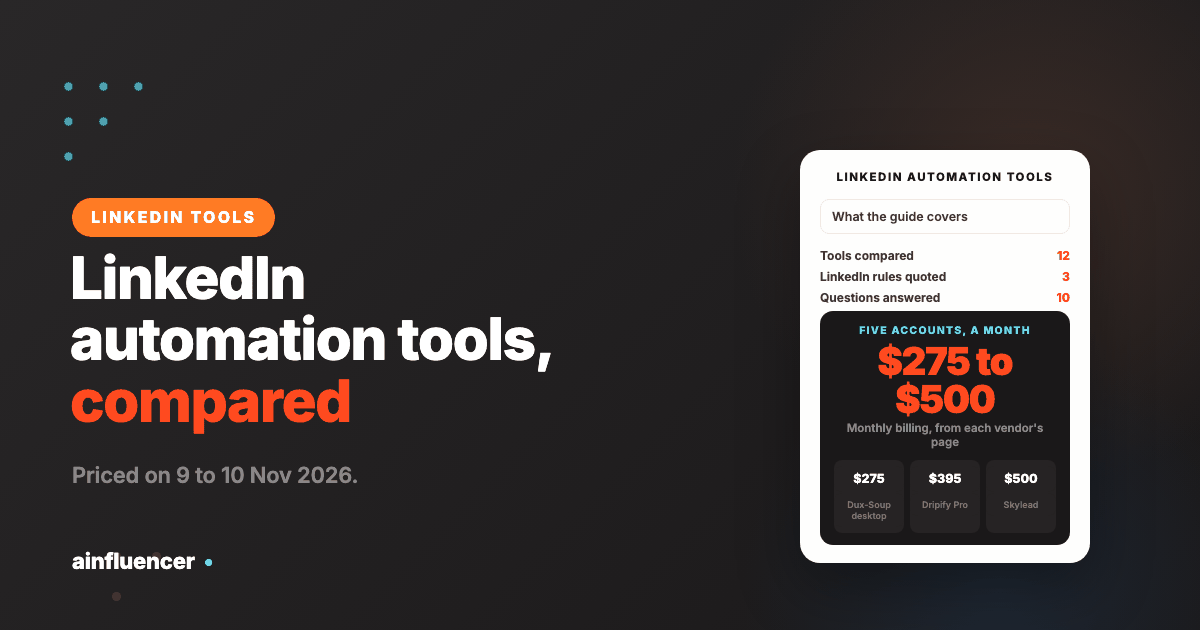
This takes each tool’s printed monthly-billing price per account and multiplies it by five. The team size is our assumption, and volume discounts, annual billing and add-ons change the figures. Currencies are shown as printed.
| Tool and plan | Printed monthly price per account | Five accounts a month |
|---|---|---|
| Dux-Soup desktop | $55 | $275 |
| Meet Alfred, entry plan | $59 monthly ($39 annual) | $295 |
| Dripify Pro | $79 | $395 |
| HeyReach Growth | $79 per sender | $395 |
| Expandi | $99 | $495 |
| Dux-Soup cloud | $99 | $495 |
| Skylead All-in-one | $100 | $500 |
| Waalaxy Advanced | EUR 99 | EUR 495 |
| La Growth Machine Pro | EUR 120 | EUR 600 |
For comparison, LinkedIn’s own Sales Navigator Core, which is a search and lead tool and not automation, is US$119.99 a month or US$1,079.88 a year per license on its page. HeyReach’s Agency plan sells 25 senders for $999 a month, which works out below the Growth price per sender once you pass a dozen accounts.
What to Check Before You Connect an Account
Ask where it runs
Cloud, your own machine or a browser extension. Know which, because it decides what LinkedIn sees and whether the tool works when your laptop is closed.
Look for stated limits
Dripify prints up to 75 connection requests and 100+ messages a day. Most vendors name limits and give no numbers. A vendor that will not state a number cannot be held to one.
Start with a spare or low-stakes account
Never test on the account that holds your main network. A restriction costs you the history that makes the account valuable.
Warm up slowly
Expandi’s page describes starting with a small number of messages and raising it. That is advice any tool’s limits should follow.
Keep a human in the loop
Read replies yourself and write the first message in your own voice. Automation that sends the same text to hundreds of people is the pattern most likely to draw reports.
Have a second route
If the account is restricted, can you still reach buyers? A contact form and email are routes that do not depend on one LinkedIn account.
Where LinkedIn Automation Goes Wrong
Trusting a safety claim
A vendor can describe its protections. Only LinkedIn decides what it restricts, and its terms ban the activity.
Sending the same message to everyone
Identical connection notes are easy for recipients to report. Write short, specific messages and vary them.
Putting your only account at risk
A restricted account takes your connections and history with it. Test on something you can afford to lose.
Paying per seat for idle accounts
Most tools bill every connected account. Review active accounts every month.
Judging in a week
Acceptance and replies build over a few weeks, and deals over a sales cycle. Set the review date first.
Counting connections instead of conversations
Accepted invites are not meetings. Track replies and meetings booked.
For the wider picture of tools across the sales cycle, see our guides to AI sales tools, sales automation tools and B2B sales tools, and our comparison of AI outreach tools by channel.
Conclusion: Which LinkedIn Automation Tool Should You Choose?
If you want no LinkedIn risk
Reach the same companies through contactID, and use LinkedIn by hand for the buyers who matter most.
If you automate at team scale
Look at HeyReach, Dripify or Expandi for cloud campaigns, read their safety pages, and test on a spare account first.
If you sell through creators
Use Ainfluencer, where outreach is in its own inbox and no LinkedIn account is involved.
Frequently Asked Questions
What are LinkedIn automation tools?
They are software that performs LinkedIn actions for you, such as sending connection requests and messages, visiting profiles and following up. Some also add email. LinkedIn does not allow this kind of software.
Are LinkedIn automation tools safe?
No tool can promise it. LinkedIn’s help page says members who use prohibited automation tools risk restriction, and its User Agreement bans bots and unauthorized automated methods. Vendors reduce how visible the activity is, but the risk remains.
What are the best LinkedIn automation tools?
It depends on scale and risk tolerance. HeyReach and La Growth Machine suit agencies and teams, Expandi, Dripify and Meet Alfred suit cloud campaigns with stated safety settings, Dux-Soup and Linked Helper run on your own machine, and Waalaxy is the cheapest entry. contactID and Ainfluencer are routes that involve no LinkedIn account.
What is the difference between LinkedIn outreach tools and automation tools?
The terms overlap. Outreach tools usually help you find prospects and write messages, and automation tools send and follow up on your behalf. Most products here do both.
Is there a free LinkedIn automation tool?
Linked Helper offers a free start with no card, and several tools have trials of 7 to 14 days, including Expandi, Dripify, Waalaxy and La Growth Machine. We found no tool that is both free and unrestricted.
How much do LinkedIn automation tools cost?
From about $15 a month per license for Linked Helper at list price to $99 to $120 per account for the cloud tools, with agency plans such as HeyReach Agency at $999 a month for 25 senders. Prices are per account or seat, so a team multiplies them.
Cloud or desktop LinkedIn automation: which is better?
Cloud tools run on the vendor’s servers and work without your browser open. Desktop tools run on your own machine and stop when it does. Neither is safe by design, so choose by convenience and tolerance for risk.
Does LinkedIn Sales Navigator automate outreach?
No. It is LinkedIn’s own search and lead tool. Its Core plan is US$119.99 a month or US$1,079.88 a year per license on its page, and many automation tools use Sales Navigator searches as a source of leads.
What daily limits do LinkedIn tools use?
Most vendors do not publish numbers. Dripify states up to 75 connection requests and 100+ messages a day, and Waalaxy says LinkedIn limits new invitations to around 800 a month, which is the vendor’s own figure.
What can I do instead of LinkedIn automation?
Reach the same companies by email or by their contact form, and use LinkedIn by hand for your best prospects. contactID sends through contact forms, and the rules for email still apply: the FTC says CAN-SPAM makes no exception for business-to-business email.
Key Takeaways
- LinkedIn does not allow automation, and no tool can guarantee your account stays safe.
- Compare tools by where the automation runs: the vendor’s cloud, your own machine, or not at all.
- Printed prices run from about $15 a month per license to $120 per account, and five accounts cost $275 to $500 a month on monthly billing for the dollar-priced tools, and EUR 495 to EUR 600 for the two euro-priced ones.
- Dripify prints daily limits of up to 75 connection requests and 100+ messages. Most vendors give no numbers.
- Test on a spare account, warm up slowly and keep a second route to your buyers.
- contactID and Ainfluencer are ours and are not LinkedIn tools. They are routes that put no LinkedIn account at risk.