Best AI Contact Form Automation Tools in 2026
Contact form automation means two opposite things. One kind of tool submits your message through the contact forms on other companies’ websites, as an outreach channel. The other kind sits on your own website and handles the messages people send you. Most lists mix the two together, which is how a Chrome outreach extension ends up ranked against a survey builder. This guide keeps them apart: three outbound tools, four inbound tools, with every price checked on the vendor’s own site in September 2026.
One disclosure before the list. The first outbound tool is ours. We say plainly where it falls short, and we do not sell any of the other six.
Outbound or inbound: decide this first
| Outbound tools | Inbound tools | |
|---|---|---|
| What the AI does | Finds the contact form on each target site, fills the fields, writes the message, submits it | Reads what visitors send you, qualifies it, routes it, replies |
| What it replaces | Cold email | A shared inbox someone checks when they have time |
| What you bring | A list of target websites and an offer | Traffic to your own form |
| How it is priced | Per submitted form, or a one-time licence | Per month, usually capped by responses |
| What to measure | Replies and meetings per 100 sites reached | Time to first response and lead to meeting rate |
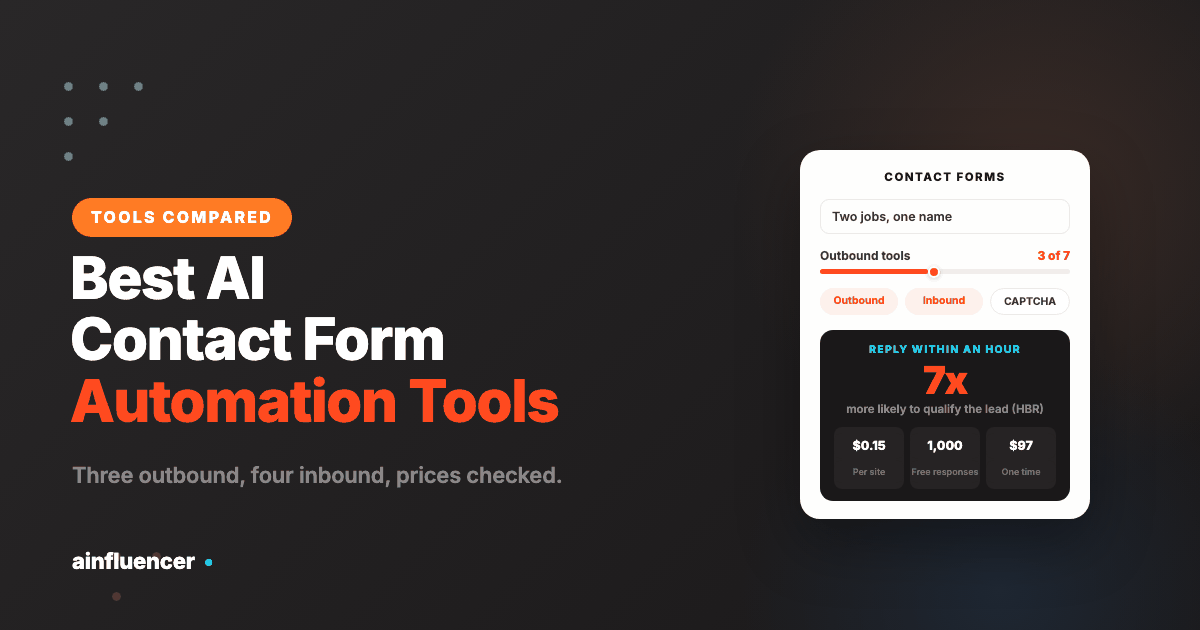
If your problem is that too few conversations start, you want outbound. If leads arrive and wait hours for an answer, you want inbound. Speed matters more than most teams assume: in The Short Life of Online Sales Leads (Harvard Business Review), Oldroyd, McElheran and Elkington found that companies which contacted a web lead within an hour were nearly seven times as likely to qualify it as those that waited even an hour longer.
The 7 tools at a glance
| Tool | Direction | Best for | Pricing model | Entry price, checked Sept 2026 |
|---|---|---|---|---|
| Ainfluencer Contact Form Marketing Tool | Outbound | B2B, agency and partnership outreach from Chrome, with no email setup | Pay per successful submission | $0.15 per website pay as you go; plans from $0.10 down to $0.01 per website |
| Contact Form Blaster | Outbound | Teams that want a web dashboard and an API | Credits per submission | 25 free credits; 2 credits per submission; as low as $0.025 per submission at volume |
| GSA Website Contact | Outbound | Technical users running large campaigns on Windows | One-time licence | $97 once, plus your own CAPTCHA and proxy costs |
| HubSpot Forms | Inbound | Teams already running HubSpot CRM | Free builder, paid Marketing Hub for automation | Free |
| Jotform AI Agents | Inbound | Conversational intake across chat, WhatsApp, SMS and phone | Jotform plan limits | Free to create an agent |
| Typeform | Inbound | Branded, one question at a time forms with AI help | Monthly, capped by responses | Free plan; Basic $28 a month billed yearly for 100 responses |
| Fillout | Inbound | High response volume on a budget | Monthly, capped by responses | Free for 1,000 responses a month; Starter $15 a month billed yearly |
Outbound: tools that submit contact forms for you
The three outbound tools do the same core job in three shapes: a Chrome extension, a web app with an API, and a Windows program. They differ in who builds the target list, how they charge, and how much setup stands between you and the first submitted form.
1. Ainfluencer Contact Form Marketing Tool
Ainfluencer’s contact form marketing tool is a Chrome extension. You give it a list of websites and the message you want to send. Its AI agent finds the contact page on each site, works out which fields that particular form requires, adapts your message to fit it, clears the CAPTCHA and submits. Each form shows a live status during the run, so you see which sites went through and which did not.
Teams use it in place of cold email for one reason: deliverability. There is no sending domain to warm up and no inbox reputation to protect, because the message arrives through the prospect’s own website and is forwarded to a person rather than sorted as bulk mail. Billing follows the same logic. You pay when a form is found, completed and submitted, not for attempts.
Pricing from the tool’s page: pay as you go at $0.15 per website with no monthly commitment, or a monthly plan that lowers the per-website cost as volume grows, from $0.10 on Starter (100 websites a month) to $0.06 on Growth (833), $0.03 on Pro (3,333) and $0.01 on Scale (19,999). Annual billing takes 30 percent off. The extension is free to install and needs no card to start.
Best for: B2B sales teams, agencies running outreach for several clients, partnership and collaboration requests, and founders who do not want to build email infrastructure before they know the offer works.
Where it falls short:
- It is outbound only. It does nothing for the form on your own website, so pair it with one of the inbound tools below if replies need fast handling.
- You bring the target list. It finds and fills the form on each site you give it, but it does not search the web for prospects by keyword the way GSA Website Contact does.
- It runs in your browser. If you want campaigns triggered from your own CRM or backend, an API product like Contact Form Blaster fits that job better.
Try the contact form tool free in Chrome, starting with a test run of 100 sites.
2. Contact Form Blaster
Contact Form Blaster is a web app with a dashboard and a REST API. Its AI reads each form’s HTML and matches your details to the fields, and from a single instruction it writes a separate message for each target domain in a short, medium or long version. Every message gets a quality score from 0 to 100, and a spam guard checks it for trigger words before sending. reCAPTCHA and hCaptcha are solved through an integrated third-party service. Webhooks report when a campaign finishes, and you can connect Gmail or Outlook to sort the replies.
Pricing runs on credits with no subscription: 2 credits per submission, 1 more if you want AI personalization, credits never expire, and new accounts get 25 free credits without a card. The company quotes as low as $0.025 per submission at volume. Failed submissions are charged at half the credits and invalid domains are refunded in full.
Best for: teams that want to start campaigns from their own systems through an API.
Where it falls short: a failed submission still costs half its credits, AI personalization is a paid extra on every message, and the site states that compliance with outreach law is the user’s responsibility.
3. GSA Website Contact
GSA Website Contact is a Windows desktop program from the maker of several long-running SEO tools. Unlike the other two, it finds targets for you: enter keywords and it harvests matching websites from search engines, then filters them by country, language or top-level domain. Messages are personalised with macros and spin syntax, you can import a CSV of your own data, and it connects to more than 30 CAPTCHA solving services, including GSA’s own Captcha Breaker, with built-in proxy scraping and rotation.
It costs $97 once for a lifetime licence with free updates, and there is a free trial that asks for neither a card nor an email address.
Best for: technical operators running large campaigns who would rather pay once than per message.
Where it falls short: spin syntax produces variations of one template rather than a message written for each site, so replies depend heavily on how well you write the variations. It runs on Windows only, with Mac and Linux users going through a virtual machine or a VPS. CAPTCHA solving and proxies are separate running costs. And because it will find thousands of sites from a keyword, the work of keeping the list relevant falls entirely on you.
What 1,000 submitted forms cost
At pay as you go rates, 1,000 submitted forms cost $150 on Ainfluencer, or less on a monthly plan. Contact Form Blaster falls toward $25 at its best volume rate, plus AI personalization if you add it. GSA Website Contact is $97 once, then whatever your CAPTCHA service and proxies charge. The cheapest option on paper is not always the cheapest per reply, which is the number to compare after a test run.
Inbound: tools that handle the forms on your own site
These four sit on your website. Their job is to make sure a message sent through your form reaches the right person quickly, with enough context to act on it.
4. HubSpot Forms
HubSpot’s form builder is free as part of Marketing Hub. Every submission goes straight into HubSpot’s Smart CRM, where it can be enrolled in a nurture campaign or routed to sales, and smart fields use what the CRM already knows about a visitor to shorten the form. The automation most teams buy it for, workflows and lead routing, sits in the paid Starter, Professional and Enterprise editions.
Best for: teams already running HubSpot. Where it falls short: the AI and automation are on paid tiers, and it is far less attractive if your CRM is somewhere else.
5. Jotform AI Agents
Jotform AI Agents put a conversational assistant in front of your forms. You train an agent by pointing it at your website, uploading documents, pasting text or writing your own questions and answers. It then runs as a chatbot or voice agent and on WhatsApp, Messenger, Instagram, SMS and phone, and can be embedded in WordPress and Shopify. It can guide a visitor through filling a form, submit the form and trigger a workflow based on what the visitor wants. Jotform offers more than 7,000 agent templates, and creating an agent is free.
Best for: small and mid-sized businesses that want one conversational front door across several channels. Where it falls short: usage limits follow your Jotform plan and are not set out on the agents page, so check them before putting an agent on a busy site.
6. Typeform
Typeform shows one question at a time, which suits demo requests and applications where the form is part of how the brand comes across. From the Basic plan up it adds AI form creation, Clarify with AI, which prompts respondents for more detail when an answer is thin, and Smart Insights, which analyses responses for you. Basic is $39 a month or $28 billed yearly for 100 responses a month; Plus is $79 or $56 for 1,000; Business is $129 or $91 for 10,000. There is a free plan to try it.
Best for: brands that care how the form feels. Where it falls short: response caps are tight on the lower plans, and 100 responses a month on Basic runs out quickly on a busy contact page.
7. Fillout
Fillout is the budget pick for volume. The free plan includes unlimited forms and seats and 1,000 responses a month. Paid plans billed yearly are Starter at $15 a month for 2,000 responses, Pro at $40 for 5,000 and Business at $75 for unlimited responses. It includes an AI form builder for drafting forms from a description.
Best for: teams collecting a lot of responses on a tight budget. Where it falls short: its AI helps you build forms rather than sort what comes in, so for routing and fast replies you will pair it with a CRM or an automation tool.
Which tool fits your situation
- You sell B2B and cold email deliverability is hurting: Ainfluencer. Start on pay as you go with 100 well chosen sites and compare replies against your email numbers.
- You want outreach started from your own app or CRM: Contact Form Blaster, for its API and webhooks.
- You run large campaigns on Windows and want a one-time cost: GSA Website Contact.
- Leads reach you but wait hours for an answer, and you use HubSpot: HubSpot Forms with a routing workflow.
- You want chat-style intake on your site, WhatsApp and phone: Jotform AI Agents.
- The form is part of the brand experience: Typeform.
- You collect a high volume of responses and watch costs: Fillout.
Many B2B teams end up with one of each: an outbound tool to start conversations and an inbound one so the replies, and every other lead, get answered quickly.
How to run contact form outreach without becoming spam
A contact form reaches a person. That is why it gets replies, and it is also why careless use burns the channel for everyone. These are the rules we recommend to people using our own tool:
- One message per company. Never submit to the same site twice in a campaign, and keep a record of every domain you have contacted.
- Only contact sites your offer fits. A list of 200 companies with the problem you solve will beat a scraped list ten times its size.
- Say who you are. A real name, a real company and a reply address that a person reads.
- Respect “no solicitation” notices. If a form says it is not for sales pitches, leave that site out.
- Keep the message short. What you noticed about their business, what you offer, and one question. Three to five sentences.
- Make it easy to say no. Tell them you will not follow up if it is not relevant, and honour every opt-out.
- Check the rules where your prospects are. Law on unsolicited commercial messages differs by country, and B2B is not a blanket exemption everywhere.
If you are weighing this channel against creator partnerships for B2B, our comparison of influencer marketing and contact form marketing sets out where each one wins.
How to tell whether it is working
Track four numbers for each campaign rather than a single count of forms sent:
- Submission rate: forms submitted out of sites attempted. A low figure usually points to a poor list, with dead sites or sites that have no form, rather than a poor tool.
- Reply rate: replies per 100 submitted forms. This is the figure to set beside your cold email reply rate.
- Meetings per 100 sites: the number that pays for the channel.
- Cost per reply: total spend divided by replies. Per-submission pricing makes this easy to work out.
Run a test of 100 sites before you scale. If replies are close to zero, change the message or the list before you change the tool.
Frequently asked questions
What is AI contact form automation?
Software that uses AI to deal with contact forms so a person does not have to. Outbound tools find, fill and submit the contact forms on other companies’ websites to start conversations. Inbound tools read, qualify, route and answer the messages that arrive through the form on your own site.
Is contact form marketing legal?
Sending a relevant, honest business message through a public contact form is a common practice, but the rules on unsolicited commercial messages differ by country and B2B is not a blanket exemption everywhere. Identify yourself, contact each company once, skip forms that say they are not for sales pitches, honour every opt-out, and check the rules where your prospects are based.
Is contact form outreach better than cold email?
It avoids the problems that sink most cold email: domain warm-up, spam filters and daily sending caps, because the message arrives through the recipient’s own website. It does not fix a weak list or a weak message. Many B2B teams run both channels and compare replies per 100 prospects before moving budget.
Can contact form tools get past CAPTCHAs?
All three outbound tools in this list handle them. Ainfluencer has CAPTCHA handling built in, Contact Form Blaster solves reCAPTCHA and hCaptcha through a third-party solving service, and GSA Website Contact connects to more than 30 CAPTCHA services including GSA’s own Captcha Breaker.
How much does contact form automation cost?
Outbound tools charge per submission or once. Ainfluencer is $0.15 per website on pay as you go and falls to $0.01 per website on its largest plan; Contact Form Blaster uses credits and quotes as low as $0.025 per submission at volume; GSA Website Contact is a $97 one-time licence plus your own CAPTCHA and proxy costs. Inbound tools are monthly: HubSpot Forms and Fillout start free, and Typeform’s Basic plan is $28 a month billed yearly.
Do I need an email account to use the Ainfluencer contact form tool?
No. Messages are sent through each website’s own contact form, so there is no inbox to set up, warm up or protect.
Related reading
AI contact form marketing tool, influencer marketing vs contact form marketing, B2B influencer marketing strategies, influencer outreach templates, Instagram DM automation tools.