Best Social Media Management Tools: 12 Compared by How the Price Scales
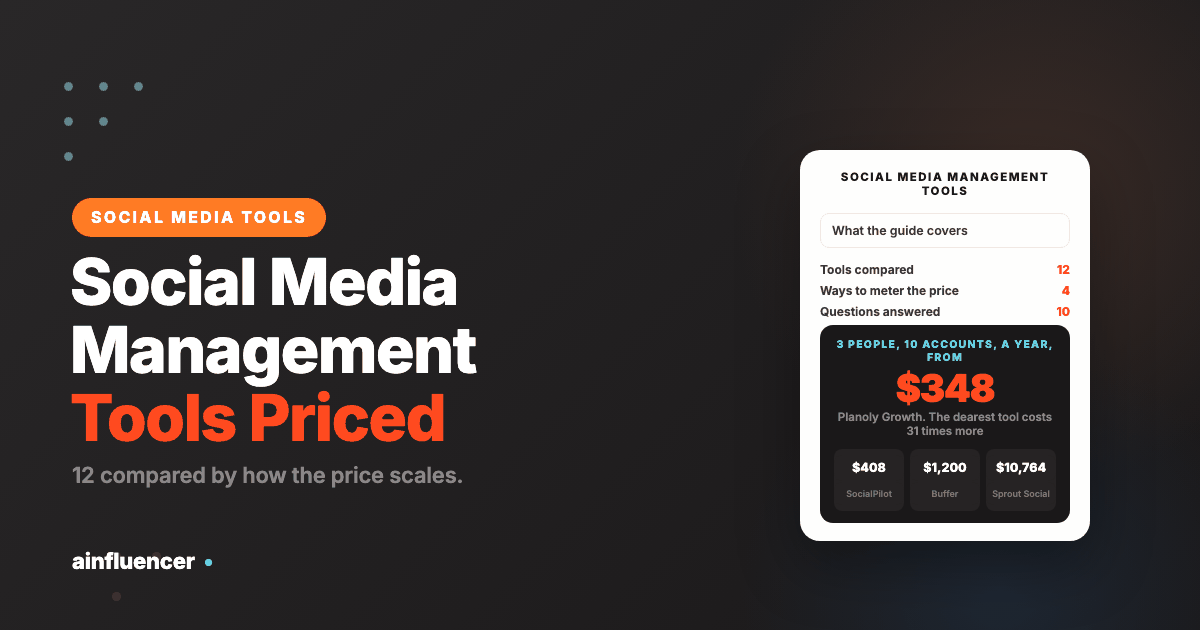
The same job, three people managing ten social accounts, costs from $348 a year to $10,764 depending on which tool you pick. Twelve tools priced from each vendor’s own page, with the agency cost for ten clients.
Rankings of social media management tools compare features, and the features are nearly the same: a calendar, publishing to the big networks, an inbox and reports. What differs is how the bill grows. Some charge per person, some per channel, some per brand and some sell a plan with a cap on accounts and users, so the same team can pay $348 a year on one tool and $10,764 on another. This guide defines a social media management tool, also sold as social media management software or a social media management platform, and compares twelve of them sorted by how the price scales. It prices one job on every tool, three people managing ten social accounts, and a second job for agencies, ten clients with thirty accounts and four people. Prices were read on each vendor’s own pricing page on 10 November 2026 and match the reviews we published on 5 October 2026 where we have one. No review scores are quoted, because the review sites block automated reads.
What Social Media Management Tools Are
A social media management tool, usually shortened to SMM tool, lets you plan, publish and measure content across several social accounts from one place. Most also include a shared inbox for comments and messages, reports, and team approvals. Larger suites add social listening, which tracks mentions of a brand across the web.
| Part of the tool | What it does | What to check |
|---|---|---|
| Calendar and scheduling | Plans posts and publishes them at set times | Which networks publish directly, and monthly post limits per plan |
| Inbox | Brings comments and messages from every account into one list | Whether it is included or sold as an add-on |
| Analytics and reports | Shows what performed and produces client reports | History length, and whether reports can be white-labelled |
| Approvals and roles | Lets a client or manager sign off before a post goes live | Which plan unlocks them |
| Listening | Tracks mentions and sentiment across the web | Usually sold separately or on the top plan |
| AI assistance | Drafts captions and replies | Whether it uses credits that run out |
Four Ways Social Media Management Tools Meter the Price
| Meter | What you pay for | Tools in this list | Watch for |
|---|---|---|---|
| Per seat | Every person who logs in | Hootsuite, Sprout Social, Agorapulse | A third hire adds a full seat to the bill |
| Per channel or account | Each connected social account | Buffer, Publer | Cheap for a few accounts, expensive at scale |
| Per workspace, brand or social set | A bundle of accounts treated as one brand | Planable, Metricool, Later, Planoly | Check how the vendor defines the bundle |
| A plan with caps | A fixed plan with limits on accounts and users | SocialPilot, Loomly, SocialBee | The jump to the next plan can be large |
The meters matter because they scale differently. A per-seat tool gets expensive as the team grows and does not care how many accounts you add. A per-channel tool does the opposite. Match the meter to how your team will grow, not to how it looks today.
What Three People Managing Ten Accounts Cost
This is the same job priced on every tool: three people, ten social accounts, the cheapest plan that fits both limits, annual billing unless stated. It is our arithmetic from the printed prices.
| Tool and plan | Meter | A month | A year | How it is built |
|---|---|---|---|---|
| Planoly Growth, plus 1 extra user | Per social set | $29 | $348 | Monthly billing. 2 social sets, 2 users, $5 for the third user |
| SocialPilot Standard | Plan with caps | $34 | $408 | 10 accounts, 3 users, billed annually ($40 monthly) |
| Publer Professional | Per account | $36 | $432 | Annual, 10 accounts at $4 with the tenth free. Extra team members priced separately |
| Later Growth, plus 1 extra user | Per social set | $41.25 | $495 | $37.50 annual for 2 social sets, 16 profiles, 2 users, plus $3.75 |
| Loomly Starter | Plan with caps | $49 | $588 | Annual, 12 accounts and 3 users |
| Planable Pro | Per workspace | $49 | $588 | Per workspace, one brand, unlimited users. Billing basis not stated on the page |
| Metricool Advanced | Per brand | $53 | $636 | Annual, for 15 brands, with team and client management |
| SocialBee Pro | Plan with caps | $82.50 | $990 | Annual, 25 profiles, 3 users per workspace |
| Buffer Team | Per channel | $100 | $1,200 | 10 channels at $10, yearly rate |
| Agorapulse Standard | Per seat | $237 | $2,844 | 3 users at $79, annual |
| Hootsuite Standard | Per seat | $297 | $3,564 | 3 users at $99, annual, up to 10 accounts |
| Sprout Social Professional | Per seat | $897 | $10,764 | 3 seats at $299, annual. Cheaper tiers stop at 5 profiles |
Two things stand out. The most expensive tool costs more than thirty times the cheapest for identical work, and the gap comes almost entirely from the meter: Sprout Social’s cheaper tiers stop at five profiles, which pushes ten accounts to its $299 seat price, while the per-brand and per-set tools do not charge for the third person at all. Sprout and Hootsuite earn their price in reporting, listening and enterprise controls, and Planable’s price covers unlimited users, so the right question is whether you need what the premium buys.
The 12 Best Social Media Management Tools
Each card names the meter the tool uses, then its printed prices and the limit most likely to push you up a plan.
Hootsuite
Hootsuite is the full-featured platform most buyers compare against. Its pricing page says paid plans are sold per user, and Standard covers up to 10 social profiles with content planning and scheduling, a unified inbox, analytics and reporting, competitive benchmarking and social listening. Professional adds unlimited social profiles and more automation, and the top paid tier adds approval workflows.
It has a 14 day free trial and no free plan. We cover it in full in our Hootsuite review.
- Content planning and scheduling with a unified inbox
- Analytics, competitive benchmarking and social listening on Standard
- Unlimited social profiles from Professional
- Approval workflows and message routing on the highest paid tier
- Broad feature set in one product
- Listening included from Standard
- A 14 day trial with no credit card
- Per-seat price grows with every hire
- Standard stops at 10 social profiles
- No free plan
Sprout Social
Sprout Social is the premium option, known for reporting. Its tiers are priced per seat, and the two cheaper paid tiers both stop at five social profiles, so the real entry price for a team with ten accounts is the Professional seat. Listening, premium analytics, influencer marketing, employee advocacy and professional services are listed as separate solutions with no printed price.
It offers a 30 day free trial without a credit card. We cover it in our Sprout Social review.
- Publishing, a consolidated inbox and core reporting
- Unlimited social profiles from Professional
- Message tagging and competitive reporting on higher tiers
- Automation and chatbots on the highest tier
- Strong reporting
- A 30 day trial, longer than most
- Clear tier ladder
- Five profiles on both cheaper tiers, so ten accounts need $299 a seat
- Five capabilities are sold separately with no printed price
- No free plan
Agorapulse
Agorapulse sells per user with annual billing saving up to 20%. Its pricing page lists unlimited post scheduling, multi-network publishing, a unified content calendar, custom inbox views, saved replies, spam management and cross-network reports. If you need more profiles than your plan allows you can add extra profiles at $10 each per month on annual billing or $15 monthly.
Its top tier adds unlimited profiles, single sign-on, custom roles and multi-step approval workflows.
- Unlimited scheduling and a unified content calendar
- Inbox views, saved replies and spam management
- Team performance report and cross-network group reports
- AI reply suggestions and enterprise roles on the top tier
- A strong inbox for the price
- Annual billing saves up to 20%
- Extra profiles are priced plainly
- Per-seat price grows with the team
- Extra profiles add up at $10 to $15 each
- Enterprise features need the top tier
Buffer
Buffer prices by the channels you connect. Its pricing page says to only pay for the channels you use, with a free plan for up to 3 channels and 10 scheduled posts per channel. Essentials and Team are priced per channel, and both include unlimited scheduled posts per channel and a 14 day trial.
Because the unit is a channel, adding a person costs nothing extra on the page we read, and adding a channel adds its full price.
- Free plan for up to 3 channels with 10 scheduled posts each
- Unlimited scheduled posts per channel on paid plans
- A community inbox and an ideas library
- API keys, 1 on Free, 3 on paid plans
- A real free plan
- Price is predictable per channel
- A 14 day trial on paid plans
- Cost scales linearly with every channel
- Lighter than a full suite on listening and reporting
- Essentials and Team are priced per channel, so ten channels multiply the price by ten
Later
Later sells by social set, a bundle that includes one profile from each supported network. Starter has 1 social set (8 profiles), Growth 2 sets (16 profiles) and 2 users, and Scale 6 sets (48 profiles) and 4 users. Extra social sets cost $11.25 a month each and extra users $3.75. Auto-publishing covers Instagram business and creator accounts, TikTok, Facebook, Threads, Pinterest and LinkedIn.
Post limits scale too: its page lists 30 posts per profile per month on Starter and 180 on Growth, with unlimited on Scale.
- Social sets that bundle one profile from each network
- Auto-publishing to six networks
- Extra sets, users and AI credits sold as small add-ons
- A 14 day free trial
- Cheap per extra person or set
- A bundle suits one brand on many networks
- Priority support on Scale
- Starter caps scheduling at 30 posts per profile a month
- The add-ons are not available on Starter
- Multi-profile features are limited on cheaper tiers
Metricool
Metricool prices by the number of brands rather than by seats, and its pricing page offers a free plan. Starter covers 5 brands for $20 a month or 10 for $36, and Advanced starts at $53 for 15 brands with team and client management, roles and post approval. Our review reads the same figures, and notes it also reports on paid ads beside organic posts and connects eleven networks.
Annual billing saves up to 24%. We cover it in our Metricool review.
- Planner, inbox, analytics, competitor tracking and reports
- Eleven networks including Instagram, TikTok, YouTube and LinkedIn
- Paid ads reporting beside organic
- An MCP server on every plan, including free
- A free plan
- Per-brand pricing does not charge for seats
- The cheapest team plan in this list for client work
- Team and client management start at Advanced
- The free plan limits brands and posts
- A brand is Metricool’s unit, not an account, so check how yours is counted
Publer
Publer prices per social account. Its free plan covers 3 accounts, 1 user and 1 workspace, Professional is $5 per account a month ($4 billed yearly) and Business $10 ($8 yearly). On both accounts and team members, every tenth one is free.
That makes ten accounts $36 a month on Professional billed yearly, though extra team members are priced separately. We cover it in our Publer review.
- Free plan for 3 accounts
- Per-account pricing from $4 a month
- A bulk uploader for batches of posts
- An MCP connection
- The cheapest per account in this list
- A usable free tier
- The tenth account is free
- At around thirty accounts the per-account model stops being cheap
- Team members are priced separately
- Analytics are lighter than the suites
SocialPilot
SocialPilot sells four plans with caps on accounts and users: Essentials covers 5 accounts and 1 user, Standard 10 accounts and 3 users with bulk scheduling, an inbox and team collaboration, Premium 20 accounts and 6 users with client approval and white label reports, and Ultimate 40 accounts with unlimited users. Extra accounts cost $4 a month and extra users $5.
Annual billing saves 15%, and the page offers a free try with no credit card.
- Bulk scheduling, an inbox and team collaboration on Standard
- Client approval and white label reports on Premium
- Unlimited users and a dedicated account manager on Ultimate
- AI credits included on every plan
- The cheapest plan that fits three users and ten accounts
- Agency features arrive at Premium, not at enterprise level
- Extra accounts and users are priced plainly
- Caps on accounts and users set the plan
- White label reports need Premium or above
- Billing in several currencies, so check the dollar column
Planable
Planable defines a workspace as a dedicated space for one client, brand or location, with its own pages, calendar, team and approval flow. Pro lists unlimited users, 10 social pages per workspace, 150 posts per workspace a month, and three kinds of approval: none, optional and required.
Basic is $33 and Pro $49 per workspace a month as displayed, with a toggle that offers two months free on yearly. The page does not state which billing basis the displayed prices use, so check before you compare. Analytics, a social inbox and social listening are add-ons per workspace.
- One workspace per client, with its own calendar and approval flow
- Unlimited users per workspace on Pro
- Optional and required approval
- MCP connector and a public API
- Unlimited users, so a team can grow freely
- Approvals built into the workspace
- 50 free posts to try it
- The price multiplies with every client workspace
- Analytics, inbox and listening are paid add-ons
- Billing basis is not stated beside the displayed prices
Loomly
Loomly is built around approval workflows, and it has only two self-serve plans. Starter covers 12 accounts and 3 users, and Beyond covers 60 accounts with unlimited users. The jump between them is five times the price, and nothing sits in between.
Yearly billing saves 25%. We cover it in our Loomly review.
- Approval workflows
- Calendar planning with post ideas
- 12 accounts and 3 users on Starter
- 60 accounts and unlimited users on Beyond
- Strong approval flow
- Predictable plans
- Yearly billing saves 25%
- A five times price jump between plans
- Starter hits its caps quickly for an agency
- Only two self-serve plans
SocialBee
SocialBee organises posts into categories and recycles evergreen content, which is the whole product. Bootstrap covers 5 profiles for 1 user, Accelerate 10 profiles for 1 user, and Pro 25 profiles across 5 workspaces with 3 users per workspace. The limit that moves people up is users, not profiles.
There is a 14 day free trial and no permanently free plan. We cover it in our SocialBee review.
- Content categories and recycling of evergreen posts
- Bulk post editor and CSV uploads on higher plans
- A post approval system from Accelerate
- Reporting and internal notes on Pro
- Built for recycling content
- A 14 day trial
- Yearly billing saves 16%
- Bootstrap and Accelerate are single-user plans
- A second person moves you to Pro at $82.50
- No free plan
Planoly
Planoly is built for creators more than for marketing teams. It prices by a unit it calls a social set, a group of connected accounts treated as one brand, and every plan includes the link in bio, selling digital products and merch, and Instagram DM automation.
Starter has no add-ons at all, so a second set or person moves you to Growth. We cover it in our Planoly review.
- Social sets that group accounts as one brand
- Instagram grid planning, which it says it invented
- Link in bio and selling products and merch
- Instagram DM automation on every plan
- The lowest entry price in this list
- Cheap extra users and sets
- Link in bio is included
- Starter is one brand and one user
- Aimed at creators, not at client work
- Annual billing saves up to 15%
Best Social Media Management Tools for Agencies
Agencies hit a different limit: clients. The job here is ten clients, thirty social accounts in total, and four people, priced on each tool’s printed rates with annual billing unless stated. Tools whose caps do not cover thirty accounts at a sensible price are left out.
| Tool and plan | Meter | A month | A year | How it is built |
|---|---|---|---|---|
| Metricool Advanced | Per brand | $53 | $636 | 15 brands cover 10 clients, with team and client management and approvals |
| SocialPilot Premium plus 10 extra accounts | Plan with caps | $125 | $1,500 | 20 accounts, 6 users, client approval and white label reports, plus 10 accounts at $4 |
| Loomly Beyond | Plan with caps | $249 | $2,988 | 60 accounts, unlimited users, approvals |
| Planable Pro, 10 workspaces | Per workspace | $490 | $5,880 | One workspace per client at $49, unlimited users. Billing basis not stated, and volume discounts exist above 5 |
| Hootsuite Professional, 4 seats | Per seat | $796 | $9,552 | Unlimited accounts, 4 users at $199 |
| Sprout Social Professional, 4 seats | Per seat | $1,196 | $14,352 | Unlimited profiles, 4 seats at $299 |
For an agency the per-brand and capped-plan tools win on cost, and the per-seat suites are priced for what they add: reporting, listening and governance for large teams. If clients must approve every post, check that approval is included on the plan you price, which is Premium at SocialPilot, Advanced at Metricool and Loomly’s two plans. Our guide to social media marketing agencies covers when it is cheaper to hire the work out than to run the tool yourself.
How to Choose a Social Media Management Tool
Count people, accounts and clients
Write down how many people log in, how many social accounts you manage and how many clients or brands you serve. Those three numbers decide which meter is cheapest.
Pick the meter that matches your growth
If the team grows faster than the accounts, avoid per-seat pricing. If accounts grow faster than people, avoid per-channel pricing.
Check the limit that pushes you up a plan
Profile caps, user caps and monthly post limits are the usual triggers. Find them before you compare features.
Test publishing to your own networks
Use the free plan or trial to publish to every network you use, and note which ones the tool posts to directly.
Price the add-ons
Listening, analytics, inbox, white label reports and extra users are often sold on top of the plan.
Mistakes When Buying Social Media Management Software
Pricing the entry plan, not the job
A $79 plan with a five-profile cap is not a $79 solution for ten accounts. Price the plan that fits your real numbers.
Buying listening you will not use
Listening is sold separately or on top tiers. If you only publish and reply, skip it.
Ignoring monthly post limits
Some tiers cap scheduled posts per profile. A busy account hits it quickly.
Assuming every network posts directly
Some networks only get reminders. Test each network you use before you commit to a year.
Paying annually before a trial
Annual prices look cheaper per month. Use the trial or free plan first.
Sharing logins instead of seats
Sharing a login to avoid a seat can break a vendor’s terms and removes the audit trail.
When a Management Tool Is Not the Answer
These tools schedule and measure content on accounts you own. They do not find creators to work with you, negotiate fees or pay them. If your goal is reach through other people’s audiences, see our guide to influencer marketing platforms, or our roundup of creator economy tools if you are the creator.
What We Could Not Verify
- Review scores and complaint counts, because the review sites block automated reads. We quote none.
- The billing basis of Planable’s displayed prices, which its page does not state beside them.
- Prices for Sprinklr, Brandwatch and other enterprise suites, which are quoted by sales. They are not in this list.
- Whether each tool posts directly to every network on every plan. Test the networks you use.
- Every vendor’s customer counts and integration claims: these are the vendors’ own.
Conclusion: Which Social Media Management Tool Should You Choose?
If you are a creator or a small brand
Start with the free plans from Buffer, Publer or Metricool, or Planoly if you want a link in bio and a store included.
If you are an agency
Compare Metricool, SocialPilot and Planable on the ten client table, and check approvals are on the plan.
If reporting and listening matter most
Price Hootsuite or Sprout Social for the whole team, and ask what the add-ons cost.
Frequently Asked Questions
What are social media management tools?
They are tools that let you plan, publish and measure content across several social accounts from one place. Most also include a shared inbox, reports and team approvals, and larger suites add social listening.
What is the best social media management tool?
It depends on how the price scales for you. Buffer, Publer and Metricool suit small teams and creators with free plans, SocialPilot, Metricool and Planable suit agencies, and Hootsuite and Sprout Social suit larger teams that want reporting and listening.
What is the difference between social media management software and a platform?
The terms are used interchangeably. Software usually means a single tool such as a scheduler, and platform usually means a suite with an inbox, reports and listening.
What is the cheapest social media management tool?
For three people and ten accounts, our table shows Planoly Growth with one extra user at about $29 a month and SocialPilot Standard at $34 a month on annual billing. For one to three accounts, Buffer, Publer and Metricool have free plans.
Are there free social media management tools?
Yes. Buffer’s free plan covers up to 3 channels, Publer’s covers 3 accounts, and Metricool has a free plan. Hootsuite and Sprout Social have no free plan and offer trials of 14 and 30 days.
How much do social media management tools cost?
From free to $299 per seat a month for Sprout Social Professional. For three people and ten accounts the annual cost on our table runs from $348 to $10,764.
Per seat or per channel pricing, which is cheaper?
Per channel is cheaper for a small team with a few accounts, and per seat is cheaper for a very large account list with few people. Hootsuite Standard for three people costs $3,564 a year, while Buffer Team for ten channels is $1,200.
Which social media management tool is best for agencies?
On our ten-client job Metricool Advanced is the cheapest at $53 a month, followed by SocialPilot Premium with extra accounts at $125, and Planable prices per workspace. Check that client approval is included on the plan you pick.
Do social media management tools post directly to Instagram and TikTok?
Several do. Later lists auto-publishing to Instagram business and creator accounts, TikTok, Facebook, Threads, Pinterest and LinkedIn, and Metricool connects eleven networks. Test the exact networks you use on a free plan or trial first.
Do I need social listening?
Only if you must track mentions of a brand across the web. Hootsuite includes listening from Standard, Sprout Social sells it as a separate solution, and Planable sells it as a per-workspace add-on.
Key Takeaways
- Social media management tools charge by a meter: per seat, per channel, per workspace or brand, or a plan with caps. The meter decides your bill more than the features do.
- Three people managing ten accounts cost from $348 a year (Planoly) to $10,764 a year (Sprout Social Professional), more than thirty times as much.
- For ten clients and thirty accounts, Metricool Advanced is $53 a month, SocialPilot Premium with extra accounts $125, Loomly Beyond $249, Planable $490 and the per-seat suites $796 and $1,196.
- Buffer, Publer and Metricool have free plans. Hootsuite and Sprout Social do not, and offer 14 and 30 day trials.
- Check the limit that pushes you up a plan: profile caps, user caps and monthly post limits.
- Prices were read on 10 November 2026, and no review scores are quoted.