Shopify Store Setup Services: What They Include, What They Cost and How to Hire One
Shopify store setup services compared: what a setup includes, prices ten sellers print, a launch checklist and who should own the store.
A Shopify store setup service configures a new store for you: payments, shipping, taxes, domain, products, policies, apps and the launch checks. It is not a redesign and it is not a marketing plan, and the gap between those three is where most buyers lose money. A setup is done when a customer can find a product, pay for it, receive the right tax and shipping charge, and get an email, and when you can manage all of it without the person who built it.
This guide lists what a setup should contain, gives you a checklist to accept the work, and sets out what it costs, how long it takes, whether to do it yourself and how to choose someone. It ends on the part most guides skip: who owns the store afterwards and what the first 30 days look like. Every Shopify fact comes from Shopify’s own pages, read on 9 November 2026. Every seller figure is what that seller prints on its own site, re-read the same day, and none of the sellers is ranked, because their packages are too different to rank. Design work, custom themes and redesigns are separate jobs. For those, read our Shopify web design agency guide.
Shopify Store Setup Services at a Glance: Cost, Time and Who Does What
The short version (seller figures are the sellers’ own claims)
| Question | Short answer | Where it is explained |
|---|---|---|
| What does a setup service include? | Store settings, payments, shipping and tax, products and collections, a theme with light branding, navigation and pages, policies, domain, a few apps and a test order. | What does a Shopify store setup service include |
| What does it cost? | Six of ten sellers print prices, from GBP 250 for a 5 product store to $1,595 and up, with a done-for-you bundle at $499 to $1,499. Shopify says partners set their own rates. | How much does Shopify store setup cost |
| How long does it take? | Printed timelines run from 5 to 7 working days for the smallest package to 2 to 4 weeks for a build. A DNS change adds waiting time of its own. | How long does it take to set up a Shopify store |
| Who should own the store? | You. Shopify says a store has one owner and ownership cannot be transferred to a collaborator. | Who owns the store, domain and accounts |
| Can I do it myself? | Yes. Shopify prints its own checklist of 19 setup tasks and needs no coding. | Should you set up your Shopify store yourself or hire someone |
What Does a Shopify Store Setup Service Include?
Read the packages that print an inclusions list and the same core appears every time: configuration of the store settings, a payment gateway, shipping zones and rates, tax settings, product and collection setup with a stated product count, a theme with colors and a logo, navigation and basic pages, policy pages, a few apps, domain connection, basic search settings, a test order and a training session. Anything beyond that is a different job with a different price.
Shopify Store Setup Package: What Is in the Base Package
A base setup package against separate jobs (our summary of what the ten sellers print)
| Task | In a base setup package | Usually a separate job |
|---|---|---|
| Store settings, payments, shipping zones and rates, tax settings | Yes | Tax advice from an accountant |
| Products and collections | Yes, up to a stated count (10, 25, 50 or more) | Catalog beyond the count, product copy, photography |
| Theme | Install a free or paid theme, set colors, logo and fonts | A custom theme, a redesign, UX and conversion work |
| Navigation, About, Contact and policy pages | Yes | Page copy written for you |
| Domain connection | Yes | Buying the domain, moving a domain from another registrar |
| Apps | A few essential ones installed and set up | App subscriptions, custom apps and integrations |
| Basic search settings, analytics | Titles, descriptions, sitemap, tracking set up | Ongoing search work |
| Test order and launch | Yes | Ads and email marketing |
| Training | A session or an admin guide | Maintenance and support after the first weeks |
| Moving from another platform | No | Migration, priced after reviewing the old store |
What Is Not Included in a Shopify Store Setup Service?
- The Shopify plan. Meetanshi, Marketing Eye, SW Cybernetics and Edesy all say the Shopify subscription is billed by Shopify and is not in their price.
- Premium themes and paid apps. Shopplaza says a paid theme license is an additional purchase, and Meetanshi lists premium apps and themes as excluded.
- Custom code and integrations. Shopplaza describes its package as “no custom code”, and Meetanshi excludes custom integrations.
- Design you did not supply. GetDevDone states that design must be provided and that product import is excluded from its build.
- Moving from another platform. Our Shopify migration agency guide covers that job, which is priced after the old store is reviewed.
- Ongoing marketing and maintenance. Marketing Eye prices retainers separately, and 10Turtle treats ongoing maintenance and search campaigns as separate services.
Setup vs Redesign: What Is the Difference?
A setup makes a working store from Shopify’s own tools: settings, a theme you choose, your products and your policies. A redesign changes how the store looks and flows, with custom layouts and new templates. A seller who quotes a setup in the thousands of dollars is usually selling some design, and that is fine if it says so. Ask for the quote to name each task, so that you know which part is configuration and which part is design.
What Is a Done-for-You Shopify Store?
The phrase covers two different products. A setup done for you is the service above: someone configures your store, with your products and your accounts. A done-for-you store in the dropshipping sense is a bundle. Sell The Trend prints three tiers at $499, $999 and $1,499, a premium theme, a logo, policy pages and one, ten or twenty products chosen by Sell The Trend, plus video ads, delivered in 10 or 14 days. Its page says the service is non-refundable and that you must supply an active Shopify account and admin access. If you buy the second kind, you are buying a product catalog and a business model as well as a setup, so judge it as that.
Shopify Store Setup Checklist: What Gets Configured Before Launch
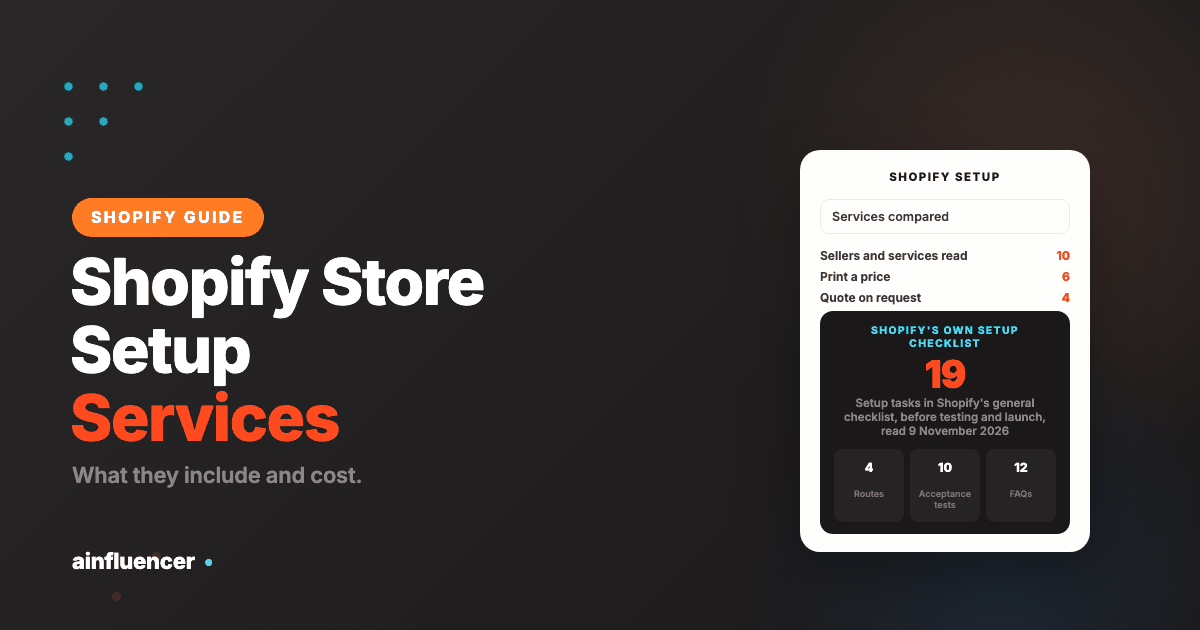
Shopify prints its own master list. Its general checklist for starting a new Shopify store has eight sections: use AI tools, before you start, set up your online store, organize your store, test, launch, add sales channels and promote. The setup section holds 19 items, in this order: log in, set the private mode password, name the store and set the legal business name, enter the business address, add billing information, set the currency, set the weight unit, set up email with sender authentication, shipping, markets if applicable, pickup and local delivery, taxes, payment providers, store policies, customer accounts, checkout customization, staff, the domain, and the App Store. Use it as the scope of any quote.
Store Settings, Payments and Checkout
Shopify’s business settings cover the store name, contact details, address, time zone, currency and weight unit. To use Shopify Payments you must secure your account with two-step authentication, and the service is only available in certain countries. Shopify prints a list of 41 supported countries, among them the United States, Canada, the United Kingdom, Australia and Germany. You might need to provide personal identification, proof of address and business registration documents during verification, and only the business owner can supply them. If your country is not on the list you need a third-party payment provider.
Third-party gateways carry a Shopify transaction fee on every order, even when Shopify Payments is also on: 2% on Basic, 1% on Grow, 0.6% on Advanced and 0.2% on Plus, plus the provider’s own rates. A US store whose sales tax is managed by Shopify cannot use third-party payment providers until the tax setting is changed to self-directed. A provider who skips those rules sets up a store that fails at the first order.
Shipping and Taxes
Shipping is set with profiles: every store has a general profile, and you can create up to 99 custom ones, each with zones and rates for the locations that ship those products. You also add a package with dimensions and weight. If a warehouse will pack your orders instead of you, read how Shopify fulfillment services connect to a store before you fix your shipping rates.
Shopify is plain about taxes: they are your responsibility, and you should check with a local tax authority or a tax accountant. Its general process has three steps: work out where you have an obligation to collect tax, register with the state or country, and start collecting in each. Shopify does not remit or file for you unless you use Shopify Tax with automated filing, which covers customers in the United States, the European Union, the United Kingdom and Canada. A setup provider can enter the settings. It cannot tell you where you must register.
Products and Collections
A setup package states a product count: Marketing Eye caps its three tiers at 5, 15 and 50 products, SW Cybernetics at 25 and 150 SKUs, Morrison Digital Media at 10, 30 and 100, and Meetanshi at 10 products and 5 collections. Shopify limits are generous by comparison. A product can have up to 2,048 variants, up to three options and up to 250 media items, and a product CSV cannot exceed 15 MB. A CSV import fails if a header is missing or misspelled, cannot be canceled once it starts, and cannot delete products in bulk, so ask who checks the file before it is imported. Shopify prints no recommended number of products to launch with, and the setup sellers’ caps are a pricing choice, not a Shopify rule.
Domain, Policy Pages and Navigation
You can buy a domain from Shopify, connect one from another provider or transfer one. Shopify creates a free TLS certificate when you add a domain, and says a DNS update can take up to 48 hours to propagate. For policies, Shopify offers automated templates for the return, privacy, terms of service, shipping, legal notice, contact and subscription policies, and links them in the checkout footer once they exist. It labels them informational, not legal advice, and tells you to consult a lawyer if you need help deciding which requirements apply. A menu can link to the home page, collections, products, pages, blogs, blog posts, search and policies.
Apps, Email Notifications and Analytics
Apps are item 19 on Shopify’s list, and they are where a setup bill quietly grows, because each one can carry a monthly charge that appears on your Shopify invoice. Email setup is item 8: the sender email and its authentication. Analytics and discovery sit in the promote section: define the home page metadata, verify the site with Google and submit a sitemap, and review the store’s reports. If the store needs search work beyond that, the Shopify SEO agency guide lists teams that do it.
Pre-Launch Testing: Your Acceptance Checklist
Shopify’s launch page names four requirements: select a subscription plan, add a store address, set up a payment method, and make sure test mode is off. The store is in private mode during the free trial, and you can launch by turning private mode off. To test, Shopify offers a test payment gateway, whose printed name is “Test payment gateway”, and a test mode for Shopify Payments. Shopify says you can test a payment gateway only after you have chosen a paid plan, and warns not to fulfill test orders because shipping labels you buy are charged.
Run this before you pay the final invoice
| What to test | How | It passes when |
|---|---|---|
| A paid order | Place a test order with the test gateway or Shopify Payments test mode | The order appears in Orders with the right items, shipping and tax |
| A failed payment | Use a declined test card | The customer sees an error and no order is created |
| A refund and a cancellation | Refund one test order and cancel another | Stock and totals update as you expect |
| Shipping rates | Check out to two or three real addresses | The rates match what you agreed, for each zone |
| Tax | Check out to an address in each place you collect tax | The tax shown matches your accountant’s advice |
| Emails | Place an order with an address you control | The confirmation arrives from your sender address |
| Policies and domain | Open the checkout footer and the live domain | The policy links work and the domain loads over a secure connection |
| Phone view | Open the store on a phone | Menus, product pages and checkout work |
| Accounts | Open Settings, then Users | You are the owner, and every helper account is a collaborator with limited permissions |
| Test mode | Open Settings, then Payments | Test mode is off before you launch |
What Do I Need to Prepare Before We Start?
Most delays come from the buyer. Gather these first: your legal business name and address, your tax registrations, the bank details and identification needed to verify payments, a product sheet with titles, descriptions, prices, weights and images, your logo and brand colors, the text of your policies or permission to use Shopify’s templates, your domain login, and a list of any apps you already use. Shopplaza says the timeline depends on how fast the client supplies assets, and Marketing Eye lists the client’s product information, images, brand assets and page copy as the client’s responsibility.
How Much Does Shopify Store Setup Cost?
A setup has two kinds of cost: what you pay Shopify and what you pay the person who sets it up. Keep them apart when you compare quotes.
What the Shopify Plan Costs
Shopify prints its plans in your billing currency, which is euros, pounds, US dollars or Indian rupees depending on your location, and the figures on third-party pages we read disagree with each other. So the table below uses only Shopify’s own pages, with the currency shown.
Shopify’s own printed plan prices (read 9 November 2026)
| Plan | Yearly billing, USD per month | Yearly billing, EUR per month as served to us | Monthly billing, EUR per month as served to us |
|---|---|---|---|
| Basic | $29 | 27 | 36 |
| Grow | $79 | 79 | 105 |
| Advanced | $299 | 289 | 384 |
| Plus | $2,300 on a three-year term | From 2,100 | From 2,100 |
The dollar figures come from Shopify’s blog, published 6 November 2026, and the euro figures from its pricing page. We could not read a dollar version of the monthly price, so we do not print one. The pricing page says there are no setup fees on any plan, and offers three days free and then a low intro price for three months, which Shopify’s blog gives as $1 a month and its pricing page as 1 euro. Shopify’s help center does not print a fixed trial length and says trial length and pricing can vary by location.
Shopify Store Setup Cost by Route
Four routes to a working store (seller figures are the sellers’ own claims)
| Route | What you pay | Who sets the price | Typical time printed |
|---|---|---|---|
| Do it yourself | The Shopify plan, a domain, a theme if you want a paid one, and any apps | Shopify and the vendors you pick | Your own hours |
| Freelancer or marketplace | Not stated: Fiverr and Upwork blocked automated reading | The freelancer | Not stated |
| Fixed-price setup service | GBP 250 to 999 (Marketing Eye), from $1,595 to $4,595 (Morrison Digital Media), INR 45,000 to 2,25,000 (SW Cybernetics), $999 (Shopplaza), $4,900 for up to 5 pages from a supplied design (GetDevDone) | The seller’s price list | 5 days to 4 weeks |
| Agency or Shopify Partner | Shopify’s directory prints no prices and says partners set their own rates | The partner, after reviewing your store | Scoped per project |
Third-party cost guides put hired setups anywhere from about $500 to $50,000 or more, and none shows how its figure was measured. The seller prices above are better evidence, because each is a price a business prints on its own site, but they differ in what they cover. Most print a $ sign without naming a currency, and Morrison Digital Media calls its figures a general guide.
How Much Does It Cost to Hire Someone to Set Up a Shopify Store?
For a small store with a stated number of products, a fixed-price package is the natural first quote. Marketing Eye’s three tiers show how price follows scope: GBP 250 for 5 products and 5 pages, GBP 450 for 15 products and 10 pages, and GBP 999 for 50 products and 15 pages, with the client supplying product information, images and copy. Morrison Digital Media’s tiers run from $1,595 for up to 10 products and 5 collections to $4,595 for up to 100 products and 30 collections. SW Cybernetics prices a 25 SKU launch at INR 45,000 and a 150 SKU launch at INR 85,000. Anything bigger is priced after the seller reviews the store.
What Costs Extra? Hidden Costs in a Setup Quote
Where a setup bill grows
| Cost | What the sellers print | Question to ask |
|---|---|---|
| Paid theme license | Shopplaza: an additional purchase. Meetanshi: premium themes not included. | Which theme, and who pays for the license? |
| Apps | Meetanshi: premium apps not included. Edesy installs 5 essential apps. | Which apps, and what is each one’s monthly charge? |
| Product copy and photography | Marketing Eye: the client supplies product information, images and copy. | Who writes and photographs, and at what rate? |
| Products over the cap | Edesy: products beyond 50 are charged per product or by bulk import with a custom quote. | What does product 51 cost? |
| Migration | 10Turtle and others treat it as a separate service. | Is moving data from my old store quoted separately? |
| Extended support | Edesy: extended monthly support is a separate package. Marketing Eye: post-launch product uploads sit in a support package. | What does the first month include, and what comes after? |
| Extra pages and revisions | GetDevDone: $200 a page after the fifth. | What counts as a revision, and how many are included? |
Are There Hidden Fees When Using Shopify?
Shopify’s pricing page says there are no setup fees on any plan. The costs it does print are plan fees, which its help center calls generally non-refundable, third-party transaction fees when you use an outside gateway, and app charges, which appear on your next invoice if you added apps during the trial. Domains cost extra. Check each of these in your own admin, because they depend on your plan and location.
Can You Set Up a Shopify Store on a Tight Budget?
Yes. Shopify’s own tip is to choose a free theme while you are in the free trial, to avoid paying charges. The intro price keeps the first three months low, and the smallest fixed-price packages, such as Marketing Eye’s GBP 250 tier, cover a five-product launch. Do the parts that cost nothing yourself, such as product entry and policy pages, and pay for the parts where a mistake costs money, such as payments, shipping and tax.
Do I Need Shopify Plus to Start?
No. The free trial is available on Basic, Grow and Advanced. The Plus trial is a paid trial, $399 a month in US dollars for 1 to 2 months, and the store enrolls in a full Plus plan if you take no action by its end. Plus suits complex businesses with needs such as checkout customization or many expansion stores, and it is priced from $2,300 a month on a three-year term.
How Long Does It Take to Set Up a Shopify Store?
Printed timelines depend on catalog size, and they are sellers’ estimates. A store with a handful of products and your content ready can go live in about a week. A larger catalog or heavier configuration takes weeks.
Printed setup timelines
| Seller | Timeline printed | Scope |
|---|---|---|
| Marketing Eye | 5 to 7 working days, 7 to 10 days, 2 to 3 weeks | Bronze, Silver and Gold tiers |
| Shopplaza | 7 to 15 business days | Single package, depends on complexity and assets |
| Edesy | 2 weeks from start to launch | Up to 50 products |
| Meetanshi | 15 days | Up to 10 products and 5 collections |
| SW Cybernetics | 10 to 14 days, 3 to 4 weeks, 5 to 7 weeks | Starter, Pro and Custom |
| Sell The Trend | 10 or 14 days on the tiers, 10 to 12 business days in its FAQ | Dropshipping bundles |
| 10Turtle | First draft in 7 days, final store in 7 to 10 days | Depends on scope |
| GetDevDone | 2 to 4 weeks | A store build from a supplied design |
The fastest way to shorten any of these is to hand over complete product data and brand assets on day one. Then allow for the parts nobody controls: a DNS update takes time to spread, and Shopify’s Payments verification depends on the documents you provide.
Should You Set Up Your Shopify Store Yourself or Hire Someone?
Can I Pay Someone to Set Up My Shopify Store?
Yes, and there are four routes: a fixed-price setup service, a freelancer, an agency, and a Shopify Partner from the directory. Shopify’s directory lists “store building” among its service categories, and the directory page names product and collection setup, store settings configuration, theme customization and custom domain setup. Shopify does not run a paid setup service of its own that we could find. If you are still deciding what type of agency to ask, start with our guide to Shopify agencies.
Can I Set Up a Shopify Store Myself?
Yes. Shopify’s sign-up takes four steps: start for free, create or select an account, optionally add billing information, and optionally answer a setup questionnaire. Its getting started page then walks through adding a first product, choosing a theme and setting up a domain. No coding is involved in any of those steps. The checklist above is the rest of the work, and most of it is entering settings and your own business details.
When Is DIY Enough, and When Should You Hire?
A decision guide (our reading, not a Shopify rule)
| Your situation | DIY is enough | Hire a setup |
|---|---|---|
| Number of products | A few dozen, entered by hand | Hundreds, or complex variants |
| Time | You have weeks and can learn as you go | You have a launch date and little time |
| Tax | One country, simple rules | Several registrations or markets |
| Payments | Shopify Payments is available in your country | You need a third-party gateway with its own rules |
| Moving from another store | No | Yes, which is a migration job |
| Accounts and apps | Few | Many apps or integrations |
Is It Worth Hiring a Shopify Expert?
It is worth paying for the parts where a mistake costs money: payment verification, tax settings, shipping rates and the launch tests. It is rarely worth paying someone to enter ten products. If you hire, buy a written scope with a product count, not a promise of a store.
How to Choose a Shopify Store Setup Expert, Freelancer or Agency
Shopify Expert, Freelancer or Agency: Which Do You Need?
A freelancer suits a defined, small job. A fixed-price service suits a standard store with a stated number of products. An agency or Partner suits work that spans layers: migration, custom design, integrations. Shopify’s directory page says listed partners work independently and tells you to evaluate reviews, work samples and certifications. Its partner tiers reflect commercial activity, not quality. Our guide on how to hire a Shopify expert covers the directory and the marketplaces in detail.
Where Can I Find a Shopify Setup Expert?
Shopify’s help page on hiring a Shopify Partner says to search the directory by name or browse it with filters, then use the Contact button on a profile. Include store details with links, your budget, your timeline and a description of the service you need. Freelance marketplaces are the other route. We could not read Fiverr or Upwork for this guide, so we state no price from them.
How Do I Vet a Shopify Setup Expert?
- Ask for two or three live stores they set up, and open them.
- Ask for the written scope: tasks, product count, revisions and what is excluded.
- Ask which Shopify account the work will happen in, and who will own it.
- Ask what they need from you, and by when.
- Start with a small paid task if the job is large.
Red Flags When Hiring a Shopify Setup Expert
- No written scope. A promise of a store with no product count or task list.
- A price that moves. Several of the pages we read contradicted themselves on support length, revisions or timelines, which is a sign the terms are not fixed.
- A claim that sounds too fast. One seller’s page claims a full setup in a few hours, which no catalog with real tax and shipping settings supports.
- They want to own the account. Shopify says a store has one owner, and that owner should be you.
- No handover. No training session, guide or list of what was configured.
Who Owns the Store, Domain and Accounts?
Shopify says a store can have only one owner, and the owner has complete access to every part of the admin. Some actions are available only to the owner, including managing Shopify Payments, transferring ownership and deactivating the store. A helper works as a collaborator: you give them a request code, you review the request under Settings, then Users, and you grant only the permissions they need. Shopify says you cannot assign the Administrator role to a collaborator and cannot transfer store ownership to one. Collaborator access expires automatically after 90 days without a login, and you can remove it when the work ends.
Partners have a second route. A client transfer store is a store a partner builds under its own organization and transfers to the client when it is ready. After the transfer the merchant owns it. It cannot be transferred while Shopify Payments, even in test mode, is active, it cannot take real transactions during the build, and Shopify says it is not eligible for promotions or free trials afterwards. That last point is a cost: building on a partner’s store can mean you lose the intro price. Shopify prints no advice on creating the account before a helper starts, so this one is our recommendation: create the store in your own name, and give the helper collaborator access.
What to Put in the Contract or Scope
- A task list that matches the checklist above, with a product count.
- What counts as a revision, and how many are included.
- The date you expect to go live, and what you must deliver for that date to hold.
- Which accounts the work happens in, and that you are the owner of all of them.
- The payment schedule, and what you pay at each stage.
- A support period after launch, and what it covers.
- The handover: training, guide, and a list of every setting and app.
- Refund terms. Printed examples vary widely: Shopplaza prints a “100% satisfaction or money-back guarantee” with no conditions, and Sell The Trend says its service is non-refundable.
Can You Take Over a Store That Already Has Apps Installed?
Usually yes. Ask for the list of installed apps, who pays for each one and which are still used, and take a backup of the theme before anyone edits it. If the store needs custom code or an integration, that belongs to a developer, and our Shopify development agencies compared lists those teams.
What Happens After Launch? Handover and Support
Will I Be Able to Manage My Shopify Store After Setup?
You should, if the handover is real. The sellers describe it differently: SW Cybernetics says you own the store, the code and every credential, with two training sessions, and Marketing Eye includes a walkthrough session in every package. Morrison Digital Media includes a Shopify admin guide in every tier, and Edesy includes a training session. 10Turtle says it trains you to manage products and orders. Ask for a list of every setting changed and every app installed, so that the next person does not start from zero.
What Ongoing Support Can I Expect?
Printed support terms are short. Edesy includes 2 weeks of post-launch support and sells extended monthly support separately, and 10Turtle lists maintenance as a separate service. Shopify itself says merchants can reach its support team 24 hours a day. Settle in writing what the first month covers and what a fix costs afterwards.
The First 30 Days After Launch: What to Watch
- Orders and payments. Check that real orders arrive, that payouts reach the bank account and that nothing is stuck in verification.
- Shipping and tax. Compare the charges on the first real orders with what you intended.
- Refunds and emails. Process one real refund and read the emails customers receive.
- Search and reports. Verify the site with Google, submit the sitemap and review the store’s reports, as Shopify’s checklist suggests.
- Sales channels. Shopify’s checklist lists Google and YouTube, Facebook and Instagram, TikTok and the Shop channel. After you launch, it can take up to 48 hours for Shop eligibility to update.
- Growth. A store does not sell itself. Our guide to Shopify marketing agencies compared on fees and terms covers what comes next, including paid ads.
Shopify Store Setup Services Compared by Type
We read ten sellers and services on their own sites on 9 November 2026. Three others were left out after re-reading: ECOSIRE, because its pages disagreed on its price structure, product limit and timeline, Mageplaza, because we could not read its live page, and Softileo, because its own figures conflicted. Fiverr and Upwork blocked automated reading. These are packages with prices as printed. They are not a ranking and not an endorsement.
Fixed-price setup packages (each figure is the seller’s own claim)
| Seller | What the package says | Products or pages | Price printed | Timeline | Not stated |
|---|---|---|---|---|---|
| Marketing Eye (UK) | Store setup, theme, product listings, pages, payments, basic search settings, email flows, handover session | 5, 15 or 50 products and 5, 10 or 15 pages | GBP 250, 450, 999 | 5 working days to 3 weeks | Revisions, refund terms, Partner status |
| Morrison Digital Media (Australia) | Theme, homepage, products, collections, payment help, domain link, Shopify admin guide | 10, 30 or 100 products | From $1,595, $2,595, $4,595 (a general guide) | Not stated | Currency, exclusions, support length |
| SW Cybernetics (India) | Store creation, theme, payments, shipping, GST, analytics, QA, training | 25 or 150 SKUs | INR 45,000, 85,000, from 2,25,000 | 10 days to 7 weeks | Refund terms, Shopify Partner status |
| Shopplaza | Theme install, colors, logo, domain, basic search settings, pages, footer | Not stated | $999 | 7 to 15 business days | Product counts, refund conditions, whether the theme license is included |
| GetDevDone | A custom theme from a supplied design, core pages, payments, shipping, 3 revisions | Up to 5 pages, $200 a page after | $4,900, and a $399 tune-up | 2 to 4 weeks | Who does the work, a refund policy, catalog size |
Other kinds of help (prices and terms as printed)
| Provider | What it is | Price printed | Notes |
|---|---|---|---|
| Sell The Trend | A done-for-you dropshipping store bundle | $499, $999 or $1,499 | 1, 10 or 20 products chosen by the seller. Non-refundable. You supply the Shopify account. |
| Edesy | A fixed-price setup package, price on request | None | Up to 50 products, 5 apps, training, 2 weeks of support. You need your own Shopify plan. |
| Meetanshi | A basic setup package | None for this service | Free theme, up to 10 products and 5 collections, 15 days. Premium apps and themes excluded. |
| 10Turtle | A setup process with a quote | None | Theme, configuration, product setup, training. No product limits stated. |
| Shopify Partner Directory | Shopify’s own list of independent partners | None | Partners bill you directly and charges do not appear on your Shopify bill. |
Where to Start
Work from the checklist. Collect your documents and your product data first, create the Shopify store in your own name, and decide which tasks you will do yourself. Then ask two or three sellers for a written quote that names each task, a product count, the revisions included and the handover. Test the result against the acceptance table before you pay the last invoice. When the store is live and you are ready to bring in creators and affiliates, read how Ainfluencer for Shopify sellers connects to a store.
Frequently Asked Questions About Shopify Store Setup Services
What does a Shopify store setup service include?
Store settings, payments, shipping and tax settings, products and collections up to a stated count, a theme with light branding, navigation and policy pages, a few apps, domain connection and a test order. Design, migration, photography and marketing are separate jobs.
How much does Shopify store setup cost?
Six of the ten sellers we read print prices: Marketing Eye GBP 250 to 999, Morrison Digital Media from $1,595, SW Cybernetics INR 45,000 to 2,25,000, Shopplaza $999 and GetDevDone $4,900. Shopify’s own plan fee is separate, and Shopify says partners set their own rates.
How long does it take to set up a Shopify store?
Printed timelines run from 5 to 7 working days for a small package to 2 to 4 weeks for a build. A DNS update can add waiting time, and your own delay in handing over product data is the usual cause of a late launch.
Can I set up a Shopify store myself?
Yes. Shopify prints a 19 item setup checklist and a guided sign-up, and no coding is needed. Hire help for the parts where a mistake costs money: payments, shipping, tax and the launch tests.
Do I need Shopify Plus to start?
No. The free trial covers Basic, Grow and Advanced. The Plus trial is paid, at $399 a month in US dollars, and rolls into a full Plus plan if you take no action.
Who owns the store after a setup service builds it?
The owner should be you. Shopify says a store has one owner and ownership cannot be transferred to a collaborator. Create the store in your own name and give the helper collaborator access.
What is a done-for-you Shopify store?
Either a service that sets up your own store, or a bundle that includes products chosen for you, as in Sell The Trend’s $499 to $1,499 tiers. The second is a business model as well as a setup, so check its refund terms.
Can a Shopify Partner build the store and then hand it over?
Yes, through a client transfer store, which the partner builds and transfers to you. Shopify says it is not eligible for promotions or free trials after the transfer, so ask what that does to your cost.
Does Shopify offer a paid store setup service?
We found none. Shopify points to its help center guides, migration apps and the Partner Directory, and says partners bill you directly.
What is the best Shopify store setup service?
None wins for every store. The ten we read differ in product caps, inclusions and terms, so compare quotes on the same written scope.
Can I set up a Shopify store on a tight budget?
Yes. Shopify’s tip is to choose a free theme during the trial, the intro price keeps the first months low, and small fixed-price packages start around GBP 250 for five products.
What should I check before launching a Shopify store?
Select a plan, add a store address, set up a payment method, run test orders and turn test mode off, check shipping and tax on real addresses, and confirm that your policies and domain work.