Amazon Sponsored Products: The Complete Guide
Sponsored Products are cost-per-click (CPC) ads that promote individual listings on Amazon search results, product pages, and select third-party sites. This guide covers what they are, how they work, how to launch a campaign in minutes, and how to combine them with influencer marketing to drive both awareness and sales.
What are Amazon Sponsored Products?
The single most-used ad type on Amazon. Cost-per-click ads that put individual product listings in front of shoppers who are already searching.
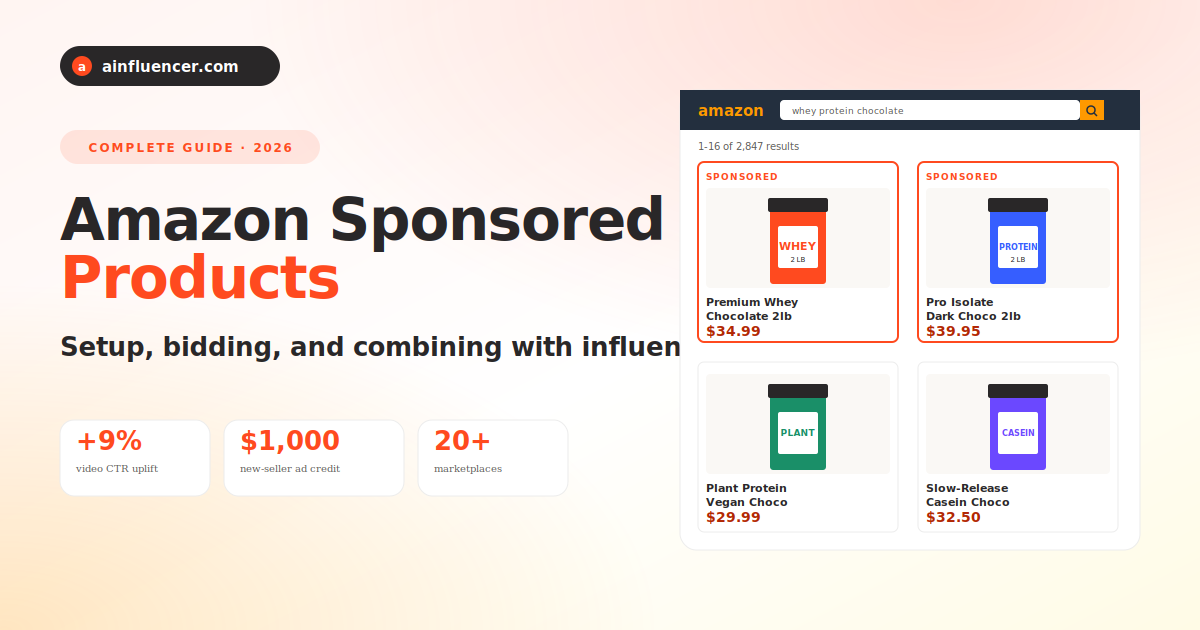
Amazon Sponsored Products are pay-per-click ads that promote one product listing at a time. When a shopper searches for a keyword you are targeting, or lands on a product page similar to yours, your ad can appear at the top of the results, alongside them, or embedded within the product page. You only pay when someone clicks. Clicks send them straight to your product detail page, one step from adding to cart.
Anyone with a professional selling account or a Kindle Direct Publishing (KDP) title can run Sponsored Products. There are no monthly fees, no upfront costs, and campaigns can be set up in under 10 minutes. That accessibility is why Sponsored Products remain the most popular ad type on Amazon for both new and established sellers.
They pair especially well with off-Amazon traffic sources like influencer campaigns: creators drive awareness, Sponsored Products capture that demand when the shopper enters a purchase-intent search. Track the full loop with Amazon Attribution.
Sponsored Products ads appear in premium positions at the top of Amazon search results, marked “Sponsored”. They look identical to organic listings, except for the label and the placement priority.
Where do Sponsored Products ads appear?
Ads appear on the Amazon store, on Amazon-owned properties, and beyond, on third-party destinations across browsers and apps, desktop and mobile.
Amazon search results
Top of results, alongside them, or within them. Where shoppers with purchase intent are already looking.
Amazon product pages
Under “Sponsored products related to this item” and other slots on any competitor or complementary product page.
Off-Amazon (premium apps and sites)
Third-party sites and apps where Amazon has direct integrations. Extends reach beyond just Amazon shoppers.
Mobile app + desktop
Same ads served responsively across the Amazon mobile app, mobile browsers, tablets, and desktop. Cross-device reach by default.
Benefits of Sponsored Products
Four reasons Sponsored Products remain the go-to ad format for Amazon sellers, from first-time launchers to seven-figure brands.
Drive sales with a few clicks
Ads send shoppers directly to your product detail page. One or two clicks from ad view to purchase, ideal for impulse and considered buys alike.
Encourage informed decisions
Ads only appear when your product is in stock. Show multiple product features with images and now also long-form Sponsored Products video ads.
Reach shoppers at the right moment
Choose between keyword and product targeting, or let Amazon auto-target. Ads reach shoppers whose intent matches your product.
Optimize with smarter insights
Set your budget, choose your bids, pay only for clicks, and refine campaigns using detailed reporting that ties spend to attributable sales.
How to launch your first Sponsored Products campaign
Under 10 minutes from account creation to live campaign. Here is the exact 6-step flow.
Register for sponsored ads
Sign up at advertising.amazon.com with your seller account or KDP account. No monthly fees.
Click “Create campaign”
In your seller dashboard, choose Sponsored Products as the campaign type.
Add products to advertise
Select the ASINs you want to promote. They must be in stock, in eligible categories, and win the Featured Offer.
Define targeting + bids
Choose keyword or product targeting (or auto). Set your maximum CPC bid per keyword.
Set budget + dates
Name your campaign, define start and end dates, and input your daily budget (e.g., $50 to $100 to start).
Launch + monitor
Go live. Check performance in 48-72 hours. Adjust bids and negative keywords as data comes in.
How much do Sponsored Products cost?
You control every dollar. No monthly fees, no upfront costs, only cost-per-click when a shopper clicks your ad.
How CPC bidding works
You bid the maximum amount you are willing to pay for a click. The higher your bid relative to competitors, the more often your ad wins auctions. But you only ever pay $0.01 above the second-highest bid, so you rarely pay your maximum.
- No monthly or upfront fees
- Pay only when a shopper clicks
- Set daily budgets (e.g., $50 = up to $1,550/month)
- Adjust bids up or down anytime
- New sellers get up to $1,000 in ad credits
How Sponsored Products and ainfluencer work together
Sponsored Products catch shoppers who are already searching. Influencer marketing creates the demand that leads to that search in the first place. When you combine them, the funnel closes.
A creator’s Reel or TikTok gets 300,000 impressions. Some of those viewers head straight to Amazon and type your brand name. Some type a category keyword. Your Sponsored Products ad wins that auction and shows at the top of results. The click, and the sale, is captured by Amazon Attribution and traced back to the creator who started the journey.
Ainfluencer is the shortest way to launch that upper-funnel demand: post a free brief, accept vetted creators, ship them tagged links. Your Sponsored Products campaigns capture the traffic they generate.
Start free on ainfluencerSponsored Products: frequently asked questions
Who can use Sponsored Products?
Sponsored Products are available for professional sellers, vendors, book vendors, Kindle Direct Publishing (KDP) authors, and agencies. Products must be in eligible categories and win the Featured Offer (the “Buy Box”) to be eligible to advertise. Available in 20+ marketplaces across North America, Europe, Middle East, Asia Pacific, South America, and Africa.
How much do Sponsored Products cost?
There are no monthly or upfront fees. Sponsored Products use a cost-per-click (CPC) model, so you pay only when a shopper clicks your ad. You bid the maximum you are willing to pay per click, and you set a daily budget for each campaign. Your daily budget is spread across the calendar month (a $50 daily budget can spend up to ~$1,550/month).
New sellers can also earn up to $1,000 in ad credits when they launch and spend on Sponsored Products within 30 days of their first campaign (select marketplaces, terms apply).
How does bidding work?
When you create a campaign, you enter a bid for each keyword or product you want to target. A bid is the maximum you are willing to pay per click. Auctions use a second-price rule, so you pay $0.01 above the second-highest bid, not your full max. Bids can be raised or lowered anytime as data rolls in. Amazon also offers “dynamic bids” that auto-adjust in real time based on the likelihood of conversion.
Keyword targeting vs. product targeting: which is better?
Keyword targeting shows your ad when shoppers search a keyword you are bidding on. Best when you know the search terms customers use. Product targeting shows your ad on specific competitor or complementary product detail pages. Best when you want to steal share from a specific competitor or appear on adjacent category pages. Most mature sellers run both, split across separate campaigns for cleaner reporting.
What is Sponsored Products video?
Sponsored Products video is a newer creative format where your ad appears as a long-form interactive video (instead of a static image) in search results. Campaigns with video have seen an average +9% uplift in click-through rate (CTR) compared to static-only campaigns. It’s the same CPC model, same placements, just a different creative treatment. Recommended for products where seeing the item in motion (e.g., apparel, kitchen gadgets, fitness equipment) drives more clicks than a still image.
How is Sponsored Products different from Sponsored Brands?
Sponsored Products promotes one product listing at a time and sends clicks directly to the product detail page. Sponsored Brands (a separate ad format) promotes multiple products under a branded banner at the top of search results and sends clicks to your Amazon Store or a custom landing page. Sponsored Products drive conversion; Sponsored Brands drive brand awareness and multi-SKU discovery. Most brands run both.
Can I run Sponsored Products alongside influencer marketing?
Yes, and they compound. Influencer content builds awareness and generates upper-funnel demand. When those shoppers later go to Amazon to search, your Sponsored Products campaigns capture the intent. Combine with Amazon Attribution tags on the influencer’s link to trace the whole path from Reel to sale. Platforms like ainfluencer make it easy to spin up creator campaigns that feed your Sponsored Products funnel.
What products are not eligible for Sponsored Products?
Adult products, used products, refurbished products, and products in closed categories are not eligible. Full details are in the Amazon creative acceptance policies for Sponsored Brands and Sponsored Products.
How do I measure Sponsored Products performance?
Amazon provides in-console reports on clicks, spend, impressions, ACOS (advertising cost of sales), ROAS, and attributed sales. For a fuller view that includes off-Amazon traffic, layer in marketing attribution tools and combine with Amazon Attribution for a closed-loop view of paid ads + influencer + organic traffic.
Feed your Sponsored Products with influencer demand
Ads catch the shoppers who are ready to buy. Influencer campaigns create those shoppers. Post a free brief on ainfluencer today and start filling the funnel.
Start on ainfluencer, free- Amazon Ads, “Sponsored Products” product page: advertising.amazon.com/solutions/products/sponsored-products
- Amazon Ads, “Sponsored Products best practices”: advertising.amazon.com/library/guides/sponsored-products-best-practices
- Adference, “Der ultimative Sponsored Brands Guide”: adference.com/blog/der-ultimative-sponsored-brands-guide
1 Amazon internal data, US, August-October 2025.