Google Maps Scraper: 12 Tools Compared by How They Get the Data and What a Lead Costs
A Google Maps scraper turns a search such as “dentists in Austin” into a spreadsheet of businesses. Some call Google’s own API, some run in the cloud, some run on your machine. Here are twelve, priced from each vendor’s page, with Google’s own rules on what you may copy.
Most guides to the best Google Maps scraper list ten tools in a row and leave you to guess how they differ. They differ in four ways that matter: where the data comes from, what a lead costs once you add the email, how much of the result you can actually export, and whether the rules let you keep it. This guide sorts twelve tools, from Google’s own Places API to open source code you run yourself, by how they get the data. It shows the cost of 1,000 leads with emails from the prices each vendor prints, and it reads Google’s own terms before it says anything about legality. One disclosure: contactID, the first card, is our own product, and it is the only tool here that sends a message as well as listing businesses. We say what it cannot do. Every price below was read from the vendor’s own page on 13 November 2026.
What Is a Google Maps Scraper?
A Google Maps scraper is software that runs a search on Google Maps, collects the business listings it returns and saves them to a file. You give it a category and a place, such as “plumbers in Leeds”, and it returns a row per business. Tools that do the same job are also sold as a Google Maps data scraper, a Google Maps data extractor or a Google Maps business scraper, and the names mean the same thing.
| Field | Usually returned | Worth knowing |
|---|---|---|
| Name, category, address | By every tool here | The base record, and the part that is easiest to get |
| Phone and website | By almost every tool | Google prints these on the listing, so they are not scraped from elsewhere |
| Rating and review count | By almost every tool | Useful for filtering out dead listings and for the first line of a message |
| Opening hours, coordinates, place ID | By most tools | Handy for de-duplicating and for map views |
| Email address | Only when a tool visits the business website | Not a Google field. Apify and gosom say they read it from the site, and most vendors do not say where theirs come from. Expect many to be shared inboxes such as info@ |
| Reviews and photos | By most cloud tools, often at an extra price | Each review or photo usually costs more than the listing |
Why Scrape Google Maps?
People scrape Google Maps for five reasons, and the reason decides which fields you need.
| Use | Fields that matter | Example |
|---|---|---|
| Lead generation | Name, website, phone, rating, category | A list of every dentist in a city to pitch a booking tool to |
| Market research | Category, rating, review count, location | How many gyms a postcode has and how well each is rated |
| Local SEO and competitor checks | Rating, review count, category, hours | Who ranks in a map pack and how many reviews they hold |
| Review monitoring | Reviews, ratings, owner replies | Tracking what customers say about a chain’s branches |
| Location planning | Coordinates, category, hours | Counting rivals within a radius before you open a shop |
Lead generation is the use this guide follows, because it is the one where the list has to turn into a conversation.
Is It Legal to Scrape Google Maps?
This is the most searched question after the tool names, and the vendors answer it for you: Outscraper says scraping public data is protected by the First Amendment, Octoparse and Apify say it is generally legal, and Scrap.io says it is compliant with GDPR and CCPA. Those are claims by companies that sell scraping. The question is really three questions: does it break a law, does it break Google’s terms, and are you allowed to use the data you collect. We cover the last two. We have not researched court cases on the first, and we state none, so ask a lawyer about it. What Google itself says about its terms is narrower than the vendors suggest and worth reading, because it decides what you may keep.
- For the consumer site. The Google Maps Additional Terms (modified 27 January 2026) say you may not “mass download or create bulk feeds of the content” and may not use Maps to build a business listings database, a mailing list or a telemarketing list for a service that substitutes for Google Maps.
- For the API. Section 3.2.3 of the Maps Platform Terms of Service (“No Scraping”) bars exporting or bulk downloading places information for use outside Google’s services, and bars copying and saving business names, addresses or reviews. Under the Service Specific Terms only latitude and longitude may be cached, for up to 30 days, plus place IDs.
- For automated access. Google’s general terms, effective 30 July 2026, bar automated access that breaks the machine-readable instructions on its pages.
Those pages do not say whether a court would hold a person who uses a third-party scraper to those terms, and neither do we. Open source tool gosom warns on its own page that unauthorized scraping may violate terms of service. The practical reading: using the API inside its terms is the clean route, and every other route, including the cloud tools below and our own, rests on the vendor’s view that public listing data may be collected. Contact details are also personal data in many countries, and what you do with them is a separate duty. This is not legal advice.
Rules check: Google’s terms were read on 13 November 2026 (Platform terms last modified 26 August 2026, Service Specific Terms 28 October 2026). We found no official Google figure for how many results the Maps website shows per search, so we state none.Five Ways to Get Google Maps Data
Every tool in this guide falls into one of five groups. The group tells you more about cost, effort and risk than any feature list.
| Way | Tools in this guide | What you pay for | Effort | What goes wrong |
|---|---|---|---|---|
| Google’s own API | Places API | Per request, by field tier | Needs a developer | No emails, a 60 result cap per search, and you may not store the content |
| Search API from a vendor | SerpApi | Per search | Needs a developer | Pays per page of 20, so a city sweep takes many searches |
| Cloud scraper | Outscraper, Apify, Scrap.io, G Maps Extractor, Lobstr.io, PhantomBuster | Per record, per credit or per plan | None to a little | Add-ons stack: emails, details and reviews each cost extra |
| No-code app | Octoparse, omkarcloud | Plan plus per row | Moderate setup | Free allowances are small and caps apply per run |
| Open source on your machine | gosom | Your own compute and proxies | Technical | Blocking and upkeep are yours |
| List builder that also sends | contactID | Per business, then per confirmed send | None | Businesses only, no emails or named people |
The Best Google Maps Scrapers Compared
The table lists what each vendor prints. “Not printed” means the page did not say, which is worth asking about before you pay.
| Tool | Kind | Free allowance | Entry price as printed | Emails |
|---|---|---|---|---|
| contactID | List builder plus sender | 10 free websites | Lead credits from $5 for 100 | No |
| Google Places API | Official API | 1,000 to 10,000 calls a month by tier | Text Search $32 to $40 per 1,000 requests | No |
| Outscraper | Cloud service and API | 500 businesses a month | $3 per 1,000 records | Add-on, $3 per 1,000 domains |
| Apify | Cloud Actor | Not printed on the page | From $1.50 per 1,000 places | Add-on, source is the website |
| Scrap.io | Cloud app | 7 day trial, 100 leads | EUR 35 a month, yearly billing | Yes, first email only on Basic |
| G Maps Extractor | Online, extension, API | 1,000 records a month | $19 a month for 20,000 records | Yes, source not printed |
| Octoparse | No-code app | 2,000 rows a month, 100 per run | $2 per 1,000 rows, template | Separate template, $0.5 per 1,000 |
| Lobstr.io | Cloud scraper | 100 credits a month | $20 a month for 10,000 credits | Option, +1 credit |
| SerpApi | Search API | 250 searches a month | $25 a month for 1,000 searches | Not printed |
| gosom | Open source | Free software | Your compute | Optional, visits each website |
| omkarcloud | Open source and desktop app | 200 searches a month | $16 a month for 5,000 searches | Paid enrichment |
| PhantomBuster | Cloud automation platform | Free trial, exports limited to 10 rows | EUR 69 a month, EUR 56 on annual billing | Yes, from a separate contact data flow |
Twelve Google Maps Scraper Tools Reviewed
contactID
contactID is a Chrome extension and web dashboard from the Ainfluencer team. Its Find websites feature searches Google Maps listings in 20 countries by category and city and shows how many businesses match before you spend anything. You can filter by rating, by whether the business has a contact page and by whether it is still open, and a search written as a sentence such as “dentists in Austin with 4 stars or more” fills the filters in for you.
It is not a general scraper. It gives you businesses that have a website, with tags such as name, city and rating, and a CSV download. It does not list phones or emails, and the extension then contacts each business through the contact form on its own website. It is ours, so weigh this card accordingly.
- Counting is free: every city shows the number of matches and up to three samples
- 1 lead credit per business delivered with a website, and businesses you already hold are skipped
- Enrich my file: upload up to 5,000 websites or phone numbers and get their contact pages back, at 1 lead credit per matched row
- Find new places later returns only businesses you do not already have
- Counts the matches before you pay
- Ends in a message sent through the business’s own contact form, so no email is needed
- 10 free websites with no card
- No emails, no phone numbers and no named decision makers
- Lead credits are bought apart from plans, and sending costs a second credit
- The Google terms above apply to its source data as they do to every tool here
Google Places API
The Places API is the route Google itself offers for finding businesses in code. Since 1 March 2025 each billing SKU has its own free monthly allowance instead of the old $200 credit: 10,000 calls on Essentials, 5,000 on Pro and 1,000 on Enterprise. Text Search returns 20 results a page and at most 60 across pages, and Nearby Search returns up to 20 within a radius of 50 kilometres.
The fields a lead list wants decide the price. Name, address and location sit in the Pro tier. Website, phone number, rating and opening hours sit in the Enterprise tier. Reviews and summaries sit in Enterprise plus Atmosphere. A request that asks for a website and a phone is billed at the Enterprise rate.
- Text Search and Nearby Search, with a field mask to choose what you pay for
- Place Details for one place at a time
- Official support and a stated terms of use
- Volume tiers that lower the price above 100,000 calls a month
- The only route that sits inside Google’s own terms
- Free monthly allowance on every tier
- Structured, consistent data
- A 60 result cap per search means many small searches
- No email addresses
- The terms bar bulk downloading and saving business names and addresses, and allow caching only of place IDs and, for 30 days, coordinates
Outscraper
Outscraper runs in the cloud with no setup and bills only for records you extract. The first 500 businesses a month are free, then $3 per 1,000 records up to 100,000 and $1 per 1,000 above that. Credits you buy do not expire.
Emails are a second billed step. The Emails and Contacts scraper runs on the business domain at $3 per 1,000 domains, and the page does not say where the emails come from. Its record can hold up to three emails and three phones from the website, plus social links.
- Google Maps scraper with CSV, Excel, Parquet and JSON export, and an API
- Zapier and HubSpot integrations
- Emails, phones, social links and site technology by enrichment
- Prepaid credits that never expire, or postpaid billing above the free tier
- A real free tier that renews monthly
- No monthly fee
- Price falls to $1 per 1,000 above 100,000 records
- Emails cost a second $3 per 1,000 on top of the listing
- Several fields work only for single searches
- No per search or area limit is printed
Apify Google Maps Scraper
Apify’s Google Maps Actor is a serverless scraper on the Apify platform, priced from $1.50 per 1,000 scraped places, with a lower price on higher subscription plans. The page prints no free plan for this Actor.
Emails are an opt-in add-on called company contacts enrichment, which reads emails and social profiles from the business website. The page’s own example prices it at $0.20 per 100 places on the free plan. Without a location the Actor is capped at 120 results, and each start URL at 300.
- Places, reviews, images, opening hours and popular times
- Company contacts enrichment from the business website
- Exports to JSON, CSV, Excel, XML and HTML
- A competitor analysis add-on for up to 100 places
- A low base price per 1,000 places
- The email source is stated
- Many fields and many export formats
- Cost is spread over several events, so the real price per lead is not one figure
- Some fields are missing because Google shows them mainly to logged in users
- Only one location query per run
Scrap.io
Scrap.io calls itself a local leads generator and covers Google, Apple and Bing Maps. The home page offers a 7 day trial of up to 100 leads and prints no prices. The pricing page shows four plans in euros, from 10,000 to 100,000 export credits a month, and each place counts once per 30 days.
The plan sets the size of the area you may search. Basic is limited to a city, 3 business types per search and the first email per place, with no API. Professional and above return all emails, and only the top plan searches a whole country. Its compliance statements, GDPR and CCPA, are claims.
- Filters for website, phone, mobile, email, rating, Facebook and Instagram
- Data levels called Essential, Extended and Complete by plan
- API and MCP searches on paid plans above Basic
- Yearly plans roll unused credits over, monthly plans do not
- A guided app that needs no setup
- Clear plan limits on area and types
- Covers three map services
- The cheapest plan is limited to city size searches and the first email
- No price is shown on the home page
- Which fields sit at which data level is not printed
G Maps Extractor
G Maps Extractor sells three separate products: an online scraper, a Chrome extension and an API, each with its own subscription. The free plan gives 1,000 records a month with no card. Paid online plans run from $19 a month for 20,000 records to $149 for 500,000, which the page prices at about $0.95 down to $0.30 per 1,000 records.
Email is part of the record, described as scraped from the internet, and the page does not say whether it comes from the website or from Google. Paid plans add a monthly allowance of decision maker emails. Without signing in you see only a preview.
- Online scraper, Chrome extension and API with an MCP option
- Emails, social links and reviews in the record
- CSV, Excel and JSON export
- A 7 day money back guarantee on paid plans
- Lowest printed price per 1,000 records here
- A free tier that renews monthly
- Emails come in the record, not as a separate step
- Each of the three products needs its own subscription
- The email source and any limit per search are not printed
- The extension is slower than the online scraper by the page’s own account
Octoparse
Octoparse is a no-code scraping tool, desktop plus cloud, with ready made Google Maps templates. Its free plan gives 2,000 template rows a month, capped at 100 rows per run. Template prices are printed per 1,000 rows: $2 for the advanced Google Maps scraper and $0.5 for the Email Finder, a separate template that returns emails, phones and social links.
The advanced scraper reaches up to 40,000 results per search term and country, and the page says Google Maps shows up to 120 results per map, which the template works around by splitting the map. The page does not explain how the per row prices combine with the plan allowances.
- Advanced scraper, listings scraper, leads scraper and reviews templates
- Map splitting to get past the per map result limit
- Export to Excel, CSV, JSON, Google Sheets and databases
- Cloud runs, so your own IP is not used for template runs
- Visual setup with no code
- A free plan and a 14 day trial
- Prices for each template are printed per 1,000 rows
- The free plan stops at 100 rows per run
- Custom cloud tasks need Standard, from $69 a month on annual billing
- How template prices and plan rows add up is not explained
Lobstr.io
Lobstr.io charges 1 credit per result and adds credits for each option: business details, images and emails from the website each cost 1 more. The free plan gives 100 credits a month, and paid plans start at $20 a month ($16 billed yearly) for 10,000 credits. A credit costs $2 per 1,000 on Starter, $1 on Pro and $0.50 on Team, so the same lead gets cheaper as you scale.
A result can carry 88 fields by the page’s own count, and valid emails are about 97% accurate by its own claim. Results are kept for 7 days on the free plan.
- 88 fields per lead by the vendor’s count
- Options for details, images and emails from the website
- Export to CSV, JSON, JSONL, Excel, Sheets, S3, SFTP or a webhook
- An API with stated rate limits
- Price per credit is easy to work out
- Many delivery options
- The page says you pay for an email only when one is found, though it also lists the option at +1 credit a result
- Options stack: details, images and email make 4 credits a lead
- The 100 credit free plan covers a test, not real work
- Best prices need the Pro or Team plan
SerpApi
SerpApi returns what Google Maps shows for a query as structured data through one GET request with engine set to google_maps. It prices per search, not per lead: the free plan gives 250 searches a month, then $25 for 1,000 searches, $75 for 5,000 and $150 for 15,000. Cached, errored and failed searches do not count.
Paging moves in steps of 20 and the page recommends an offset of no more than 100, so one query reaches about five pages. A full city sweep therefore takes many searches. The page prints no email field.
- Google Maps results as JSON, HTML or Markdown
- Fields such as title, place ID, coordinates, rating, phone and hours in its sample
- Free tier for testing
- Pricing tiers that scale into the millions of searches
- Simple to call from any language
- Failed searches are not charged
- A clear free tier
- Priced per page of 20, not per lead
- No emails
- You build the sweep logic yourself
gosom google-maps-scraper
gosom is an MIT licensed scraper you run yourself, as a Docker command line, a web page on localhost, a binary or a REST API. It returns 36 fields, exports CSV or JSON and can write to PostgreSQL or S3. Email extraction is off by default and, when you turn it on with a flag, the scraper visits every business website, which the page says slows runs a great deal.
There is no usage cap and no bill, and no support either. The page warns of blocking in its fast mode and says unauthorized scraping may violate terms of service. Throughput is stated at about 120 places a minute with the right settings.
- 36 fields including reviews, hours, images and menus
- Optional email extraction from the business site
- CLI, web UI and REST API
- Export to CSV, JSON, PostgreSQL and S3
- No licence cost and no usage limit
- You control the data and where it lives
- Large and active project, 8,000 GitHub stars
- Blocking, proxies and compute are your problem
- Needs technical skill to run and maintain
- The terms of service warning comes from the project itself
omkarcloud Google Maps Scraper
omkarcloud is an MIT licensed project marketed as a desktop app that uses Chrome, with a Python and Node.js API. Its page offers a free plan of 200 searches a month with no card, a Starter plan at $16 a month for 5,000 searches and an Unlimited plan at $48 a month.
Emails and enrichment sit behind a separate credit system, with 100 free credits a month and one credit equal to one cent. The “50+ data points” and “98%+ deliverability” figures are the vendor’s own claims, and the page’s two GitHub star counts disagree.
- Desktop app and a Python and Node.js API
- Optional enrichment with social profiles and an AI summary
- Email checks through MillionVerifier and ZeroBounce, by its description
- CSV download
- Free plan with no card
- Cheap entry plan
- Works as an app or in code
- Free covers listings only, enrichment is paid
- Nothing is said about Google’s terms
- How enrichment bundles relate to search plans is not explained
PhantomBuster
PhantomBuster sells cloud automations, and two of them cover Google Maps. Google Maps Search Export takes your searches and returns a CSV with the place URL, the title and 16 more fields by its page’s count, including phone, website and hours. Google Maps Search to Contact Data does the same and then visits each business website for emails, phone numbers and social profiles. Its store page lists the first flow as 1 slot and the second as 2 slots.
Plans are priced for the whole platform, not for Maps. The free trial has 5 slots, 2 hours of execution and exports limited to 10 rows. Start is EUR 69 a month, or EUR 56 a month billed annually, with 5 slots, 20 hours of execution a month, 500 email credits and unlimited exports. Grow is EUR 159 monthly or EUR 128 annually, and Scale is EUR 439 or EUR 352. Plans count execution time and credits, so the pages print no price per lead, and we did not work one out.
- Two Google Maps flows: a search export and a search to contact data flow
- Phone, website and hours in the export, emails and social profiles from each website in the contact flow
- Runs in the cloud, with no code or API needed by its description
- Unlimited exports on every paid plan
- A free trial to test the output before you pay
- Emails come from the business website, not from Google
- The same account runs other automations, such as LinkedIn ones
- Plans are sold by execution time and credits, so what a lead costs is not printed
- The free trial exports only 10 rows
- The pages we read say nothing about Google’s terms
What 1,000 Leads Cost, Emails Included
A per record price hides the email step. This table adds it for the tools that print both. It is our arithmetic from the printed figures, and it assumes every business has a website and the email add-on runs on each one, which overstates the cost for tools that charge only when an email is found.
| Tool | Listing | Email add-on | 1,000 leads with emails | Note |
|---|---|---|---|---|
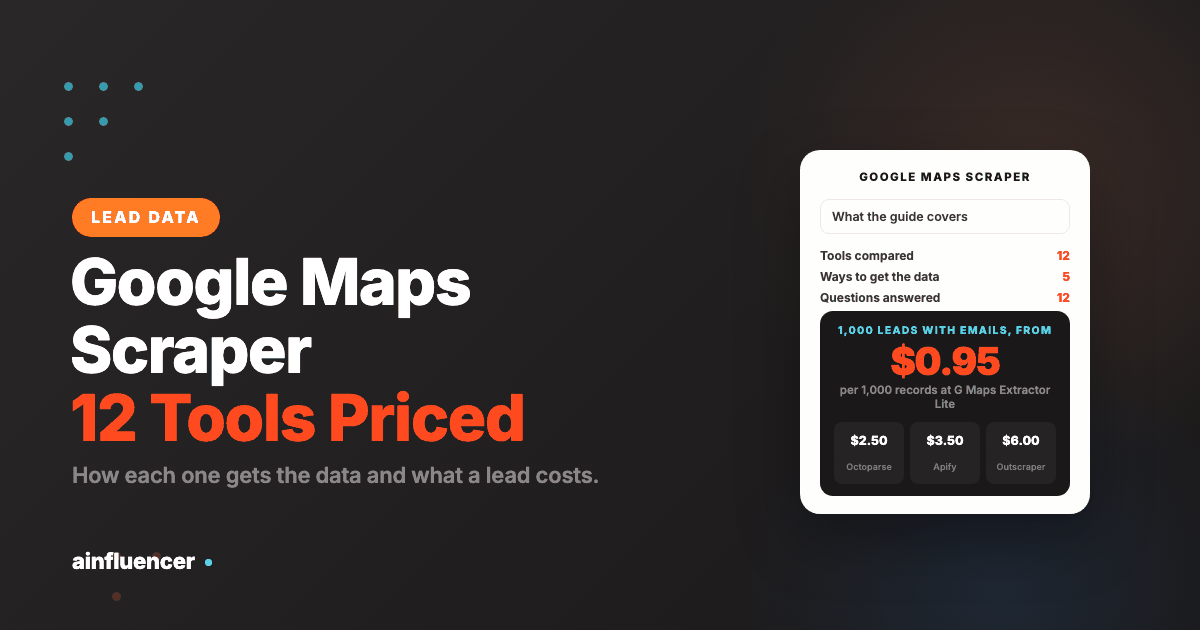
| G Maps Extractor Lite | $0.95 | In the record | $0.95 | Email source not printed |
| Octoparse templates | $2.00 | $0.50 | $2.50 | Template rows, plan allowances not explained |
| Apify, free plan | $1.50 | $2.00 | $3.50 | Email price worked out from the page’s example |
| Scrap.io Basic, yearly | EUR 3.50 | First email included | EUR 3.50 | EUR 35 for 10,000 credits, city size searches only |
| Lobstr.io Starter | $2.00 | $2.00 | $4.00 | $2.00 on Pro. $8.00 on Starter with details and images as well |
| Outscraper | $3.00 | $3.00 | $6.00 | First 500 of each free every month |
PhantomBuster is not in this table because its plans count execution time and credits, and its pages print no price per lead. Google’s API and SerpApi are priced per request, not per lead, and neither returns emails. At best a Places Text Search request returns 20 places, so $35 buys at most 20,000 places at the Enterprise rate, about $1.75 per 1,000, with no emails and with the storage limits in the terms. The contactID figure is different in kind: about $0.05 a business to unlock the list and $0.15 more only if you send through the contact form and the site confirms it.
How to Get More Than 60 Results From a Google Maps Search
One search never returns a whole city. Google documents a cap only for its API: Text Search returns 20 results a page and at most 60 across pages, and it adds that the limit is subject to change. Google prints no figure for the Maps website, and the vendors disagree: Apify says a search without a location is capped at 120 results, and Octoparse says Maps shows up to 120 results per map. Treat every one of those as the vendor’s statement.
The fix is the same everywhere: split the area and search each part, then merge and de-duplicate. Apify takes one location per run, Octoparse splits the map for you, and Scrap.io sets the size of the area by plan. Here is a worked example with made up numbers. A borough has 12 neighborhoods and you search “dentist” in each. At the Places API cap of 60 results, 12 searches return at most 12 x 60 = 720 rows. Many neighboring searches overlap, so after you de-duplicate by website you might hold 500. Split by two more terms, such as “dental clinic” and “orthodontist”, and the ceiling becomes 12 x 3 x 60 = 2,160 rows before de-duplication.
Google Maps Scraper vs Google Places API
Many searches for a Google Maps scraper API are really a choice between Google’s own API and a vendor tool. They differ on four points:
| Point | Places API | Cloud scraper or vendor API |
|---|---|---|
| Result cap per search | 60 across pages for Text Search | Set by the vendor, often worked around by splitting the map |
| Emails | None | Optional, from the business website, as an add-on |
| Keeping the data | Only place IDs and, for 30 days, coordinates may be cached | The vendor says the data is yours, and Google’s consumer terms still apply |
| Price | $32 to $40 per 1,000 Text Search requests, with a free allowance | From $0.95 to $6.00 per 1,000 records by the figures above |
If you are building a product that shows places on a map, use the API. If you are building a prospect list, the API’s storage limit makes it the wrong tool, which is why the vendors exist.
Do You Need Proxies to Scrape Google Maps?
Only if you run the scraper yourself. A cloud tool such as Outscraper, Apify or Lobstr.io runs on the vendor’s servers, and Octoparse says its cloud template runs without using your IP. The open source gosom project says plainly that its fast mode may be blocked, and that the browser it drives needs real CPU and memory, so a self hosted run means you manage proxies, delays and upkeep yourself. If you do not want that work, pick a cloud tool.
How to Scrape Google Maps Step by Step
Pick one category and one place
Search for a single category, such as dentists, and one city or borough. A list for one narrow group is one you can write a specific message to.
Split big areas
A single search returns a limited set, and the Places API says 60. Search by neighborhood or borough, then merge the files. Octoparse and Apify both describe splitting a map for this reason.
Choose the way that fits you
Use the table near the top: an API if you code, a cloud scraper if you want a file, a list builder if the next step is a message.
Test fifty businesses first
Run the tool on one small area and check twenty rows by hand. Count dead listings, chains and missing websites before you buy at volume.
Clean the file
De-duplicate by website, not by name. Remove chains, closed businesses and rows with no website if your channel needs one.
Check the emails before you send
Where a tool returns an email, treat it as unverified. Bounces damage a sending domain, so verify first.
Decide how you will reach them
Phone, email or the contact form on their site. Each has its own rules, covered next.
What to Do With a Google Maps Lead List
A list is not a lead until someone answers. A Google Maps row gives you a phone and a website, and for small businesses that is often all there is: no named owner and no email you can trust. You have three routes.
| Route | Works when | Watch for |
|---|---|---|
| Phone | The service is one people buy by phone | The most time per business |
| You can find and verify an address on the site | Many small sites publish a shared inbox or none, and cold email needs a set up sending domain. See our guide to cold email software | |
| The contact form on the website | The business has a form and reads it | One message per business, some forms use captchas, and the rules on commercial messages still apply. See contact form outreach |
For local and small businesses the form is often the most direct door, which is the idea behind contactID and the reason it builds the list and sends from one place. If you sell to named roles at larger companies, a contact database fits better, and our B2B prospecting tools guide compares those. For the wider playbook see local lead generation.
Rules check: Whatever route you use, the duty stays with you. The FTC says CAN-SPAM makes no exception for business to business email, and Canada’s CASL carries penalties up to $10 million for businesses. France’s CNIL says B2B prospecting can rest on legitimate interest with conditions. This is not legal advice.Mistakes to Avoid When You Scrape Google Maps
Paying per record and forgetting the email
A $3 listing price can become $6 once the email step is added. Work out the price of a finished lead before you compare tools.
Trusting a legality claim from a seller
Each vendor says its scraping is legal. Read Google’s own terms and keep the duty for what you do with the data.
Using an old export
Businesses close and move. Refresh a list before every campaign and drop listings marked closed.
Emailing the scraped list unverified
Emails found on a website can be stale or shared inboxes. Verify before you send, or bounces will hurt your domain.
Running out of free credits mid test
Free tiers are small: 100 rows per run at Octoparse, 100 credits at Lobstr.io. Budget the test before you start it.
Storing Places API results for good
Under the API terms only coordinates for 30 days and place IDs may be cached. A stored copy of names and addresses breaks the terms.
How to Choose a Google Maps Scraper
If you sell to local businesses
Build the list and send the first message with contactID, and test it on 10 businesses for free. Read the contactID review first if you want the limits.
If you want a file at the lowest price
Compare G Maps Extractor, Octoparse and Apify on the cost of 1,000 leads with emails, and test each on 50 businesses.
If you are building an app
Use the Places API inside its terms, or SerpApi if you need search results in your own product.
Google Maps Scraper FAQ
What is the best Google Maps scraper?
There is no single best one, because the tools differ by how they get the data. For the lowest printed price per record, G Maps Extractor. For a free monthly allowance, Outscraper with 500 businesses or G Maps Extractor with 1,000 records. For Google’s own API, the Places API. For a list that ends in a message sent through each business’s contact form, contactID, which is ours.
Is it legal to scrape Google Maps?
Google’s Maps Additional Terms bar mass downloading the content and building a business listings database or mailing list from it, and the Maps Platform terms bar bulk downloading places information from the API. Vendors say scraping public data is legal, which is their claim. Whether those terms bind you as a user of a third-party tool is a legal question these pages do not answer. This is not legal advice.
Is there a free Google Maps scraper?
Yes, within limits. Outscraper gives 500 businesses a month, G Maps Extractor 1,000 records, Octoparse 2,000 template rows a month capped at 100 per run, Lobstr.io 100 credits, omkarcloud 200 searches, and SerpApi 250 searches. PhantomBuster has a free trial that limits exports to 10 rows. The open source gosom scraper is free software that you run yourself. contactID gives 10 free websites.
How do I scrape Google Maps?
Pick one category and one place, choose a tool, run a small test, then scale. With a cloud scraper you type the search and download a file. With gosom you run it from the command line or a local web page. With an API you send a request per page of results. The step by step section above covers cleaning the file and deciding how to reach the businesses.
How do I get emails from Google Maps?
A Google Maps listing prints a website and a phone, not an email. Scrapers that return emails visit the business website. Apify, gosom and PhantomBuster say so on their pages, and Outscraper, Octoparse, Scrap.io and G Maps Extractor return emails without saying where they come from. Treat every address as unverified until you check it.
How many results can I get from one Google Maps search?
Google does not publish a figure for the Maps website. The Places API Text Search returns at most 60 results across pages. Apify caps a search without a location at 120 results, and Octoparse says Maps shows up to 120 results per map, both as vendor statements. Splitting a big area into small searches is the usual fix.
Is there a Google Maps scraper API?
Yes. Google’s own Places API is the official one, priced per request by field tier. SerpApi returns Maps results through a search API at $25 a month for 1,000 searches. Outscraper, Lobstr.io and G Maps Extractor also expose APIs.
Can I scrape Google Maps with Python?
omkarcloud offers a Python and Node.js API, and SerpApi and Outscraper can be called from any language. The gosom scraper is written in Go and runs as a command line, web page or REST API.
What is the difference between a Google Maps scraper and a lead generation tool?
A scraper returns listings. A lead generation tool also helps you reach the businesses. contactID does both for the contact form route, and the tools in our B2B prospecting tools guide return contacts at companies instead of map listings.
Can I scrape Google Maps reviews?
Yes, with most cloud tools, usually at an extra price. Apify prints $5.00 per 10,000 reviews on its free plan and holds up to 5,000 reviews per dataset item, Octoparse has a reviews template, Lobstr.io and G Maps Extractor return reviews, and the Places API puts reviews in its most expensive Enterprise plus Atmosphere tier.
Do I need proxies to scrape Google Maps?
Not with a cloud tool, which runs on the vendor’s servers. If you run an open source scraper such as gosom yourself, blocking is your problem and the project warns of it.
How much does a Google Maps scraper cost?
From free to hundreds of dollars a month. Printed prices run from $0.95 per 1,000 records at G Maps Extractor Lite to $6.00 per 1,000 with emails at Outscraper, and from $19 a month at G Maps Extractor and Octoparse to $500 a month for Lobstr.io Team. Add-ons for emails, reviews and photos change the total.
Key Takeaways
- Group tools by how they get the data: Google’s API, a vendor search API, a cloud scraper, a no-code app, open source, or a list builder that also sends.
- Price a finished lead, not a record. Adding emails moves Outscraper from $3 to $6 per 1,000 and Lobstr.io from $2 to $4.
- Google’s own terms bar mass downloading Maps content and building a listings database or mailing list. Vendors who say scraping is legal are selling scraping.
- The Places API caps Text Search at 60 results and allows caching only of coordinates for 30 days and place IDs.
- A listing has a phone and a website but no email. Verify any email a tool returns before you send.
- contactID is ours: it lists businesses and sends through their contact forms, and it gives no emails, no phones and no named people.