How to Create a YouTube Channel
Creating the channel takes ten minutes. The account type decides who can ever manage or own it. Setup, first videos and when money starts.
Creating the channel takes about ten minutes. Almost every guide to how to create a YouTube channel spends two thousand words on those ten minutes and skips the part that actually matters.
There is one decision in the setup that genuinely constrains what you can do later: whether the channel sits on your personal Google Account or on a Brand Account. It decides whose name the channel carries, whether anyone else can ever manage it, and whether ownership can be transferred at all. Almost everything else, including the name and the handle, you can change afterwards.
This page covers the ten minutes, that one decision properly, the settings worth doing on day one, and what to expect once the channel exists.
How to Create a YouTube Channel in Ten Minutes
If you only want the channel to exist, this is the whole process. Read the next section first if you may ever want someone else to help run it.
- Sign in to YouTube with a Google Account. If you do not have one, create it first.
- Open your profile picture in the top right, then Create a channel.
- Choose the account type. You are offered your own name, or the option to use a custom name, which creates a Brand Account. This is the decision the next section is about.
- Enter the channel name and handle. The handle is the @name people use to find and mention you.
- Upload a profile picture and banner, and write the description. None of these need to be final.
- Open YouTube Studio, where everything else lives from now on.
That is the channel created. Nothing above is permanent, which is exactly why it is worth so little of your attention.
The One Decision Worth Thinking About
YouTube offers you two kinds of channel and the difference is not cosmetic. It changes who can ever touch the channel.
Personal Google Account against Brand Account
| Personal Google Account | Brand Account | |
|---|---|---|
| The channel’s name | Uses your Google Account name and photo | Can carry a different name from your Google Account |
| Who can manage it | You, through your own Google Account | Several Google Accounts can be managers or owners, and each reaches the channel |
| Changing owners | You can change managers, but not owners | Owners can be changed |
| Bringing in an editor or a team | They would need access to your Google Account | They get their own access, with their own login |
| Who it suits | A channel that is you, that you will always run alone | A brand, anything you may sell or hand over, anything with help |
Choose a Brand Account unless you are certain the channel is only ever you. It costs nothing extra, it is created in the same ten minutes, and it is the difference between being able to add an editor later and having to hand someone the password to your email.
Google also recommends moving Brand Account user access over to channel permissions, which is the newer way to give people access without sharing accounts. If you are setting up today, look for channel permissions in Studio rather than adding people to the Brand Account itself.
On names and handles: both can be changed after you create the channel. YouTube has applied limits on how often in the past and the current rule is shown in Studio when you go to change one, so check there rather than trusting a number in an article. The practical advice is simply not to agonise: pick something searchable and specific, and move on.
The Settings Worth Doing on Day One
Four things are worth ten minutes each now, because they affect whether anyone finds the channel at all.
- The description, written for search. The first two lines appear in search results. Say what the channel is about in the words someone would type, not in words about yourself.
- The country setting. It affects how YouTube categorises the channel and which audiences it is shown to. Set it correctly rather than aspirationally.
- Verify the account by phone. It unlocks custom thumbnails and longer videos, and custom thumbnails matter more to your views than almost anything else you will do this week.
- Set default upload settings. In Studio, under settings, you can set a default description, visibility and category once, instead of retyping them on every video.
What is not worth time on day one: the banner, the trailer, the sections on your homepage, and the perfect profile picture. Nobody sees a channel homepage until they have already watched a video.
What You Actually Need to Film
The equipment question is where most new channels lose their first three months and a lot of money. The honest hierarchy, in order of how much it affects whether people keep watching:
- Audio. Viewers forgive a soft picture and leave over bad sound. This is the only thing worth spending on early, and the cheapest fix is usually a microphone closer to your mouth rather than a more expensive one.
- Light. Free if you sit facing a window. A modern phone in good light beats an expensive camera in bad light.
- The camera. The phone in your pocket is enough for years. No viewer has ever left a video because it was filmed on a phone.
- Editing. Free software is enough to start. Cutting the boring parts matters far more than any effect.
Buy nothing until you have published ten videos. By then you will know which of the four is actually limiting you, and it is usually not the one you expected.
Deciding What the Channel Is About
Most advice here tells you to pick a niche you are passionate about, which is true and useless, because it does not tell you whether the idea can actually work. Run any idea through these four questions instead. An idea that fails one of them is survivable. One that fails two is not.
Four questions to test a channel idea
| The question | Why it decides the outcome | How to check it today |
|---|---|---|
| Is anybody searching for it? | A new channel grows through search, so an idea nobody types is an idea with no route in | Type the topic into YouTube’s search bar and read the suggestions. Nothing suggested means no demand |
| Can you make 50 videos about it? | Channels die from running out of topics, not from running out of interest | Write down 20 video titles now. If you struggle past eight, the idea is a series, not a channel |
| Do you have access to something others do not? | Your job, your city, your equipment, your experience. This is what makes your version different from the ten existing ones | Name the thing in one sentence. If you cannot, you are making the same video as everyone else |
| Would a brand in this area sell something? | Decides whether the channel can ever be paid. Hobbies with no products attached are much harder to monetise | Name three brands that would want this audience. If you cannot name three, expect ad revenue only |
Narrow beats broad for a new channel. “Cooking” competes with every cooking channel on the platform. “Cooking for one person in a small kitchen” competes with almost nobody, has an audience that recognises itself immediately, and can still widen later once YouTube knows who to show you to. Going the other way, from broad to narrow, is much harder.
The fourth question is the one new creators skip and regret. If you want the channel to earn, the topic has to touch something people buy. We covered how that works in how to get sponsored on YouTube.
Your First Ten Videos
A new channel has no history, so YouTube has nothing to base a recommendation on. That means your early videos should aim at search, where you only need to be the best answer to a question, rather than at the recommendation feed, which needs a track record you do not have yet.
- Pick questions people already type. Use YouTube’s own search suggestions. If a topic suggests nothing, nobody is searching it.
- One question per video. A video aimed at one query can rank for it. A video covering five things ranks for none.
- Check what you can beat. If the whole first page is large channels covering it well, take the narrower version of the question.
- Publish all ten before you judge anything. One video tells you nothing. The median of ten tells you whether the topic, the packaging or the retention is your problem.
Once they are up, the diagnosis is mechanical rather than mysterious, and we set it out step by step in how to get more views on YouTube. Posting time is a smaller lever than most guides claim, and we checked what the studies actually say in the best time to post on YouTube.
How Big Does It Have to Get Before It Is Worth Anything?
This is the real question underneath “how do I create a channel”, and the usual answer, 1,000 subscribers for the Partner Program, is only the answer for ad revenue. Brand deals start far earlier, and we can show that with counted numbers rather than encouragement.
YouTube channels on our platform, and the brand offers they received in 2026
| Subscriber band | Channels | Brand offers | Share of offers | Average engagement |
|---|---|---|---|---|
| 1,000 to 10,000 | 163,945 | 93 | 58.5% | 5.82% |
| 10,000 to 100,000 | 213,020 | 59 | 37.1% | 4.45% |
| 100,000 to 1M | 90,095 | 5 | 3.1% | 3.90% |
| 1M and above | 16,671 | 2 | 1.3% | 3.22% |
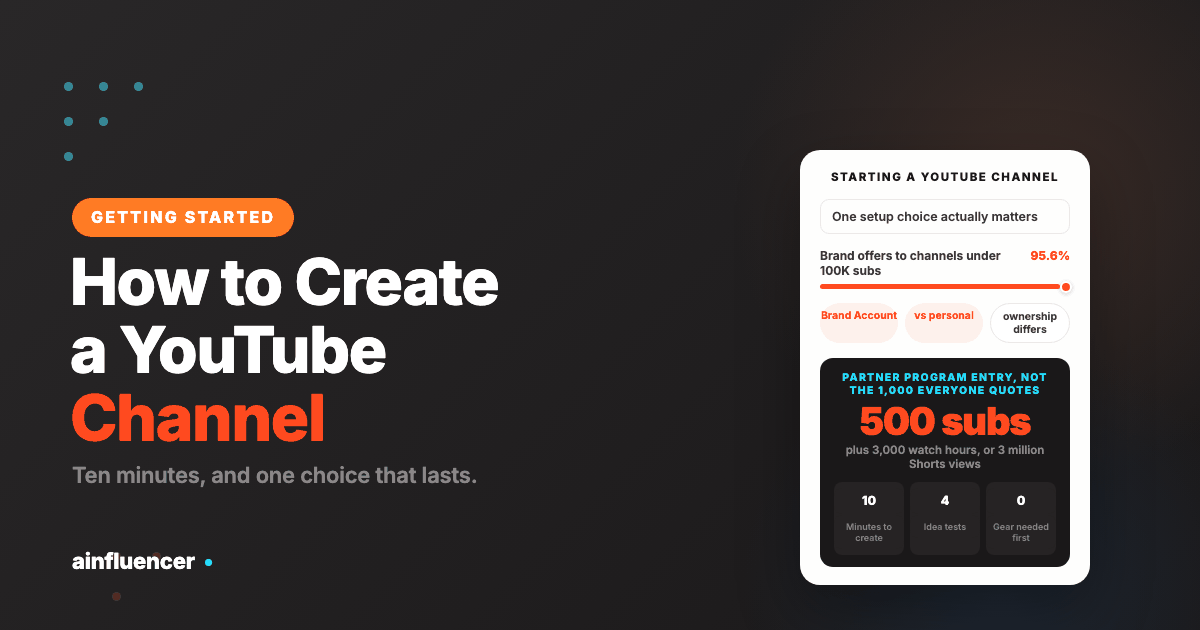
95.6% of brand offers went to channels under 100,000 subscribers, and engagement falls as channels grow, from 5.82% in the smallest band to 3.22% above a million. The caveat, stated plainly: this is 159 offers on one marketplace, which is a small sample and not the whole industry. But it is enough to kill the idea that nothing happens until you are big.
The thresholds that do exist are YouTube’s own, and they are lower than most people think. We cover them in YouTube monetization requirements, and what the money actually looks like in how much YouTubers make.
The Mistakes That Cost New Channels the Most Time
- Spending weeks on branding before publishing. The banner does not get you views. Ten videos do.
- Buying equipment first. Publish ten videos on your phone, then buy the one thing that is actually limiting you.
- Choosing a channel name so broad it means nothing. A searchable, specific name does work for you in both search and recommendations.
- Making an intro animation. It is the most common reason a retention graph collapses in the first fifteen seconds.
- Covering whatever is trending. It confuses YouTube about who your channel is for, and the spike does not keep.
- Quitting at video seven. A new channel has no history, so the first videos genuinely do get less distribution than the later ones. That is the system working as designed, not a verdict on you.
How to Create a YouTube Channel You Can Actually Upload To
A channel exists the moment you finish the setup, and it is deliberately limited until you verify it with a phone number. This catches people out, because nothing on screen says the channel is restricted. You find out when the upload fails.
Verification is a code sent by text message or voice call to a number you enter. Once it goes through, YouTube unlocks four things:
- Videos longer than 15 minutes. Until you verify, 15 minutes is a hard ceiling
- Custom thumbnails. Without this you are stuck with three frames pulled out of the video, which is the single biggest avoidable handicap on a new channel
- Live streaming
- Appealing copyright claims
Do it on day one. The custom thumbnail alone is worth more than any equipment decision in this article, and it costs nothing. Phone verification is also the first step toward advanced features, which you reach afterwards either by building up channel history or by verifying with ID or a video.
One practical note: some carriers do not accept messages from Google, so if the code never arrives the number is usually the problem rather than the account. A different number clears it.
The First Week After You Create a YouTube Channel
Most of what is written about how to create a YouTube channel stops at the moment the channel exists, which is the least useful place to stop. Here is what is worth doing in the first week, in the order that it matters.
- Verify by phone. Covered above, and it gates custom thumbnails
- Settle the handle. It is changeable, and your handle URL is regenerated every time you change it, so anything already pointing at the old one stops resolving. Pick one you can live with before you start sharing links
- Write the channel description for a stranger. It is the text a brand reads before deciding whether to contact you, and it is indexed
- Publish three videos, not one. A channel with a single video reads as abandoned to a new visitor, and there is nothing for anyone to binge
- Leave the monetization settings alone. Nothing there is available to you yet, and the thresholds are covered in full in our guide to the Partner Program
What is not worth your first week: a channel trailer nobody will see, a banner redesign, or choosing equipment. None of those decide anything, and all three are popular because they feel like progress.
How do I create a YouTube channel?
Sign in to YouTube with a Google Account, click your profile picture in the top right, and choose Create a channel. You are then asked whether to use your own name or a custom name, which creates a Brand Account. Enter the channel name and handle, add a picture and description, and the channel exists. The whole process takes about ten minutes.
Should I use a Brand Account or my personal Google Account?
A Brand Account unless the channel will only ever be you. A channel on a personal Google Account carries that account’s name and photo, and you can change its managers but not its owners. A Brand Account can carry a different name, can have several managers and owners, and lets someone else help without you sharing your Google Account password. It costs nothing extra and is created in the same step.
Can I change my YouTube channel name or handle later?
Yes, both can be changed after the channel is created. YouTube has applied limits on how frequently in the past, and the current rule is shown in YouTube Studio at the moment you go to change one, so check there rather than relying on a number you read elsewhere. In practice this means the name is not worth agonising over before you start.
Do I need good equipment to start a YouTube channel?
No. In order of what actually affects whether people keep watching: audio first, then light, then the camera, then editing. Viewers forgive a soft picture and leave over bad sound, and a phone filmed facing a window beats an expensive camera in a dark room. Publish ten videos before buying anything, then buy the one thing that is limiting you.
How many subscribers do I need before a YouTube channel is worth it?
Fewer than you think, if you mean brand deals. Of the brand offers that reached YouTube channels on our platform in 2026, 95.6% went to channels under 100,000 subscribers. For YouTube’s own ad revenue the Partner Program entry tier is 500 subscribers with three valid public uploads in 90 days and either 3,000 qualified watch hours in a year or 3 million Shorts views in 90 days.
What should my first videos be about?
Questions people already search for. A new channel has no history, so YouTube has little basis for recommending it, which means search is your realistic route to an audience. Use YouTube’s search suggestions to find real queries, aim one video at one question, and pick the narrower version of a question if the first page is dominated by large channels.
How long before a new channel gets views?
Early videos genuinely get less distribution, because YouTube has no track record to recommend from. That is why the advice is to publish ten before judging anything: the median of ten tells you whether your problem is the topic, the packaging or the retention, and any one video tells you nothing at all.
Can I create a YouTube channel without showing my face?
Yes. Nothing in the setup requires it, and the account type question is about ownership rather than identity. A Brand Account is the better choice here, since it lets the channel carry a name other than the one on your Google Account.
Once the Channel Exists
The channel is the easy part. What follows is picking topics people search for, reading your own numbers honestly, and getting paid earlier than the 1,000 subscriber story suggests.
You can list a channel on Ainfluencer free with no subscriber threshold, and apply to brand campaigns rather than wait to be found.
Related reading: how to get more views on YouTube, how to become a YouTube influencer, how to get sponsored on YouTube, and YouTube monetization requirements.